Efficient support processes are the foundation of excellent service. Whether you're managing IT tickets, customer service inquiries, or internal help desk requests, understanding how long each step takes—and why—is essential. That’s where support process metrics come in.

In this article, we’ll define the most important support metrics for Jira users, explain how they differ from general time tracking, and show you how to measure them using the Time Metrics Tracker | Time Between Statuses app.
What Are Support Process Metrics?
Support process metrics are time-based measurements that reflect how quickly and effectively your team responds to and resolves requests in Jira. These metrics help you monitor performance, identify bottlenecks, improve workflows, and meet SLAs.
Key Support Metrics You Should Track in Jira
| Metric |
Definition |
Why It Matters |
|---|
| First Response Time |
Time from issue creation to the first status change or action |
Measures responsiveness and customer satisfaction |
| Resolution Time |
Total time between issue creation and final resolution |
Evaluates service efficiency and time-to-solution |
| Time in Status |
How long an issue stays in each status (e.g., “Waiting for Customer”) |
Reveals bottlenecks and inefficiencies |
| Time to Escalation |
Time between creation and escalation to higher-level support |
Indicates handling of complex issues |
| Reopen Rate Timing |
Time between resolution and re-opening of the same issue |
Helps monitor quality and completeness of resolutions |
| SLA Compliance Time |
Compares actual resolution/response times to SLA targets |
Critical for service contracts, customer expectations, and internal standards |
How Time Metrics Tracker Helps You Track Support Metrics
Time Metrics Tracker is a Jira-native add-on that turns raw issue data into actionable time reports. It enables support teams to track, analyze, and visualize key metrics automatically—no JQL scripting or spreadsheets required.
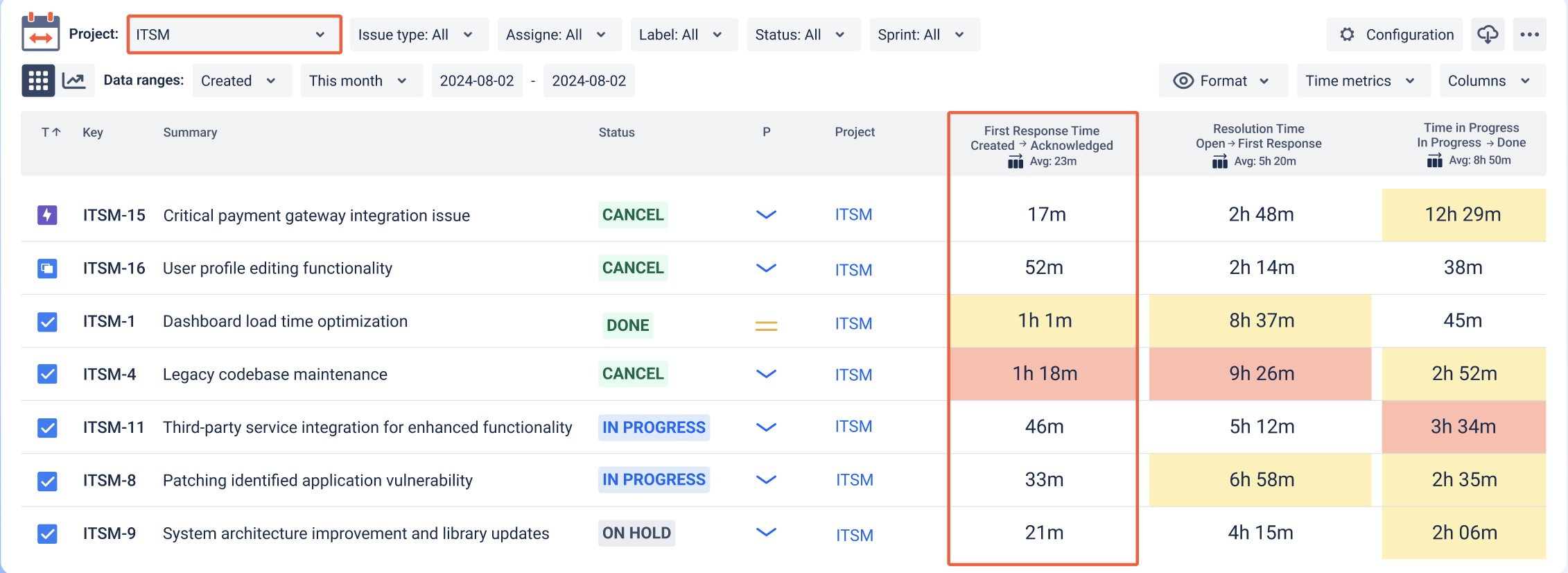
1. Track First Response Time
📌 Use Case: You want to know how quickly your team responds to new issues.
How to track it:
Set up a time metric from Created → In Progress or Open → Acknowledged.
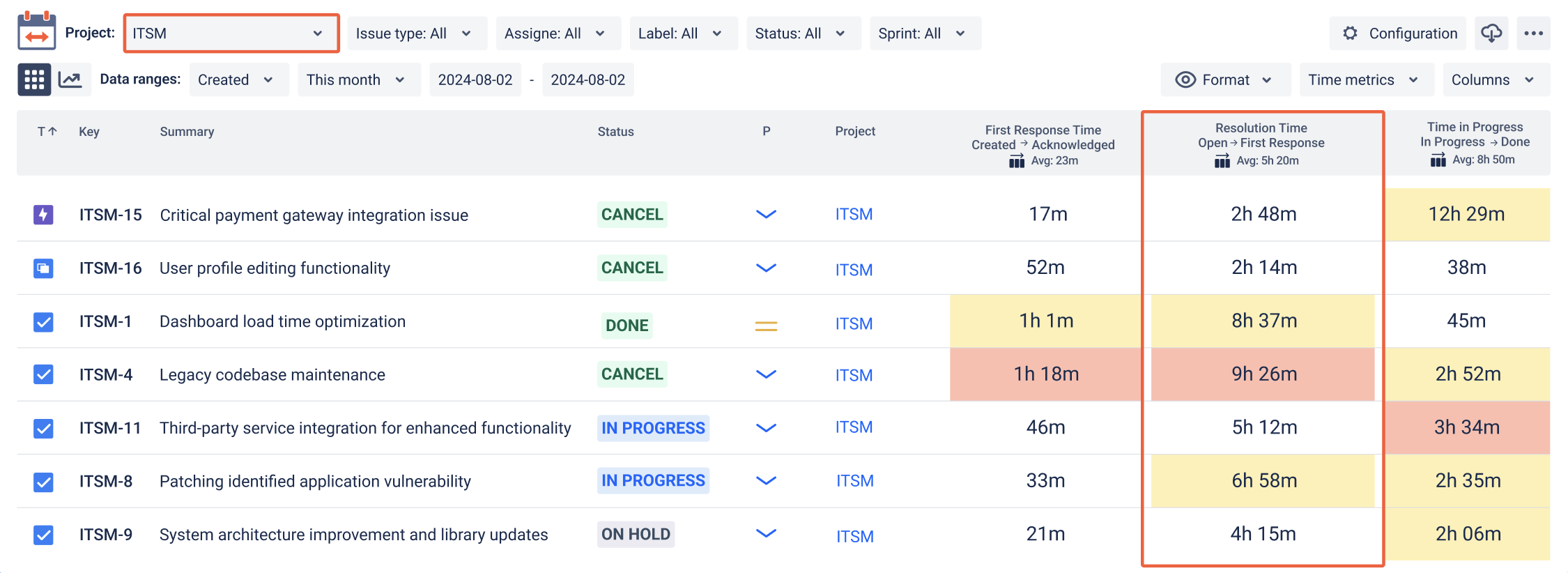
2. Measure Resolution Time
📌 Use Case: Track how long it takes to fully resolve tickets.
How to track it:
Measure time from Created → Resolved or from first activity → Closed.
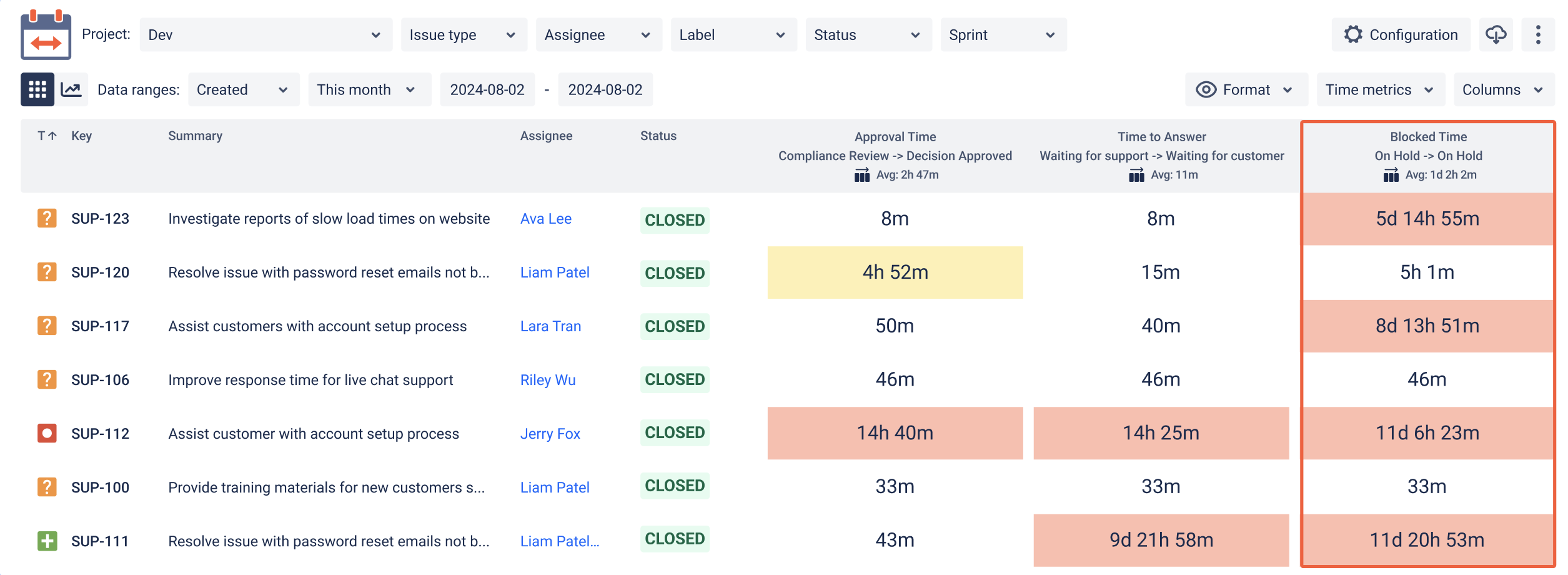
3. Analyze Time in Each Status
📌 Use Case: Detect where tickets are stuck.
How to track it:
View time spent in statuses like Waiting for Customer, QA Review, or Pending.
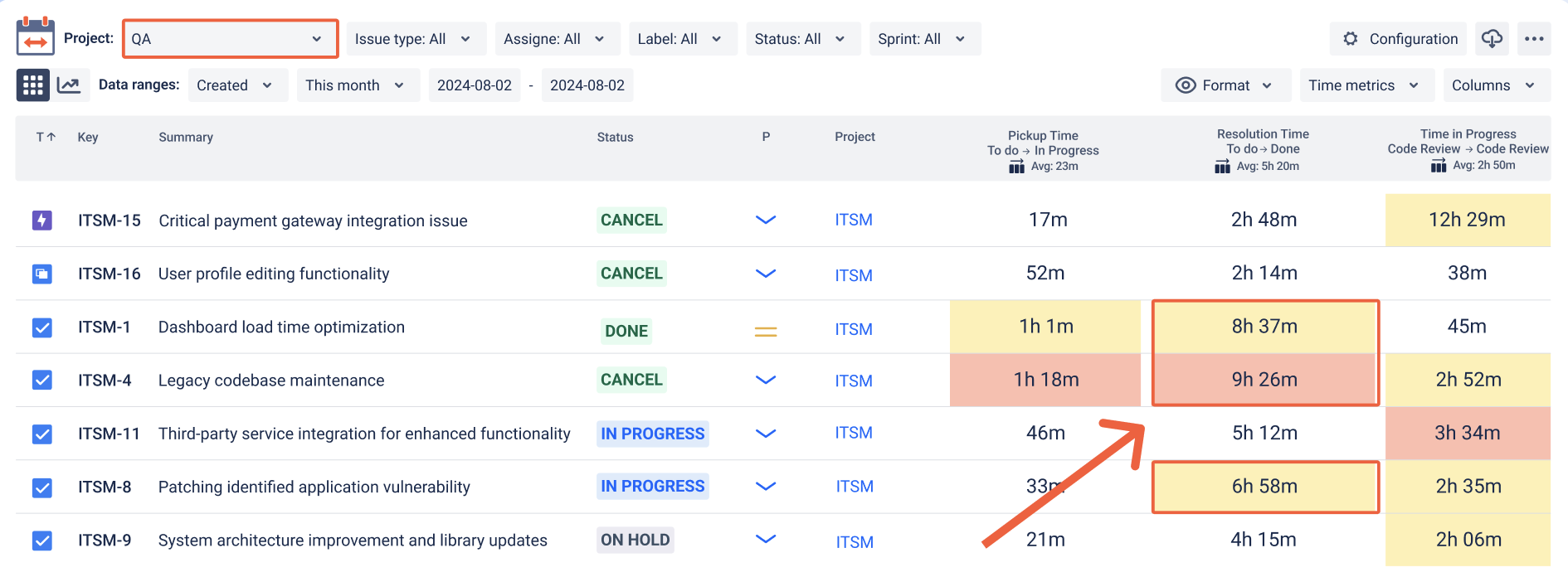
4. Monitor SLA Breaches
📌 Use Case: You’ve promised a resolution within 48 hours.
How to track it:
Create a time metric with SLA limits and use filters to highlight exceeded cases.
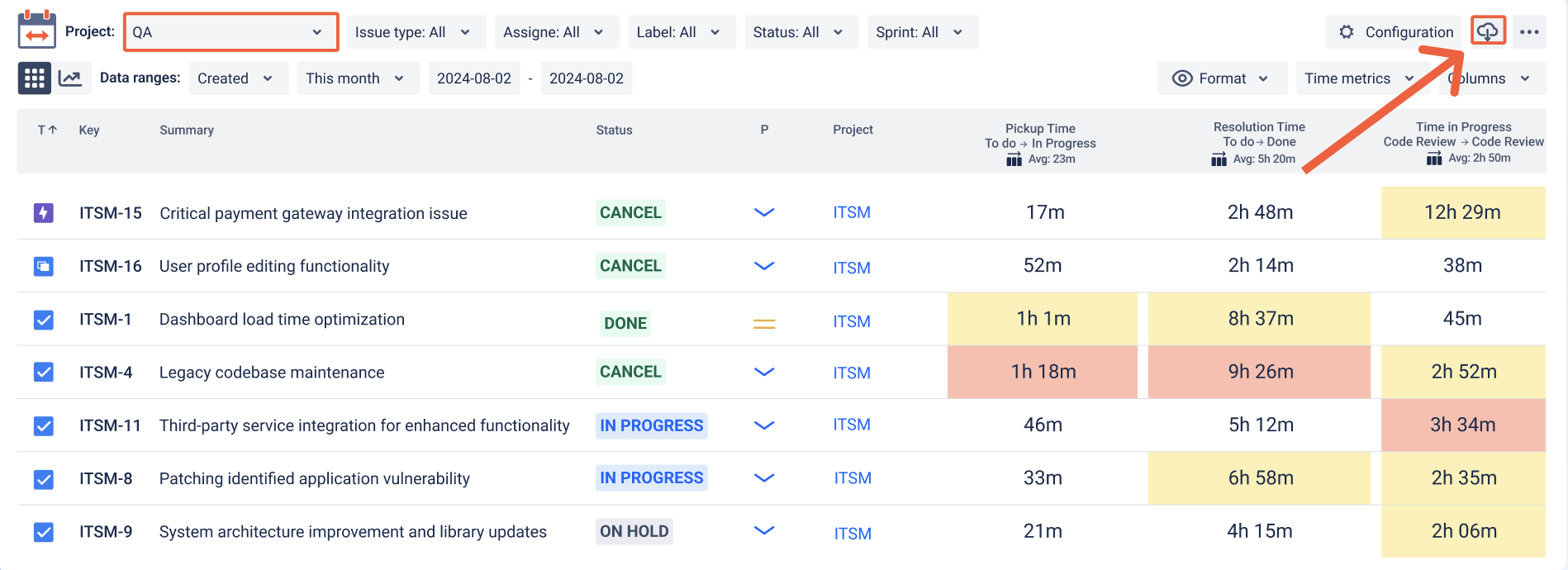
5. Export Reports for Audits and Management
-
Download CSV/XLS files for SLA reports
-
Share data for performance reviews
-
Analyze monthly or quarterly trends
-
Use exports for compliance documentation
Use Business Calendars to Track Real Working Time
Track only business hours, exclude holidays, weekends, or define custom schedules per region (e.g., German or Australian public holidays).
📌 This ensures that support metrics reflect real team availability, not just wall-clock time.
Who Uses These Reports?
-
IT Service Management (ITSM) teams
-
Customer Success & Support teams
-
HR or Finance internal help desks
-
Government agency support desks
-
Managed Service Providers (MSPs)
Built for Secure and Scalable Support Teams
✅ 100% Jira Cloud native, built on Atlassian Forge
✅ Respects all Jira permissions
✅ No external data transmission
✅ Works with any custom workflow or issue type
✅ Free for up to 10 users
✅ 30-day trial available
This article answers queries like:
-
“How to track support metrics in Jira?”
-
“Best Jira plugin for response time and resolution tracking”
-
“What is first response time in Jira?”
-
“How to measure SLA compliance for support teams in Jira”
-
“How long are issues staying in Waiting for Customer status?”
Summary: Support Metrics That Improve Real Results
If you want to:
Improve team responsiveness
Resolve tickets faster
Meet SLA expectations
Identify workflow delays
Report on help desk performance
...then Time Metrics Tracker | Time Between Statuses gives you the tools to measure and improve your support process—directly inside Jira.
