Welcome to the May deep dive on the latest AI-powered Rovo features across your Atlassian apps.
This was a packed month! From AI-powered work creation in your inbox to agents on mobile, May was all about bringing Rovo’s magic to wherever (and however) you work.
Let’s dive in! 🤿
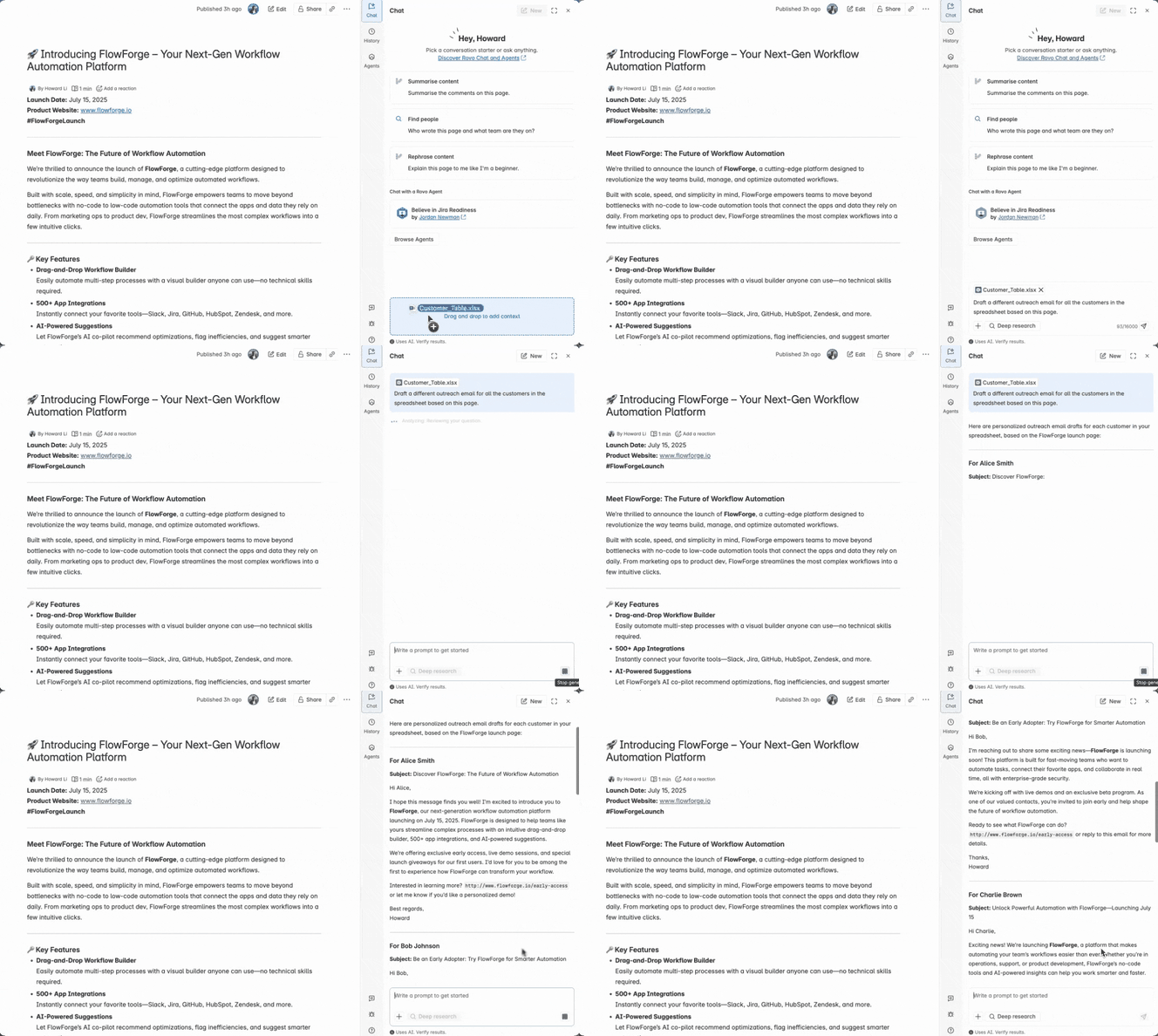
🗂️ Upload files to Rovo Chat
You can now seamlessly upload and analyze a wide range of file types directly in Chat. Just drag and drop files—like documents, spreadsheets, or code—and instantly ask questions or run analysis on their contents. You can also upload multiple files at once.
Ask Rovo to analyse those files for you and, as a bonus you can use the context of what you’re currently in to mix-and-match results. e.g. “Use the customers on this CSV file to generate a tailored message to each customer for the marketing announcement on this Confluence page <link>”.
🤖 Agents appear on mobile, while you’re editing pages and on your team profiles
First, agents are now available on Confluence Mobile! You can now converse, ask questions, analyze themes, break down work, and craft content on the go.
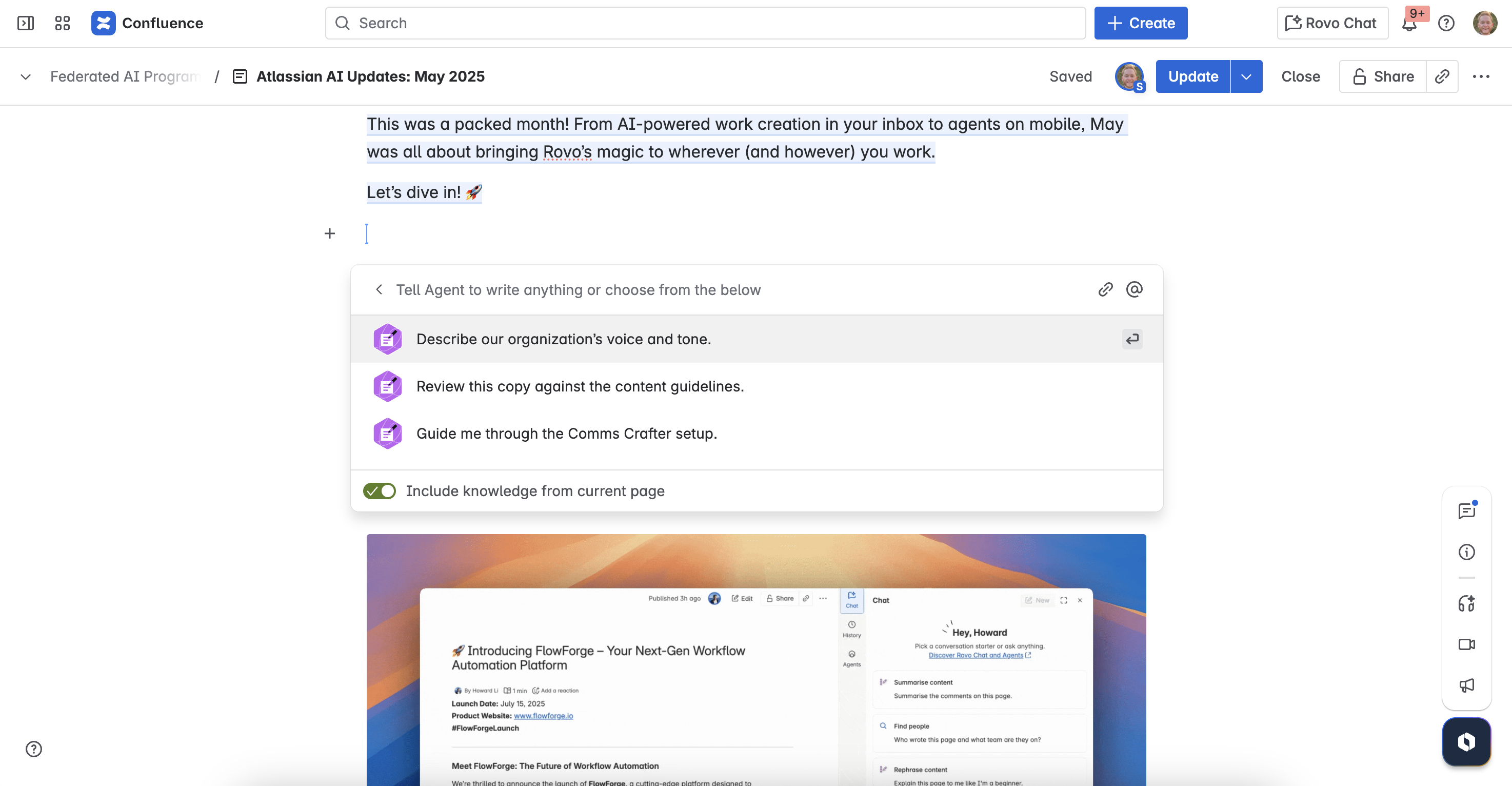
Second, when you add an agent to something you’re editing, like a Confluence page, they’ll now appear as a visible collaborator, just like your teammates. This makes agents feel like a natural part of the workflow.
Third, you can now add agents to your Team Profile to help your team get familiar with the ones you use most, making collaboration easier.
⚙️ Take more action with Rovo Agents
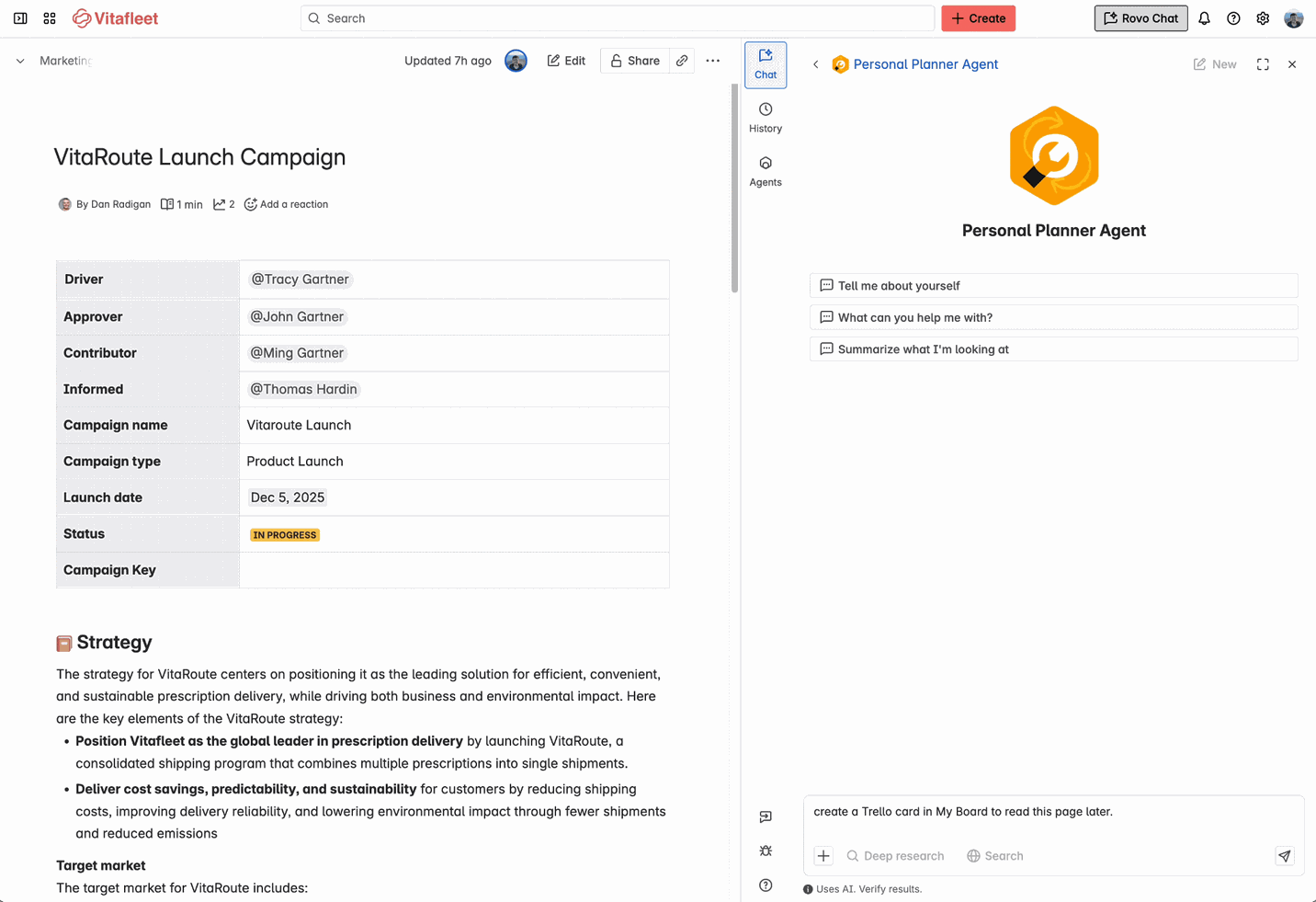
We’ve made Rovo agents more capable, allowing them to take action in more products than ever before. New in May to agent actions you can:
- Create a Microsoft Teams Channel
- Create a Gitlab Branch
- Edit a Label in Jira
- Create Sprint in Jira
- Start Sprint in Jira
- Log Work to a Jira work item
- Add a Trello Card
- Update a Confluence page
- Schedule an Outlook Email
Create or edit a Rovo agent to start experimenting with actions today! You can see a list of all the actions available to you inside the Rovo action directory in Studio.
🔗 7 New Smart Link Connectors
Reminder Rovo has over 50 connectors that let you use knowledge from other apps in Search, chat and Agents. We’ve extended this to add 7 new smart link connectors - use content you’ve already copy/pasted into Confluence and Jira from some of your favorite apps; Microsoft Teams, Google Drive, Box, Airtable, Asana, Miro, and SmartSheet.
Pasted a link somewhere? Next time you search or insert the link in the Confluence space tree, it will be there ready for you to re-use.
Keen to learn more? Check out Search with Smart Links | Rovo | Atlassian Support
🖼 Personalize the Rovo Chrome Extension + Stay Updated
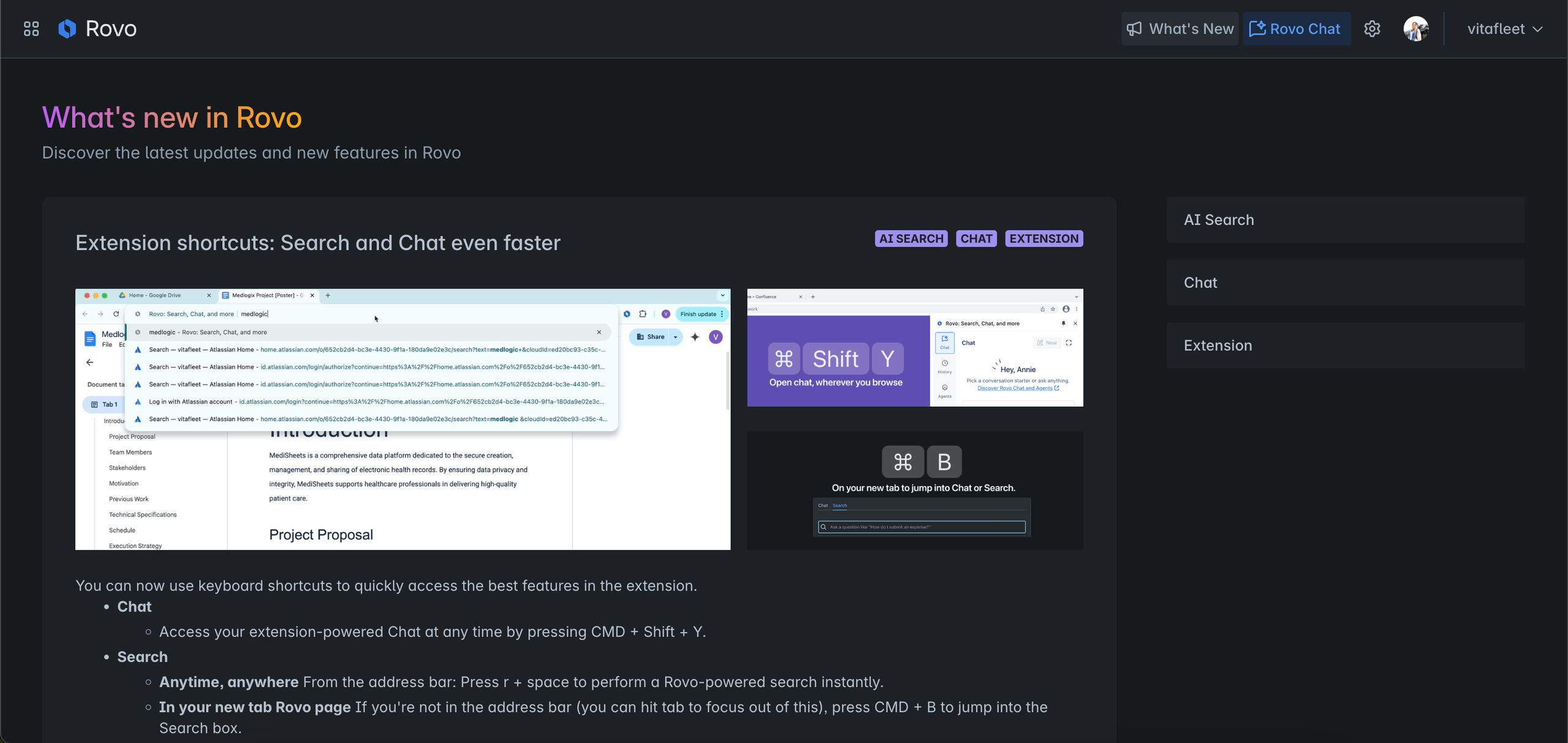
Org admins can now customize the Rovo new tab experience in Chrome with your company’s logo and theme. Make it feel like home with a branded header and background that says, “This is us!” More on how here.
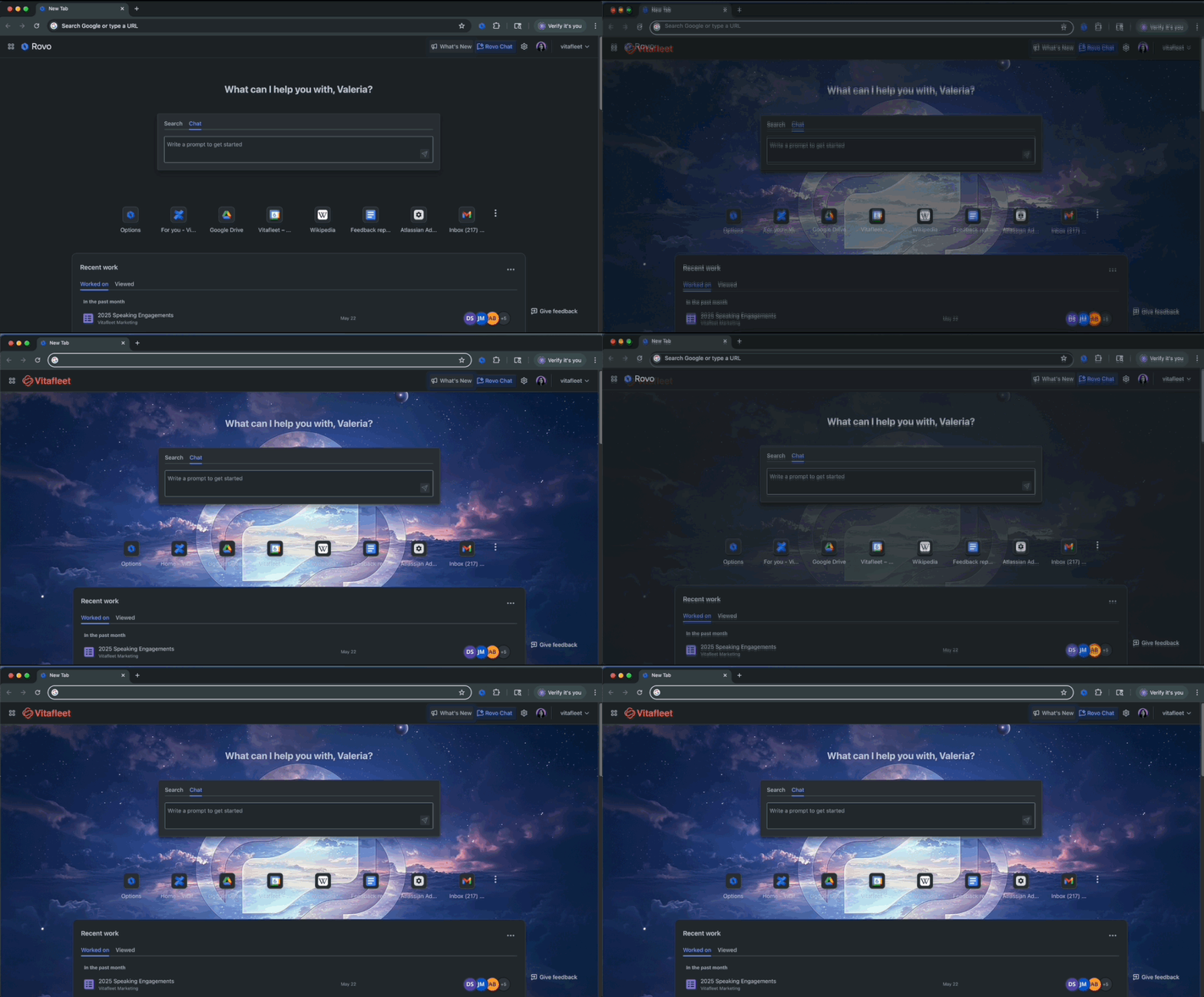
Also, don’t miss the latest Rovo updates and tips—just head to the What’s New page in the Rovo extension (top right corner of your screen).
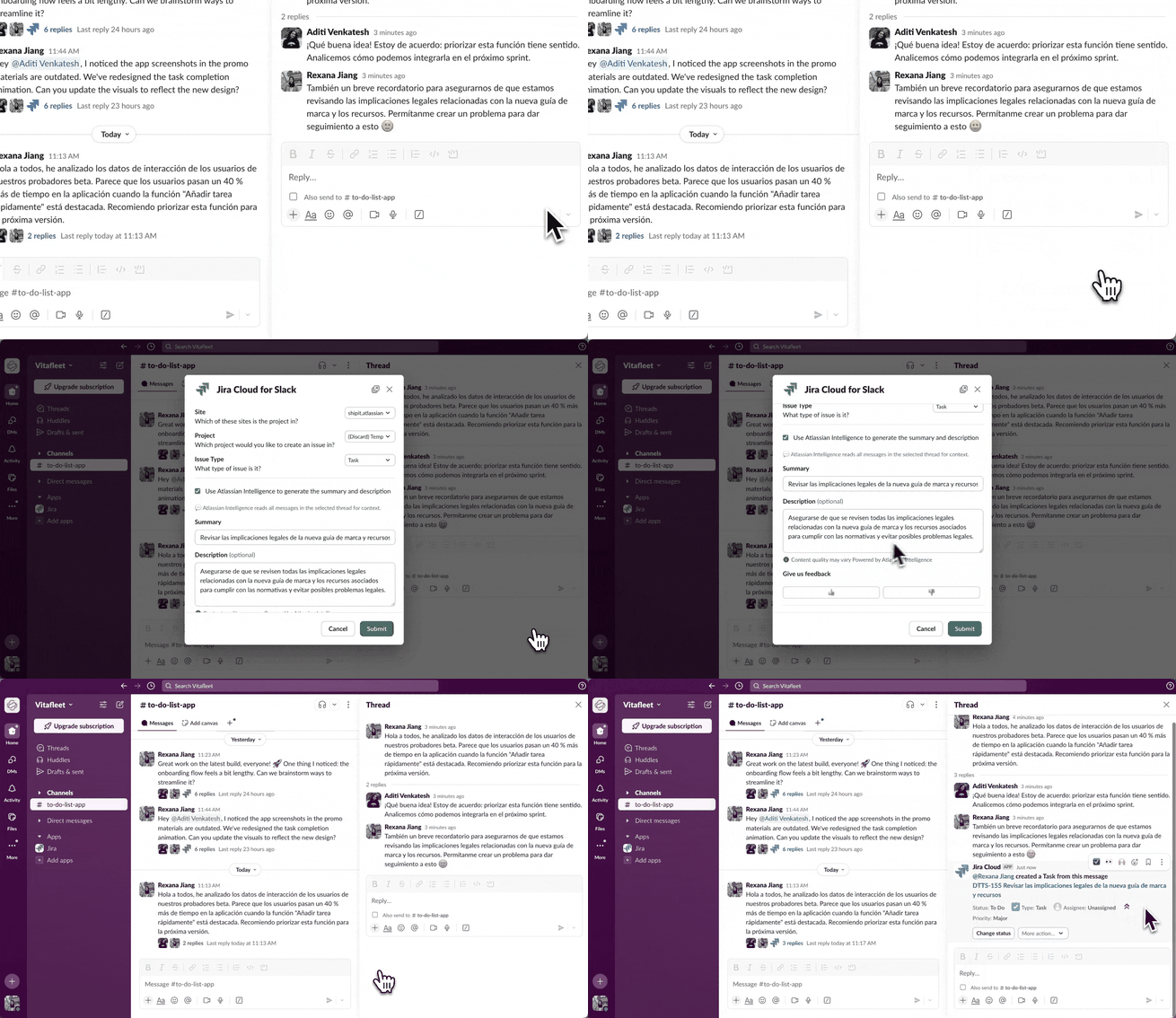
✍️ Jira AI Work Creation: Better Suggestions, More Languages
Thanks to your feedback, our Jira AI Work Creation feature is smarter than ever. We’ve expanded language support and improved work item suggestions across Slack, MS Teams, and Confluence. As a result, teams everywhere can now capture and act on tasks in their preferred language, ensuring greater accuracy and relevance.
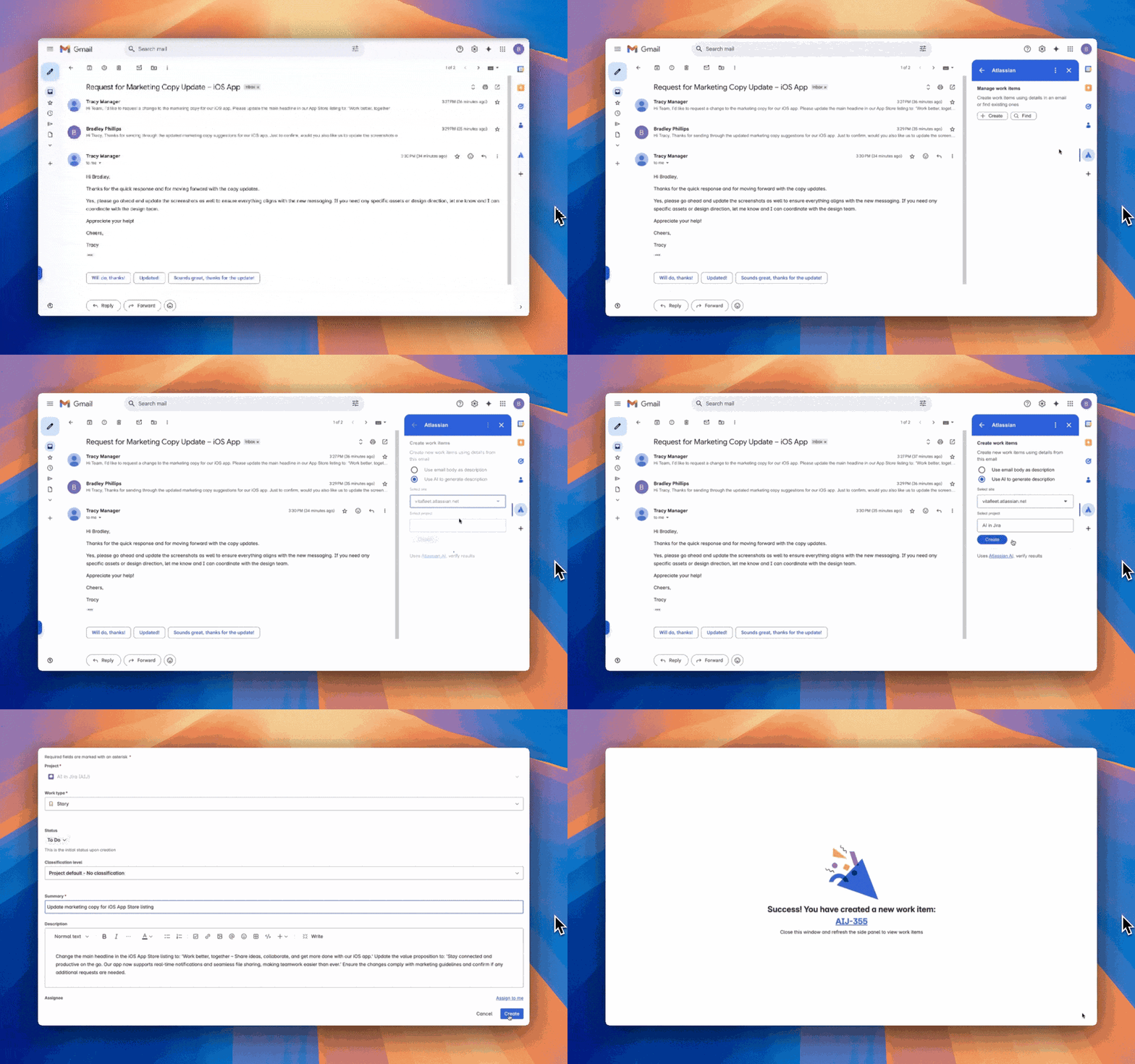
📤 AI-Powered Work Creation from Gmail
Jira for Gmail is now generally available! Instantly turn any email into a Jira work item without the manual copy-paste. It automatically pulls key info like subject and description, so your team can act fast—right from your inbox.
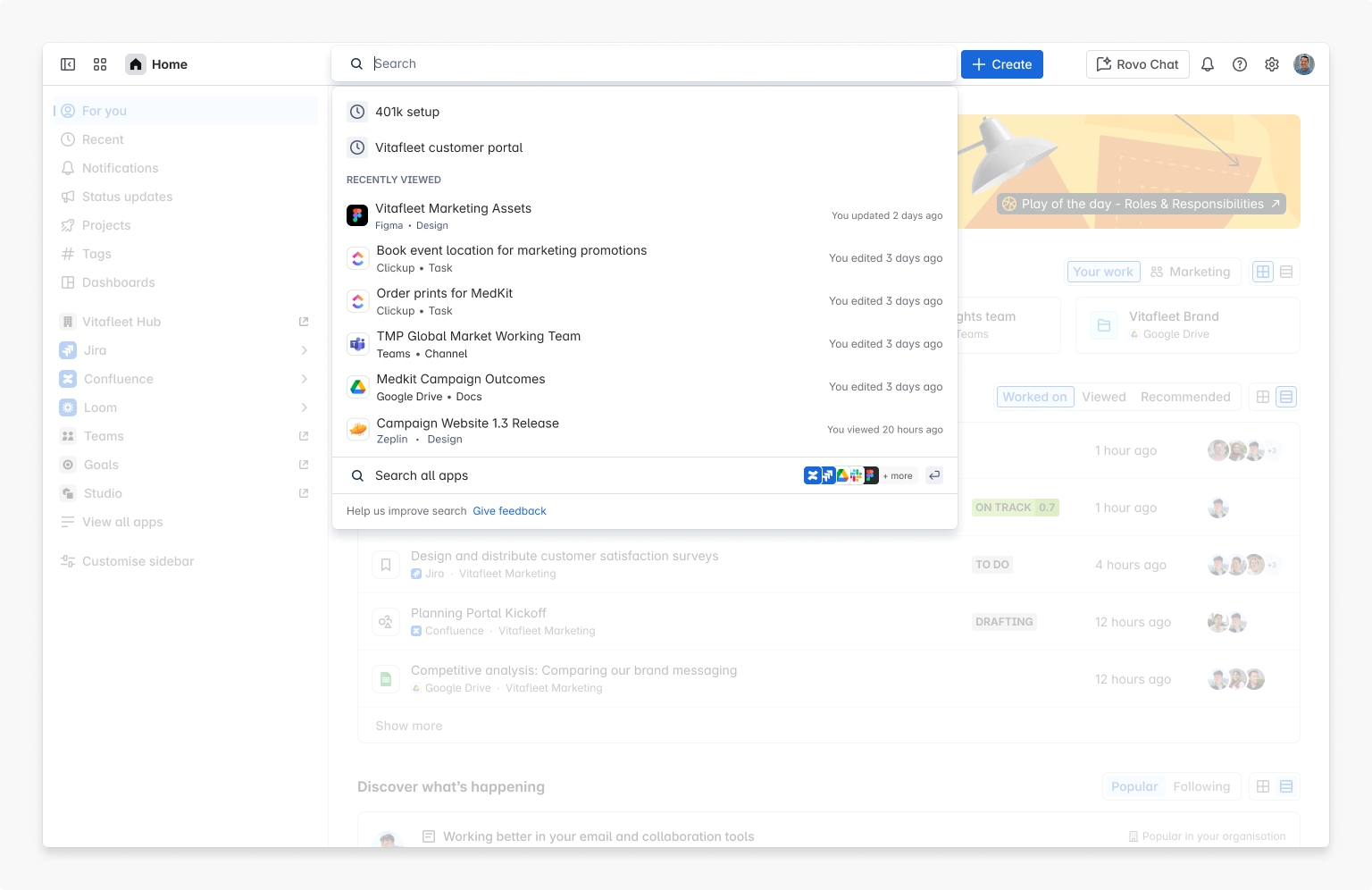
🧩 Connected Apps Now in Quick Find
Quick Find search now returns results from your favourite connected Smart links [or] third-party apps setup by your org admin.
👨🏽💻New Admin Onboarding Experience for Rovo
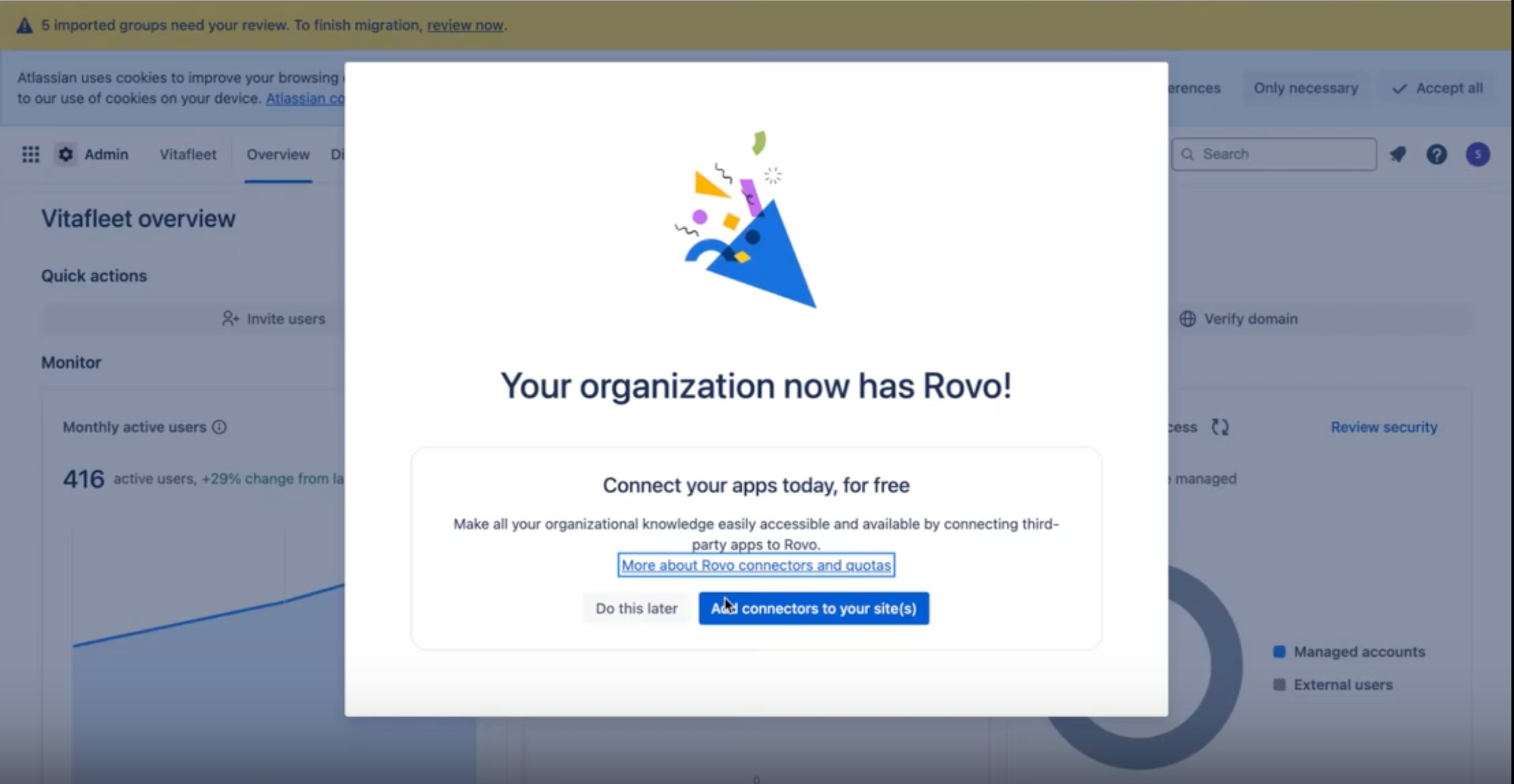
Admins told us Rovo sometimes rolled out silently, leaving them in the dark — and we listened. Now, when admins land in AdminHub, they’ll see a clear modal confirming Rovo is activated, along with a simple path to get set up and start unlocking value right away.
⏩ AI powered Rovo Search got faster and better
We know how precious each moment is when looking for that ticket or document you need to get your work done. And we get your there not only by making each search more useful/relevant, but serving those results faster. Rovo Search relevance improved with multiple ranking model improvements and improved citations in AI answers. And instead of slowing down, Rovo search also shaved off 300ms in P90 latency to get you to back to work faster.
-----------------
That’s a wrap! We’re excited to see how you and your teams put these new features to work. Got a favorite? Questions? Ideas? Drop them in the comments; we’d love to hear from you!

![Photo of Huwen Arnone [Deiser/Devoteam]](https://us.v-cdn.net/6038660/uploads/avatars/6f/bc/n6fbcb837e47ed9842db045142dbc9275.png)


