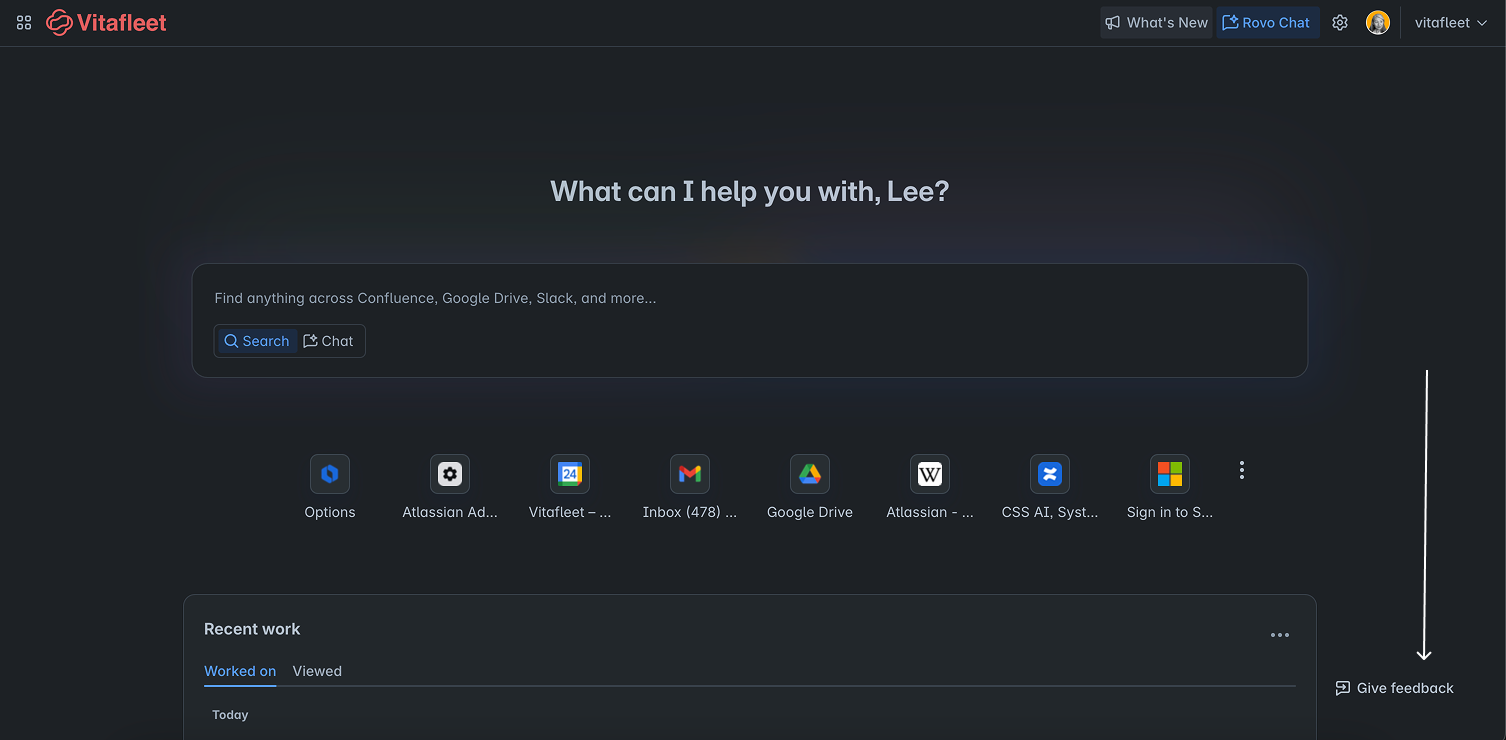
Great news! Based on your feedback, we’re excited to share that you can now see your most recently visited and worked on Google Drive (Docs, Slides, Sheets) and SharePoint documents directly in your Rovo recents feed—making it easier to jump back into your work with fewer clicks.
Each new tab in the Rovo extension shows recent work from not only Atlassian but also your favorite SaaS apps. Your Rovo Atlassian recents feed is found on every new tab when you install the Rovo extension.
Zoomed in view below -->
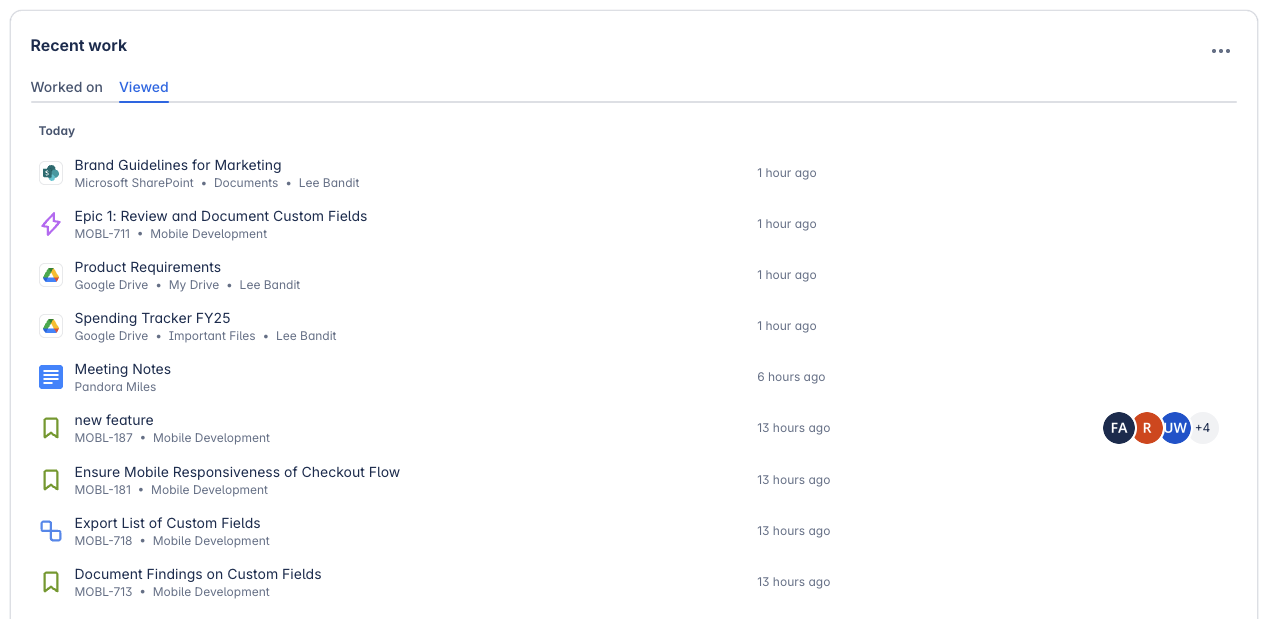
Inside your Rovo new tab -->
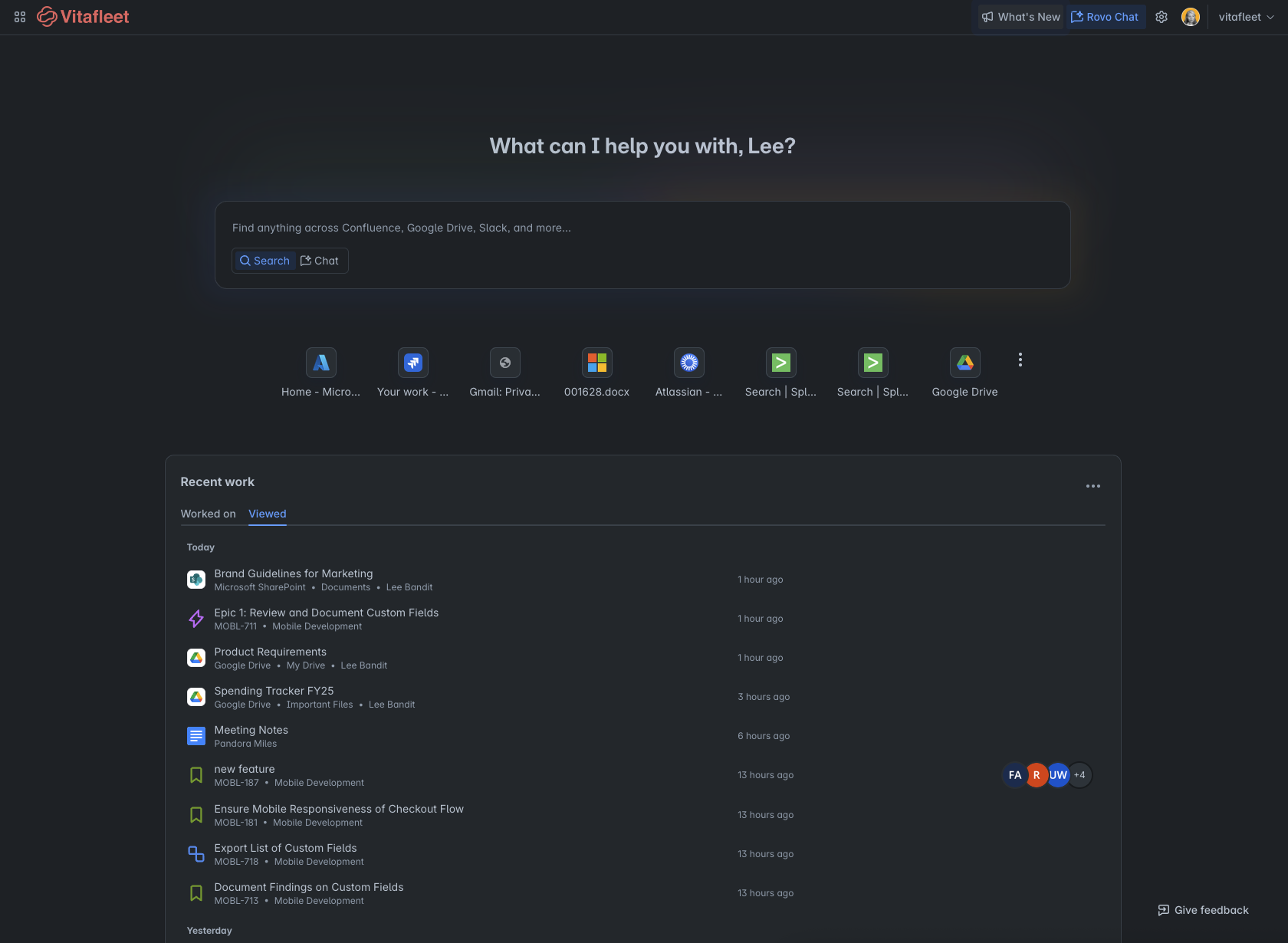
Make sure you install the Rovo extension if you haven’t already here. (Works for Chrome, Edge, and most Chromium browsers).
----
How to Enable SharePoint/Gdrive for Rovo’s Recent Feed
For Org Admins - connect SharePoint or Gdrive to Rovo first (if you haven’t already).
For End Users
-
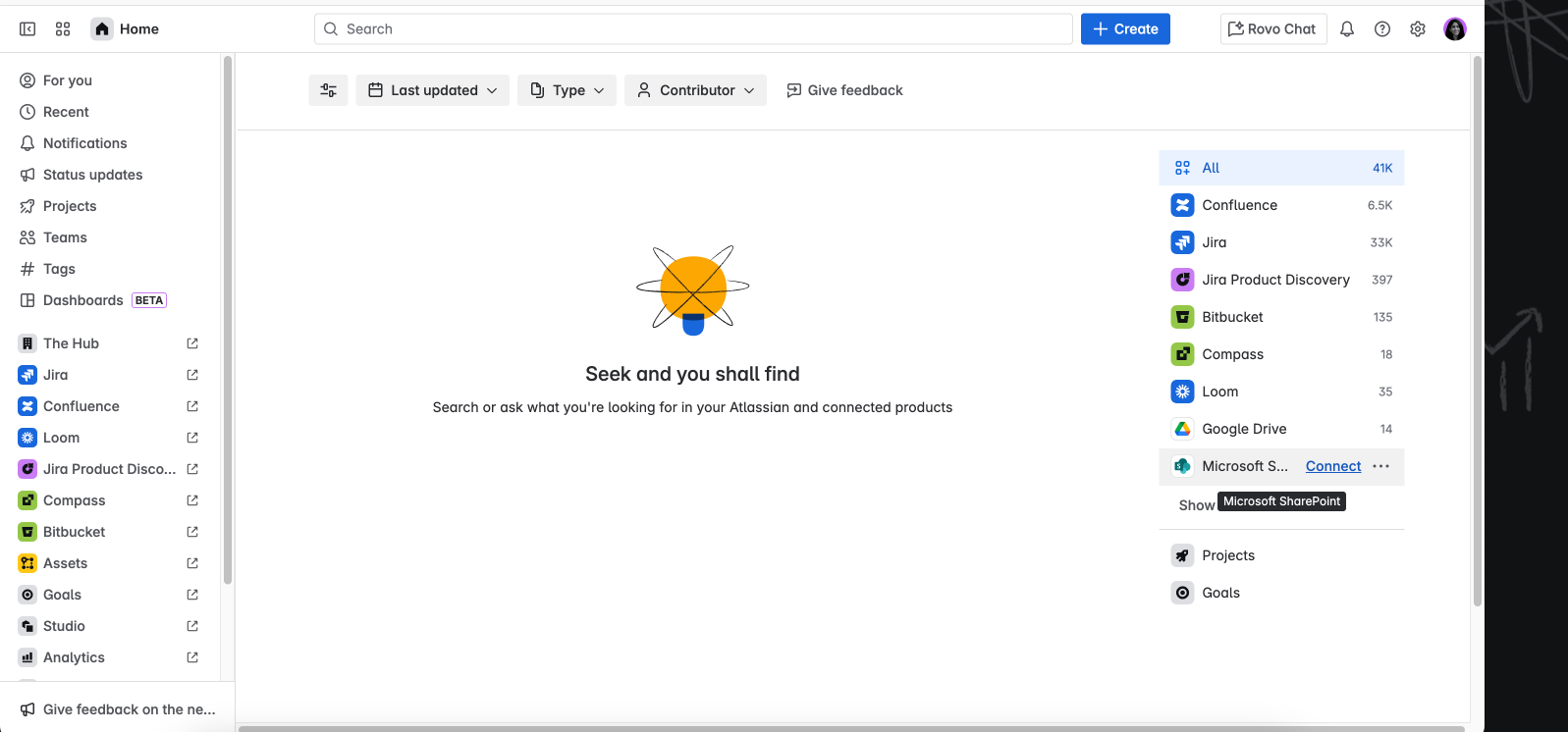
Open Rovo Search (press Enter in the Rovo search box in your new tab or go to rovo.com).
-
Click Connect next to SharePoint or Google Drive in the apps list.
-
Authenticate your account.
-
Your Sharepoint and Google Drive files will now appear in your Recents Feed!
---
Note:
There’s so much more you can do when you connect Google Drive and SharePoint! Not only do your files show up in your recents feed, but they’re alscaleo instantly searchable in Rovo—making it even easier to find and jump into any doc, slide, or file you need. Read more [here] and more of our 50+ can connecters [here].
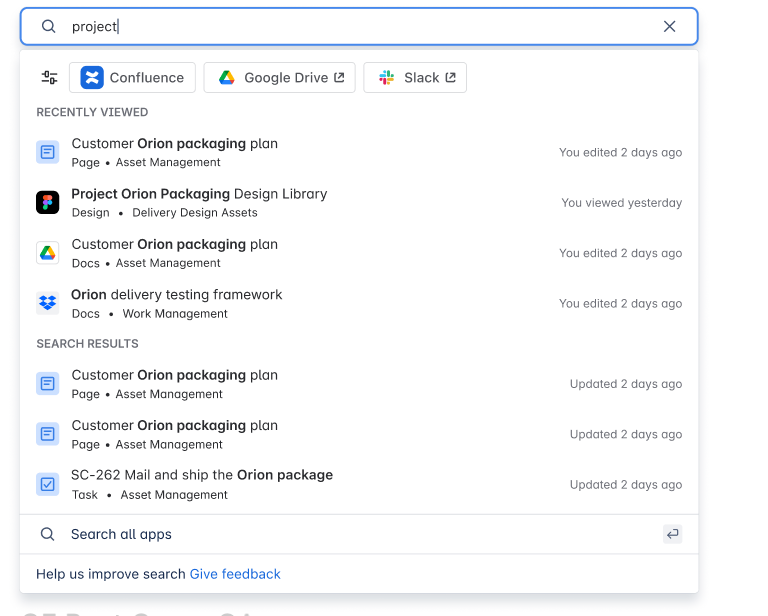
This is just the beginning even more awesome third-party app integrations are coming to your Recent Work. So stay tuned for more updates (and feel free to drop requests)!
---
Psst.. Admins
Want to Deploy the Extension Company-Wide and Skip Individual Installations?
Are you enjoying the new integration and wish to make the Rovo new tab available to all your employees for enhanced productivity?
Feedback
Questions or feedback?