For many teams using Jira, work officially begins when an issue is created. But in reality, work often begins long before that — in a conversation over coffee, a client call on the road, or a request forwarded from a colleague via Slack. These are the moments when people instinctively look for a quick way to hand off a task: a form, a message, a shared doc. And more often than not, the person making the request isn’t sitting at a desk — they’re on a mobile device, trying to get it done in two minutes between meetings.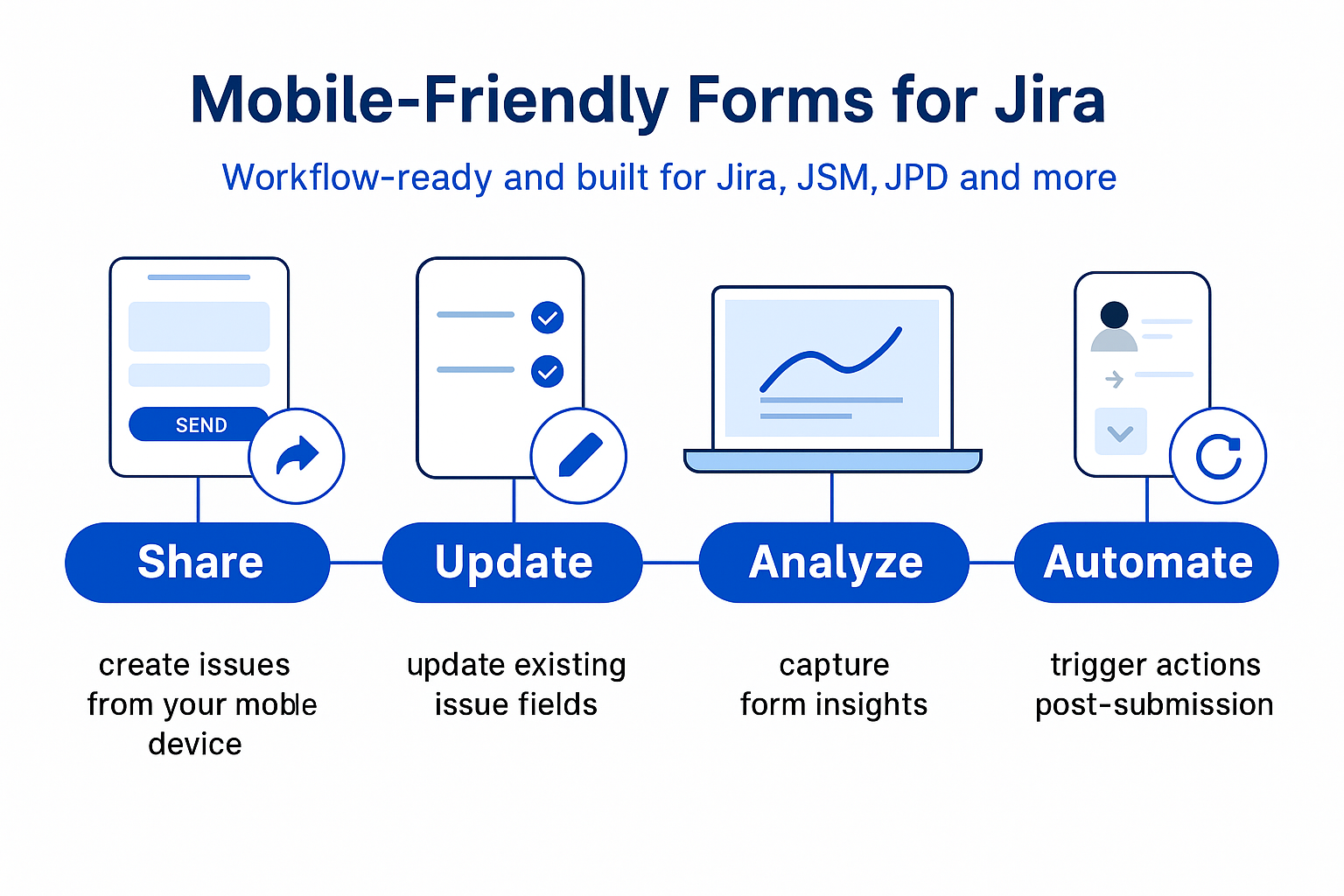
Let’s face it: work doesn’t just happen at a desk anymore.
A customer clicks a link from their phone.
A field rep submits a form while on-site.
A teammate fills out a feedback form between meetings — from the train, the airport, or wherever work happens now.
And yet… many Jira form tools aren’t built for mobile.
Forms break, fields don’t align, or worse — the page doesn’t load at all.
🧩 The Problem:
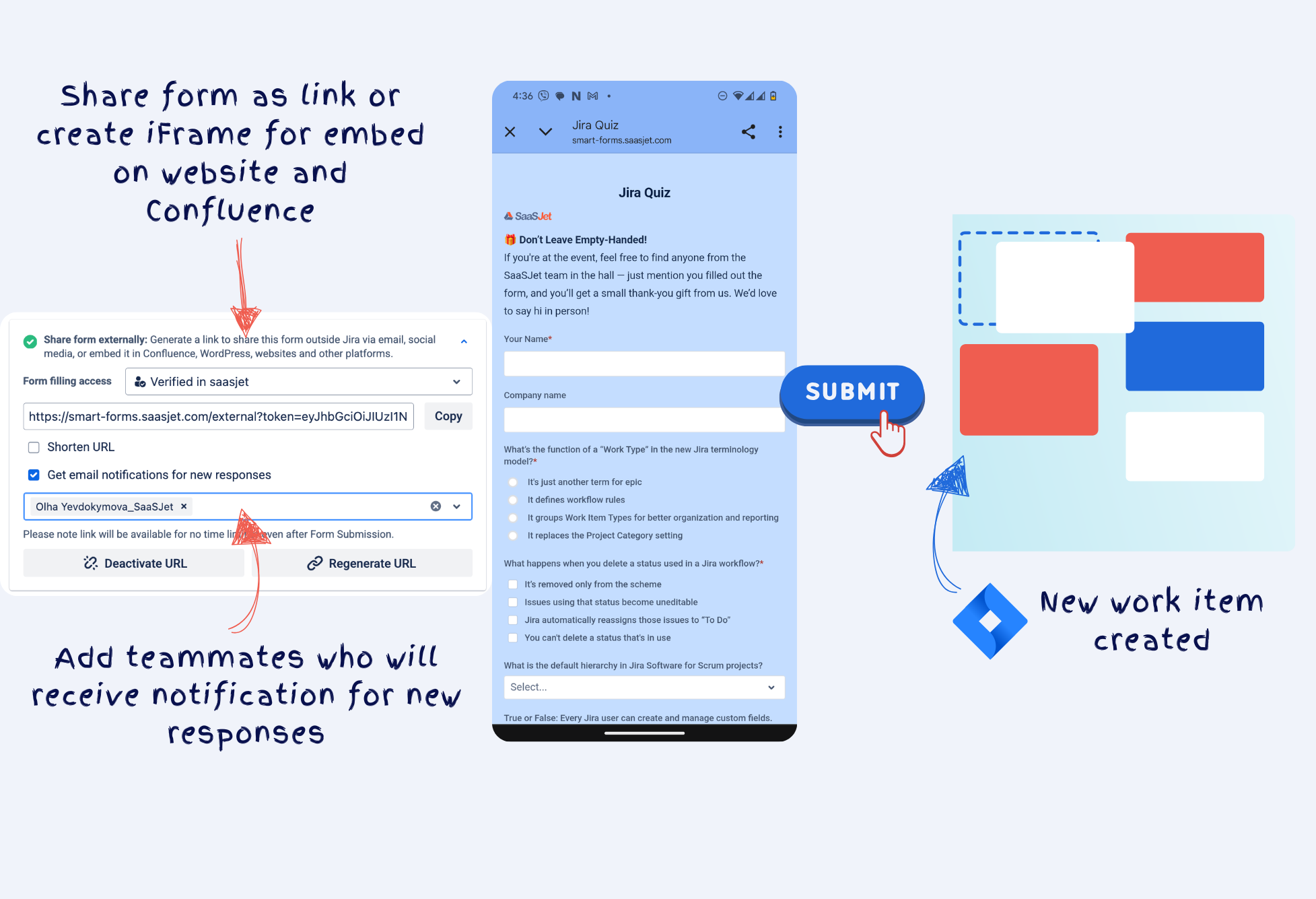
You want to collect structured input from users outside your Jira instance — maybe partners, vendors, or customers. You send them a form link… and they open it on mobile.
Smart Forms isn’t just a prettier responsive form builder.
It’s a full intake and action engine for external + internal workflows.
Here’s what you can solve:
📝 1. Create Jira Issues from External Requests
No Jira account? No problem.
Turn any form submission into a structured issue — with mapped fields, custom types, even labels.
-
Map to any field: Summary, Description, Priority, etc.
-
Choose Work Item Type (formerly Issue Type) dynamically
-
Assign issues based on form input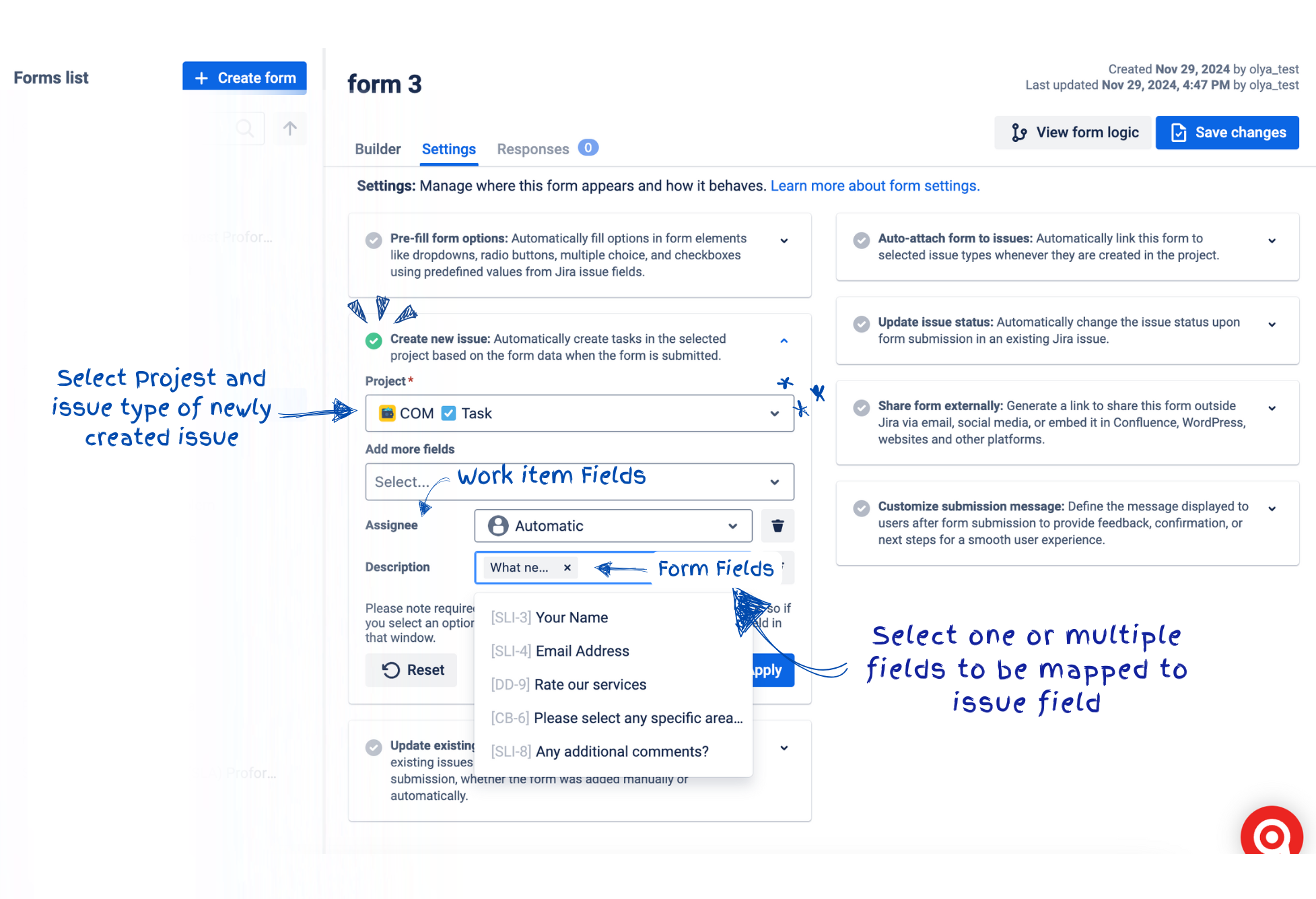
🔁 2. Update Existing Issues
Already have a request open?
Let users submit follow-ups or approvals — without duplicating tickets.
-
Update fields like status, description, comments
-
Auto-track who submitted and when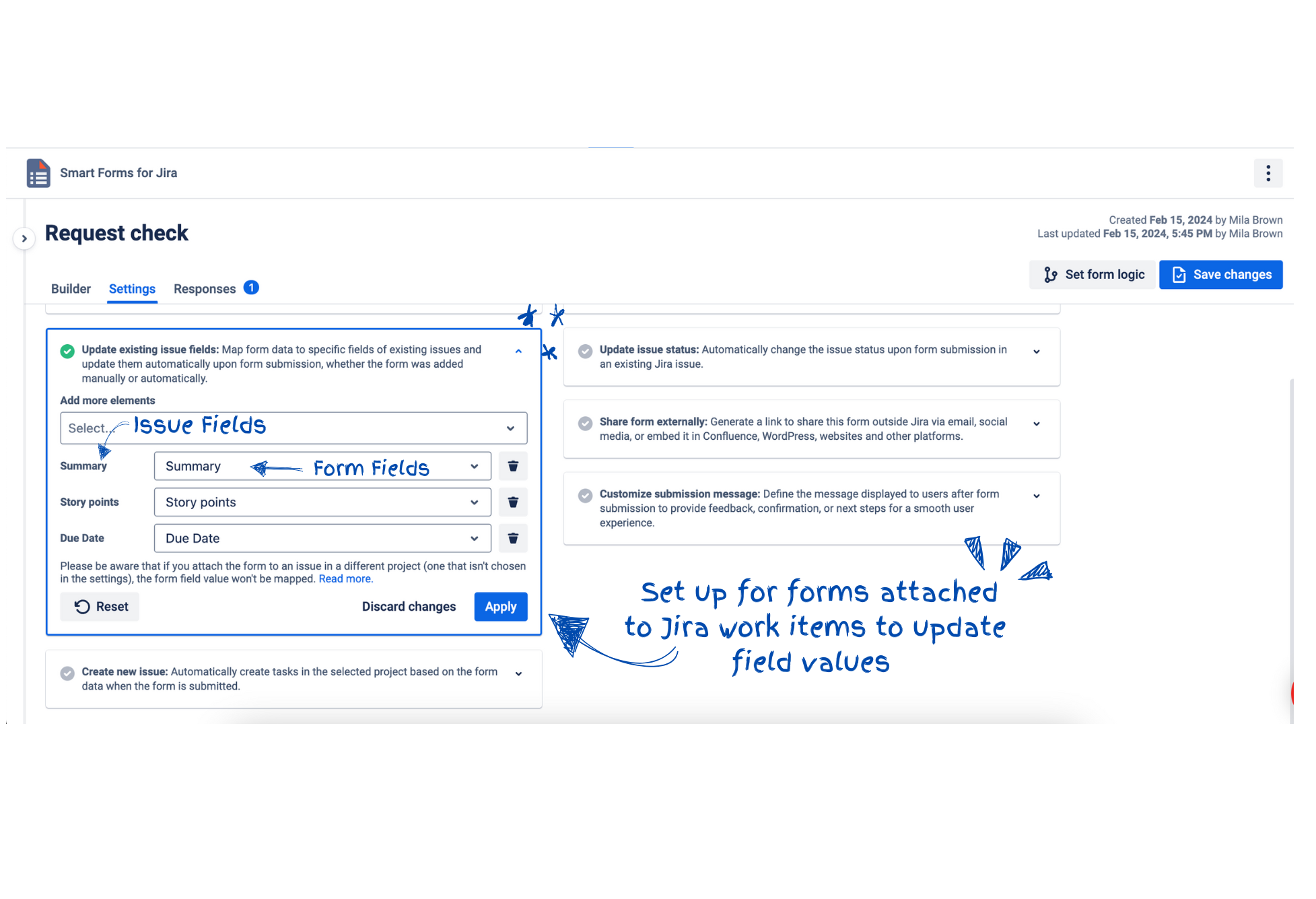
🔄 3. Trigger Issue Status Transitions
Make Jira workflows smarter — and faster.
Set rules to move issues forward when a form from issue is submitted.
📊 4. Get Form Analytics
Know which forms convert.
See where users drop off.
Track submission volume by form, team, or status.
-
Export data to Excel or Confluence
-
See trends in feedback, feature requests, or survey scores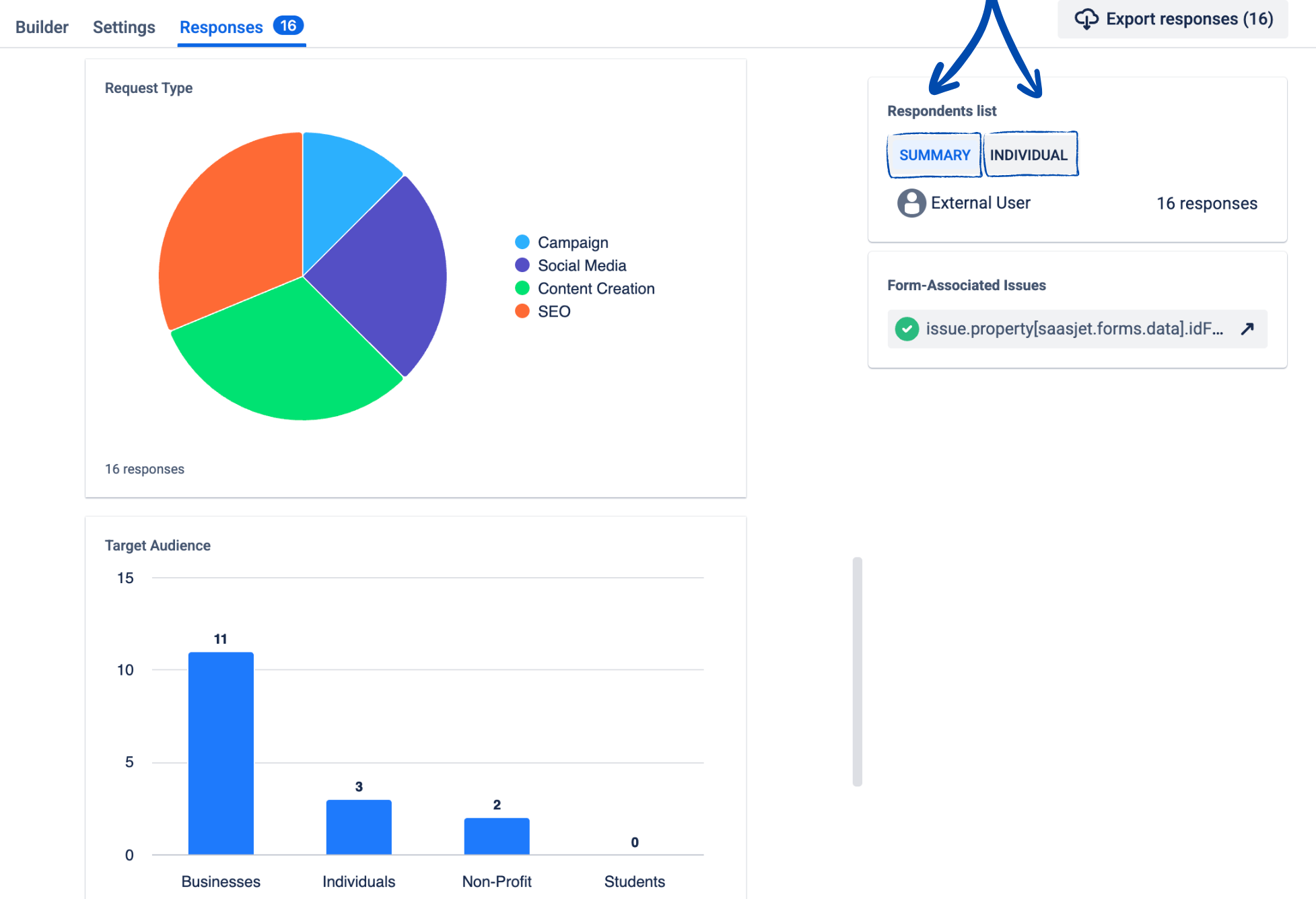
📎 5. Collect Files from Mobile
Most solutions struggle here.
With Smart Forms for Jira, users can upload screenshots, PDFs, images — even from a phone.
🔒 External? Internal? Doesn’t Matter.
Smart Forms bridges both worlds:
-
🔓 External access with domain restrictions, CAPTCHA, and secure links
-
🔐 Internal workflows that map data exactly where it belongs in Jira
-
✅ No extra Jira licenses needed for submitters
So you don’t have to choose between structure and accessibility.
Use Cases That Make the Difference
-
Product Teams collecting ideas from internal stakeholders via mobile
-
IT Teams managing access or equipment requests from field users
-
HR Teams onboarding new hires who submit info from their phones
-
Legal Teams reviewing external contracts with document upload
-
Customer Teams sending CSAT/NPS surveys post-resolution
💬 Final Thought
The best form is the one that actually gets submitted.
On any device.
By anyone.
Into Jira — with structure, automation, and clarity.
If you're still chasing info across emails, broken portals, or Slack threads — it's time to rethink your intake.
Smart Forms gives you everything Jira’s native forms don’t:
-
External access
-
Mobile performance
-
Actionable data
-
Workflow integration
📌 Try it on mobile. Share it externally. Make Jira the first step — not the cleanup crew.
