
Measuring the right metrics is essential to understanding team performance, workflow efficiency, and service quality. Yet, traditional tools often limit how and what you can track inside Jira.
With SnapMetrics – Real Time Analytics, you can now define custom metrics tailored to your unique needs — and start turning Jira data into actionable insight.
Why Custom Metrics Matter
Every team operates differently.
Whether you're measuring resolution times, time spent in specific statuses, or response time per user group — prebuilt reports rarely give the full picture.
Custom metrics in SnapMetrics enable you to monitor what truly matters to your team, in real time and with full flexibility.
A Step-by-Step Guide: Creating a Metric in SnapMetrics
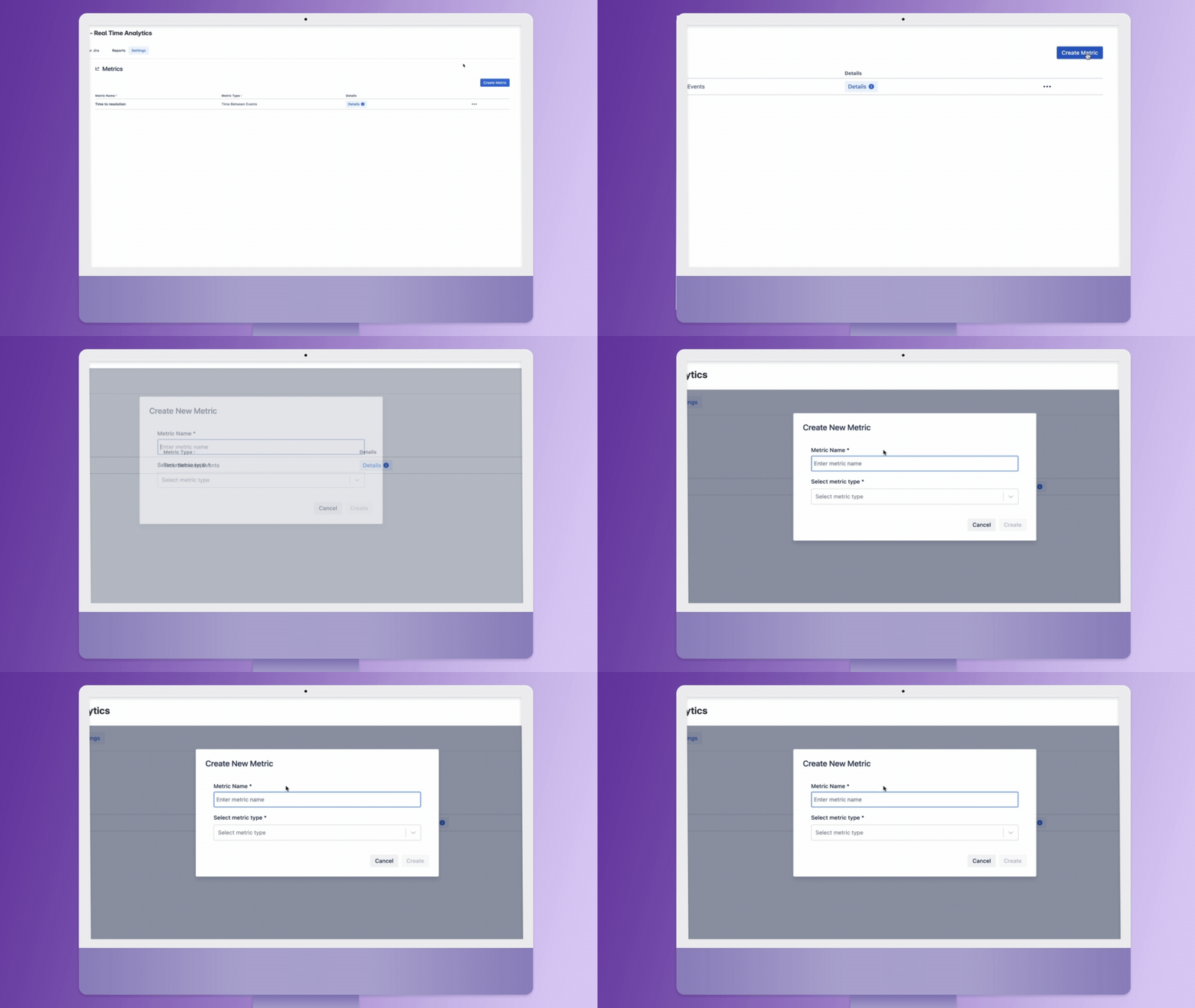
- Click ‘Create Metric’
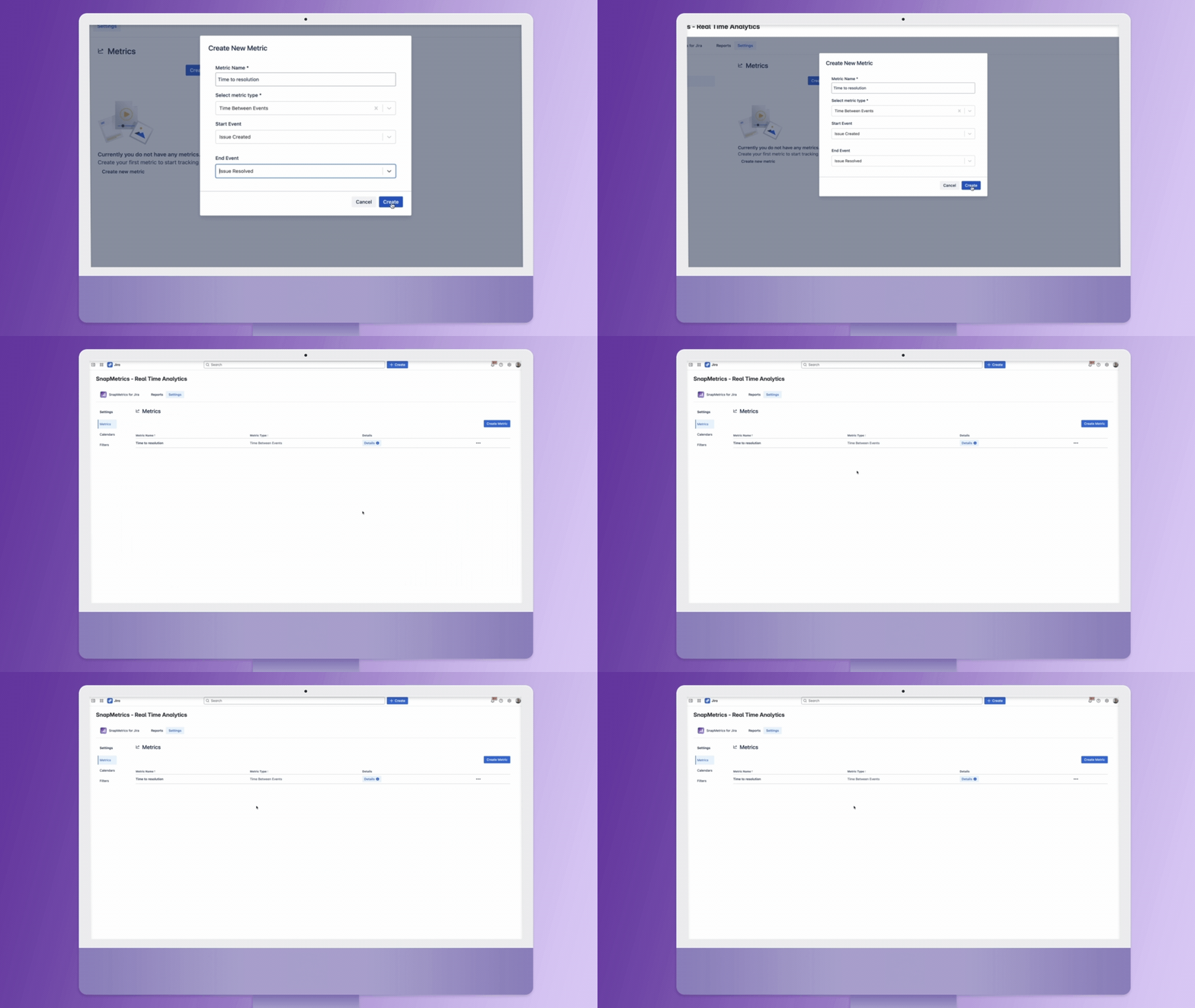
Begin by navigating to the Metrics section under Settings and clicking “Create Metric.” This opens a simple setup panel.
- Choose a Metric Type
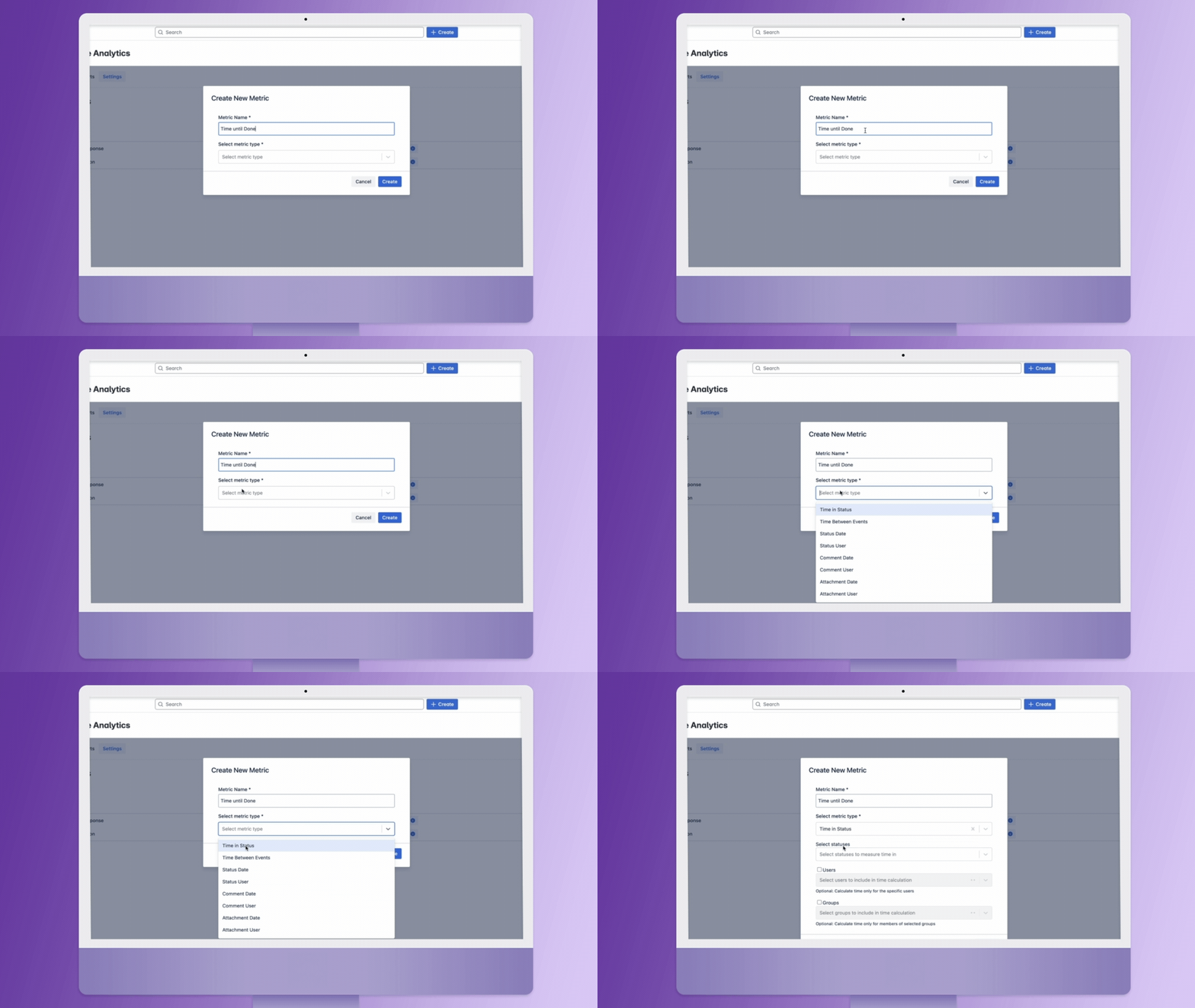
You can define metrics based on different measurement models:
- Time Between Events: Measure the duration between two defined actions (e.g., Issue Created → Issue Resolved).
- Time in Status: Track how long an issue remains in a specific status like "In Progress" or "Waiting for Review".
- Other types include metrics based on comments, attachments, and status updates.
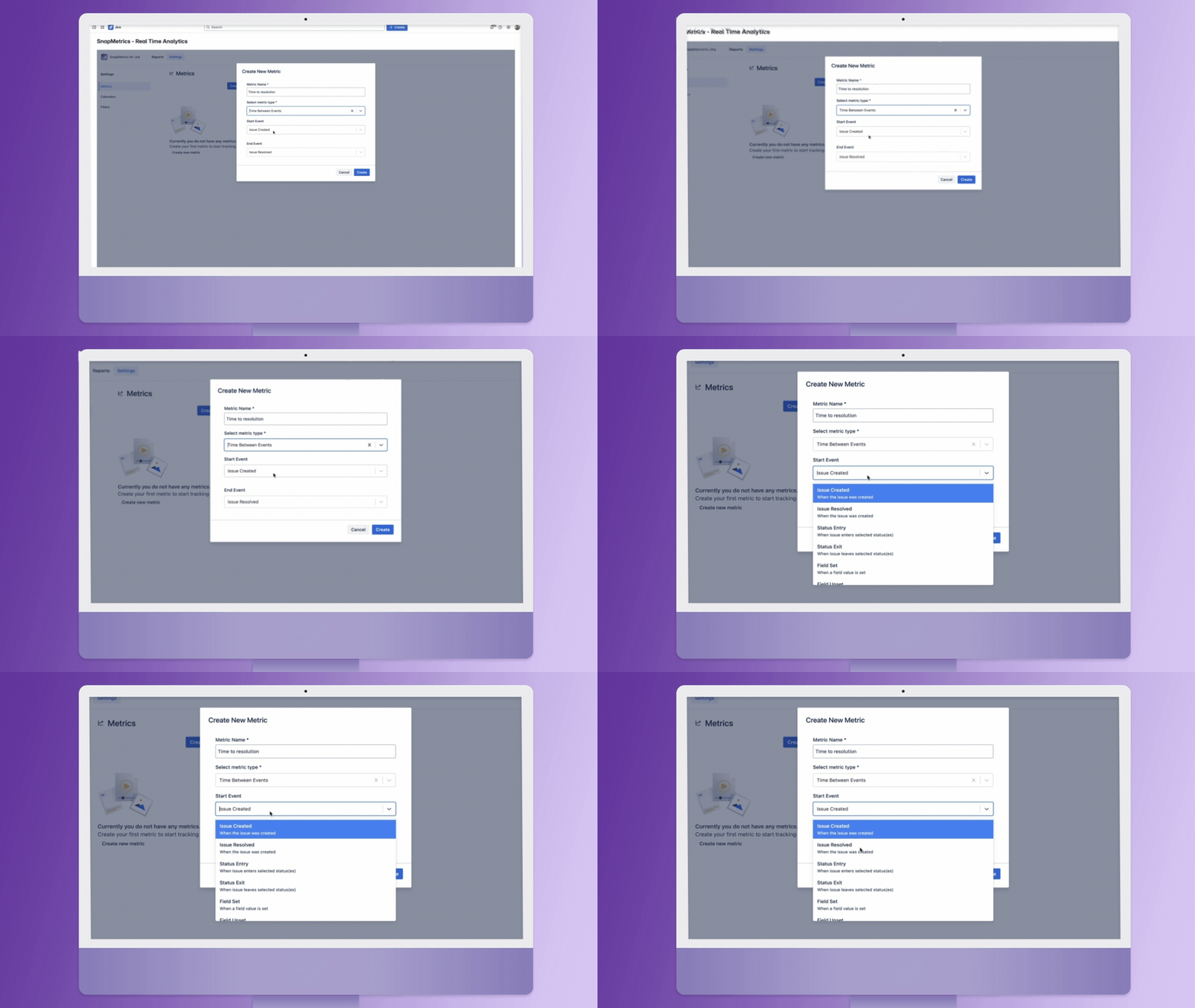
- Set the Start Event
Select when you want the tracking to begin — for example, when an issue is created, enters a certain status, or a field is updated.
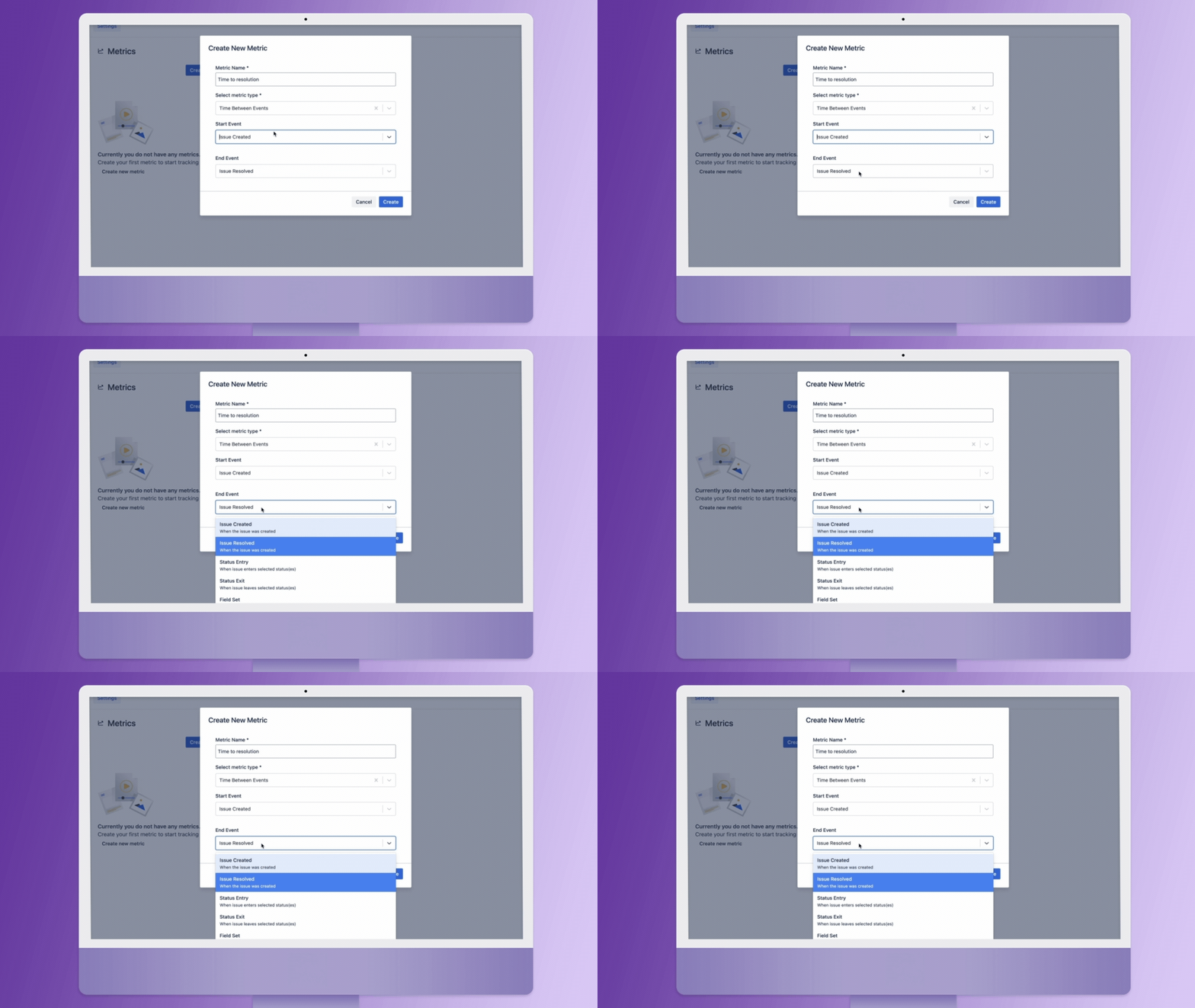
- Set the End Event
Next, choose the event that marks the end of the tracking period. This could be “Issue Resolved” or when a particular field value is changed.
- Finalize and Create
Click “Create” and your metric will be added to your metrics dashboard. You can now use it in performance reports or to visualize real-time operational trends.
Advanced Configuration Options
Want to go deeper? SnapMetrics lets you:
-Select multiple statuses for time-in-status metrics
-Apply user-based filters to track activity per person
- Use group filters to monitor performance across departments or functional teams
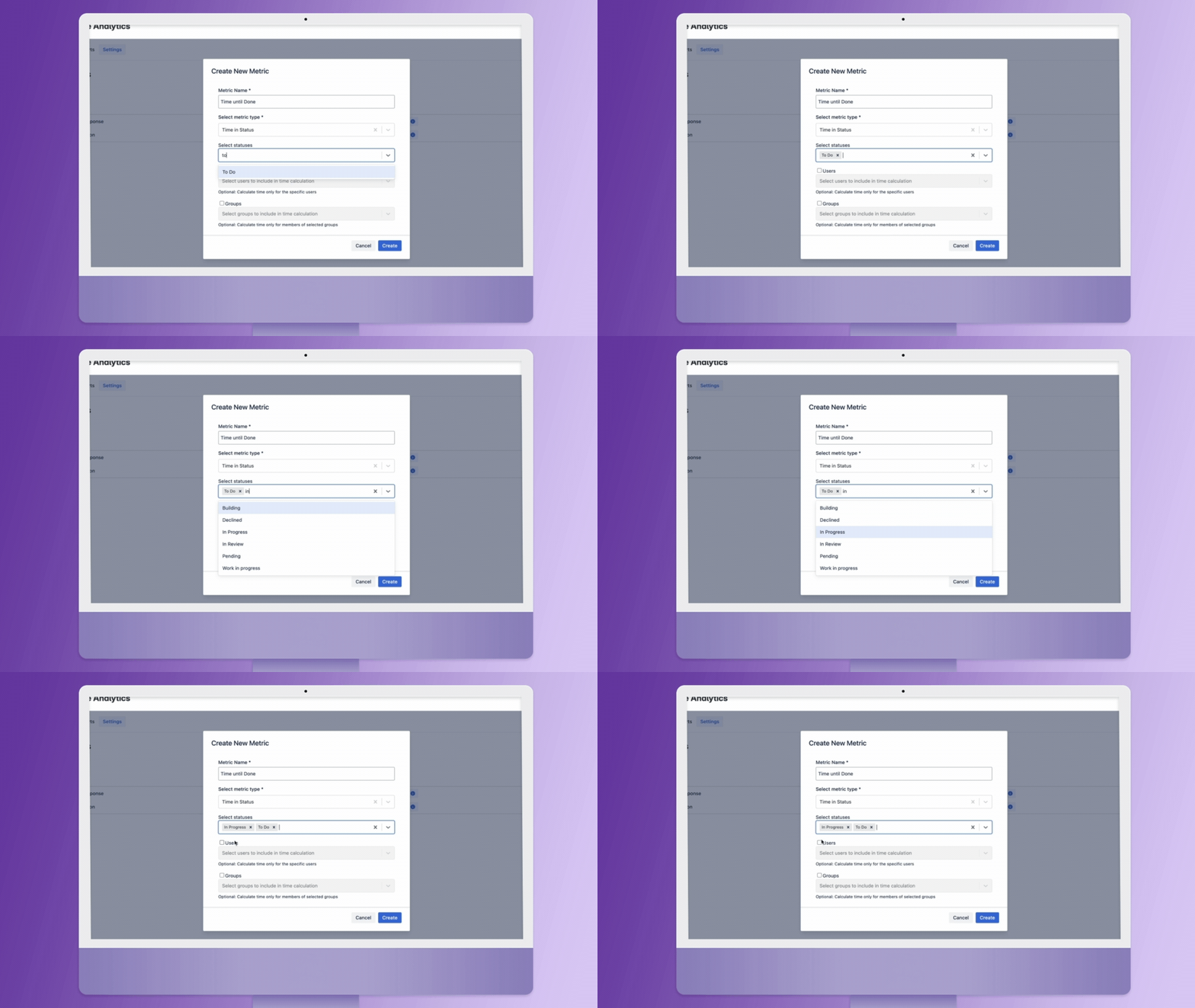
This ensures that your metrics reflect how your organization actually works — not just how your tools are set up.
From Metrics to Impact
With just a few clicks, you can start capturing KPIs that drive real business value.
Use your custom metrics to:
- Detect process bottlenecks
- Optimize SLAs
- Benchmark team performance
- Monitor customer response times
- Fuel continuous improvement
Ready to Build Smarter Metrics?
SnapMetrics – Real Time Analytics makes metric definition simple, fast, and fully integrated within Jira.
SnapMetrics – Real Time Analytics Available now on Atlassian Marketplace
