Welcome to the April deep dive on the latest AI powered features across Rovo and our products. This months' edition is huge, lets go!
Studio brings together Atlassian’s builder experiences under one roof so you can create and connect everything from AI agents to automation, assets and hubs — no coding required (unless you’re into that). Studio is accessible via the app switcher, learn more.
We’re just at the beginning of this journey and you’ll see us invest a lot more in this space bringing together all these pieces to enable you to build, powered by AI. Watch this space!
We’ve made several improvements to unlock more use cases that your new (and shiny!) virtual team mates can help out with.
One most requested features is now shipped!; here are some ideas for how to use it:
🔁 Sprint complete? → Use an agent to create release notes.
🚨 Incident escalated? → Use an agent to create a incident report.
💡 Capturing blog ideas in a Jira work item? → Why not drag it to an “explore with AI” column, let the agent generate a page with ideas from the work item in a page, and comment back on the with a link when they’re done.
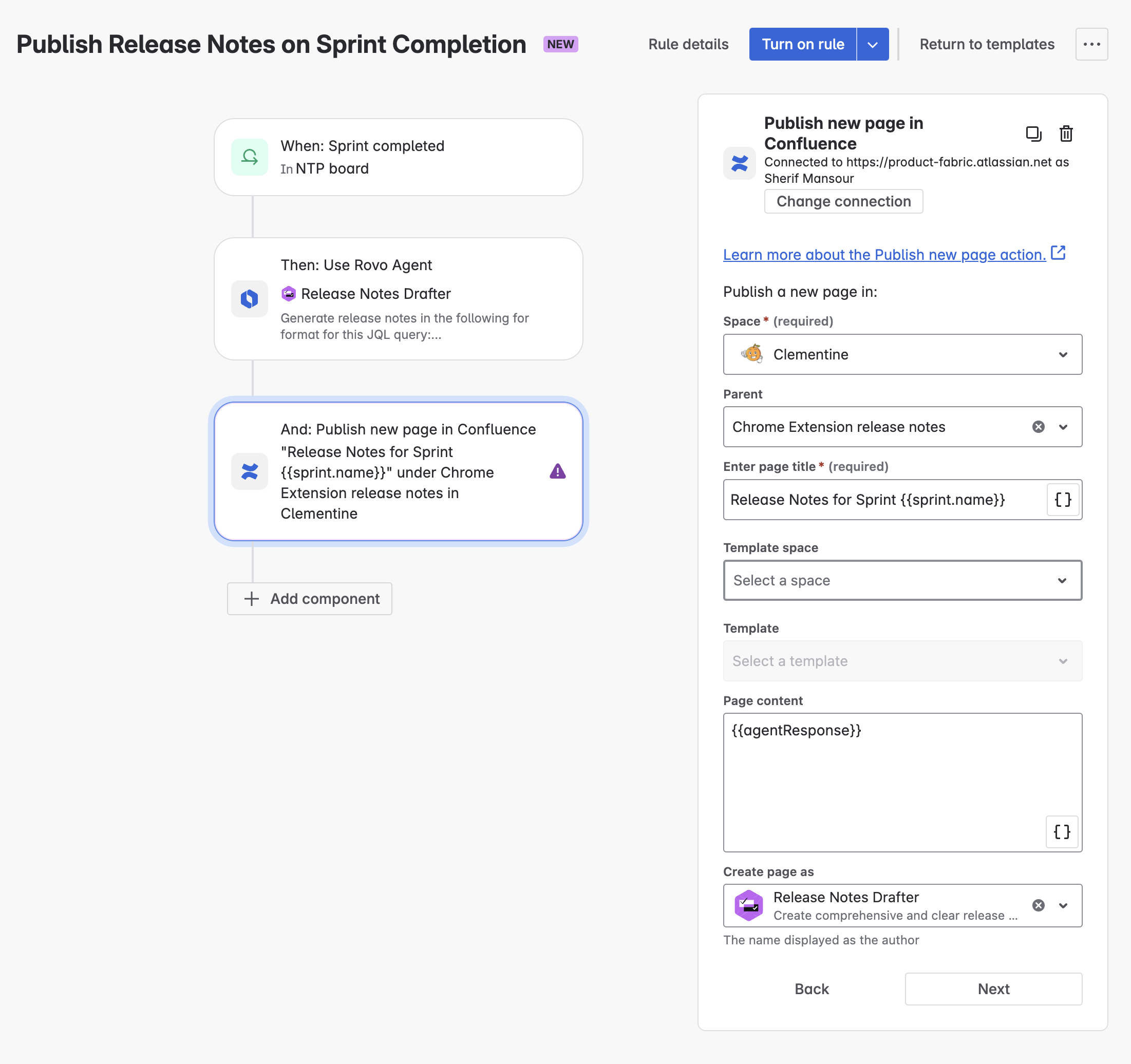
Inside Chat
Agents can now to take action for up to 10 issues at a time (instead of one at a time). Got a spec in Confluence you want to move to your backlog? Ask the requirements agent to break it down into Jira work items.
Forge actions & no-code Rovo Agents
Forge developers can now publish their actions module for use by Rovo agents that have been created by users. These customer created agents can then access data that the app itself might not be able to reach, with no code. Check out the developer documentation and give it a try.
3️⃣ Atlassian Remote MCP Server Launch (Beta)
4️⃣ New Rovo Search & Data Connectors (GA)
In addition to over 50 different SaaS app connectors, we shipped 2 new connectors: Docusign and Confluence Data Centre!
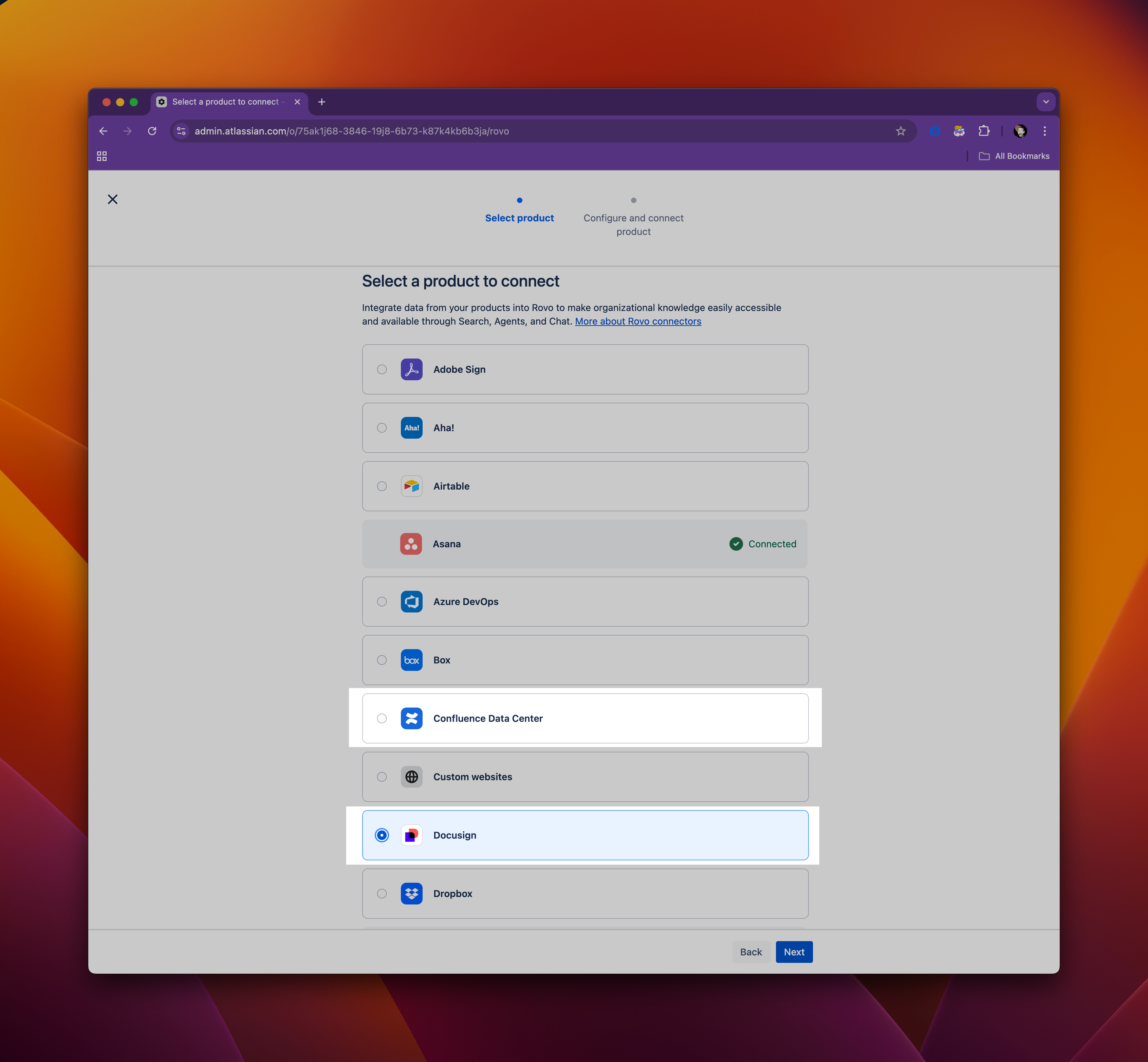
Customers can now seamlessly integrate their DC and Cloud environments with the help of Rovo. Rovo Search, Chat and Agents are enriched with DC knowledge through the synchronisation of Confluence DC data with Rovo in the Cloud. The Jira DC connector is also coming soon... 🤫
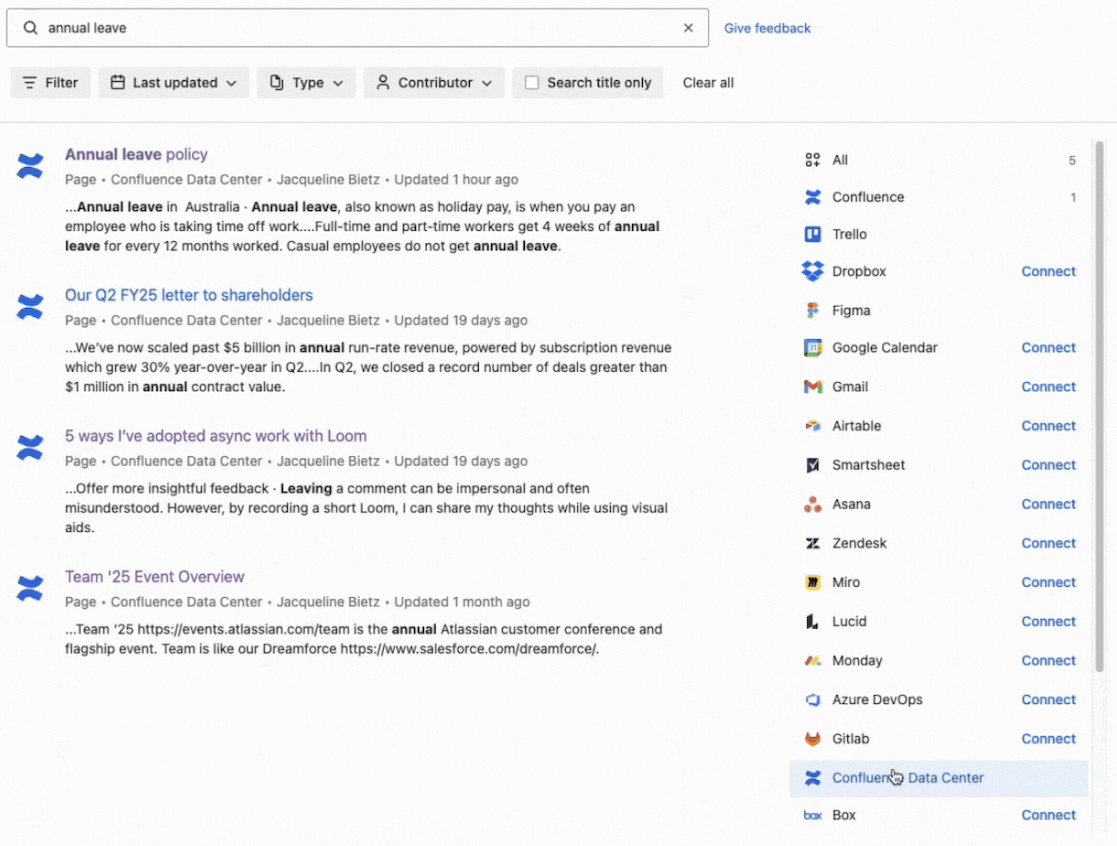
Keen to learn more? This Community post covers it all.
Bonus: Our existing connectors are also continuing to be improved. This month, we added support for Zendesk Knowledge Base Articles (previously the connector supported just tickets).
5️⃣ AI work item creation from Slack (GA) & MS Teams (Beta)
Conversations in both Microsoft Teams and Slack are transformed into actionable Jira work items with AI work creation, now available in Open Beta for MS Teams and generally available for Slack.
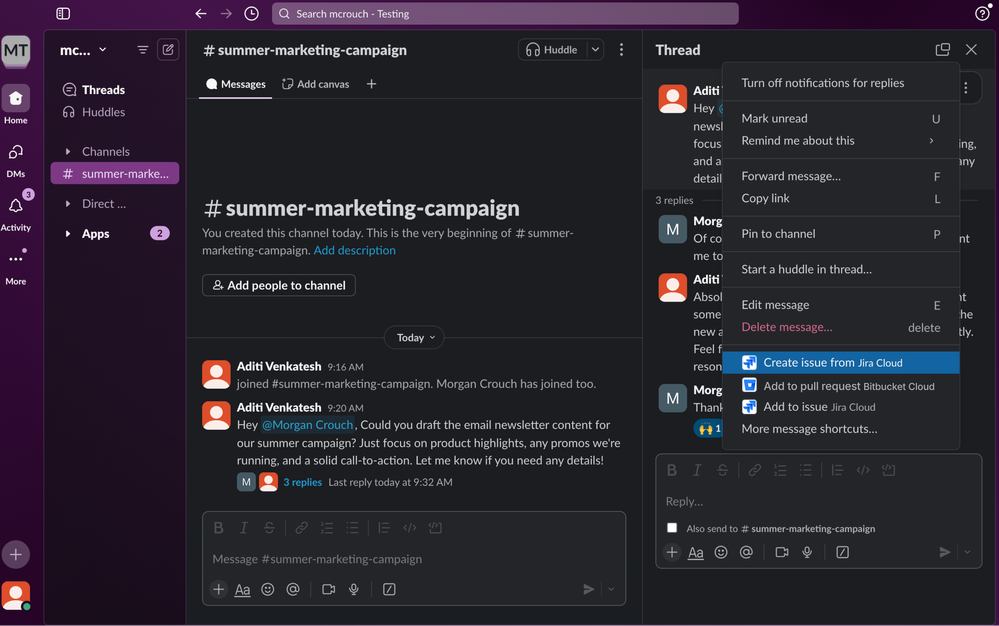
For more details check out the documentation:
6️⃣ Related searches, Rovo definitions in Jira Comments, citation improvements
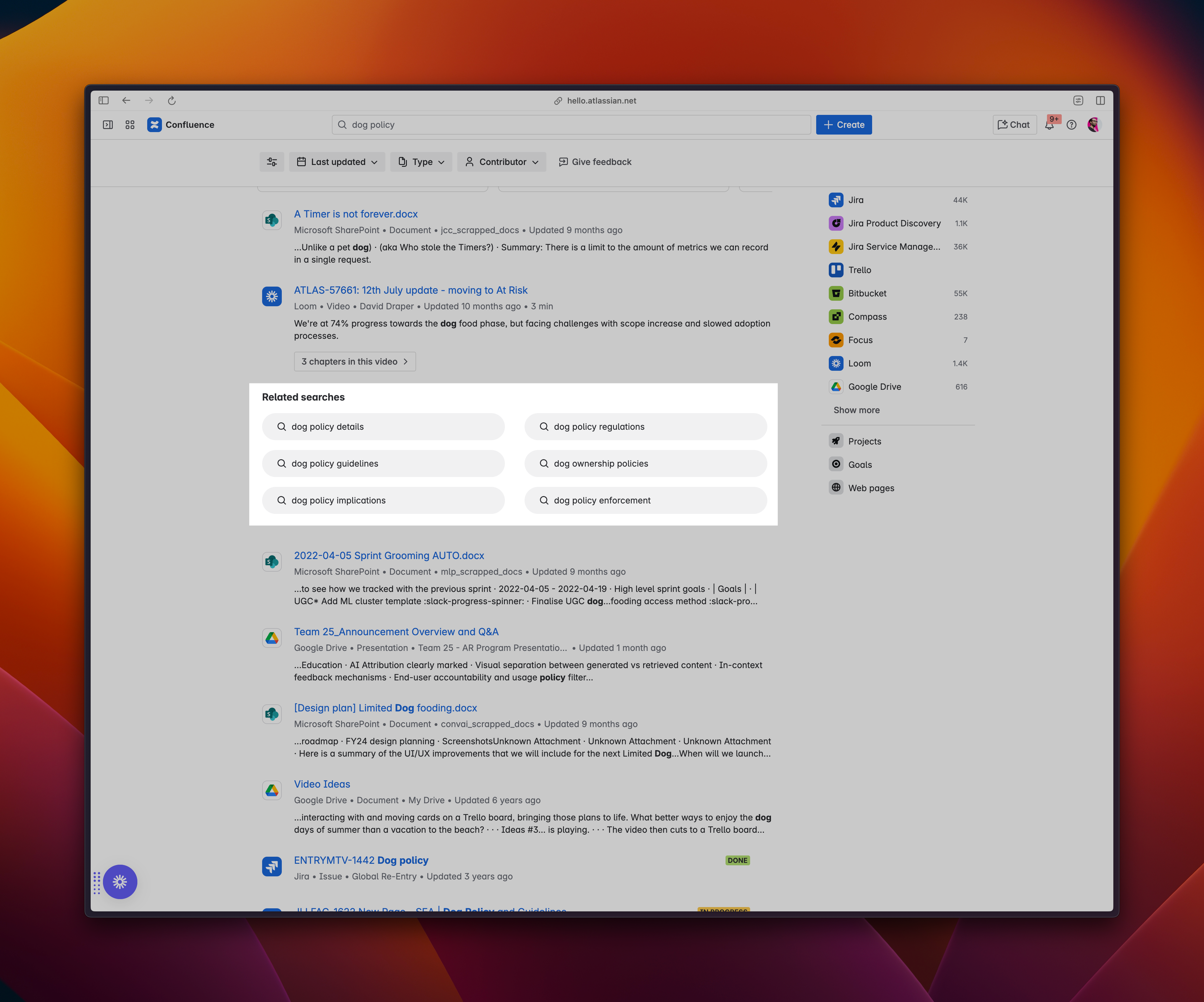
To help you discover similar items, we now show related searches that might be relevant to your query. Related searches is available as part of the Rovo rollout to Premium & Enterprise customers that is currently in-progress.
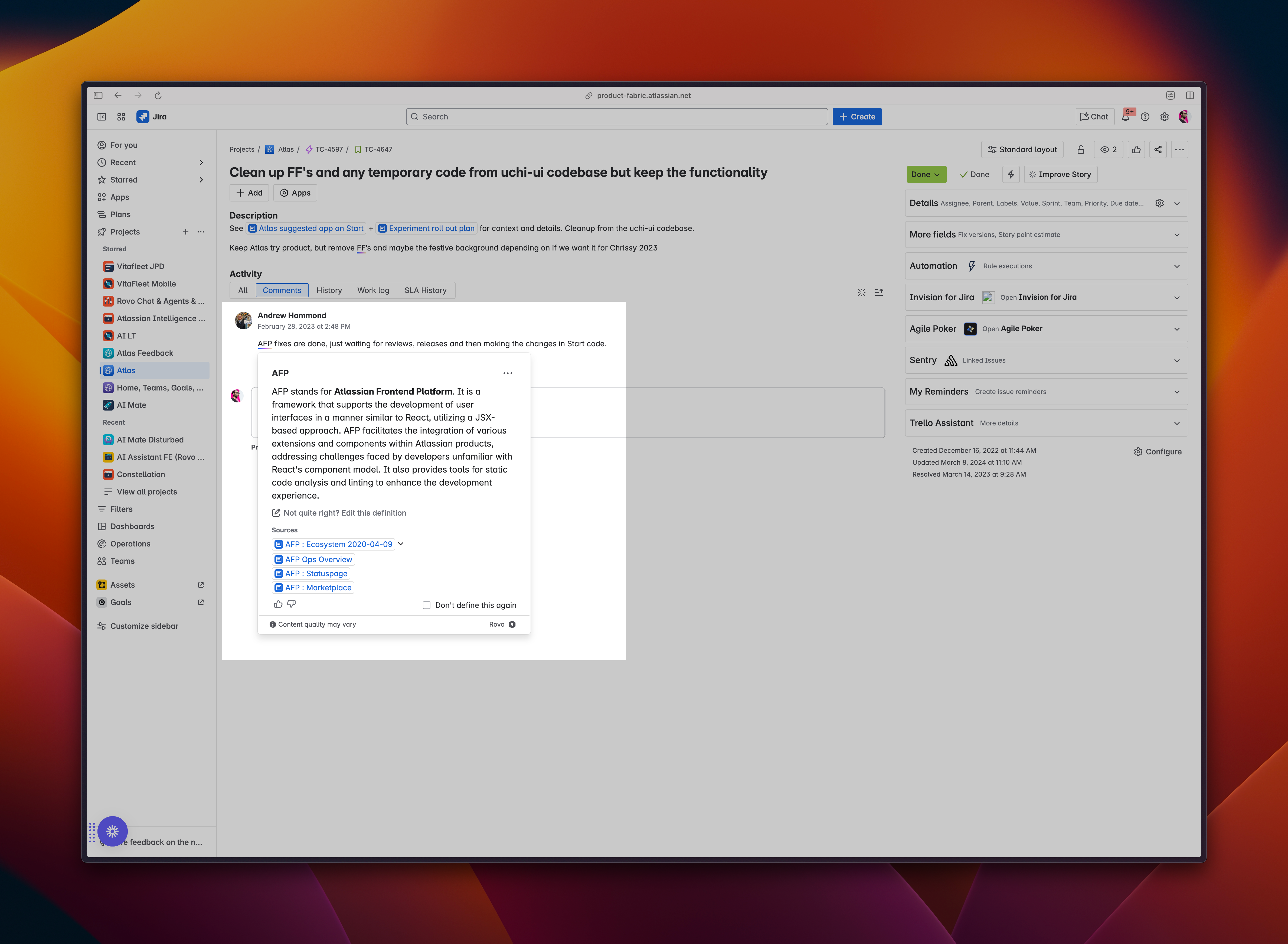
Next, Rovo definitions were previously in Confluence pages and Jira work item descriptions. Today they’re now also in Jira comments. See a term that you don’t understand? Rovo will contextually define this using first and third-party knowledge.
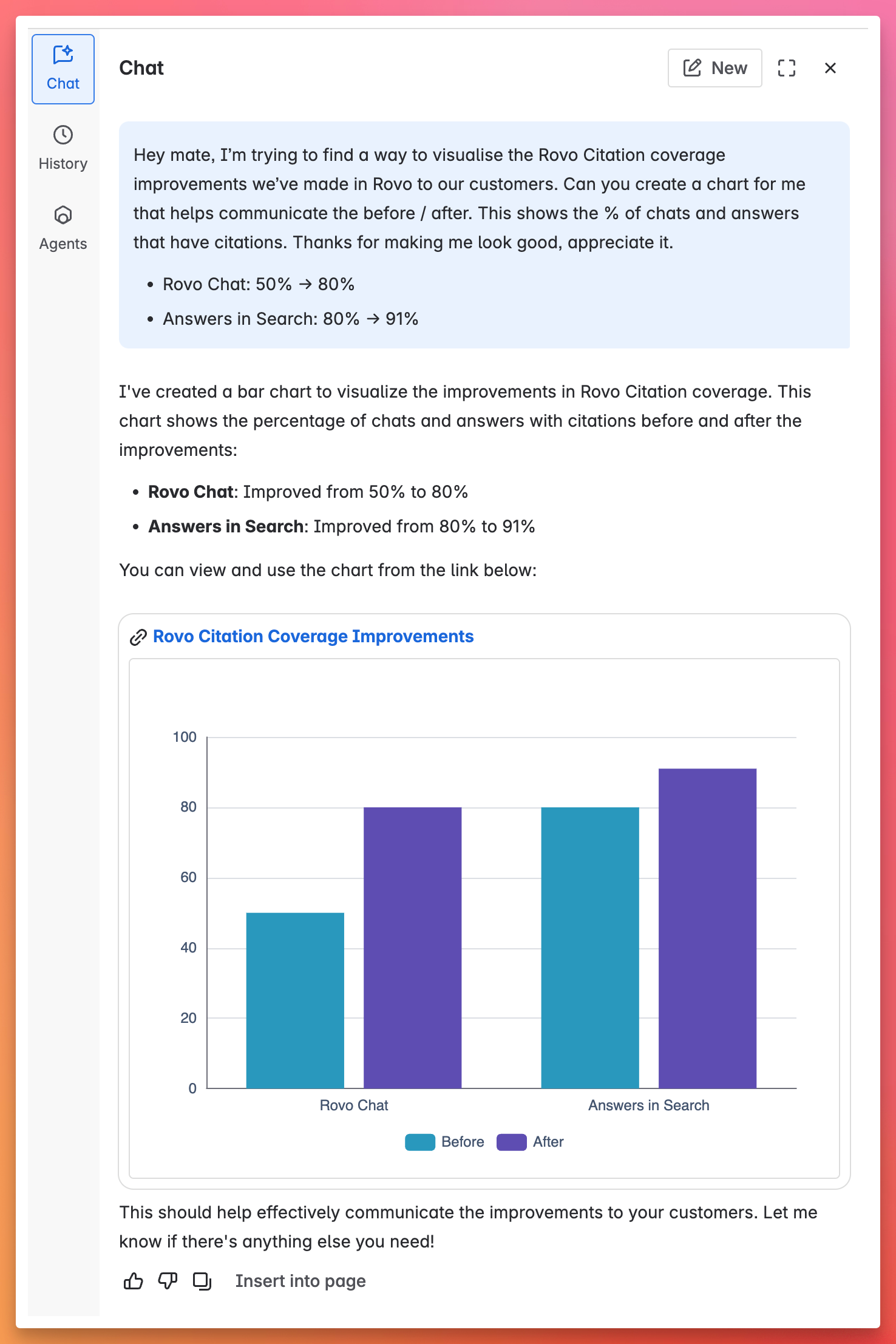
Finally, we know transparency is key for trust with AI. We’ve continued to improve the citation coverage for both Rovo Chat and Rovo Answers in search. Chat citation coverage improved from 50% to 80% and answers in search citation coverage from 80 to 91%. To help visualise, I asked Rovo Chat to make me look good... not bad, ey? 😉
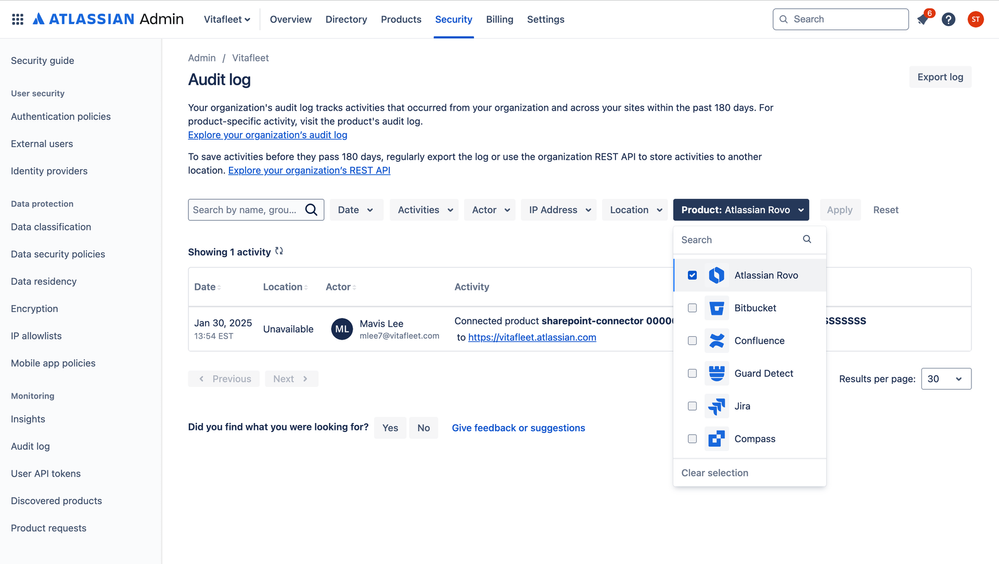
7️⃣ Rovo activities in the admin audit log
All this AI! How do admins stay on top of what’s happening? Easy, they can now can see activities for creation of agents, third-party connectors and so forth. Learn more here.
That’s a wrap for April, we’ll be back next month with our May update!


![Photo of Thorsten Letschert [Decadis AG]](https://us.v-cdn.net/6038660/uploads/avatars/d9/37/nd937b41897bc7e1dae3229cd2762ac70.png)

![Photo of Ulrich Kuhnhardt [IzymesCo]](https://avatar-management--avatars.us-west-2.prod.public.atl-paas.net/557058:de2deb41-6382-4be7-aa31-4adf2439211f/60e7e4c7-4c75-4fce-84b8-948b224cd5ab/128)

![Photo of Huwen Arnone [Deiser/Devoteam]](https://us.v-cdn.net/6038660/uploads/avatars/6f/bc/n6fbcb837e47ed9842db045142dbc9275.png)


