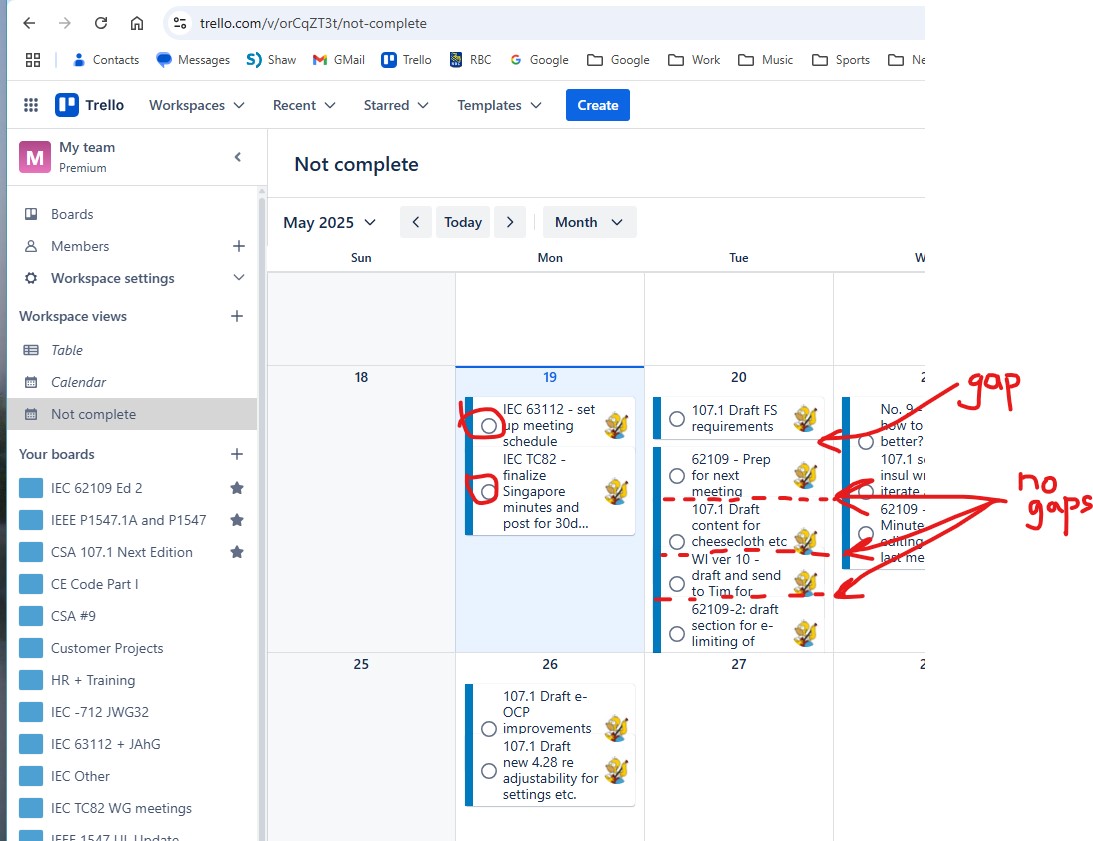
I know you can remove the buttons from the cards as seen in the individual boards*, but that does not carry over into the workspace (all boards) calendar view. Is there a way to disable the buttons entirely, for those who don't want to use them?
I want to do this for 2 reasons:
- I click on them accidentally from time to time, and
- they reduce the space available for the title of each card, so fewer cards fit in a give day in the calendar
Also at the same time the buttons appeared, cards stopped having spaces between them in the workspace calendar view, and it gets hard to read.
Thanks,
Jim
*In the board view, go to settings and uncheck "Show complete status on cards front".

