Managing projects is no small feat. Between deadlines, team updates, and tool chaos, it’s easy for information to get lost. If you’ve ever copied updates between Jira, Azure DevOps, or ServiceNow (or pinged them over Slack), only to miss something crucial - you know the struggle.
That’s where integration platforms come in. They clean up the mess, automating the flow between your tools so nothing falls through the cracks.
In this guide, we’ll break down two popular integration tools - Getint and Unito - helping you choose the one that fits your team’s needs.
Quick Overview: Picking the Right Fit
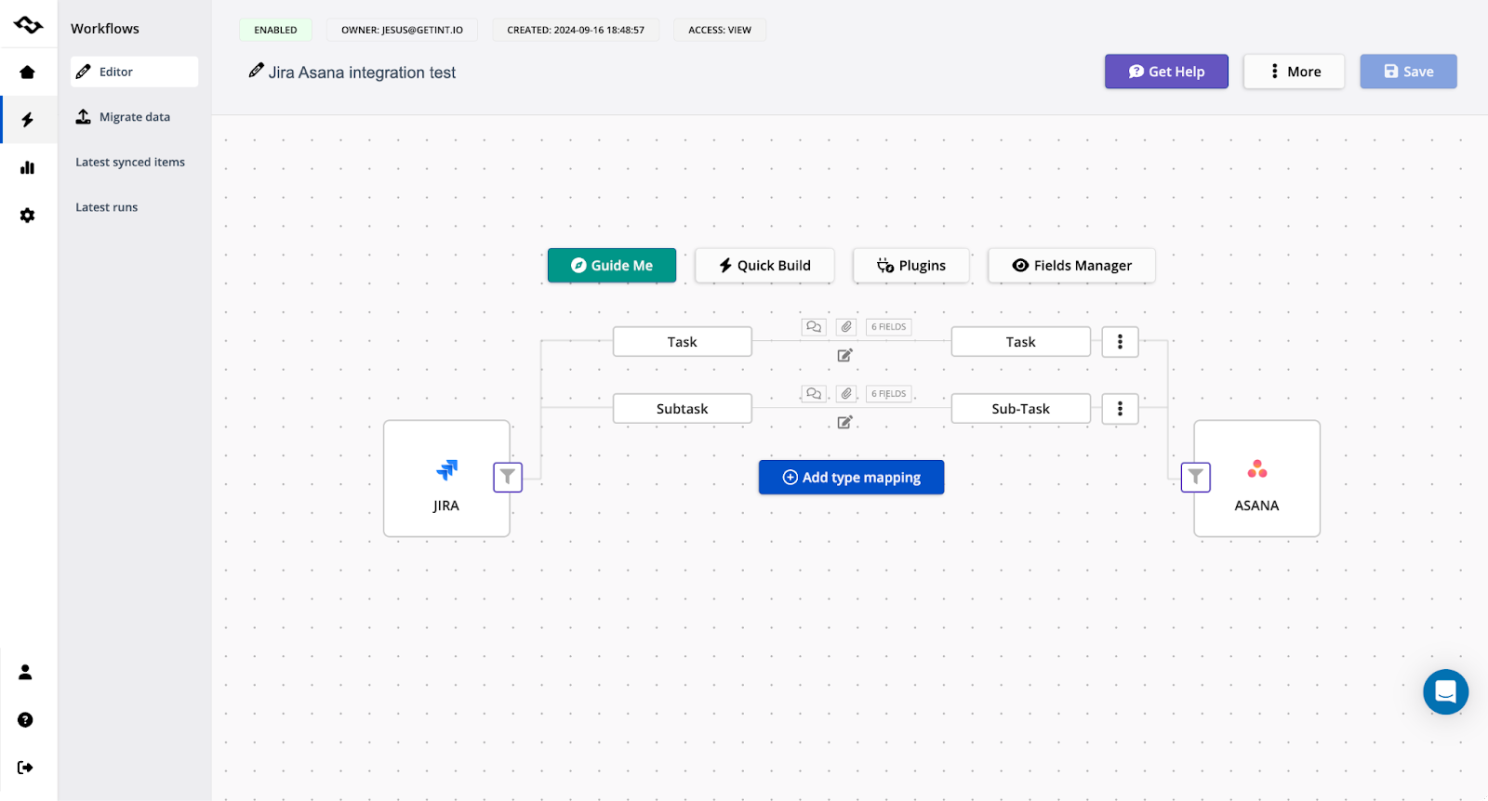
Getint: Powerful Yet Simple
Founded in 2020 in Gdańsk, Poland, Getint’s mission is to make robust integrations simple, even for companies with evolving needs.
Today, over 6,000 companies and 650,000 users trust Getint to connect platforms like Jira, Azure DevOps, and Asana - no coding required. Its strength? Balancing ease of use with deep control.
Non-technical users love the straightforward setup. IT teams appreciate features like scripting and error handling for scaling integrations.
With steady growth and high ratings on Atlassian Marketplace, Getint is solving real problems.
Unito: Simple to Start
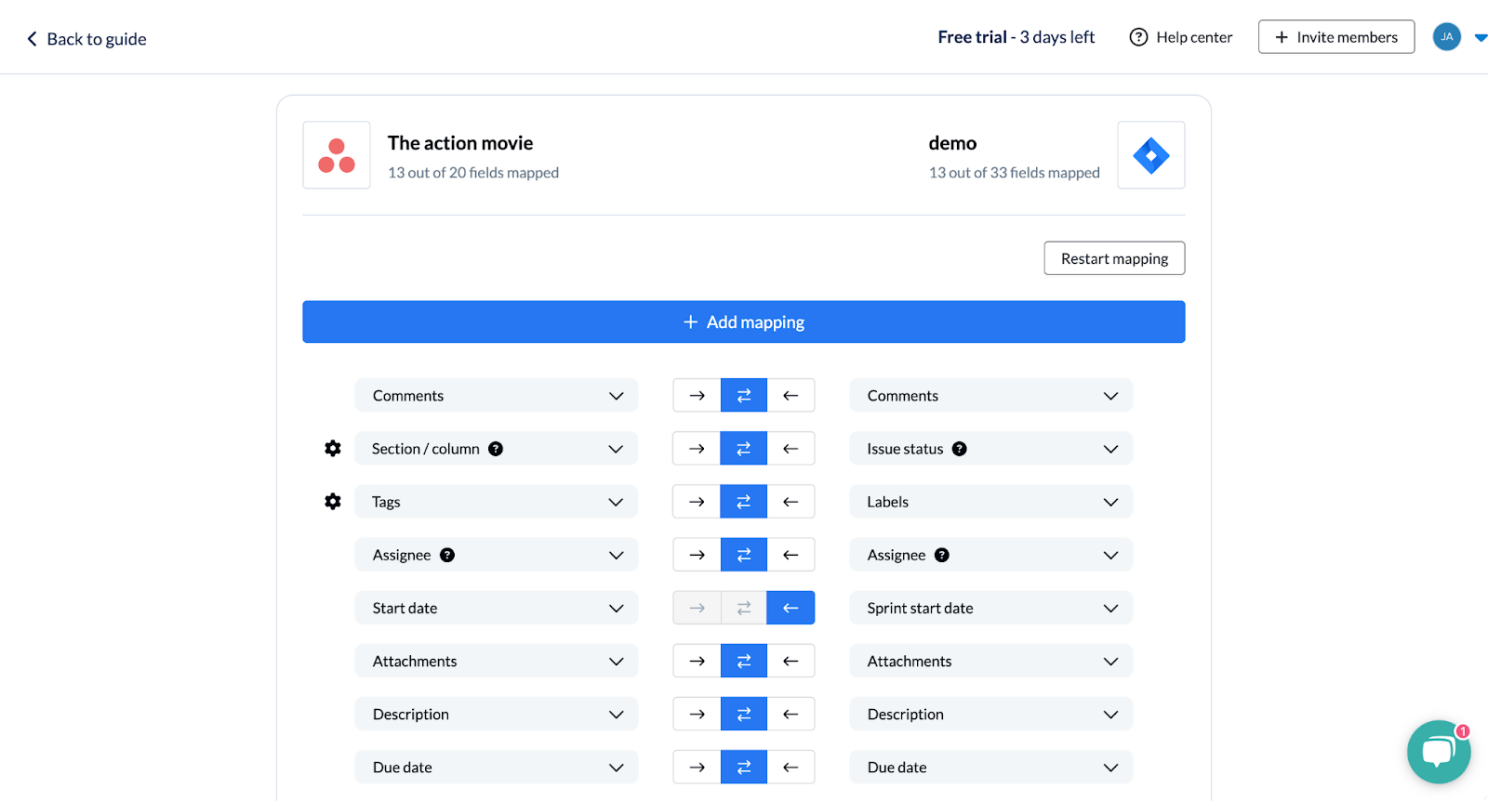
Founded in 2016 in Montreal, Unito aims to make two-way integrations easy for non-coders. It supports 50+ tools (like Trello, Jira, Asana) and offers a free trial.
For smaller teams or basic workflows, Unito is a good fit.
Setup & Usability: How Easy Is It?
Setting up integrations should be quick and painless. Here’s how they compare:
Getint: Easy Start, Advanced Features
Getint’s QuickBuild gets basic integrations running in 5-10 minutes. It auto-maps fields, issue types, statuses, and attachments. Happy with defaults? You're done.
Need more control? Apply JQL filters, sync specific issue types, set up advanced notifications, or deploy on-premise - all without hassle.
Unito: Simple, Until It’s Not
Unito uses straightforward “if this, then that” logic, making basic connections like Jira and Trello easy.
But there are limits. Lower-tier plans cap field mapping (about six fields), which feels restrictive for complex workflows. Auto-mapping sometimes misfires, requiring manual tweaks.
For advanced setups like Jira-to-Jira or ServiceNow, you’ll need their higher-tier plans (starting at $1,439/month) - and even then, performance isn’t guaranteed. In testing, syncing Jira with ServiceNow caused API overload.
Summary:
- Getint: Grows with you - simple at first, powerful when needed.
- Unito: Works for basics but feels limited as complexity grows.
Pricing: Predictable vs. Pay-As-You-Go
Let’s talk cost. You want a tool that’s easy on the budget without surprises.
Unito: Starts Low, Adds Up Fast
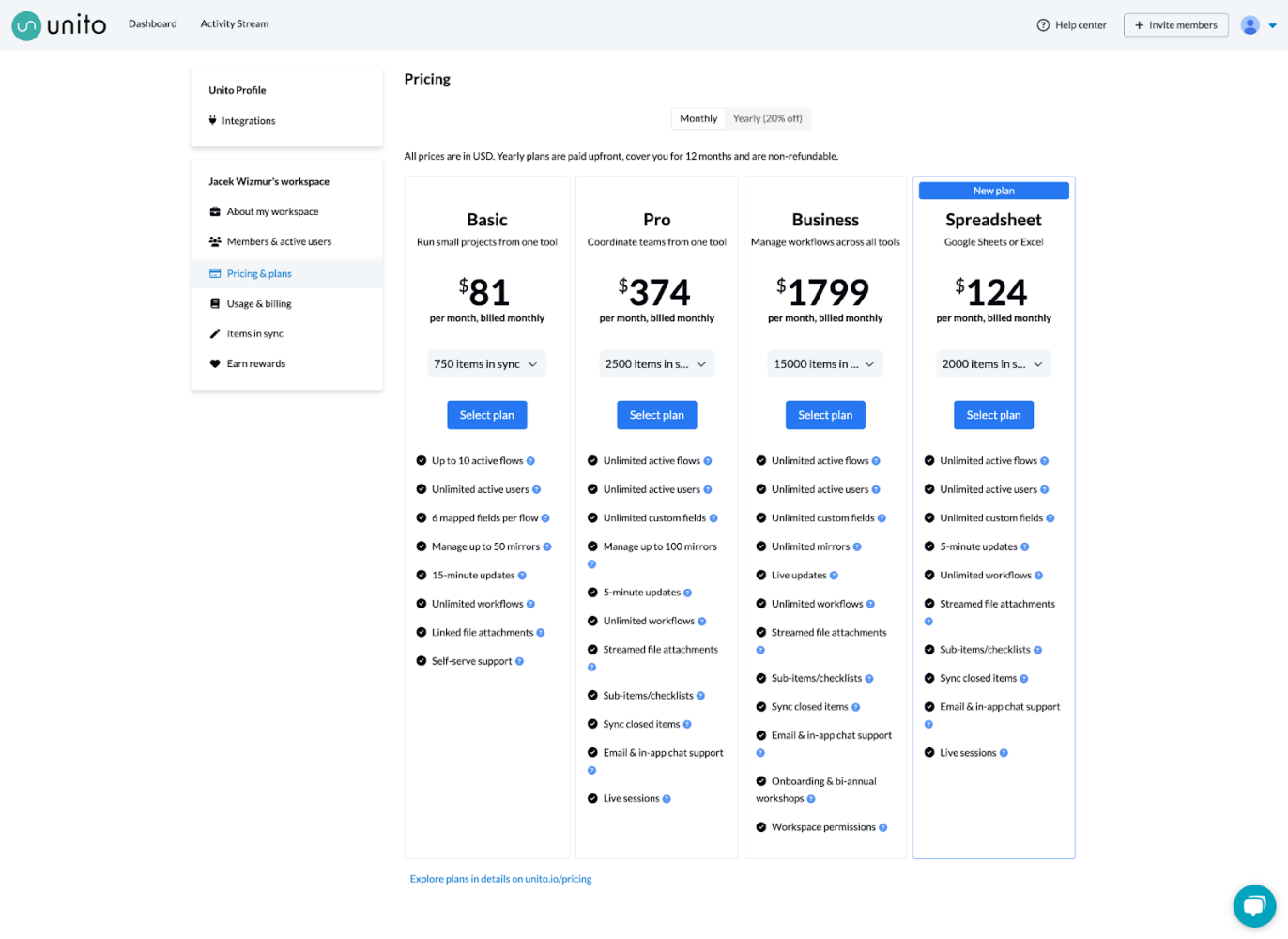
Unito’s base plan is $65/month, but:
- 750 tasks synced monthly
- One tool connection
- Sync every 15 minutes
- Six fields max
Light usage? It works. But scaling up gets pricey. Advanced features like Jira-to-Jira cost $1,799/month. Plus, you’re billed per synced task - so success costs more.
Getint: Fixed, No Surprises
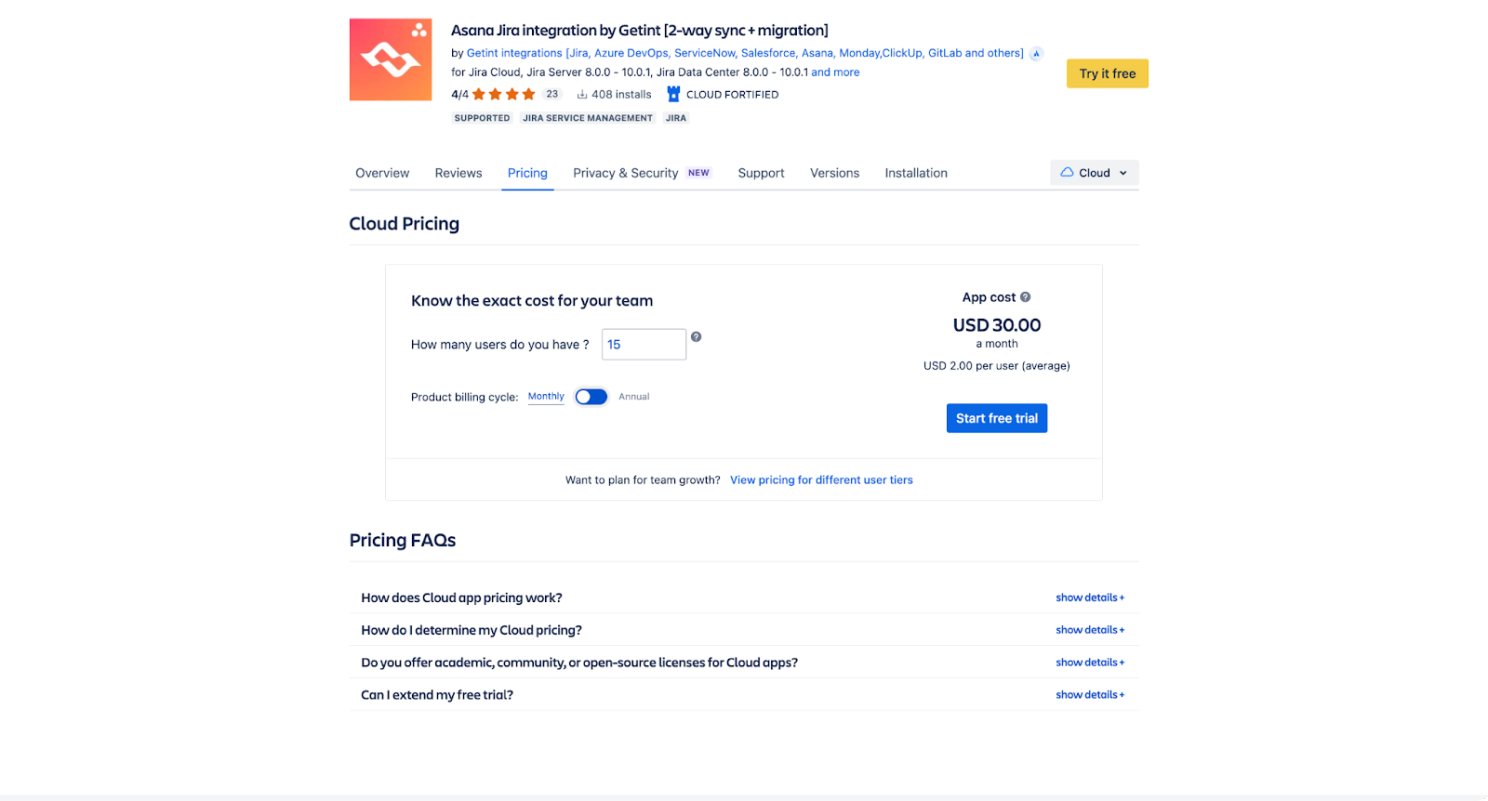
Getint charges per connection - not per sync.
- One fee per connection (e.g., Jira ↔ Azure DevOps)
- Unlimited tasks, projects, fields
- Discounts for multiple connections
- Different pricing for Jira Cloud, Data Center, and others
Sync 10 tasks or 10,000 - the price stays the same.
Verdict:
- Unito: Fine for small, predictable syncs.
- Getint: Ideal for growing teams - cost stays stable.
Deployment: Flexibility or One-Size-Fits-All?
Where and how you deploy matters, especially for compliance.
Unito: Cloud-Only
Unito runs entirely on its servers. Great for startups without strict security needs. But if you need on-premise or specific data residency? Unito doesn’t offer it.
Getint: Deploy Your Way
Getint offers:
- SaaS (Cloud)
- On-Premise (behind your firewall)
- Jira Cloud App (Atlassian Marketplace)
- Jira Data Center & Server (self-hosted)
Need data in the EU? Getint defaults to Germany but offers options.
Bottom Line:
- Unito: Best for cloud-first teams.
- Getint: Suits enterprises needing deployment flexibility.
Reporting & Error Handling: What Happens When Things Break?
Let’s face it - no system runs perfectly all the time. APIs timeout, fields change, syncs fail. The key is how fast you can spot and fix the problem.
Unito: Basic Info, Limited Insights
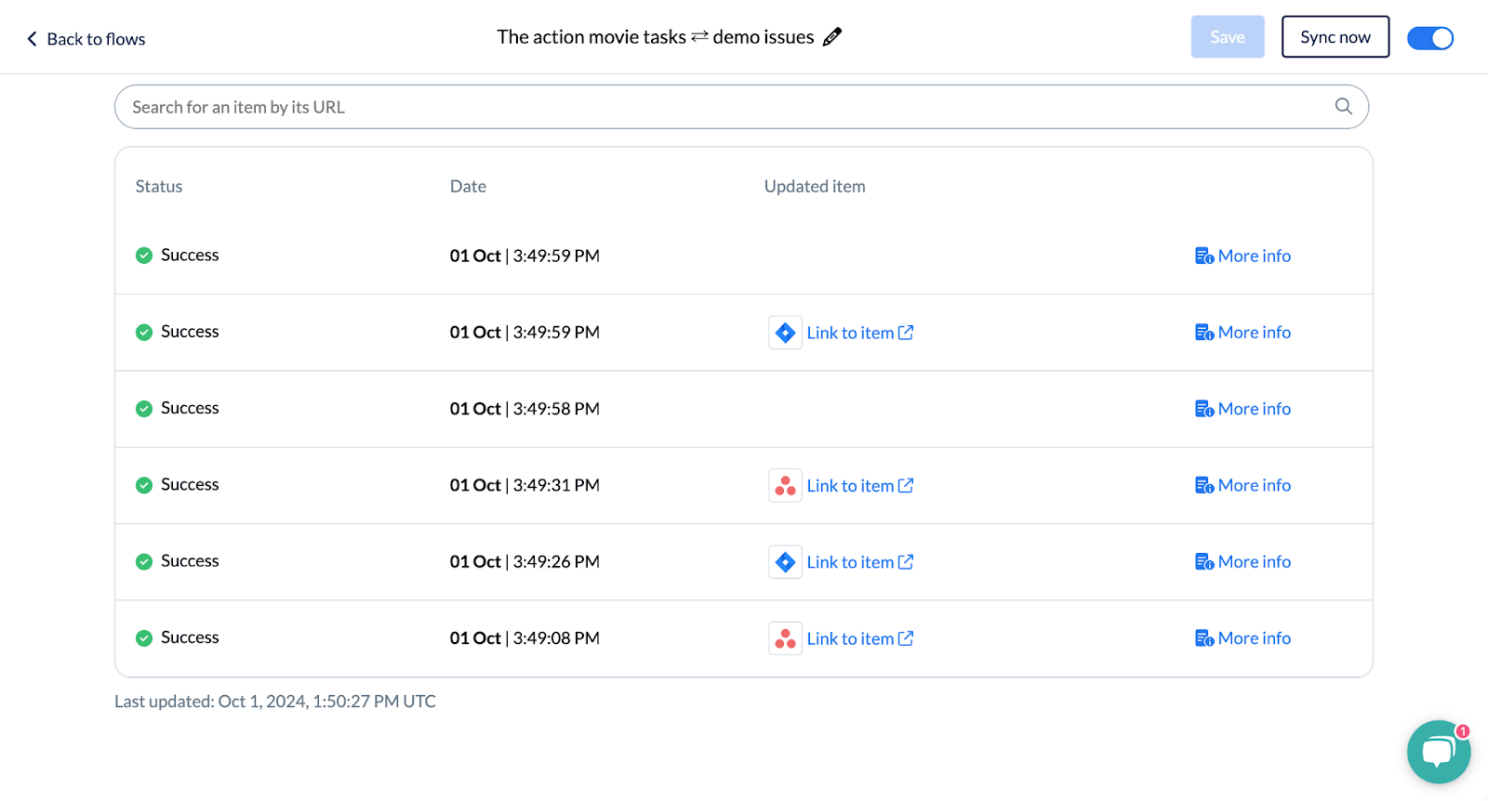
Unito provides:
- A simple table of successful and failed syncs
- A “More Info” button for basic details
But that’s about it. If something major breaks (like Jira crashing during a ServiceNow sync - yes, that happened), you’re left with vague error messages and waiting on support.
Getint: Full Visibility, Total Control
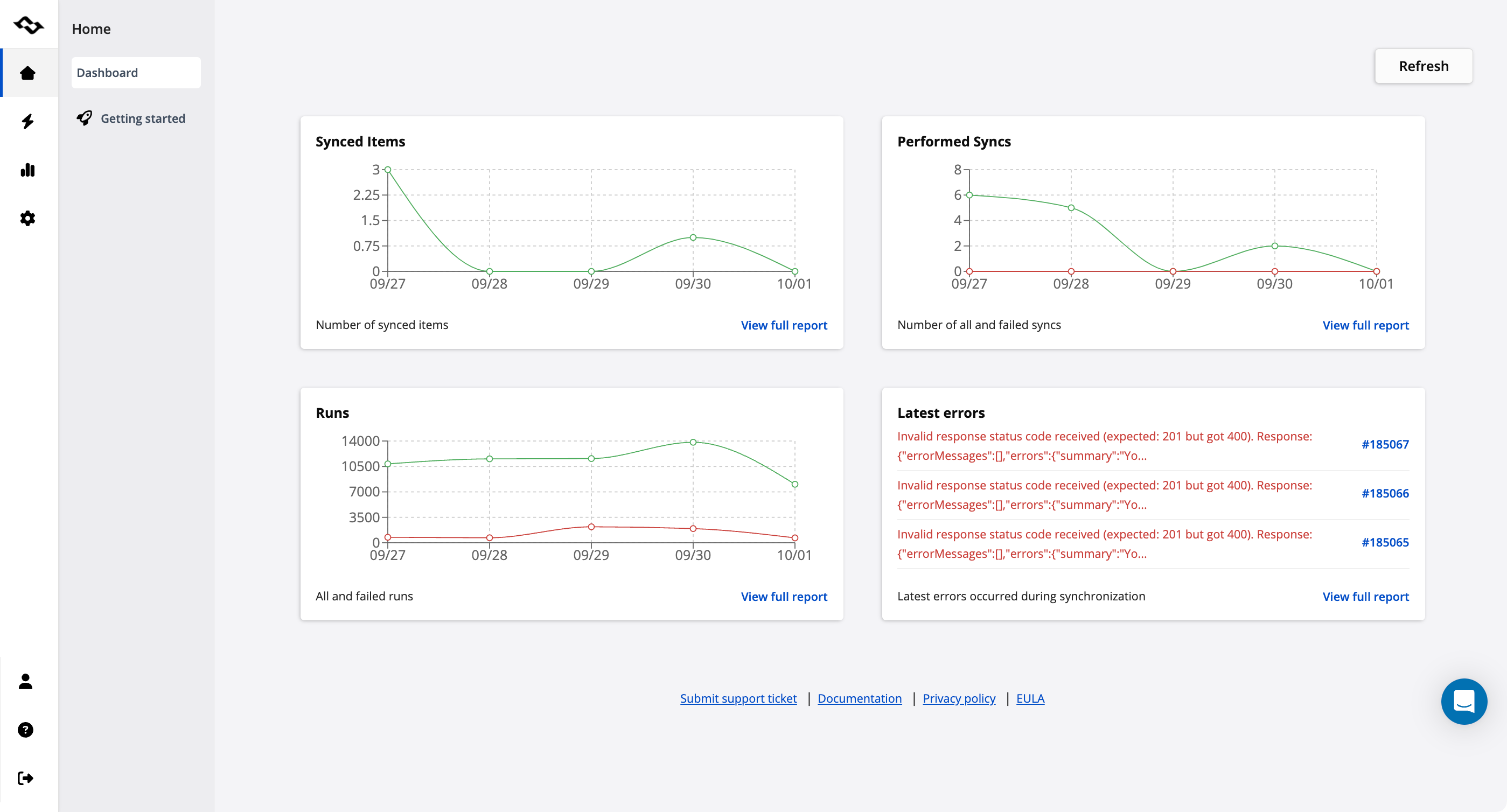
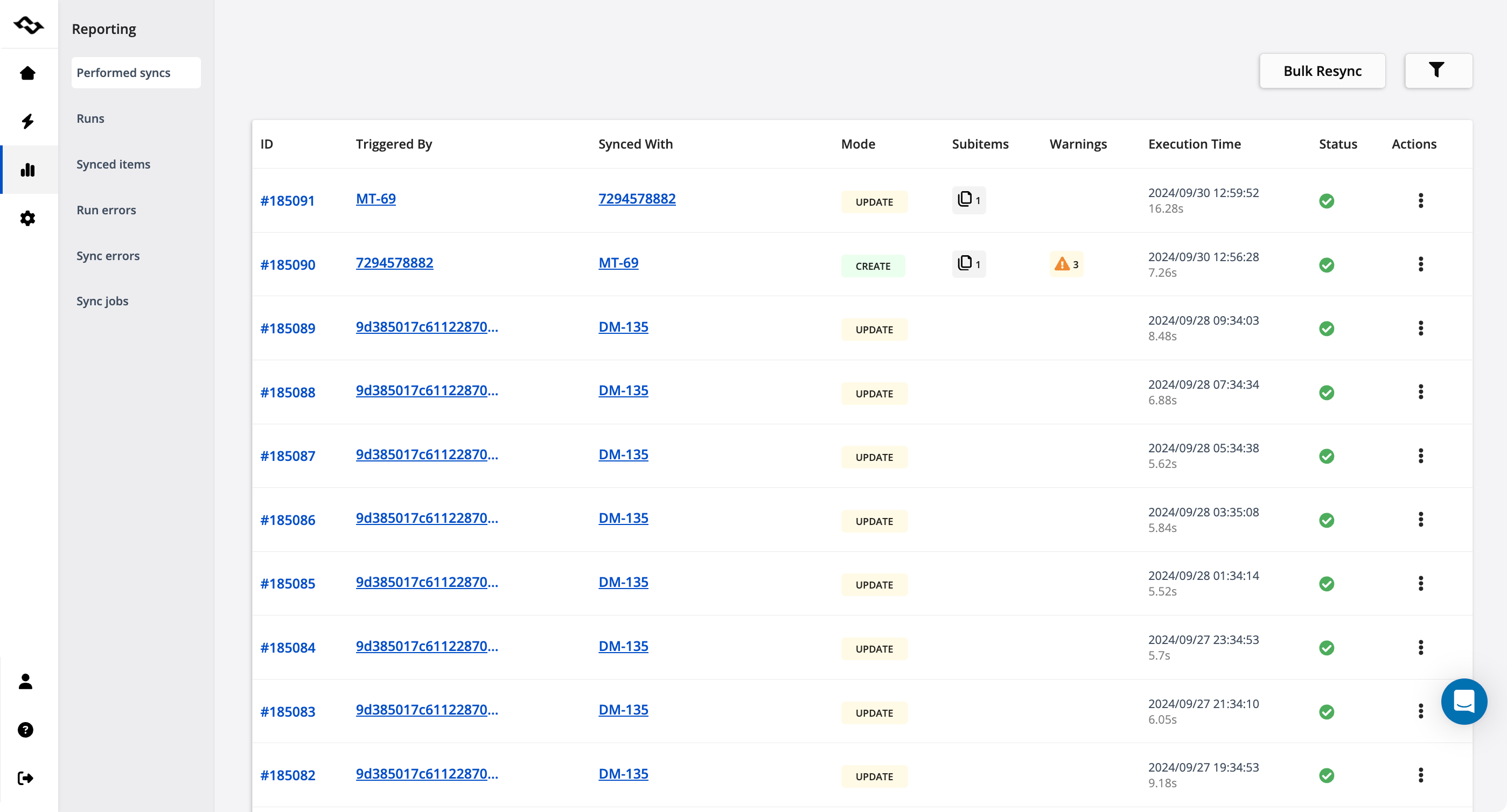
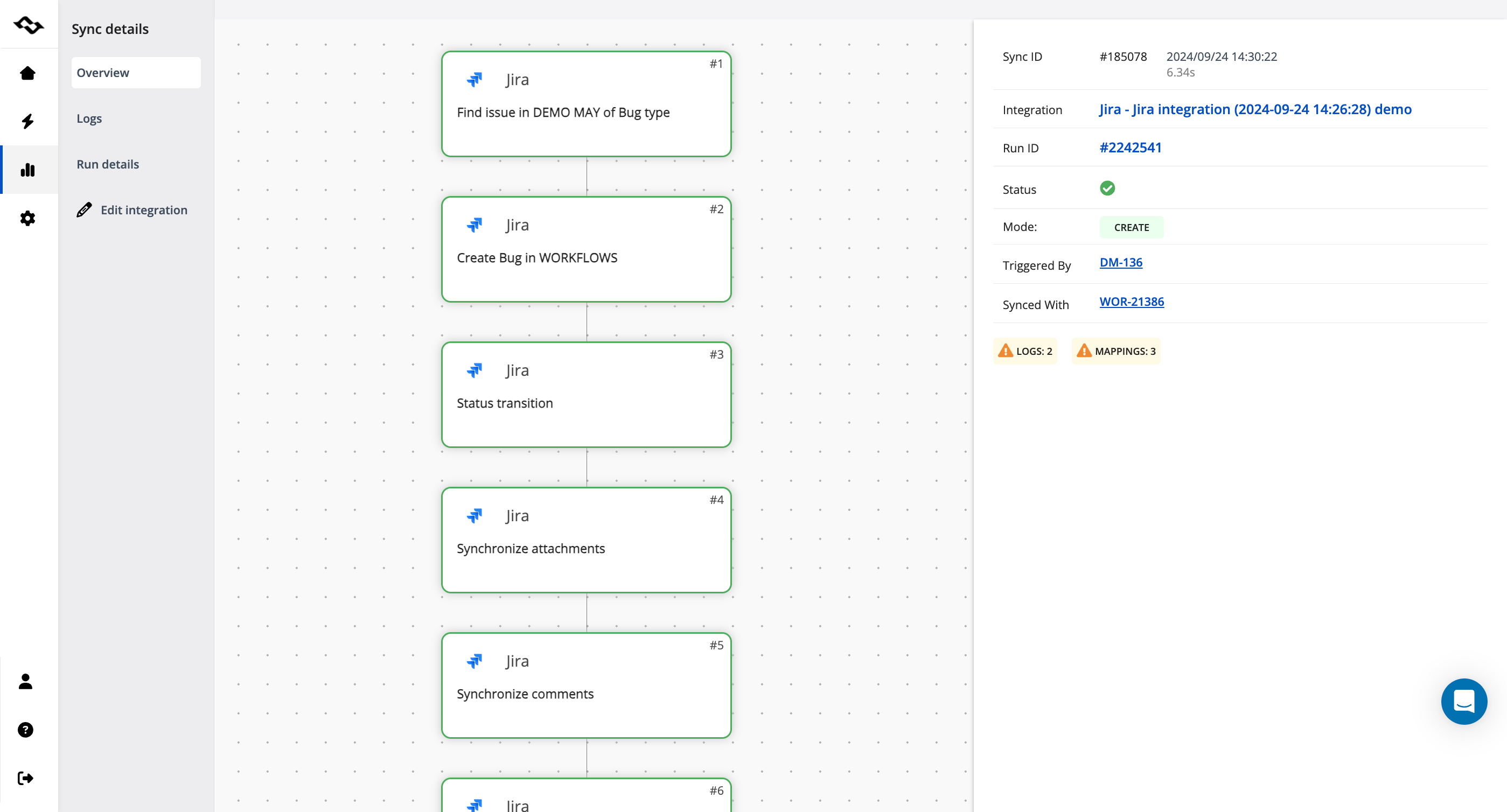
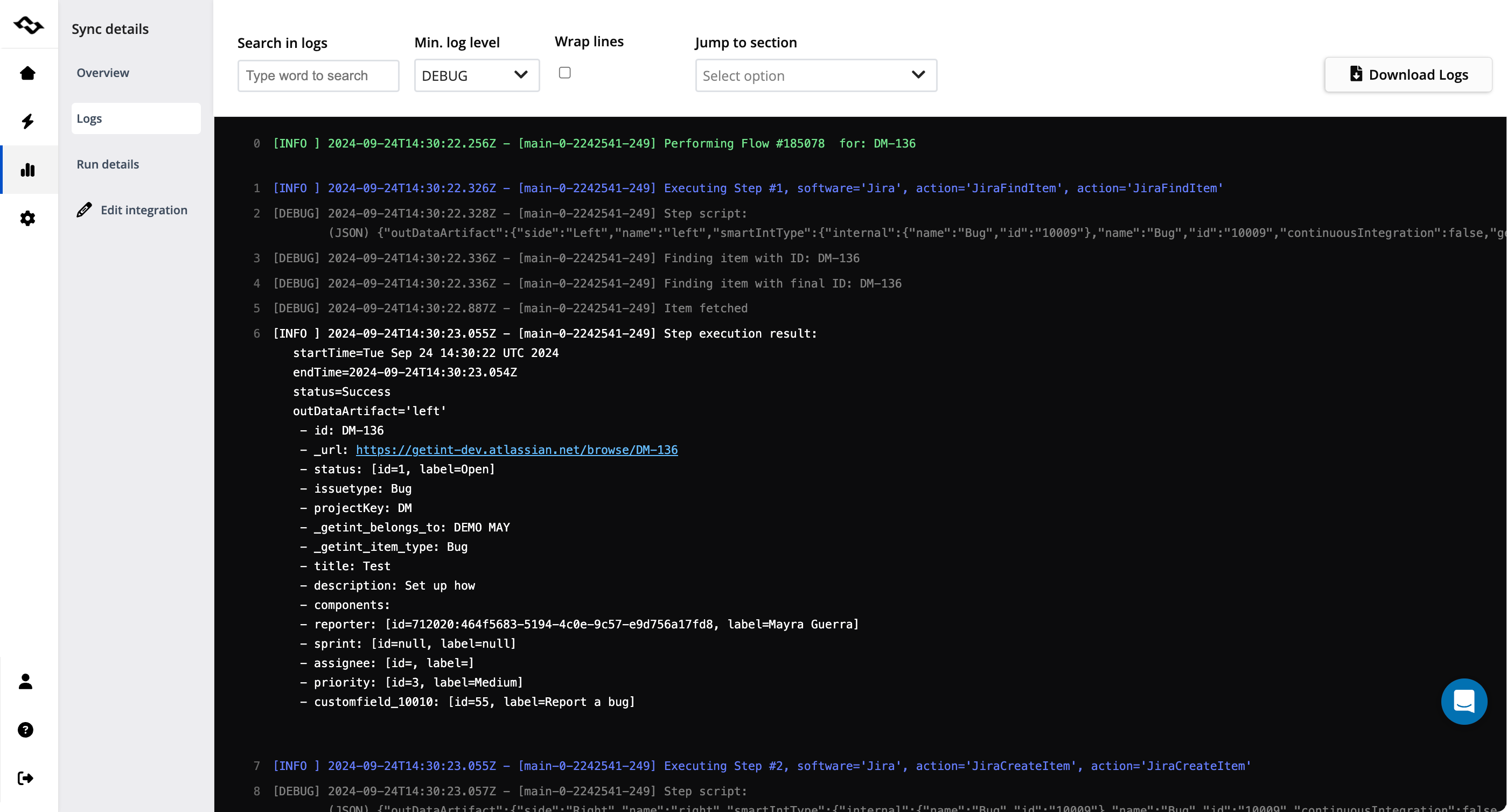
Getint offers:
- Detailed logs with Run IDs and operation types (create, update, migrate)
- Sync duration, errors, and manual retry options (no starting from scratch)
- Customizable notifications via Slack, email, or webhooks (integrates with monitoring tools like DataDog)
This transparency helps you pinpoint and resolve issues fast.
Verdict:
- Unito: Basic reporting, minimal control.
- Getint: Full transparency, faster troubleshooting.
Security & Compliance: Can You Trust Your Integration?
Moving sensitive data across systems? Security isn’t optional - it’s critical.
Unito: Cloud-Focused, Covers the Basics
Unito holds:
- SOC 2 Type II certification
- GDPR compliance
But:
- No ISO certifications (like ISO 27001)
- Data resides on AWS servers in the U.S. (no control over data residency)
- SaaS-only, limiting deployment flexibility for secure environments
Good for startups, but enterprises might need more.
Getint: Enterprise-Grade Security
Getint delivers:
- ISO 27001 and ISO 27018 certifications
- GDPR compliance
- SOC 2 (in progress, expected 2025)
- On-premise options for full control
- Data residency choice (default EU, flexible locations)
- Bug bounty program and Atlassian Cloud Fortified
This setup meets strict compliance needs across industries.
Verdict:
- Unito: Good enough for small teams.
- Getint: Built for regulated industries and sensitive data.
Support & Documentation: Who’s There When You Need Help?
Support only matters when something goes wrong. Then it matters a lot.
Unito: Decent Docs, Slow Human Help
Unito has solid guides and tutorials, but:
- Mostly bot responses in live chat
- Slow email replies
- Minimal hands-on assistance for complex issues (like a Jira crash)
Getint: Real People, Real-Time Support
Getint offers:
- Slack access to real humans
- Support via chat, email, or portal
- Fast, detailed responses
- Onboarding sessions
- AI-powered documentation for quick answers and deep dives
Their team feels more like a partner, not just a ticket system.
Verdict:
- Unito: Fine if you prefer self-serve.
- Getint: Best if you want fast, human support.
Data Migrations: Smooth Move or Risky Leap?
Migrating data is like moving houses - you need control to avoid chaos.
Unito: All-or-Nothing Approach
Unito handles migrations like one giant sync:
- No date filters
- No task/issue selection
- No archiving options
For small moves, it works. For large datasets, it’s messy and inefficient.
Getint: Migrate on Your Terms
Getint lets you:
- Filter by date, issue types, or fields
- Use JQL to target specific data
- Archive older records to keep systems clean
This ensures precision, especially for complex migrations (Jira-to-Jira, ServiceNow, Azure DevOps).
Verdict:
- Unito: Works for small migrations.
- Getint: Gives full control for complex moves.
Final Thoughts: Which Integration Partner is Right for You?
Integrations aren’t just about syncing tools - they connect teams, processes, and goals.
- Unito: Great for light workflows (Trello, Asana) and teams needing quick, simple connections.
- Getint: Made for enterprises using Jira, ServiceNow, Azure DevOps, and needing scalable, secure, and predictable integrations.
With Getint, you’re not just syncing data - you’re building trust:
- No surprise pricing
- Strong security and compliance
- Responsive, human support
Try Them Both
Because when your team depends on smooth integrations, experience says it all.
–
The comparisons and insights provided in this article are based on our own analysis, hands-on testing, feedback from customers and partners, and publicly available information as of December 17, 2024. While we’ve made every effort to ensure the accuracy and fairness of this comparison between Getint and Unito, we recognize that tools and features can evolve over time.
If any information is outdated or inaccurately presented, we welcome your feedback and will gladly review and make corrections as needed. Our goal is to provide the most helpful and accurate resource possible for teams evaluating integration solutions.
