
Milestones are essential for visualizing key achievements and deadlines in your project timeline. While they’re a cornerstone of any roadmap, Jira doesn’t offer a native way to create real milestones.
But that doesn’t mean you’re stuck. With a few smart workarounds, you can effectively create, track, and manage Jira milestones.
What Are Jira Milestones, Exactly?
Milestones are key checkpoints — major goals, decisions, or events — that keep your team aligned. Examples include:
✅ Beta release
✅ Design approval
✅ Go-live date
They help:
-
Track overall project progress
-
Emphasize critical deadlines
-
Clarify roadmaps for stakeholders
-
Keep teams focused and on schedule

Psychologically, milestones also help trigger a sense of momentum. Thanks to the Zeigarnik effect, our brains stay fixated on incomplete tasks — which means clearly defined milestones can motivate us toward completion.
Common Use Cases for Milestones in Jira
Teams use milestones to:
-
Track delivery dates and deadlines
-
Break large releases into stages (e.g., MVP > Beta > Final)
-
Share goals with stakeholders
-
Provide context for external events like launches or tradeshows
-
Prioritize tasks based on important dates
Jira Epics vs. Milestones: What’s the Difference?
While both help organize your work, epics and milestones serve different purposes:
-
Epics: Large units of work containing multiple issues; ideal for tracking features or long-term goals
-
Milestones: Not work items, but markers in time to represent when something happens
You can create a milestone within an Epic for convenience, but Jira doesn’t recognize them as separate elements in its hierarchy.
5 Workarounds to Create Milestones in Jira
Since Jira doesn’t have native milestone support, here are a few creative workarounds:
1. Create a Custom Issue Type for Milestones
You can define a new issue type called “Milestone” and use it like any other task:
-
Add a custom “Milestone” field
-
Create the new issue type
-
Link related tasks
-
Use filters or dashboards to track progress
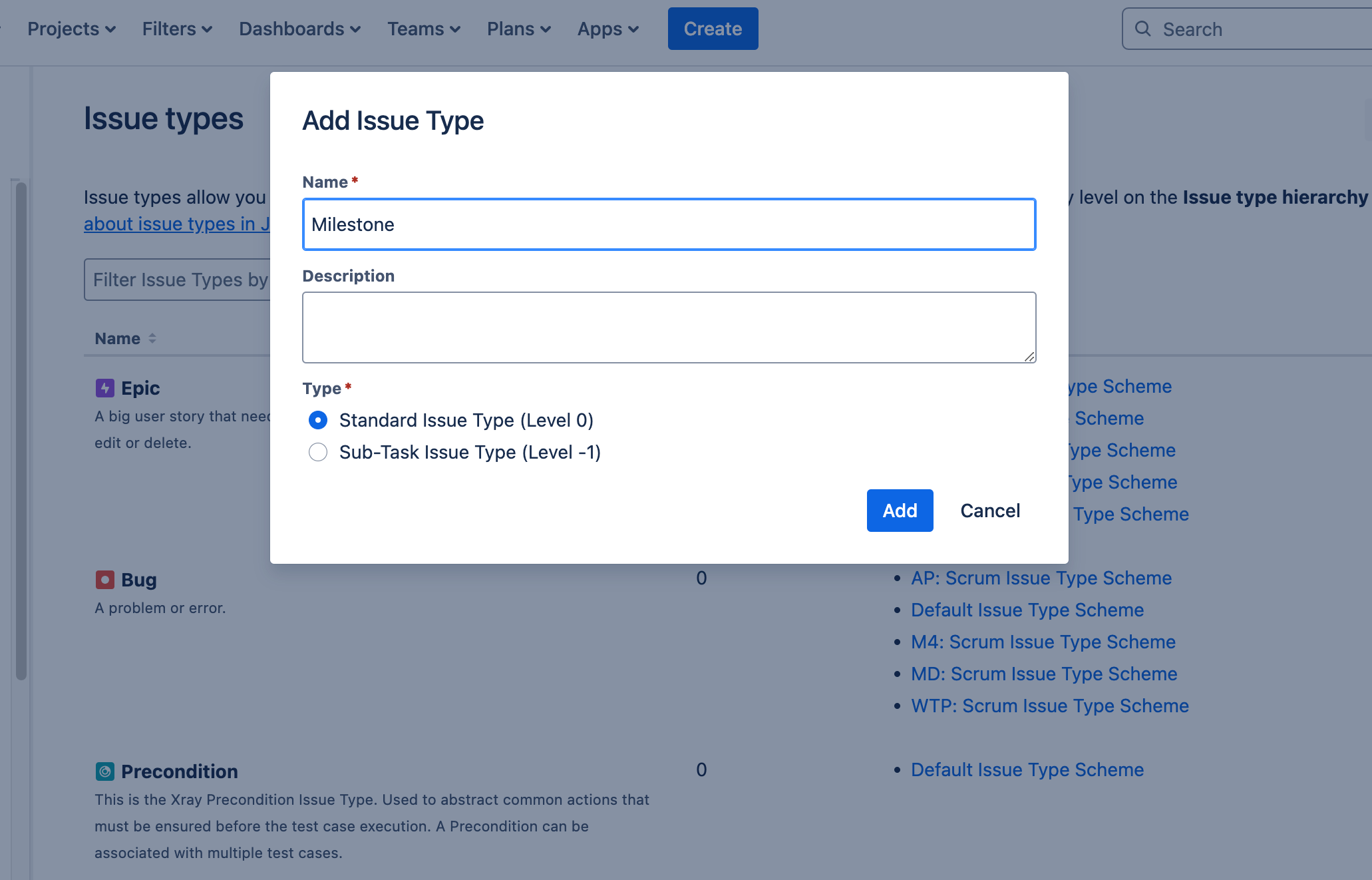
This gives you a flexible way to report on milestone achievements.
2. Use the “Due Date” Field
Use due dates to act as milestone markers:
-
Add a custom “Due Date” field (if it’s not already available)
-
Apply it to relevant issues
-
Monitor deadlines in dashboards or reports
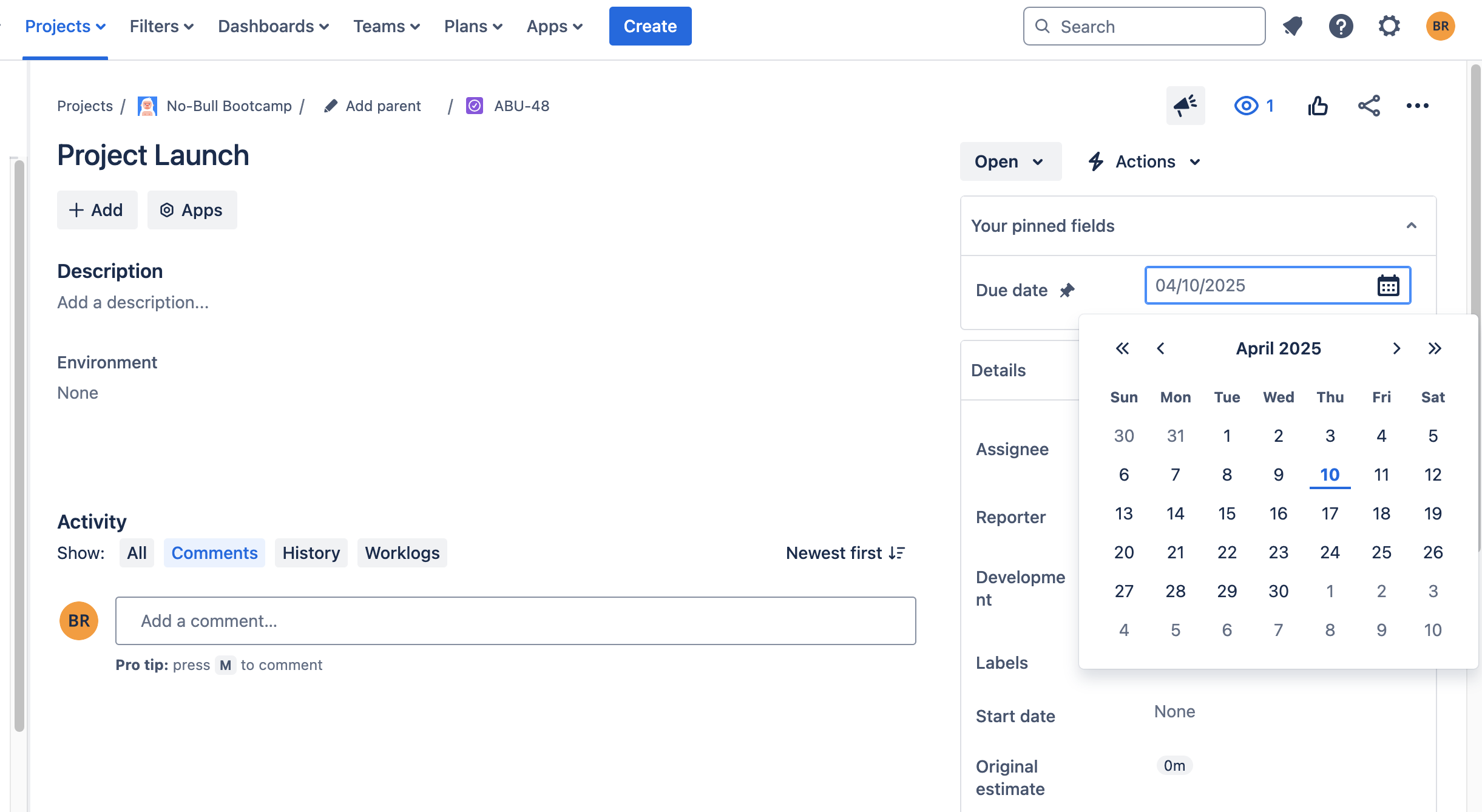
It's a simple but effective way to visualize timelines.
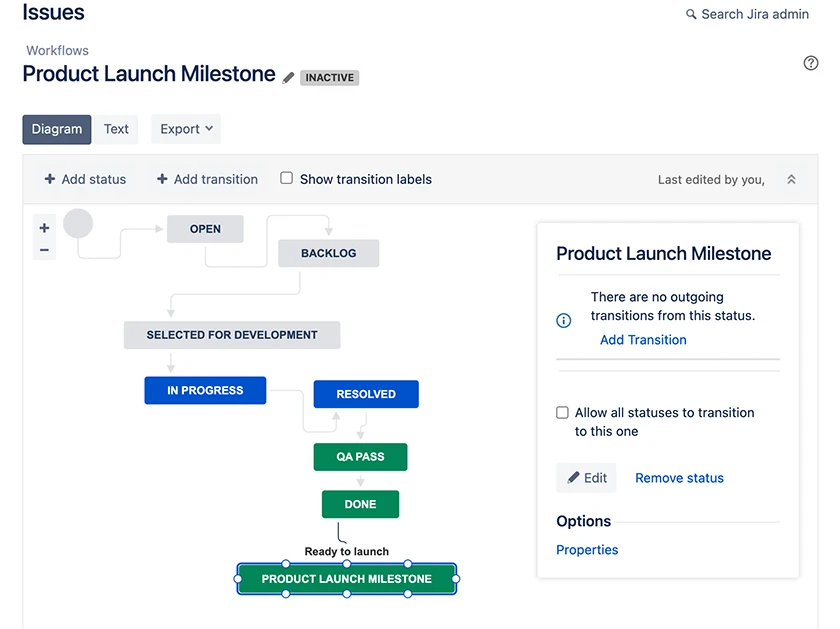
3. Add a Custom Workflow Status
Create a workflow status like “Milestone Reached” to mark completion points:
-
Edit your workflow and add the new status
-
Use it as a final stage in milestone-related tasks
-
Easily track progress by status updates
4. Use Jira Releases (Versions)
Jira’s Releases/Versions can double as milestones:
-
Create versions for key dates (e.g., “Phase 1 Release”)
-
Link issues to each version
-
Use the release date as the milestone date
-
Monitor everything from the Release view
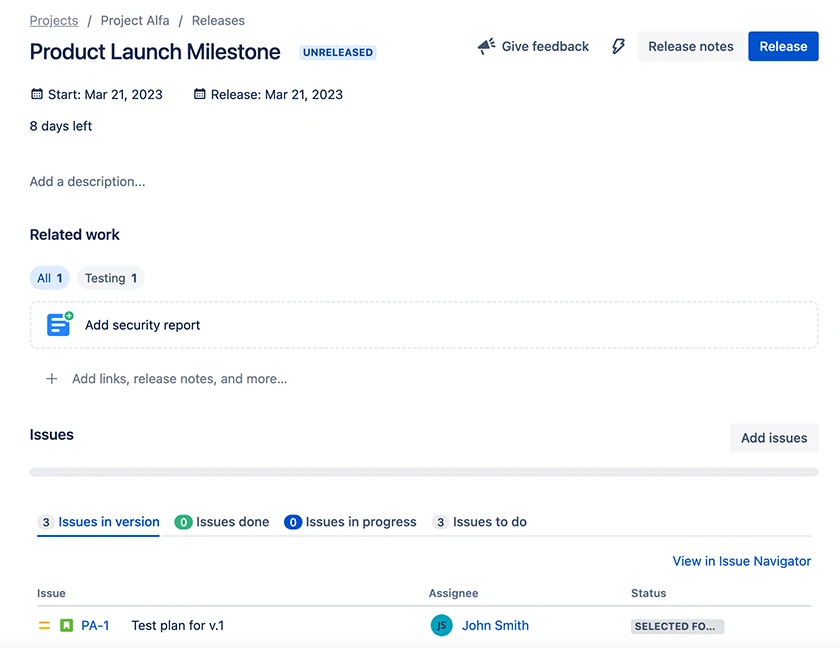
Ideal for dev teams working with structured versioning.
5. Use Epics as Milestones
If you’re already using Epics, you can repurpose them:
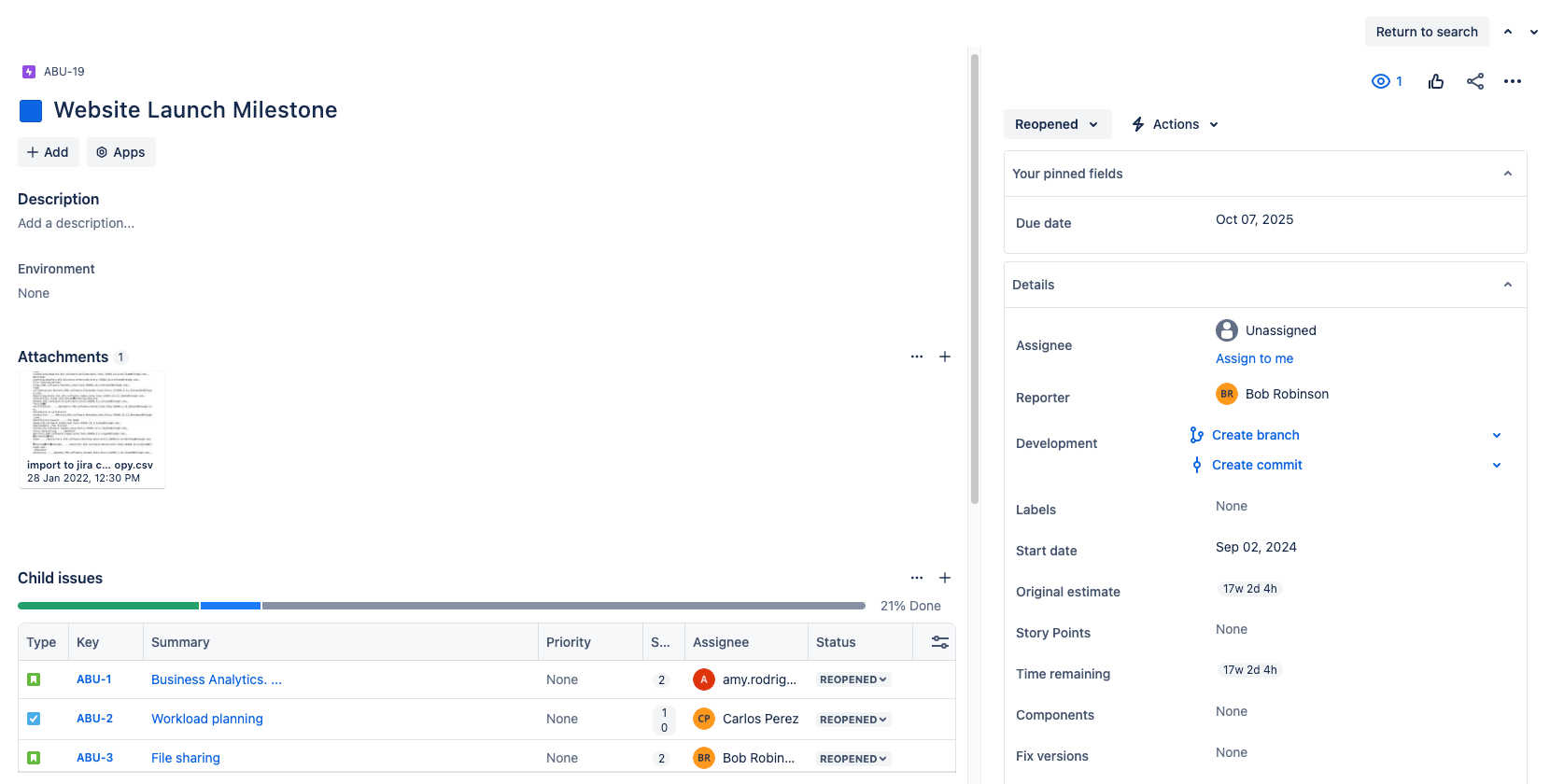
This gives you a high-level view of milestone progress in Epic reports.
A Better Way: Milestones in Jira with ActivityTimeline
For a more visual, user-friendly approach, ActivityTimeline offers full milestone tracking features right inside Jira.
Here’s how it works:
-
Click the Milestones icon in the top navigation
-
Add title, type, and due date
-
View milestones directly on the project timeline
-
Generate reports for progress tracking
You can create up to five milestone types (or define your own):
-
General
-
Event
-
Release
-
Delivery
-
Deadline
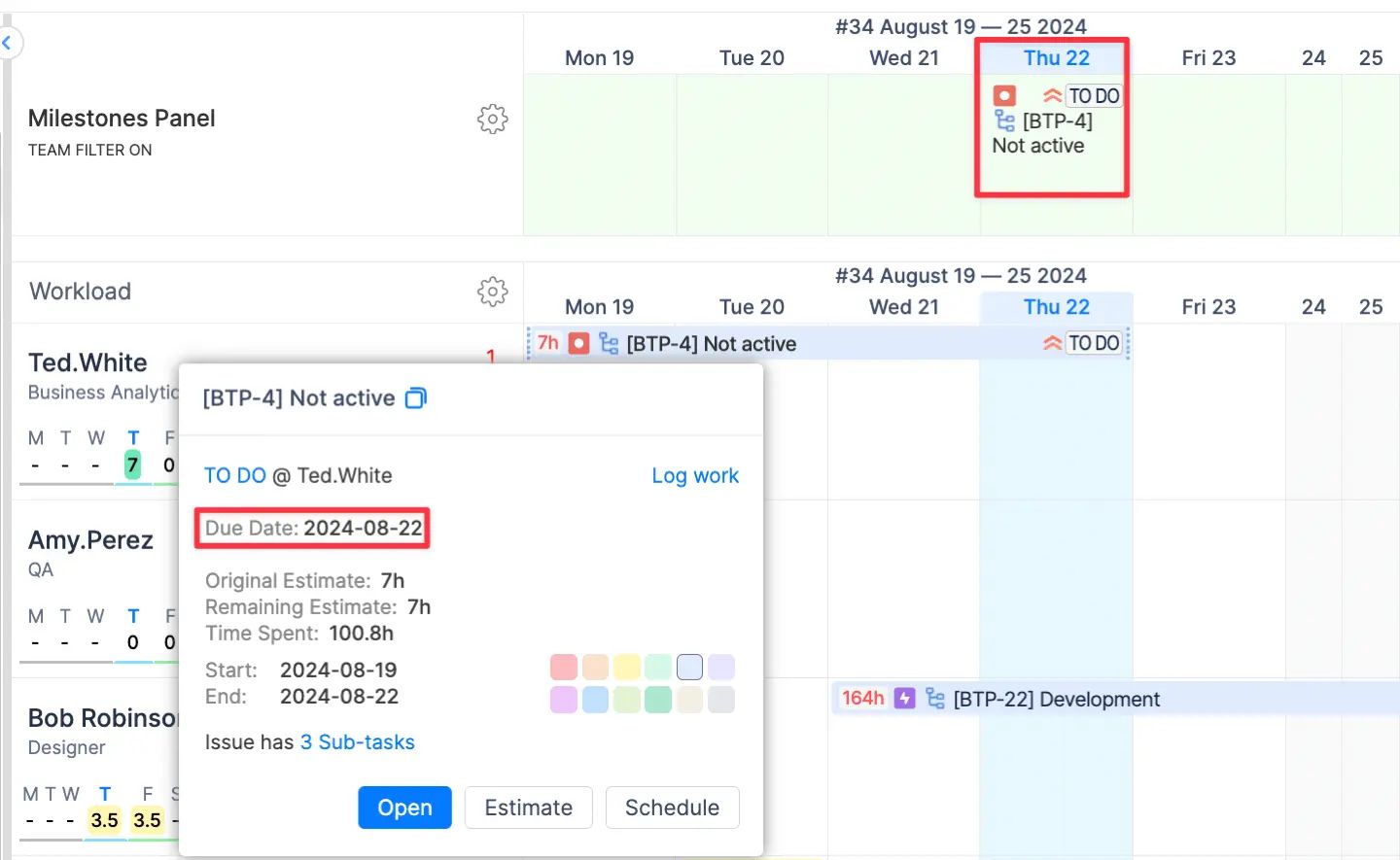
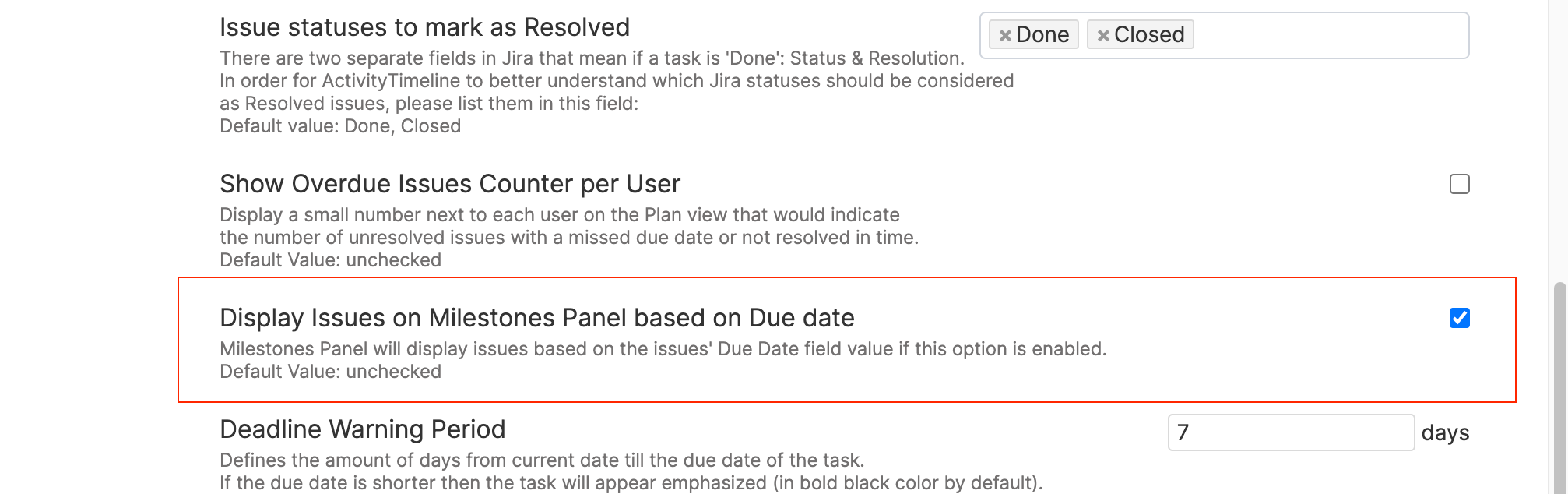
🎯 Bonus: Milestones automatically appear on the timeline when a task has a due date (if configured). Go to:
Configurations → Timeline Panel → Display Issues on Milestones Panel based on Due date
Want a warning before the deadline? Set it in:
Configurations → Timeline Panel → Deadline Warning Period
Sync with Jira Fix Versions and Sprints
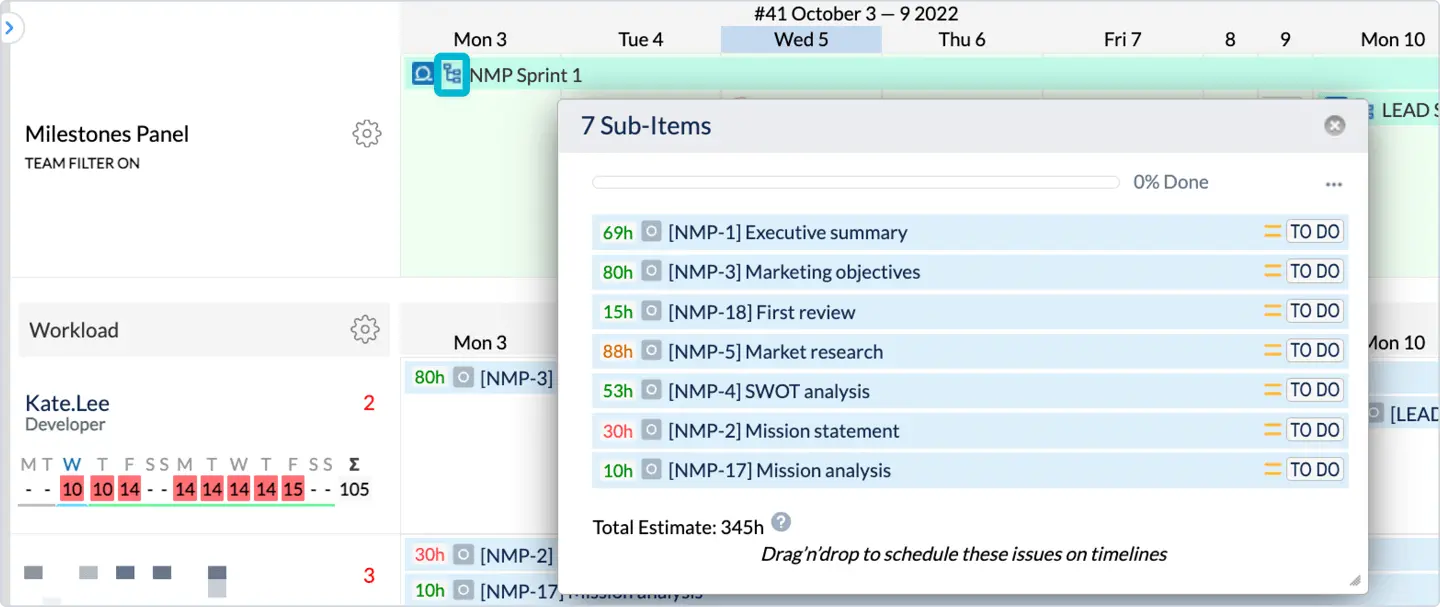
If you're already using Fix Versions or Sprints in Jira, ActivityTimeline will:
-
Auto-sync version data and release dates
-
Display milestones based on start and end dates
-
Show full sprint durations
-
Let you drill down into tasks inside each sprint
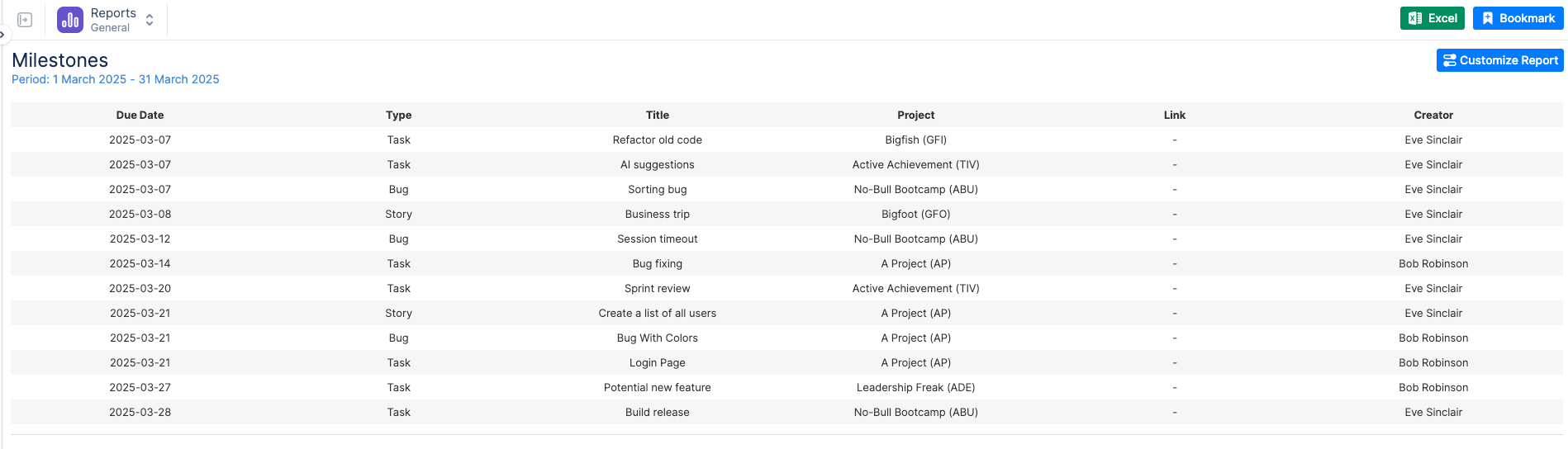
Reporting on Milestones
Use ActivityTimeline’s Reports to:
-
Visualize milestone progress
-
Identify delays or risks
-
Improve scheduling accuracy
-
Keep stakeholders informed
Final Thoughts
Jira might not support milestones out-of-the-box — but that doesn’t mean you have to compromise. Whether you use custom fields, clever workarounds, or ActivityTimeline, there are plenty of ways to stay on top of your key dates.
Milestones in Jira bring structure, clarity, and motivation to your projects — and when paired with visual tools like ActivityTimeline, you get the clarity Jira lacks.

