Milestones are an important component of roadmaps because they:
- Make things clear to stakeholders
- Break up projects
- Help with prioritization
- Call out external events that are relevant to releases... and more!
Execs looking at roadmaps that don't have milestones:

While Jira does not formally support milestones, a couple of ways exist to create and share Jira Milestones in a roadmap. Let’s go over how to create Jira Milestones in tools like Visor OR through workarounds in Jira.
Example of Jira Roadmap with Milestones, created in Visor:
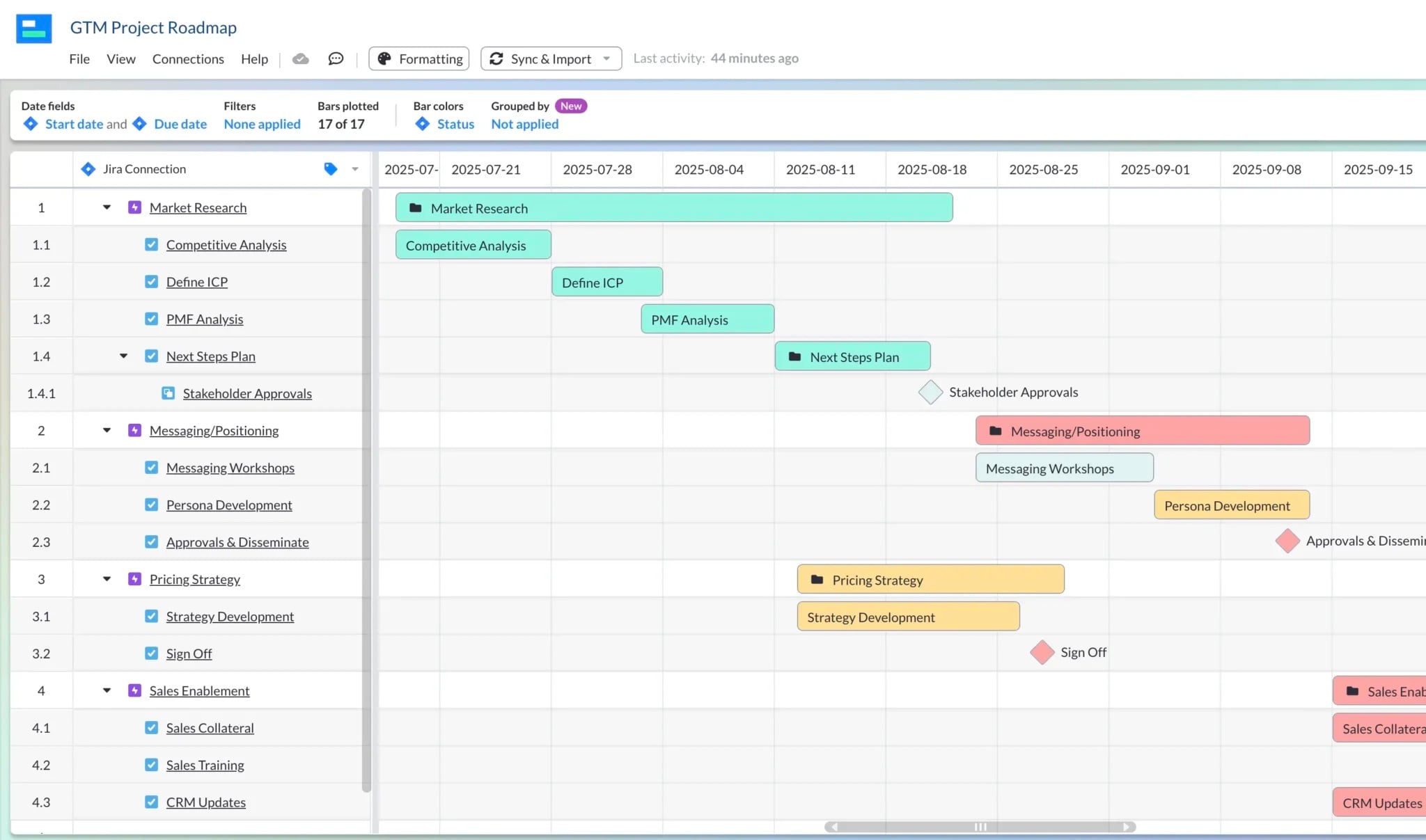
Option #1: Create Jira Milestones in Visor
Visor has a bi-directional sync with Jira, allowing you to turn your nested Jira data into colorful roadmaps and Gantts. You can even import multiple Jira projects, which is a great option if you don't have access to Advanced Roadmaps.

After importing Jira data into Visor, you can:
- Color code your data
- Apply filters to show high-level or granular views
- Add milestones
- Share with whoever you want
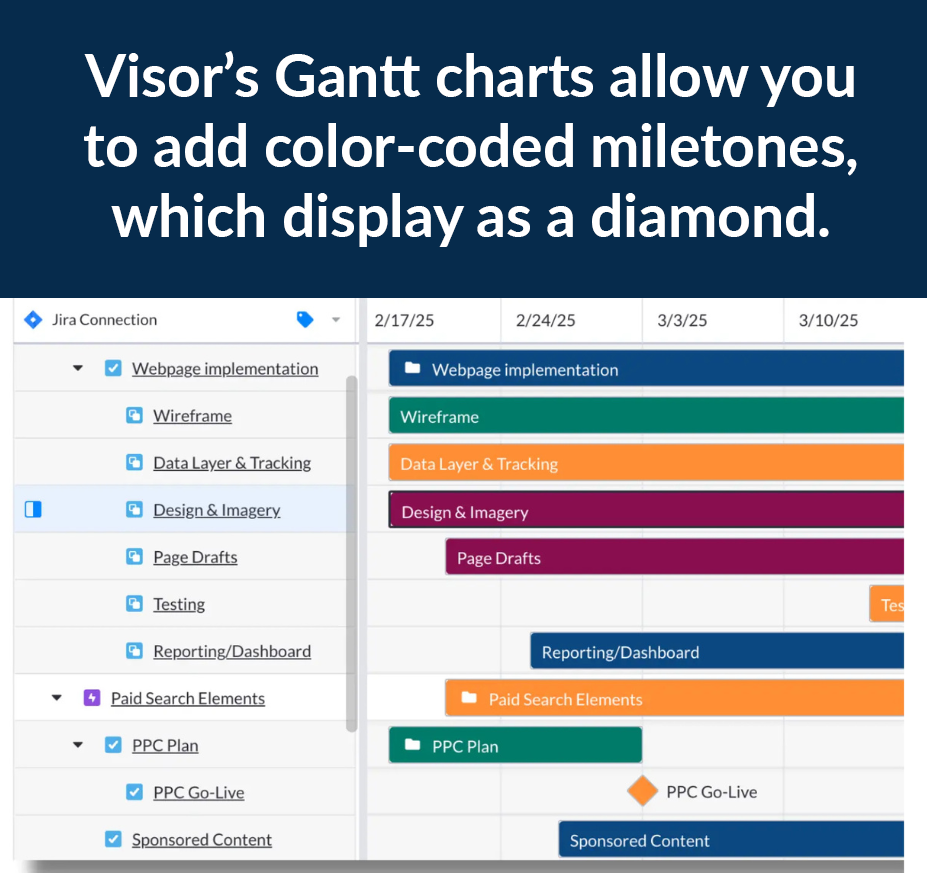
Because Visor has two-way syncing with Jira, you don't need to manually update your Visor roadmaps to keep them accurate. You simply have to hit "sync" and Visor will do the rest.
With Visor, you can share your roadmaps and Gantts with external viewers, which is ideal if you have clients or stakeholders who need access to the Jira data you want to share.
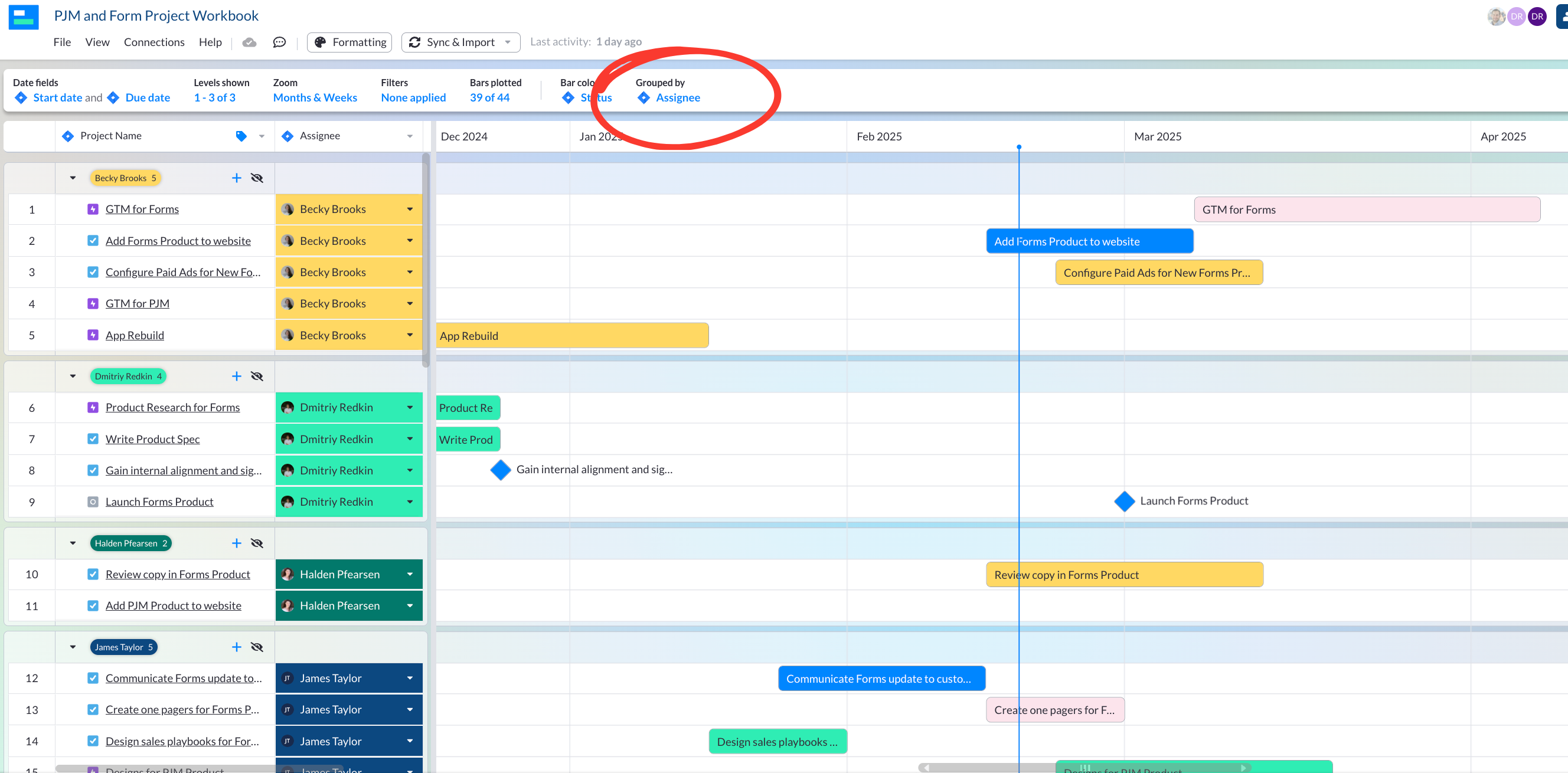
Visor also allows you to group your roadmap or Gantt, effectively making swimlanes.
In the example below, you will see this Jira roadmap (with milestones) is grouped by assignee.
Visor is also free to get started with. You can find us in the Atlassian Marketplace.
Option #2: Jira Milestones with Issue Types
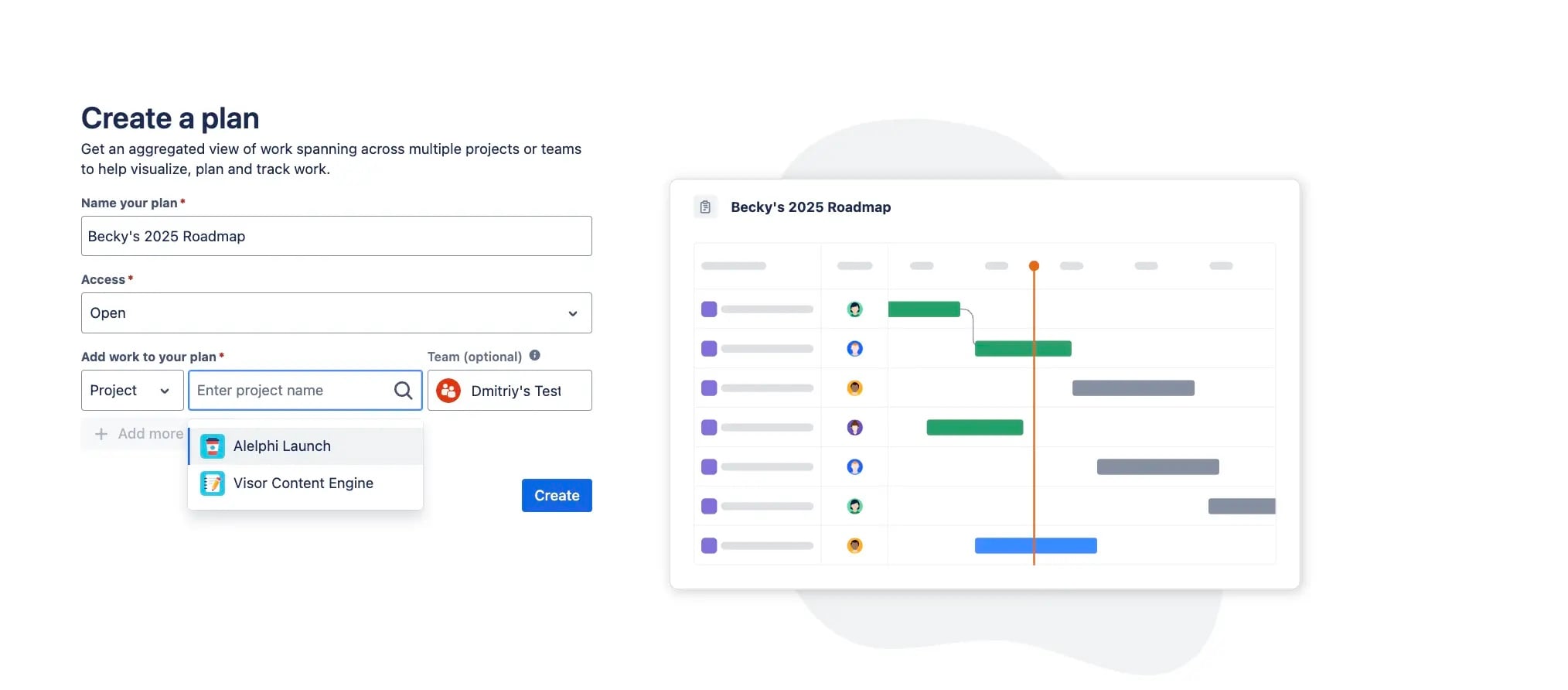
If you have access to Jira's Advanced Roadmaps, which allows (among other things) for you to display multiple projects in one Jira roadmap, then you can use a Jira Milestones workaround right in Jira.
In this workaround, you can:
- Make an issue type labeled "milestone"
- Find the epics your milestones will fall under and add them
- Using filters in Advanced Roadmaps that show the Epics and their milestones
You can find Jira Advanced Roadmaps under "Plans" if you have a Jira Premium or Enterprise subscription for this solution.
Make Your Roadmaps Crystal Clear with Milestones
Milestones in Jira roadmaps provide clarity not only for you and your team, but also stakeholders.
You can avoid annoying requests from execs and other team members by making a roadmap that provides easy visibility into key dates and events.
With Jira milestones, you can be confident that your roadmaps are: