Hi everyone,
Carol from the Product team here, and I’m pleased to announce a new experience for managing fields in team-managed projects. We’ve heard your feedback that it can be hard to learn how to configure fields in Jira, and this is one of the first steps we are taking to bring you a better experience for managing fields.
Best of all, these changes come with performance benefits and helps you get your work done, faster.
✨ Introducing the new Fields page
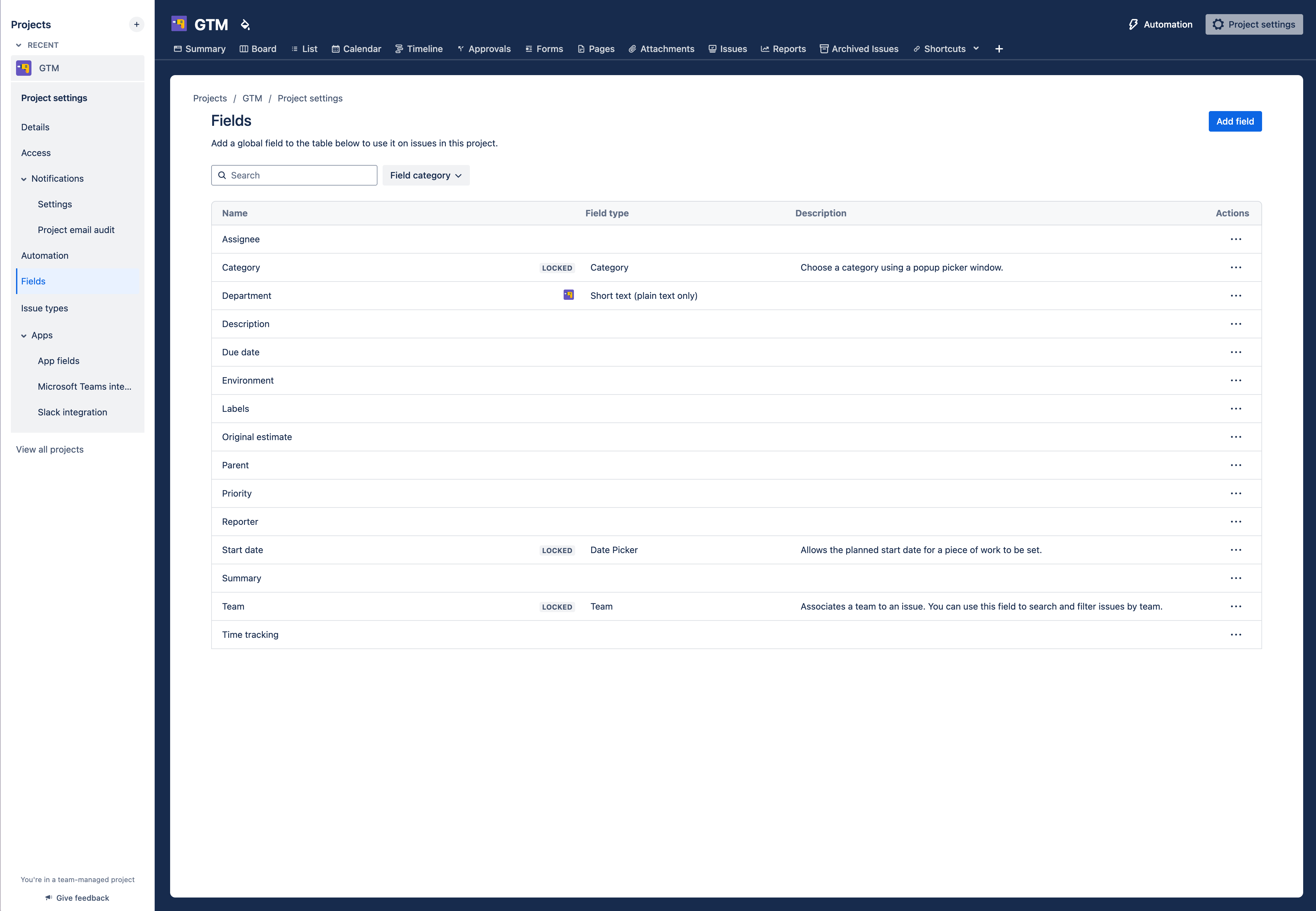
🔍 What is it?
The fields page is the source-of-truth of what fields are configured to your project. Here, you can add existing fields, create new fields, and remove/delete fields you are no longer using.
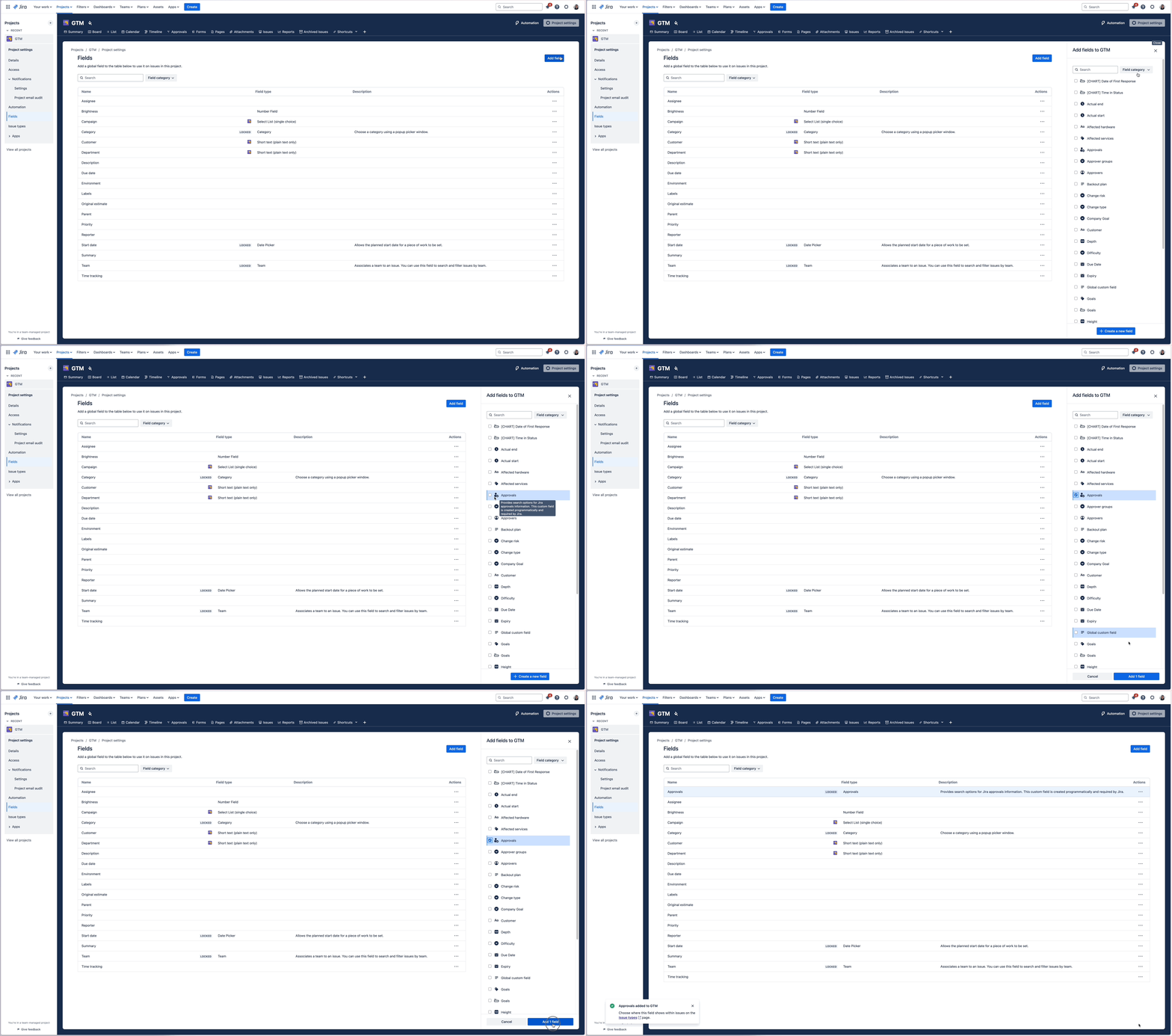
Adding an existing custom field
Creating and editing a project field
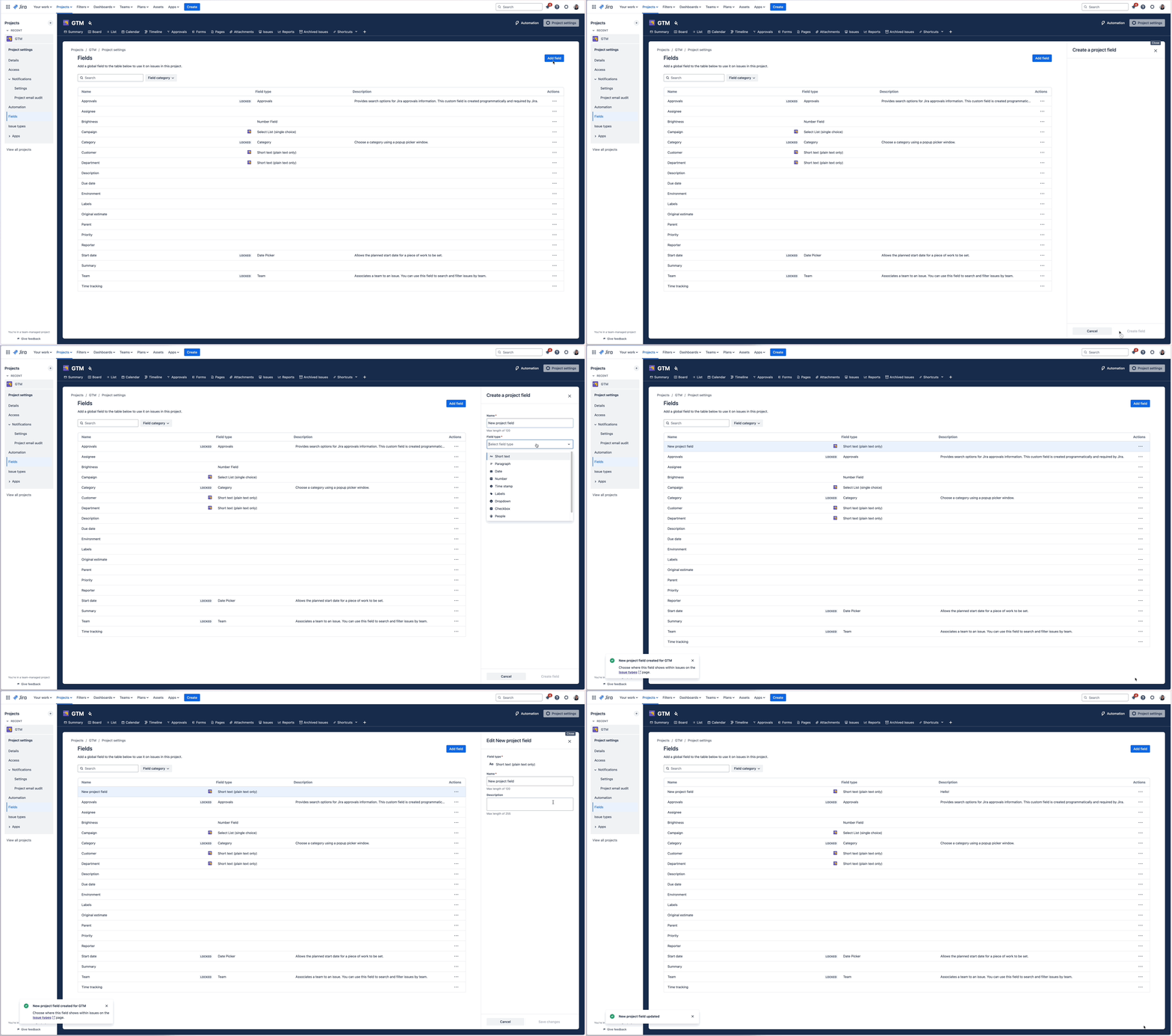
Once you have updated this list, you will see the changes reflected when you select fields for filtering, including in the Issue navigator, List view, Calendar view, and JSM queues. Of course, adding it to the respective issue types will also allow you to update your field when creating or editing your issue!
We’ll begin progressively rolling this out over the coming weeks, in the meantime, please feel free to leave any questions/comments/feedback in this post.
📝 FAQ
Is this available in all Jira products?
A field I could previously see when I was filtering in the Issue Navigator is missing, is my project broken?
Regards,
Carol


