Context
We use Confluence 8.5.15 (Data Center) with several add-ons, including Comala Document Management (7.8.0) for internal knowledge management.
Our workflow:
- At our headquarters, admins create and review work instructions for regional offices (Community).
- After approval, the final version is published.
- The Community has read-only access (not a contributor) and can find published versions via a search dashboard.
- The Community should also be able to view previously published versions.
Our workflow in Comala:
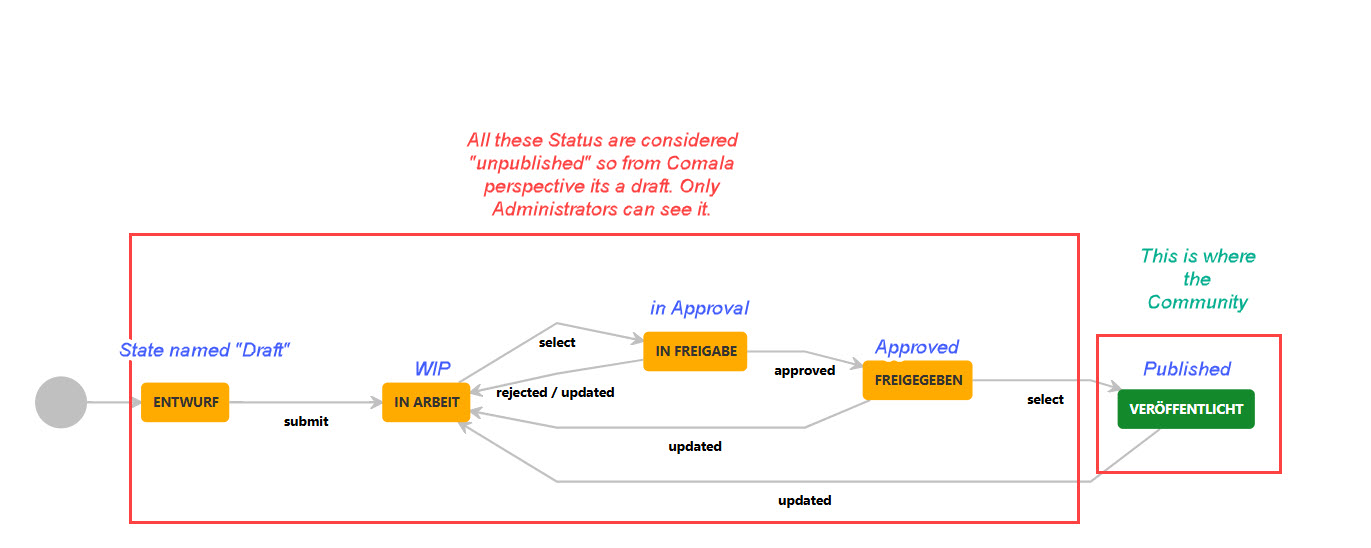
- Blue: Translations of status names.
- Red: Comala status "Draft".
- Green: Comala status "Published".
Expected behavior:
- Draft pages should not be accessible to the Community – this works as expected.
- Published pages should be accessible – this also works as expected.
- The Community should be able to access previously published versions – this is where the problem occurs.
Problems
Since enabling the workflow, we have encountered two issues:
1. No access to previously published versions
- If we edit a page multiple times before publishing it again, the native Confluence Page History creates multiple versions.
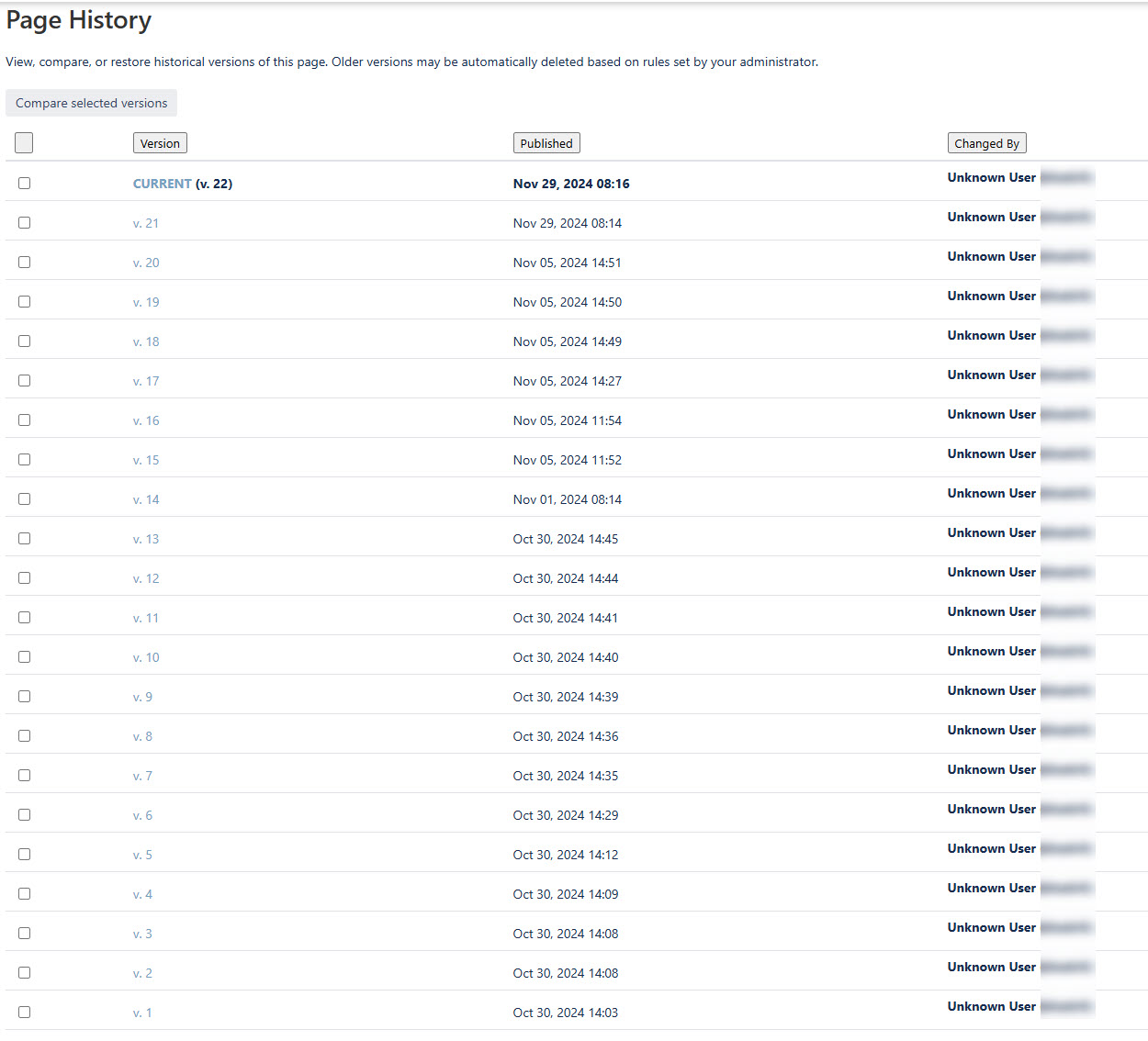
- Even though some of these versions were once published, the Community receives an error message when trying to access older versions (doesnt matter if published or not):

- This makes sense since Comala only allows one published version at a time.
- However, the Community can still compare versions using Confluence’s native compare function (doesnt matter if published or not), which seems inconsistent.
2. No way to identify published versions
- Even if the Community could access old versions, they cannot see which versions were actually published.
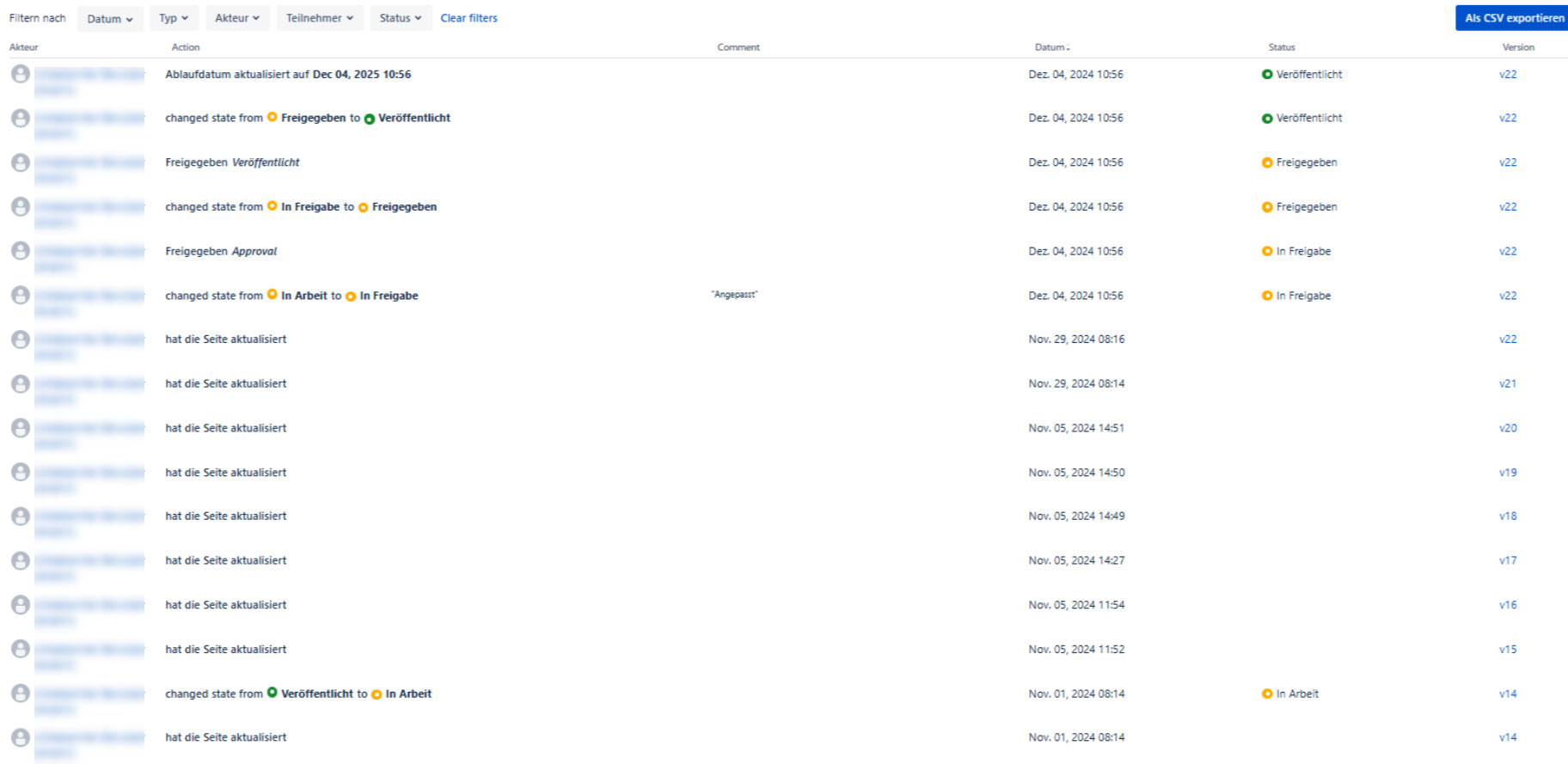
- The native Confluence version history does not show Comala workflow statuses.
- The only place where this information is available is the Comala Document Activity Report, but this requires Contributor permissions, which we cannot grant to the Community.
Question for the Community
- Does anyone know of a solution or workaround for these two issues?
- Allow the Community to access old published versions
- Make the published status of a version visible
A manual workaround for the second mentioned Problem would be for an admin to use the "What have you changed" field in Confluence to note the workflow status. However, an automated solution would be much better. I have experimented with trigger events, but I was only able to add page comments, not modify the version history.
Looking forward to your ideas!
Thanks & best regards,
Thierry


