eazyBI integrates with various Jira testing apps, however Xray is the most popular among our customers. With its structured approach using issue types and custom fields to manage testing, it allows for flexible and insightful test reporting in eazyBI.
🔎 How Xray Data Is Organized in eazyBI
Testing data is often complex, with many-to-many relationships between Tests, Requirements, and Executions. To simplify this, eazyBI provides dedicated Xray-specific dimensions such as Xray Test, Xray Test Execution, Xray Requirement, Xray Defect, and few more. These dimensions help organize test data for more structured analysis and reporting.
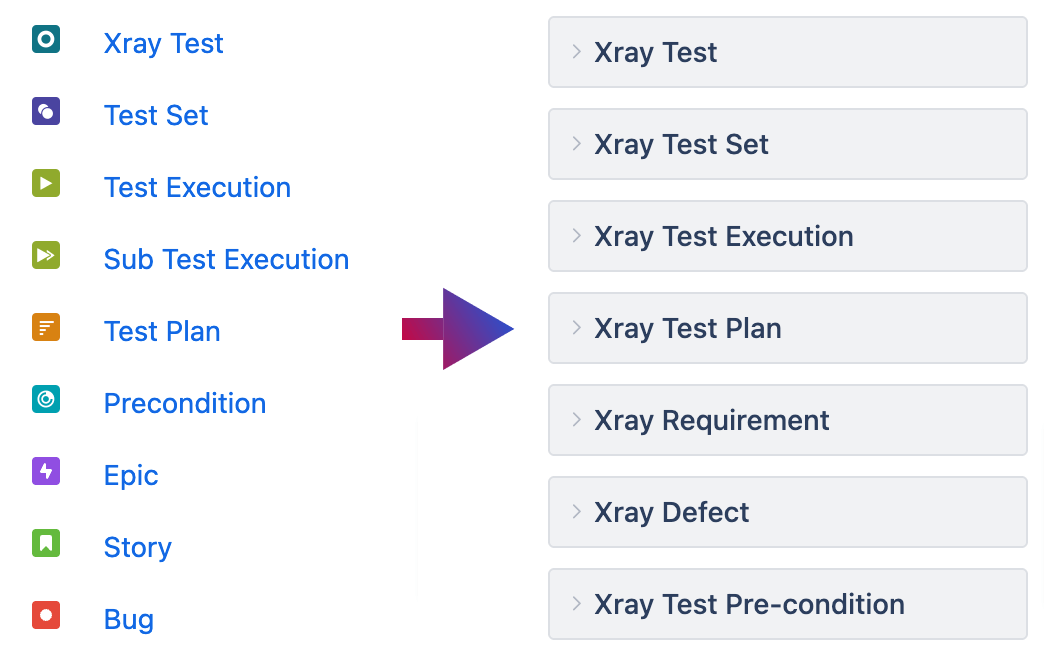
📊 Building Xray Reports in eazyBI
To get started, use the sample Xray reports automatically created in eazyBI during data import. Modify them as needed or build custom reports tailored to your testing and development workflows. Surely, you can create your own reports using all eazyBI functions. Here are some report ideas:
1️⃣ Requirement Coverage Report
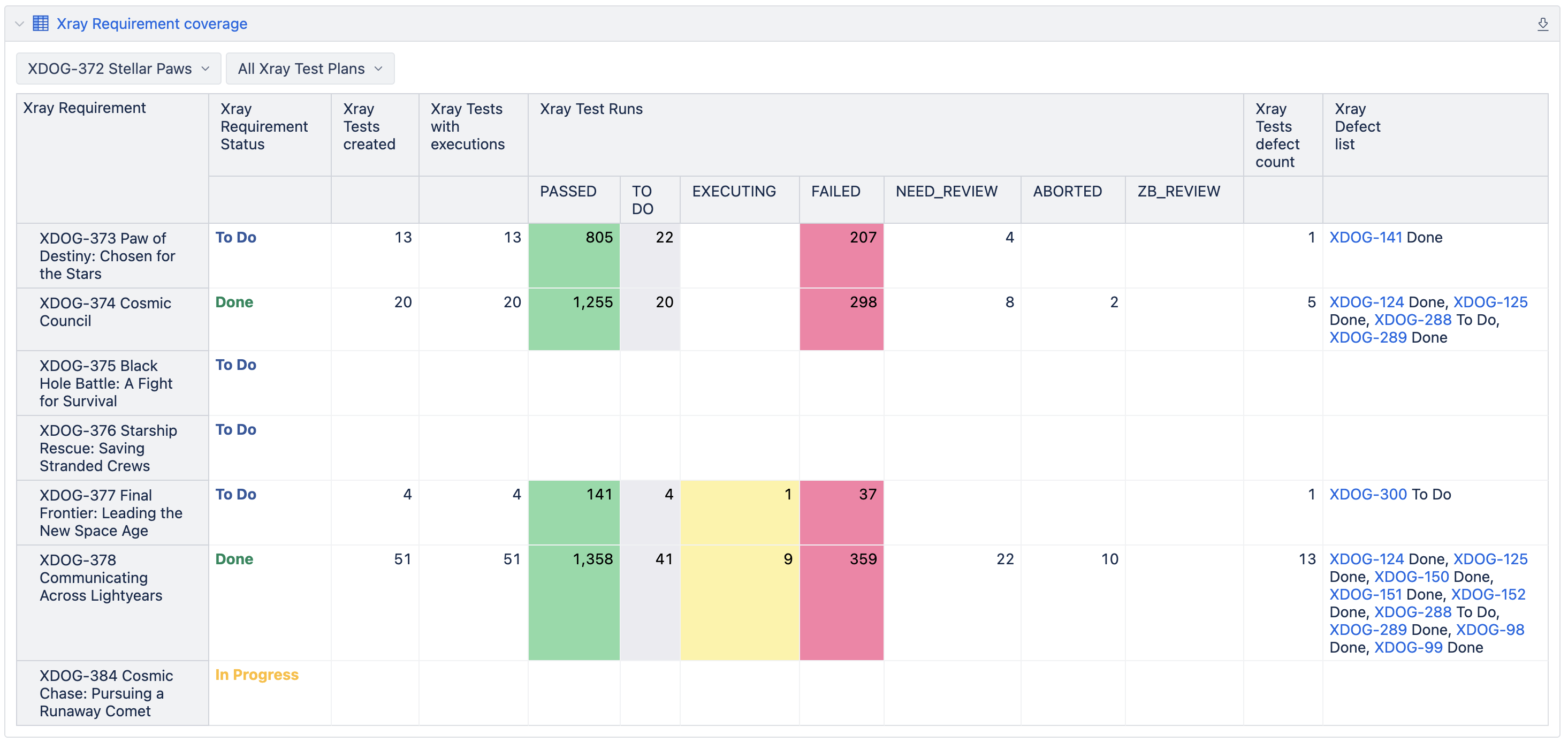
Requirement coverage is crucial for tracking development progress and testing readiness. eazyBI enables users to filter requirements by project and hierarchy levels (e.g., Epics, Features) to provide a clear overview of testing results.
2️⃣ Test Plan Burnup
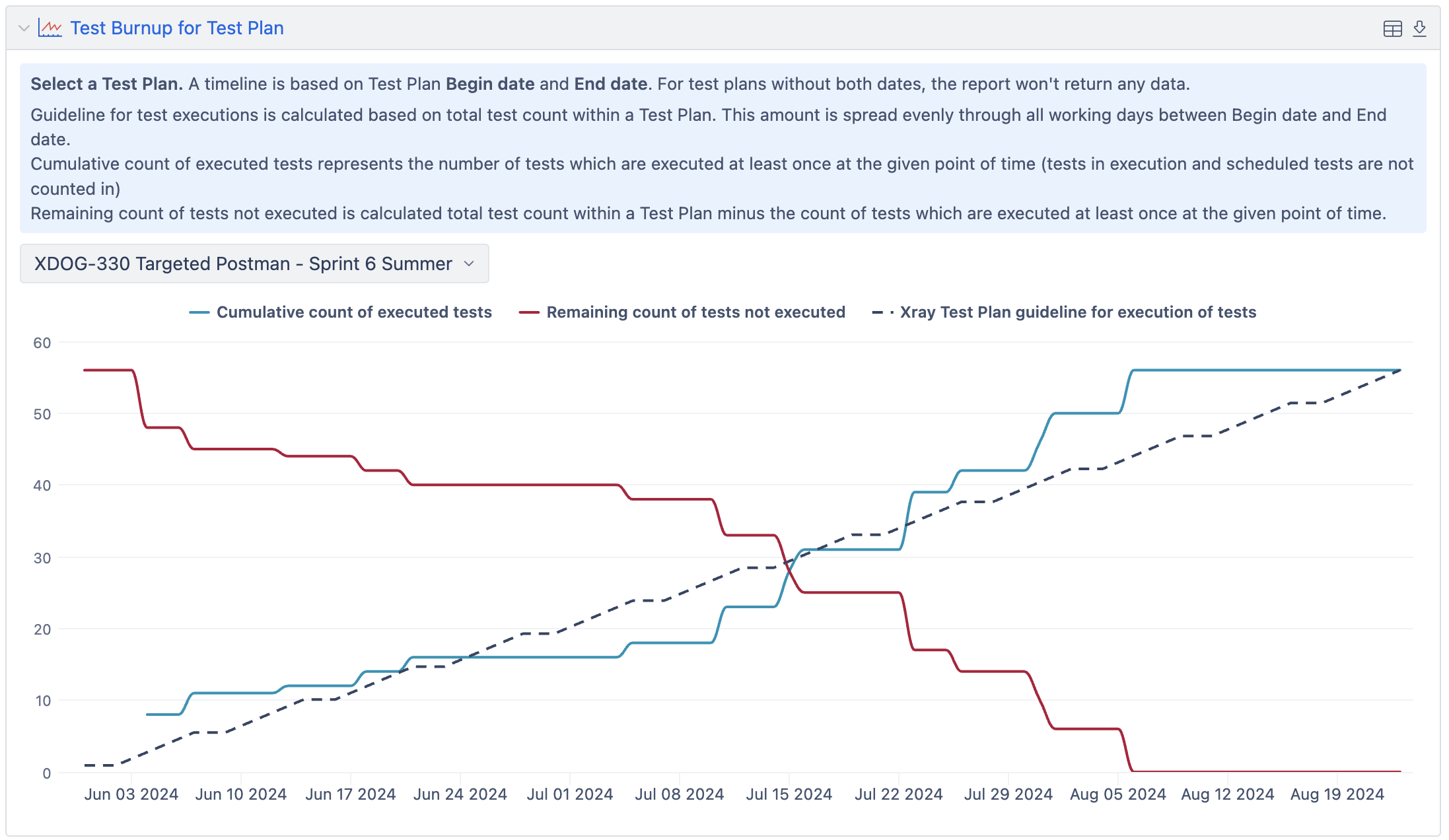
A burnup report helps track testing progress over time, ensuring that all planned tests are executed. By visualizing executed vs. pending tests, you can identify delays and adjust testing efforts accordingly.
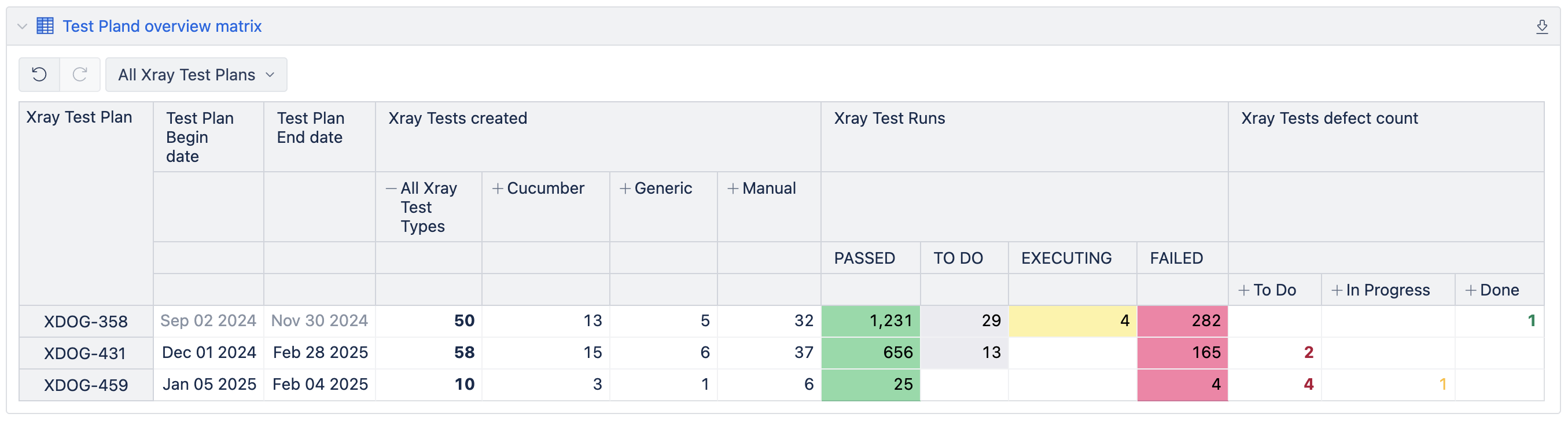
3️⃣ Test Plan Overview Matrix
This report offers a high-level summary of Test Plans, covering:
✔️ Test coverage by test type (manual vs. automated)
✔️ Testing progress
✔️ Defects found during testing, grouped by status
Useful Features to Enhance Xray Reporting
✔️ Leverage Drill-through functionality to analyze individual Test Runs and Executions
✔️ Use hierarchical requirement structuring for the Requirements, such as organizing them under Epics or Parent issues, to visualize the progress
✔️ Custom Test field dimensions (e.g., Test Components, Test Labels) for tailored reporting
📢 Want to explore these eazyBI reports in more detail? Check out the full blog post here.
