Issue: Some StatusPage customers in Brazil are experiencing DNS_PROBE_FINISHED_NXDOMAIN errors when accessing *.statuspage.io domains with certain ISPs.
If you are observing the page not found error in the Brazil region, please follow the respective steps as per your Operating System:
Steps to follow for Windows 10/11:
1. GUI method:
-
Right-click Windows Start button → Network Connections
-
Click Change adapter options
-
Right-click your active connection → Properties
-
Select Internet Protocol Version 4 (TCP/IPv4) → Properties
-
Check Use the following DNS server addresses:
Preferred: 1.1.1.1
Alternate: 8.8.8.8
-
Click OK → Close
2. PowerShell (Admin) method:
Set-DnsClientServerAddress -InterfaceAlias "Ethernet" -ServerAddresses ("1.1.1.1", "8.8.8.8")
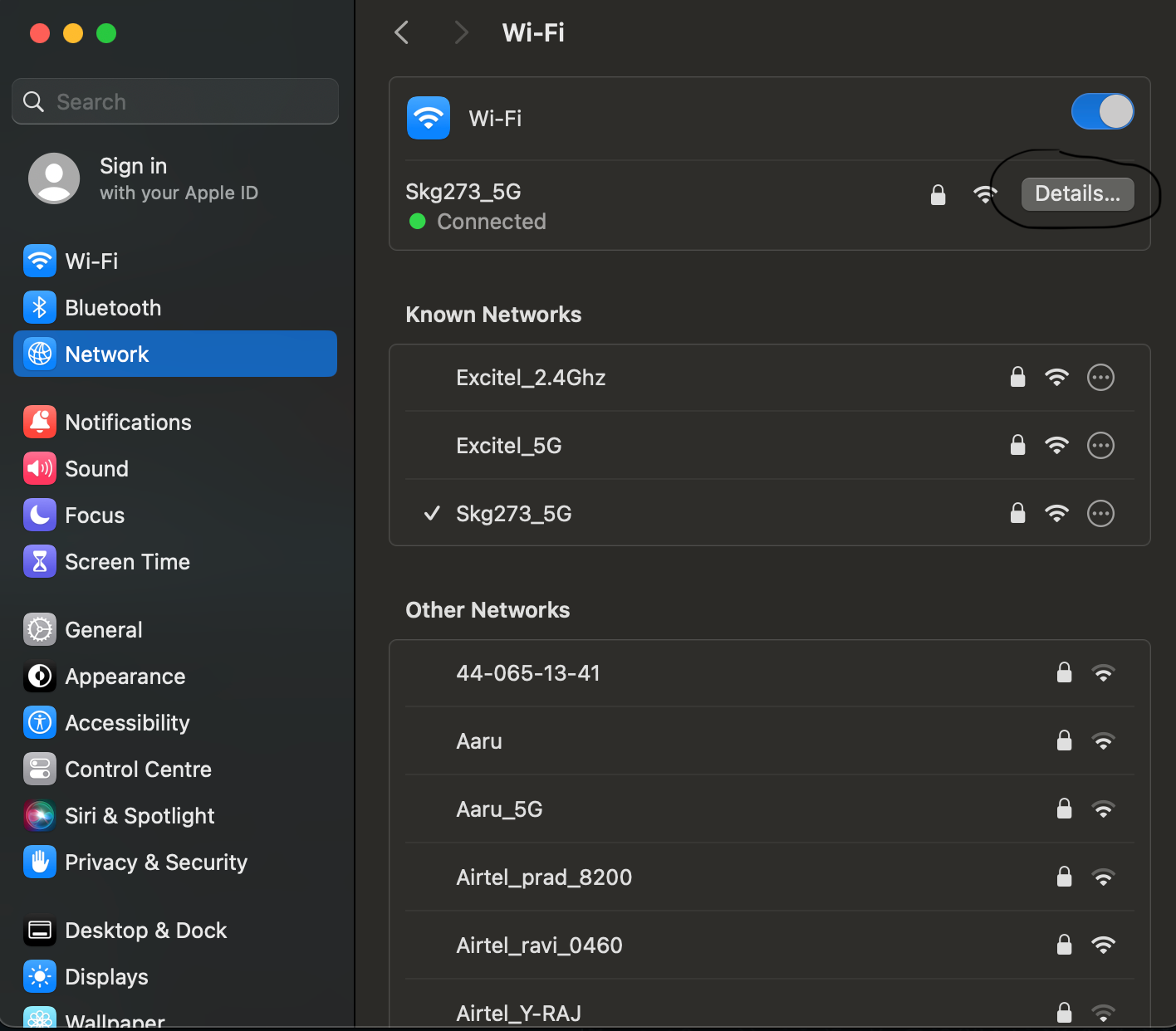
Steps to follow for macOS
1. GUI method:
-
Apple Menu 2. → System Settings → Network
-
Select active connection → Details → DNS
-
Click + to add:
1.1.1.1
8.8.8.8
-
Click OK → Apply
-
2. Mac Terminal method:
Open the terminal, and write the below command in the terminal
networksetup -setdnsservers Wi-Fi 1.1.1.1 8.8.8.8
Steps to follow for Linux (GNOME)
1. GUI method:
-
Open Settings → Network
-
Click the gear icon → IPv4
-
Set DNS to Manual:
1.1.1.1, 8.8.8.8
-
Click Apply
2. Terminal (NetworkManager) method:
Open the terminal, and write the below command in the terminal
nmcli con mod "YourConnectionName" ipv4.dns "1.1.1.1 8.8.8.8"
nmcli con down "YourConnectionName" && nmcli con up "{{YourConnectionName}
That’s all. This should resolve the issue, allowing you to access the statuspage.io domain pages.

