I have an Automation in JPD that when an idea meets certain parameters, a ticket is created in a delivery project. As part of this automation, details like the Reporter Name and Due date are copied into the Description field.
In the JPD space, the Delivery Target Date is custom field '11517'.
What I am hoping is that someone has figured out a way to make the display of the date from JPD look user friendly/pretty?
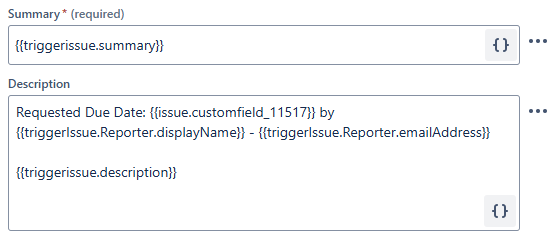
The best I have found is the smart value
{{triggerIssue.customfield_11517.match(".*end\":\"(.*)\".*").toDate}} which has the output 2025-03-31T00:00:00.0+0000
Has anyone come up with anything else? Bonus points if it matches a DD/MM/YY (aka NZ/Aus) date format


