Hello App Central Community!
Are you a Jira admin?
We’re excited to share a new feature that will make your life a little easier: the Dynamic Forms Assistant, now available in our Dynamic Forms for Jira app and powered by ROVO AI.
Think of it as ChatGPT but for Jira forms.
This tool is designed to help you configure dynamic forms quickly and efficiently. How?
What can the Dynamic Forms Assistant do?
Create new rules for fields, issue types, or entire projects
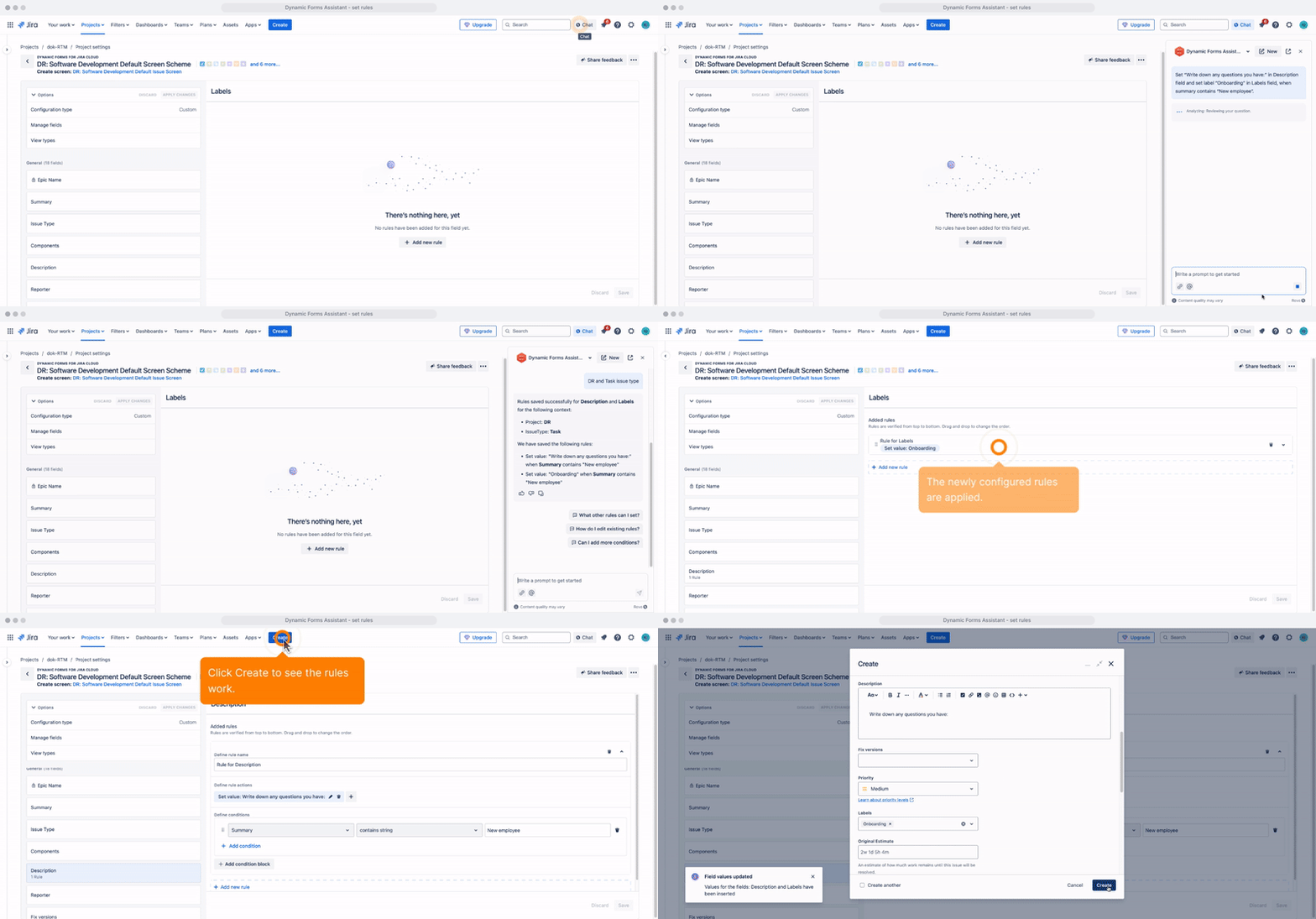
Apply new rules to your projects and issue types. Just tell the Assistant which rules you want to set and in which projects. For example:
Set the ‘ASAP label’ rule configuration for the issue type ‘Task’ in the ‘Invoicing’ project
See how to do it below:
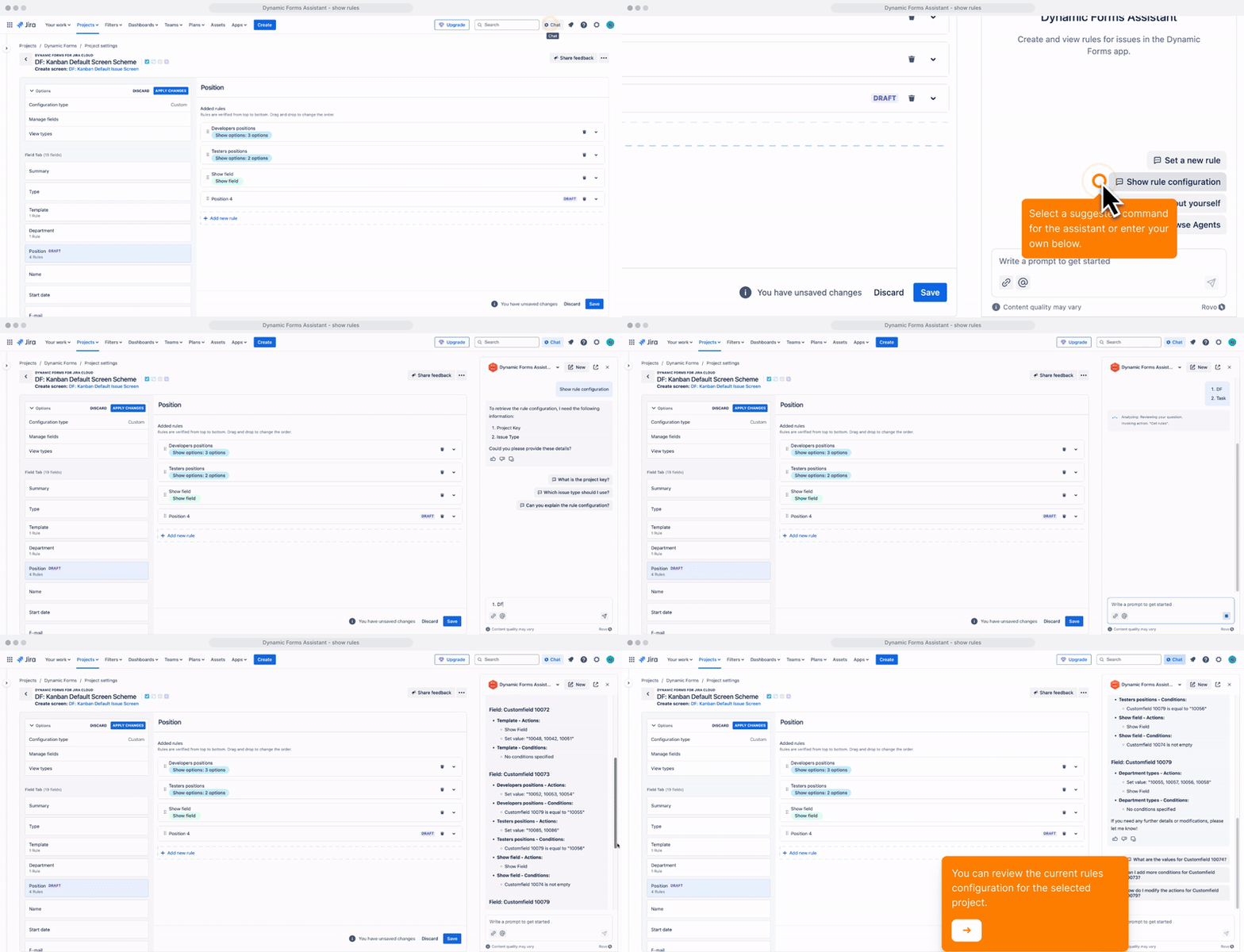
Show current configurations and rules
List all the current rules that are applied to your projects and issue types. For example:
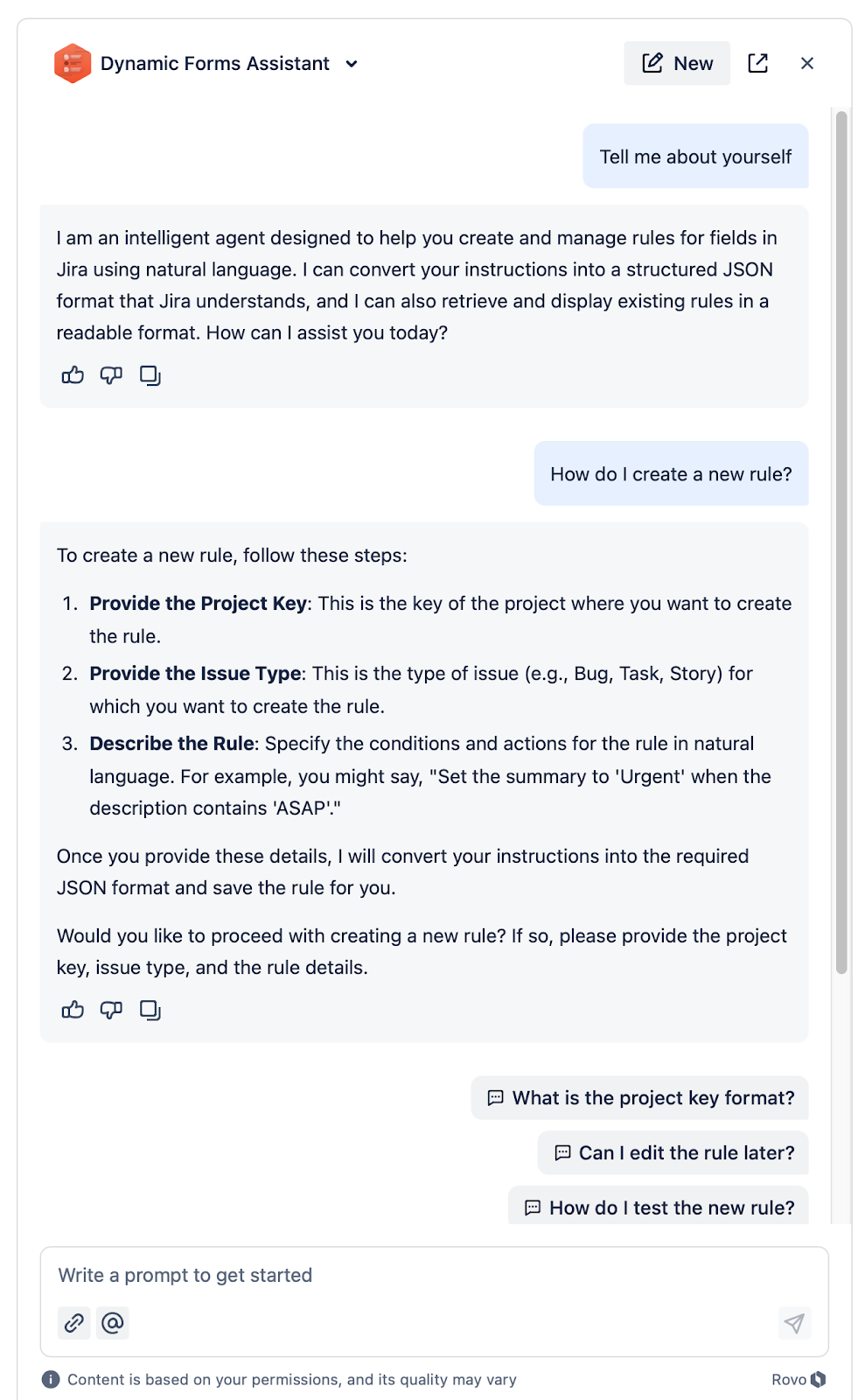
Explain how to create new rules
Ask the Assistant to tell you how to create new rules using it. For example:
How to get started
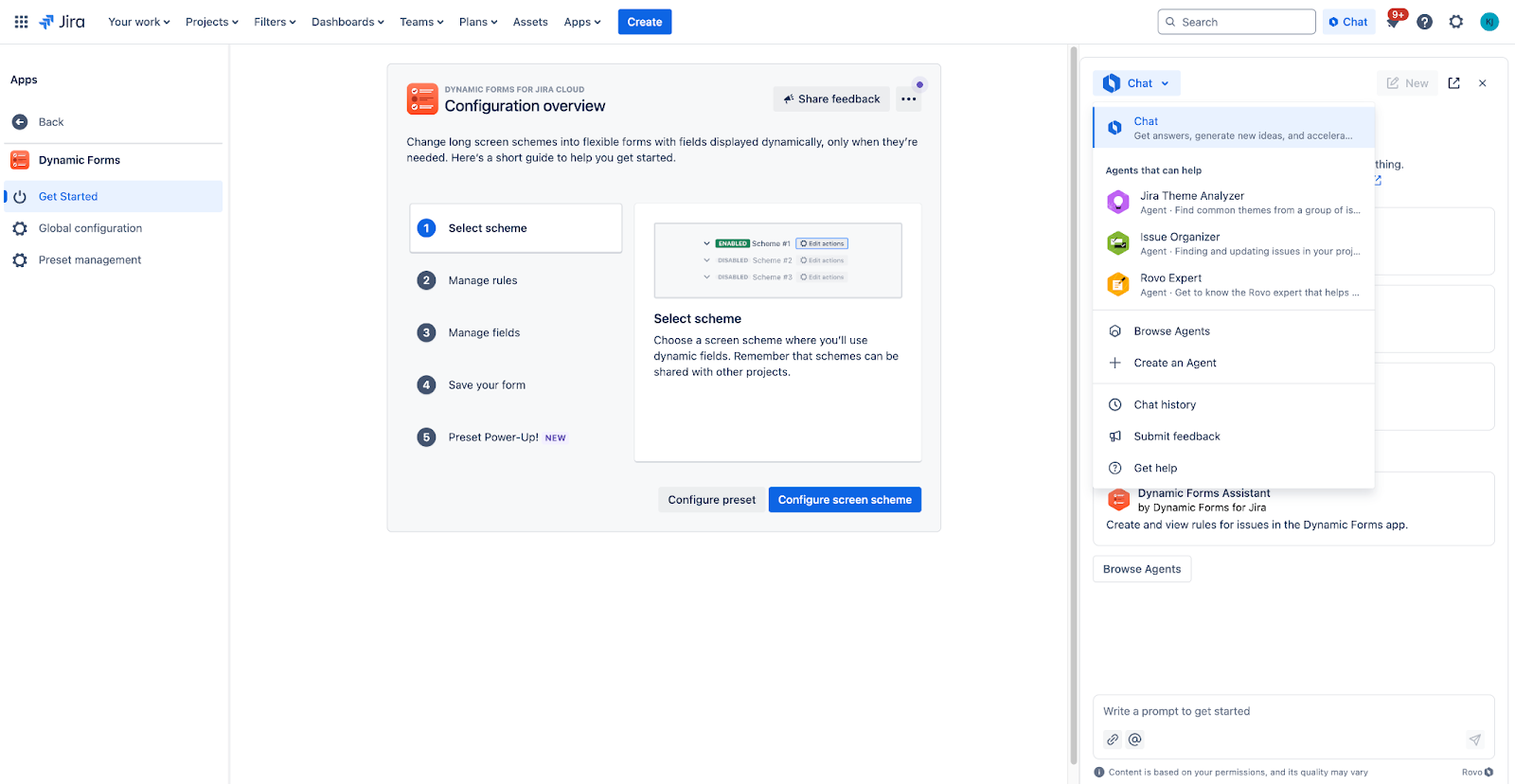
To try out the Dynamic Forms Assistant:
-
Open the Rovo chat in Jira.
-
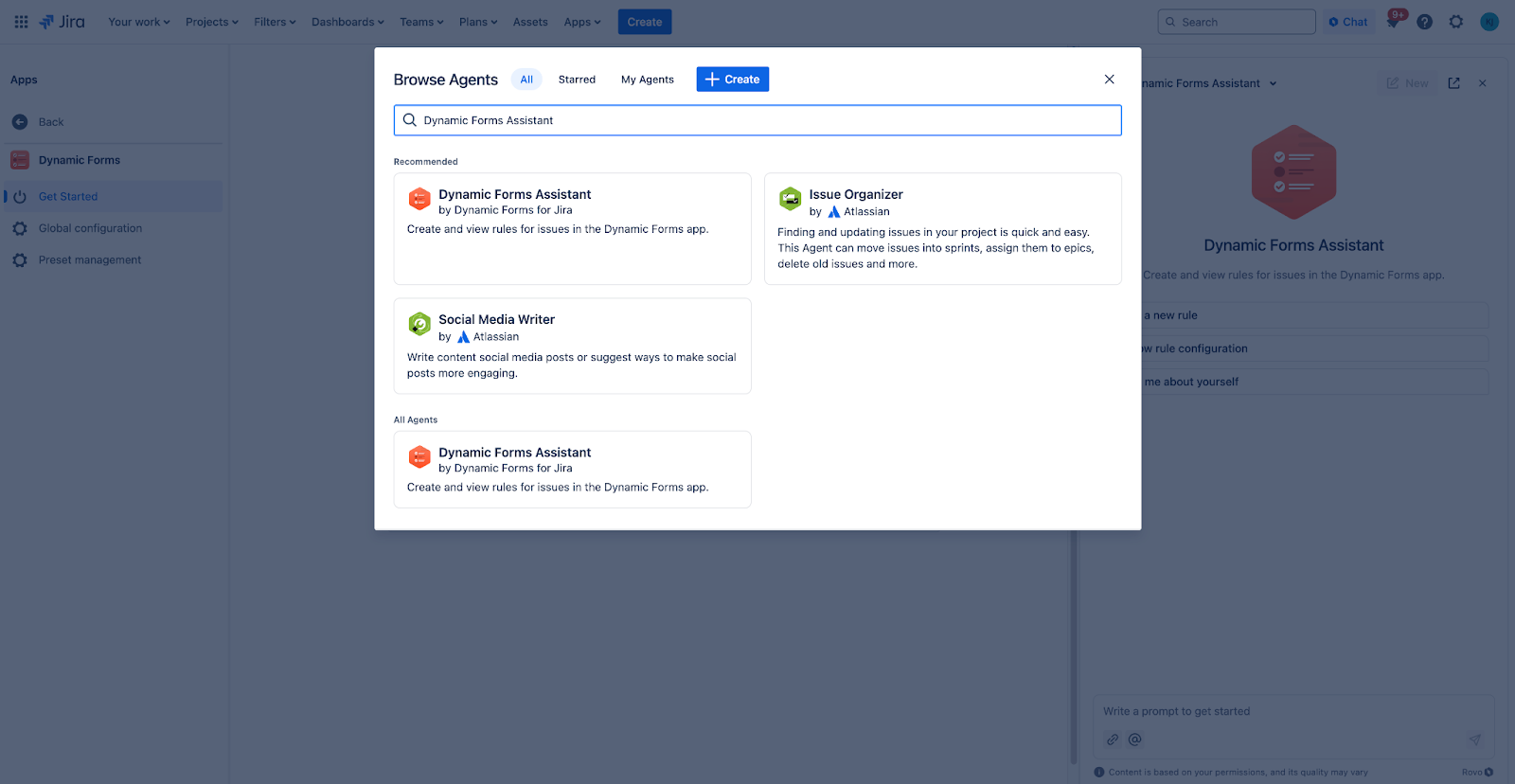
Click on the Browse Agents button.
-
Select the Dynamic Forms Assistant from the options.
-
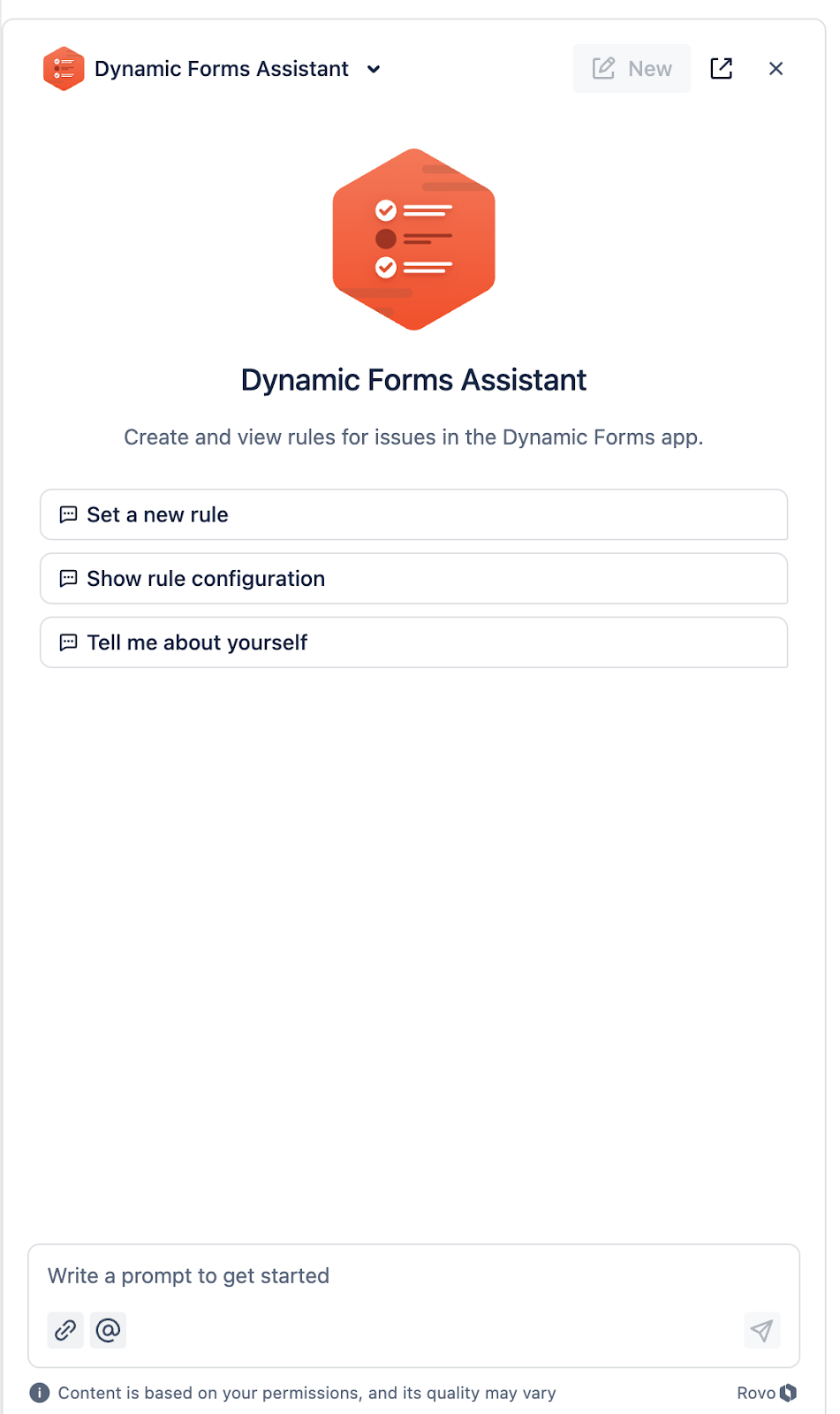
Start interacting by telling it what you want to do.
Looking ahead
We’re actively working on improving the Dynamic Forms Assistant. If you have any suggestions on how we could do that, tell us!
Or just leave a comment down below 🙂
