Time tracking in software development often stirs mixed feelings. For many, it’s synonymous with tedious timesheets and micromanagement. But with the right tools and mindset, time tracking transforms into a productivity booster and an insight generator. By integrating seamlessly with Jira, tools like ActivityTimeline make time tracking effortless and effective—a must for developers and teams aiming to optimize workflows and deliver exceptional results.
What is Time Tracking Software?
Time tracking software is a digital tool designed to help individuals and teams monitor the amount of time spent on specific tasks, projects, and clients. For software developers, this software is indispensable in managing time effectively, boosting productivity, and streamlining workflows.
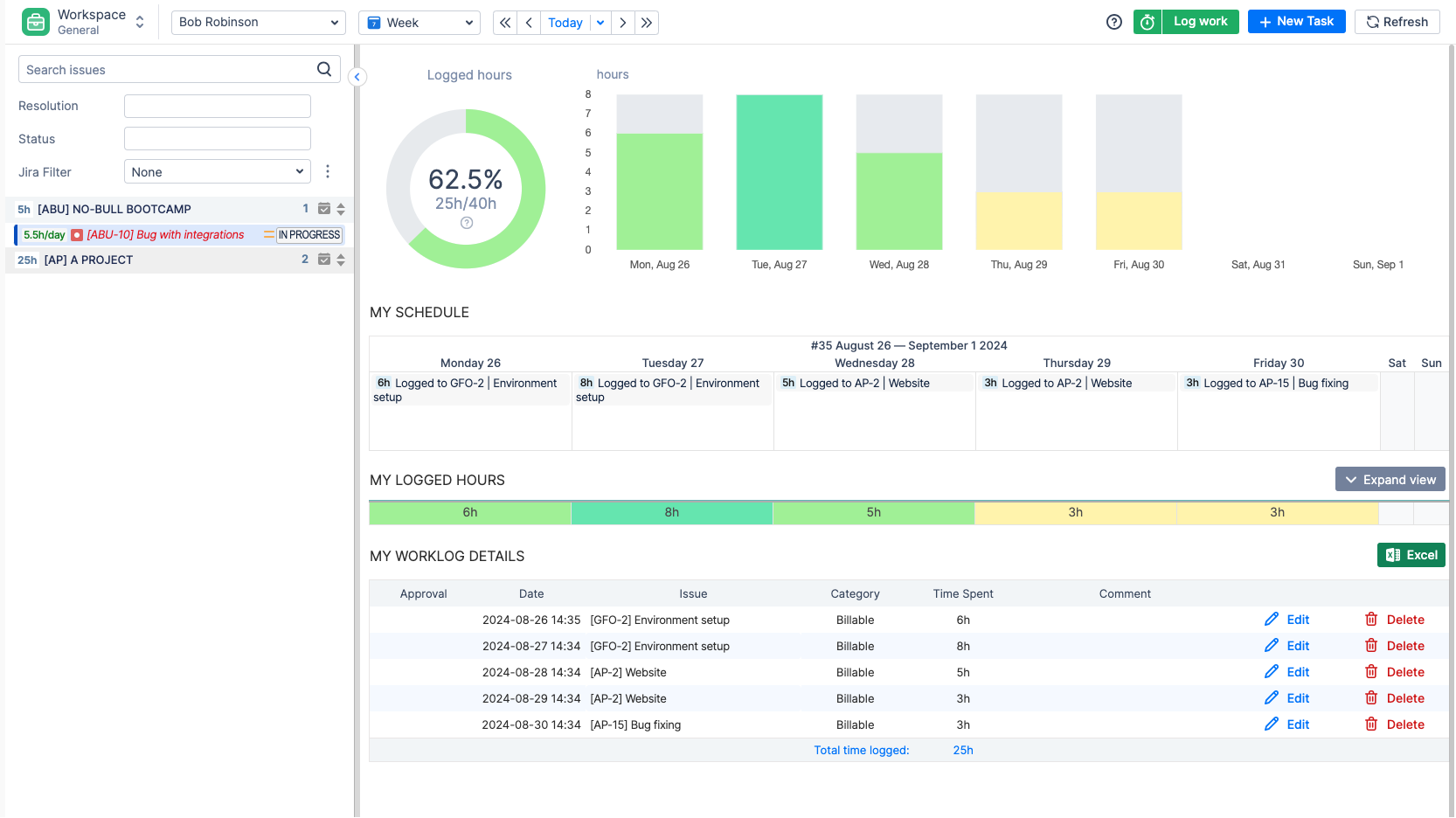
By providing a centralized platform to record, track, and analyze time spent on various activities, time tracking software enables users to generate detailed reports, invoices, and insights into their work habits. This not only helps in identifying areas for improvement but also in optimizing overall performance.
Why Time Tracking Matters for Software Teams
Time tracking in Jira isn’t just about logging hours; it’s about gaining insights into how your time is spent. Effective time management is crucial in software development as it enhances productivity and ensures timely project delivery. By analyzing time spent on tasks such as debugging, testing, or brainstorming, developers can identify bottlenecks, improve project estimates, and refine workflows.
Time tracking tools integrated with Jira, like ActivityTimeline, go beyond basic tracking. They offer automatic time logs, workload balancing, and detailed reporting. This ensures that tracking doesn’t interrupt your workflow but supports it seamlessly.
Key Benefits for Developers and Teams
- Enhanced Productivity: Identify inefficiencies and improve time allocation.
- Improved Estimates: Use historical data to refine project timelines.
- Transparent Collaboration: Align team efforts and foster accountability.
- Better Resource Allocation: Balance workloads and avoid burnout.
- Accurate Billing: Track billable hours effortlessly for client work.
- Improved Time Management Skills: Use time tracking software to monitor breaks, schedules, and overall work efficiency, helping users manage their time effectively and streamline processes.
The Don’ts of Time Tracking
Don’t Turn It into a Burden
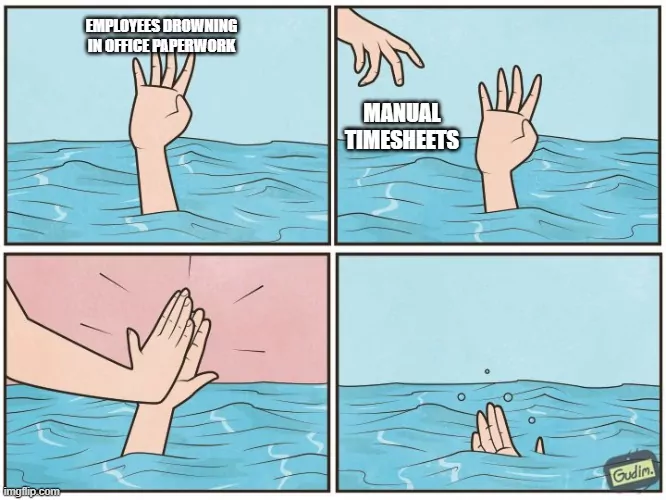
Tracking apps or manual processes can make time tracking feel like a chore. According to studies, 69% of employees don’t track their time accurately, often due to poor systems. ActivityTimeline eliminates this hassle by automating time tracking directly within Jira workflows. Developers can focus on their tasks while the tool captures time data in real time.
Don’t Use It to Micromanage
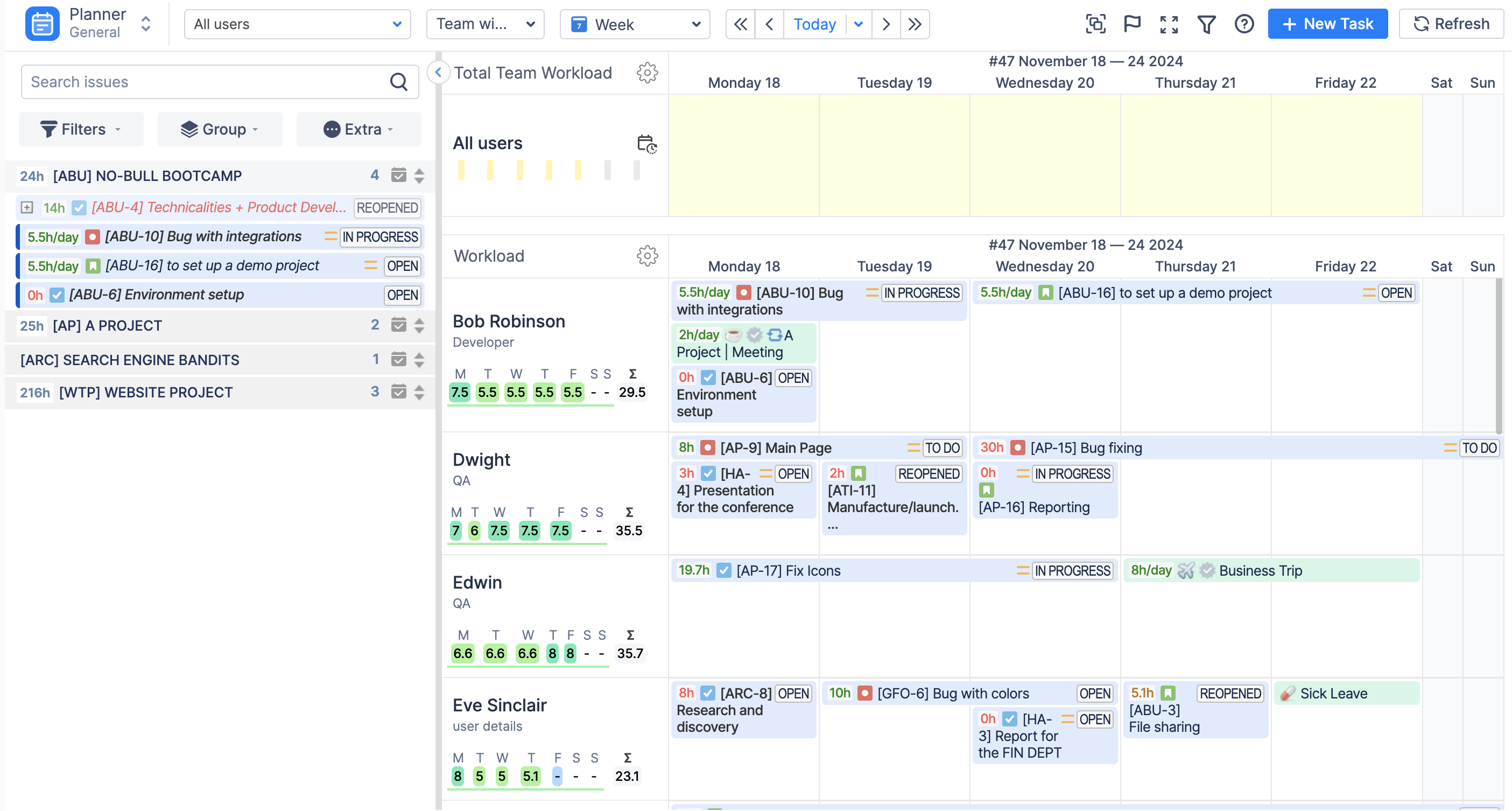
Time tracking is about empowering teams, not controlling them. Misusing time data to enforce quotas can damage morale. Instead, use tools like ActivityTimeline to analyze workloads, identify inefficiencies, and improve collaboration. Find bottlenecks that overburden your team and remove them with a simple drag-and-drop.
Don’t Confuse Time with Value
Almost every coach nowadays says: long hours don’t always equate to high productivity. By linking time logs to specific Jira tasks and priorities, ActivityTimeline ensures that tracked time reflects meaningful work, not just hours spent.
The Do’s of Time Tracking
Start with Clear Communication
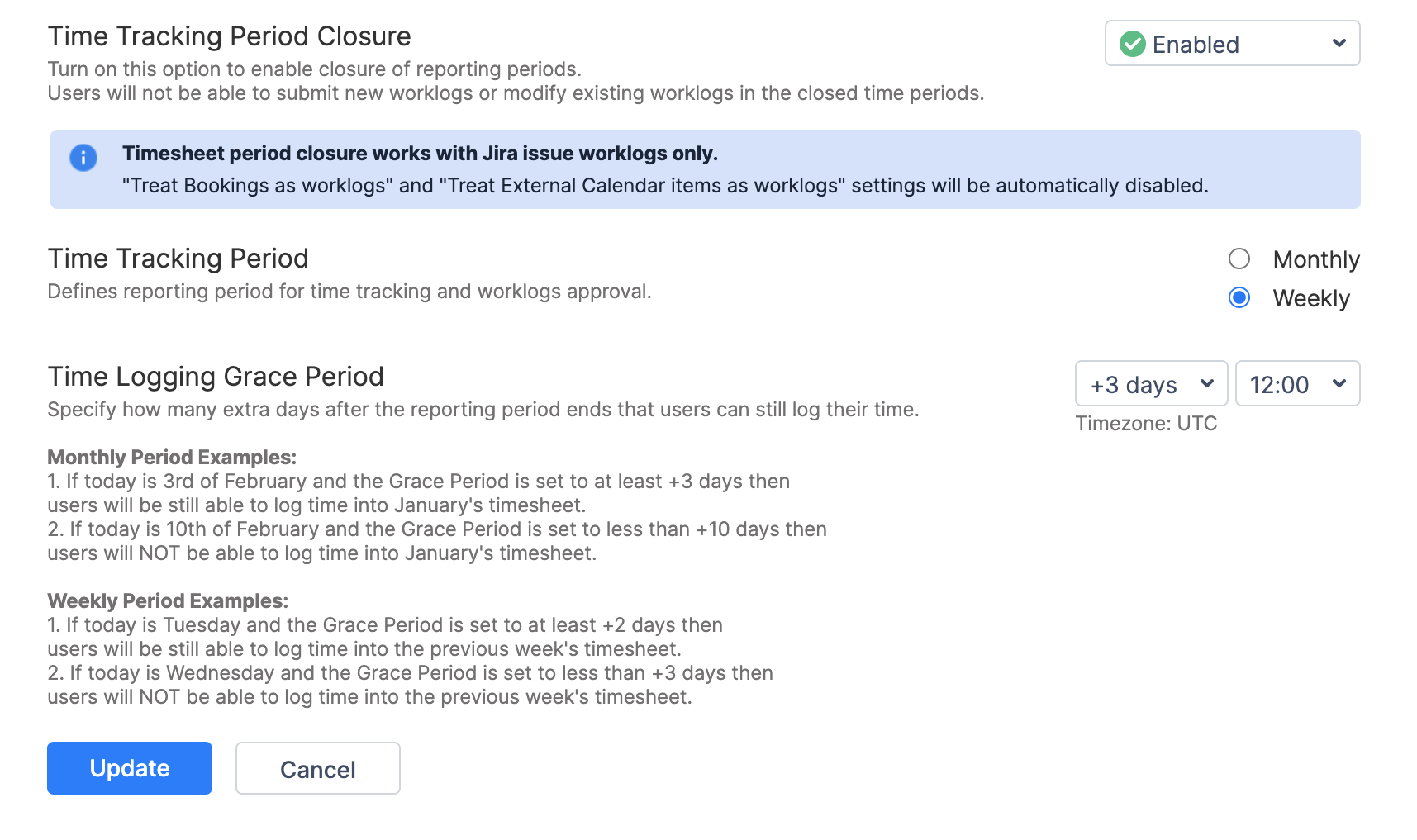
Discuss time tracking openly with your team. Emphasize that it’s a tool to improve workflows and support better project planning, not a means of monitoring individual performance. Establish transparent rules, such as a timesheet submission period and grace periods for accidental delays.
Integrate Tracking into Your Workflow
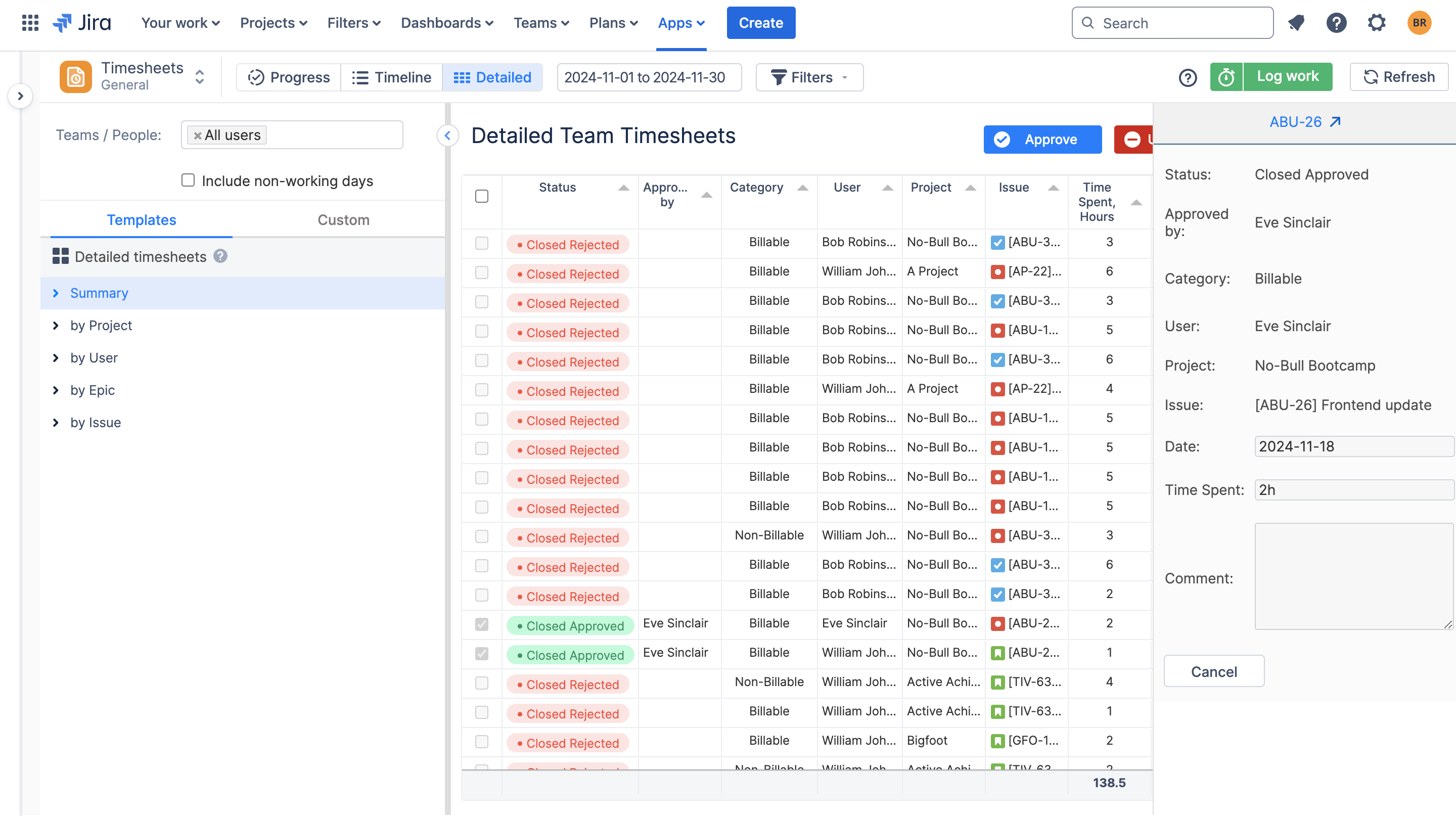
Seamless integration is key to adoption. ActivityTimeline syncs directly with Jira, automatically logging and tracking time as developers add worklogs.
Watch video: How to Track Billable vs Non-billable hours in Jira with ActivityTimeline?
Leverage Visual Insights
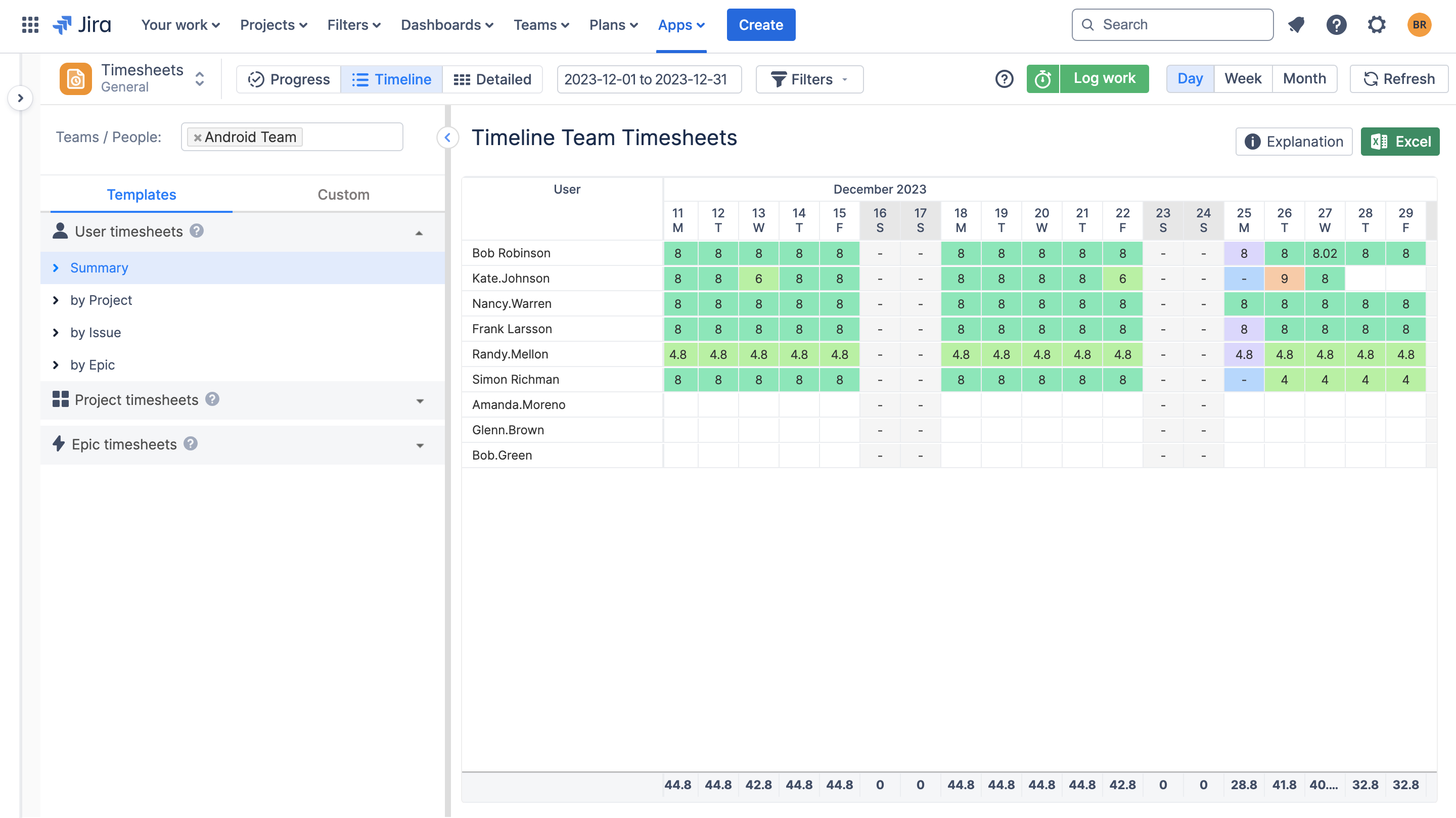
Raw data is valuable, but visualized insights are transformative. ActivityTimeline’s timesheets and workload charts provide a clear view of task distribution, team progress, and bottlenecks. Use these insights in retrospectives and planning sessions to drive continuous improvement.
Choosing the Right Time Tracking Tool
Selecting the right time tracking tool can be tricky, given the numerous options available. When choosing a time tracking tool, consider the following factors:
- Ease of Use: Look for a tool that is user-friendly and easy to navigate, reducing the learning curve and increasing adoption rates.
- Features: Consider the features essential to your workflow, such as automated time tracking, task management, and project management.
- Integration: Ensure that the tool integrates with your existing project management tools and Jira workflows, reducing manual data entry and increasing efficiency.
- Scalability: Choose a tool that can grow with your team, offering flexible pricing plans and scalable features.
- Security: Ensure that the tool provides robust security measures, protecting your time tracking data and ensuring compliance with industry regulations. ActivityTimeline is ISO 27001:2022 certified and strives to align with all security standards.
Conclusion
Time tracking doesn’t have to be tedious or intrusive. With the right tools, like ActivityTimeline, and a thoughtful approach, it becomes an invaluable ally in software development. Whether you’re managing remote teams, juggling multiple projects, or seeking better resource allocation, ActivityTimeline simplifies the process, turning data into actionable insights.
By embracing smart time tracking practices, developers and teams can unlock new levels of productivity, collaboration, and project success. It’s time to move beyond outdated systems and leverage tools that work with you, not against you.
