As of March 2026: This feature is no longer available as we have introduced new navigation changes to Company Hub. More info here.
Hi Community!
We are introducing the ability to set your Company Hub as the default landing page when users log into Confluence.
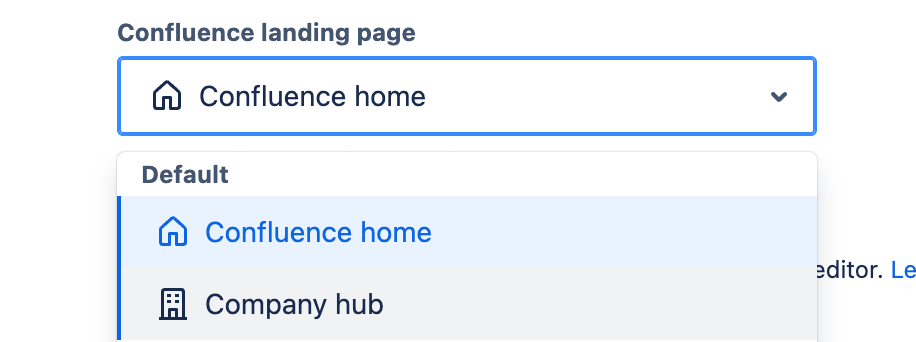
To set up Company Hub as the Confluence landing page:
-
Go to Product Settings
-
Go to Settings > Configuration > General Configuration
-
Locate the dropdown under Confluence landing page
- Open the dropdown and select Company Hub
-
Scroll down and click the Save configuration changes blue button to save your changes.
-
And voila! All end users who log into Confluence should see Company Hub as their default landing page.
Hope this makes a positive impact on you and your team’s workflow. Please let us know if there are any other improvements that you would like to see in the comments below!
Thanks,
Morgan (Product Manager) and Jocelyn (Software Engineer)


