Why Teams Search for “Jira Time in Status JQL”
If you’re here, you’re probably trying to answer questions like:
-
How long do issues stay in a particular status?
-
Which workflow stages cause the biggest delays?
-
Can I identify bottlenecks like issues stuck in Code Review or QA?
-
Can I export time spent in each status for reporting or billing?
These are very common Jira reporting needs — and naturally, most users start by looking at JQL.
What JQL Can Do for Time in Status
Jira Query Language (JQL) is powerful when it comes to filtering issues based on status history.
For example, you can find issues that:
-
Have ever been in a specific status
-
Changed to a status during a certain time period
-
Are currently in a given status
Example JQL Queries
status CHANGED TO "Done" AFTER "2025-01-01"
status CHANGED DURING (startOfMonth(), endOfMonth())
These queries are useful for finding relevant issues, especially when narrowing down a dataset.
But this is where most teams hit a wall.
What JQL Cannot Do (and Why This Matters)
Despite common assumptions, JQL cannot calculate time durations.
That means you cannot:
-
Calculate how long an issue stayed in a status
-
Compare time spent across workflow stages
-
Identify issues that exceeded a time threshold in a status
-
Generate time-in-status reports using native Jira alone
JQL answers “which issues?” — not “for how long?”
For teams trying to improve delivery speed, identify bottlenecks, or report on SLAs, this limitation is critical.
The Real Cost of Relying on JQL Alone
When teams try to work around this limitation, they often:
-
Manually inspect issue histories
-
Export data to Excel and calculate durations
-
Build fragile scripts that break with workflow changes
The result?
-
Hours of manual effort
-
Inconsistent results
-
No real-time visibility
Most importantly, by the time you find a bottleneck, it’s already too late.
How to Actually Get Time in Status Data in Jira
To measure time spent in each status, you need access to Jira’s issue history data — processed and aggregated correctly.
This is exactly what RVS Time in Status Reports for Jira is designed to do.
Instead of guessing or calculating manually, the app provides:
-
Exact time spent in each workflow status
-
Support for hours, days, and business calendars
-
Reports grouped by issue, assignee, status, or project
-
Export-ready data for audits, billing, or performance reviews
All directly inside Jira.
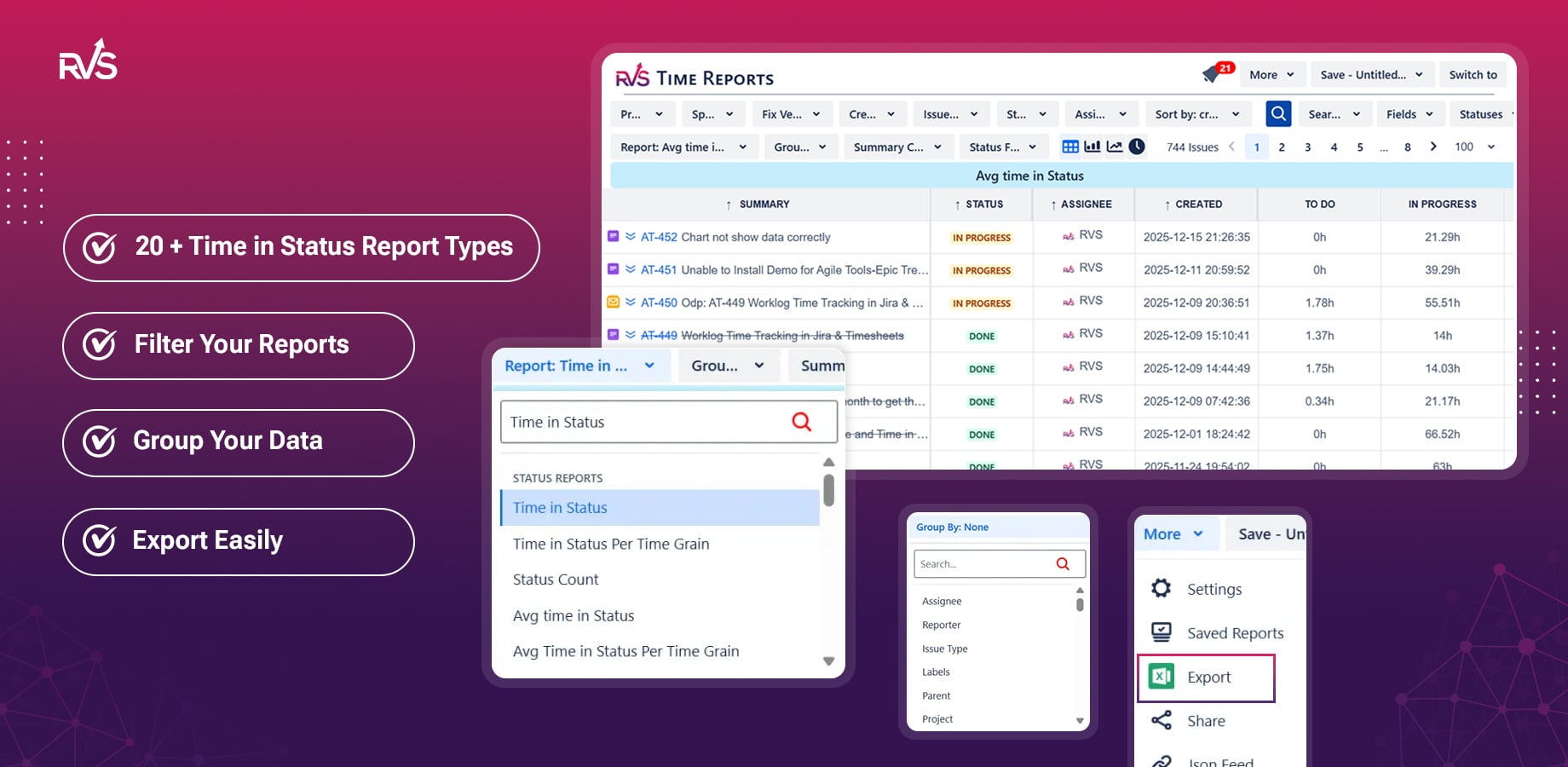
Example: From JQL Filter to Actionable Report
Without an app:
With RVS Time in Status Reports:
Same filter. Completely different outcome.
JQL vs RVS Time in Status Reports
| Capability |
JQL Only |
RVS Time in Status Reports |
|---|
| Filter issues by status |
✅ |
✅ |
| Calculate time per status |
❌ |
✅ |
| Identify workflow bottlenecks |
❌ |
✅ |
| Export time-in-status data |
❌ |
✅ |
| Business-hour calculations |
❌ |
✅ |
Who Should Use a Time in Status App?
This is especially useful for:
-
Scrum Masters tracking workflow efficiency
-
Engineering Managers identifying bottlenecks
-
Project Managers reporting delivery timelines
-
Jira Admins supporting advanced reporting needs
If time-based insights matter to your decisions, JQL alone isn’t enough.
Get Started in Minutes
If you’ve reached the limits of JQL and want real time-in-status visibility in Jira:
👉 Try RVS Time in Status Reports for Jira — free for 30 days on the Atlassian Marketplace.
Stop guessing where time goes. Start measuring it accurately.

