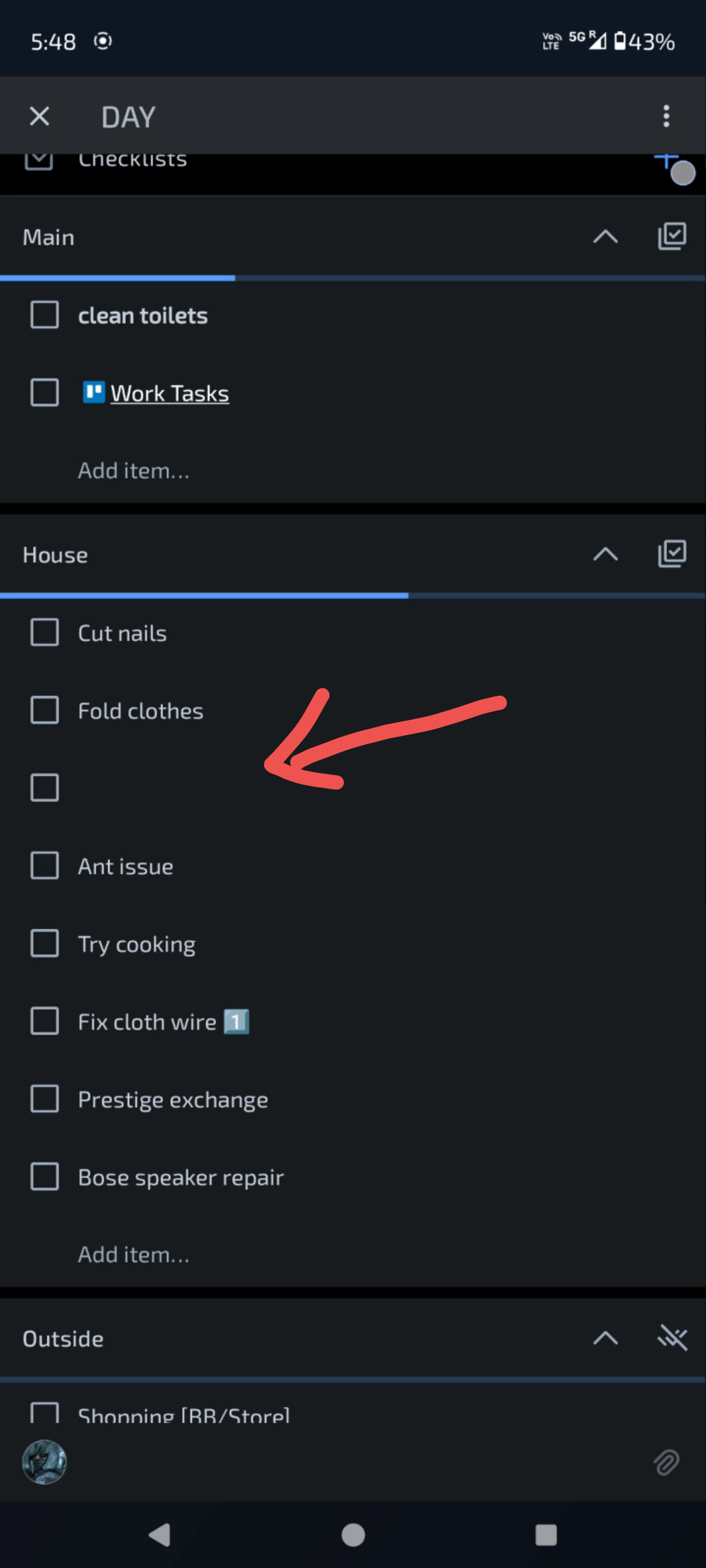
In the Android app, when opening a card and scrolling around, random items disappear from the checklist. Sometimes even UI elements like "Add item..." is missing. The workaround I've found is to click the 3 dot menu button on top right or dragging an item in the checklist; doing so instantly brings back the missing items/UI text.
- I have noticed this bug in two different android phones
- I have tried to log out and log in again, no resolution
Phone: Moto G64
Android 14
Latest Trello Version yet 2025.1.1.36683-20241218