Overview
Confluence is a wiki that allows you to share and organize your project's documentation. This article provides information about how to export and import Confluence spaces.
Only administrators of the Confluence space can import/ export space or export individual pages. Users with View permission can only export individual pages.
Exporting a Confluence space
To export a Confluence space, follow these steps:
- Select Spaces > <The Confluence space you wish to export> from the top menu bar.

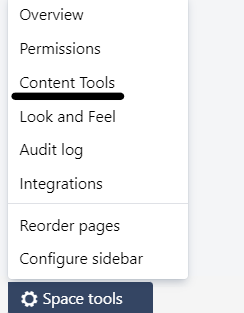
- In the home page of the selected space, click Space tools listed at the bottom of the left-pane.
- Select Content Tools from the pop-up menu. The Space Tools page opens.
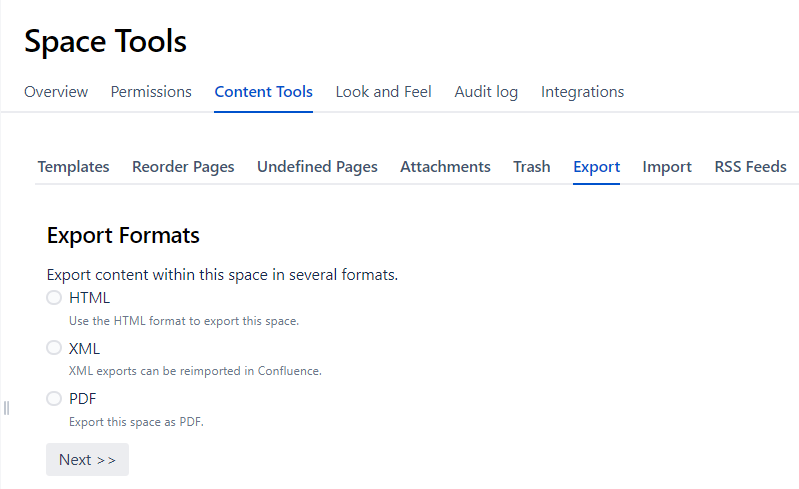
- Select one of the export formats (HTML or XML) and click Next. (For the purpose of the screenshot, we have selected the HTML option but the steps are similar for XML also.)
- Select one of the following export options:
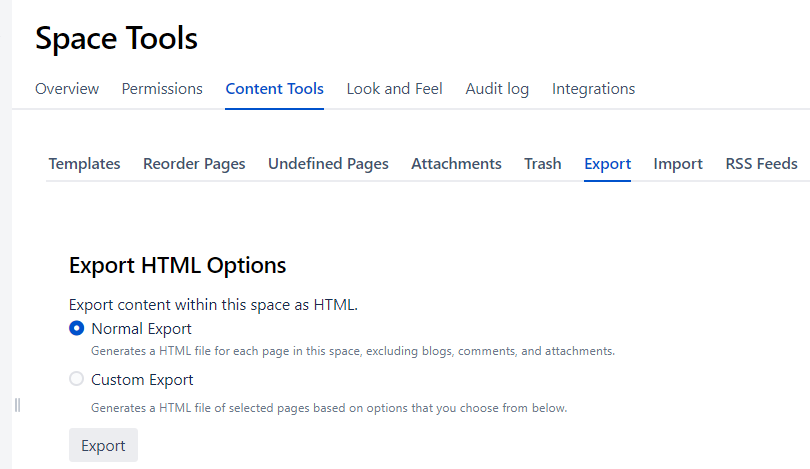
- If you select the option "Custom Export," you will get an option to choose the pages you wish to export from the list of spaces/pages.
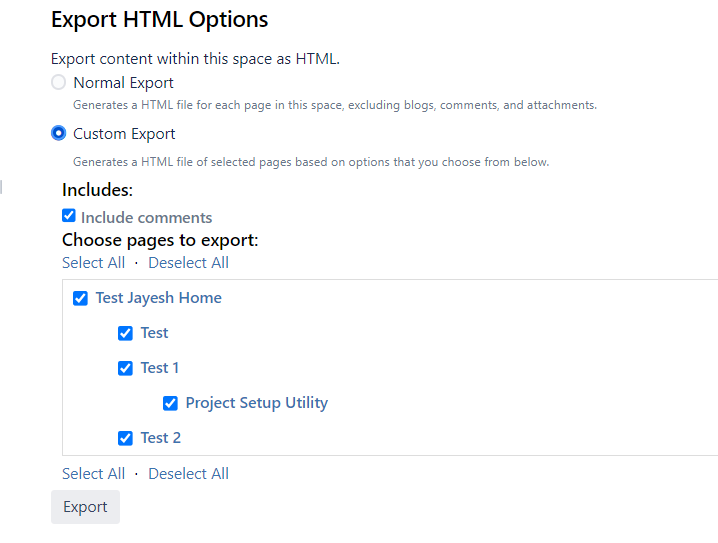
Note : When you select a page, all its child pages are selected. Similarly, when you deselect a page all its child pages are also deselected.
- Click Export. The export process starts.
- Download and save the file after the export is complete.
