The holiday season brings the joy of giving, and we want to end on a high note by showcasing the power of logistics automation. Curious? Read on! In this article, we’ll unwrap the magic of integrating the FedEx API with Jira Service Management to automate logistics workflows. From generating shipping labels to calculating rates and tracking packages, this integration simplifies processes for e-commerce, logistics, and corporate IT teams alike. Let’s dive into how this integration works, explore some key use cases, and highlight the benefits it offers.
Use Cases at a Glance
Simplified IT Asset Returns
When a termination request is approved in Jira Service Management, automatically generate a shipping label using the FedEx API and send it to the employee to return the company laptop or other assets.
E-Commerce Returns
Enable customers to request return labels directly through JSM. Use the FedEx Returns API to send a pre-filled return shipping label.
Smart Logistics Decision-Making
Automatically calculate shipment rates and delivery times based on package size and service type. Use this information to route requests or trigger next steps in the workflow.
First Things First: Understanding the FedEx API
The FedEx API provides robust tools for businesses and developers to integrate shipping and logistics capabilities into their applications. Here are the key FedEx APIs relevant to this integration:
- Shipping API: Create shipping labels, process shipments, and generate documents like customs forms.
- Tracking API: Track packages in real-time and access detailed status updates.
- Rates and Transit Times API: Calculate shipping costs and delivery estimates for various service levels.
- Returns API: Generate return labels and simplify reverse logistics.
- Address Validation API: Verify and correct customer addresses.
- Pickup API: Schedule and manage package pickups.
For full documentation, visit the FedEx Developer Portal.
FedEx Integration Patterns
To integrate FedEx API with Jira Service Management, you have two main options:
Custom Code Development
- Pros: Full flexibility to design custom workflows and integrate advanced FedEx API methods.
- Cons: Requires skilled developers, higher costs, and ongoing maintenance.
Marketplace Apps or Low-Code Solutions
- Pros: Quick setup, no extensive coding required, and pre-built templates for common use cases.
- Cons: Learning curve for the tool and possible licensing costs.
Simplifying Integration with OnLink AI
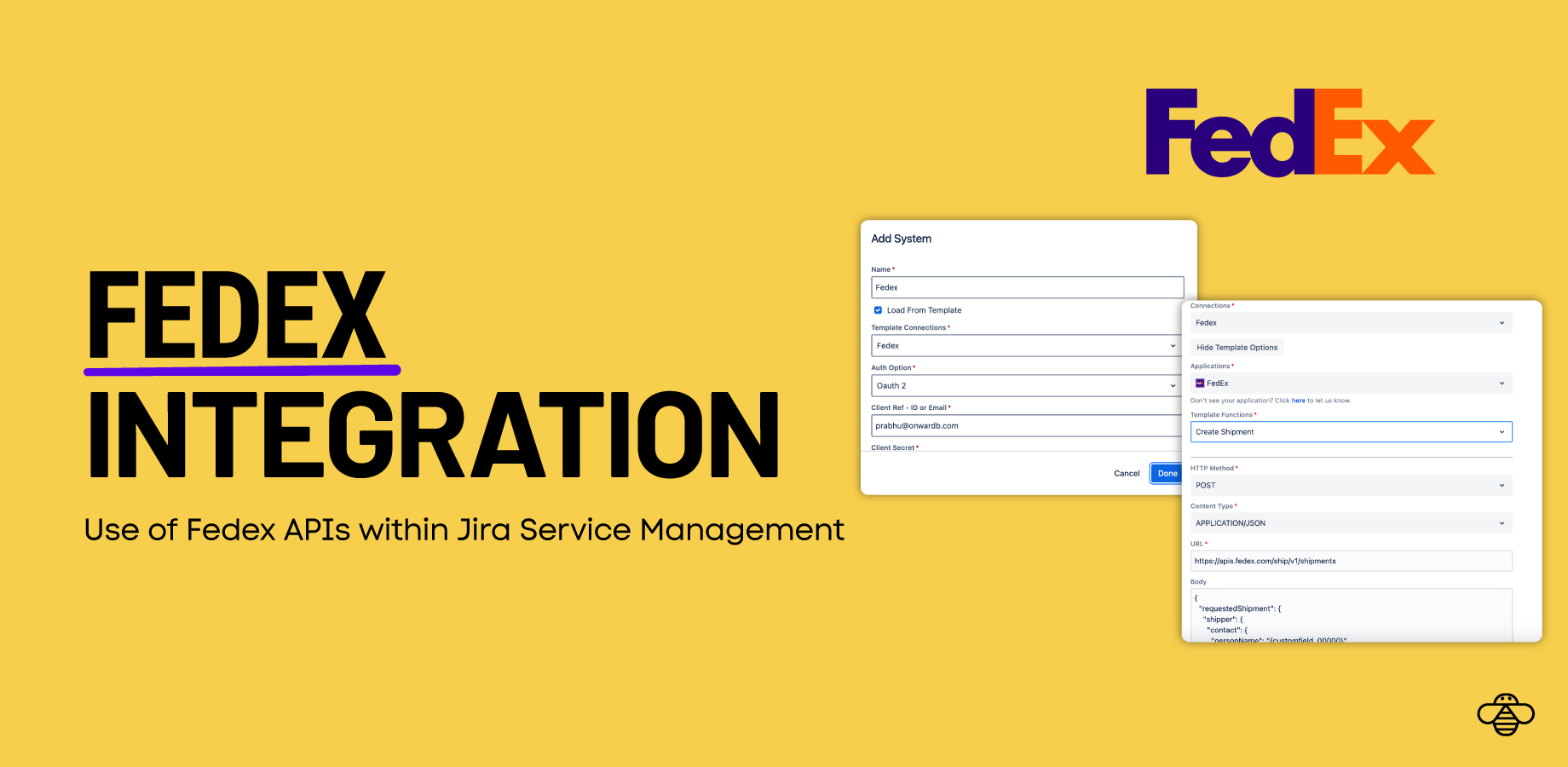
OnLink AI makes it easy to integrate the FedEx API into Jira Service Management workflows.
Here’s how you can get started:
Step 1: Authentication • Obtain your Client ID and Client Secret from the FedEx API Documentation.
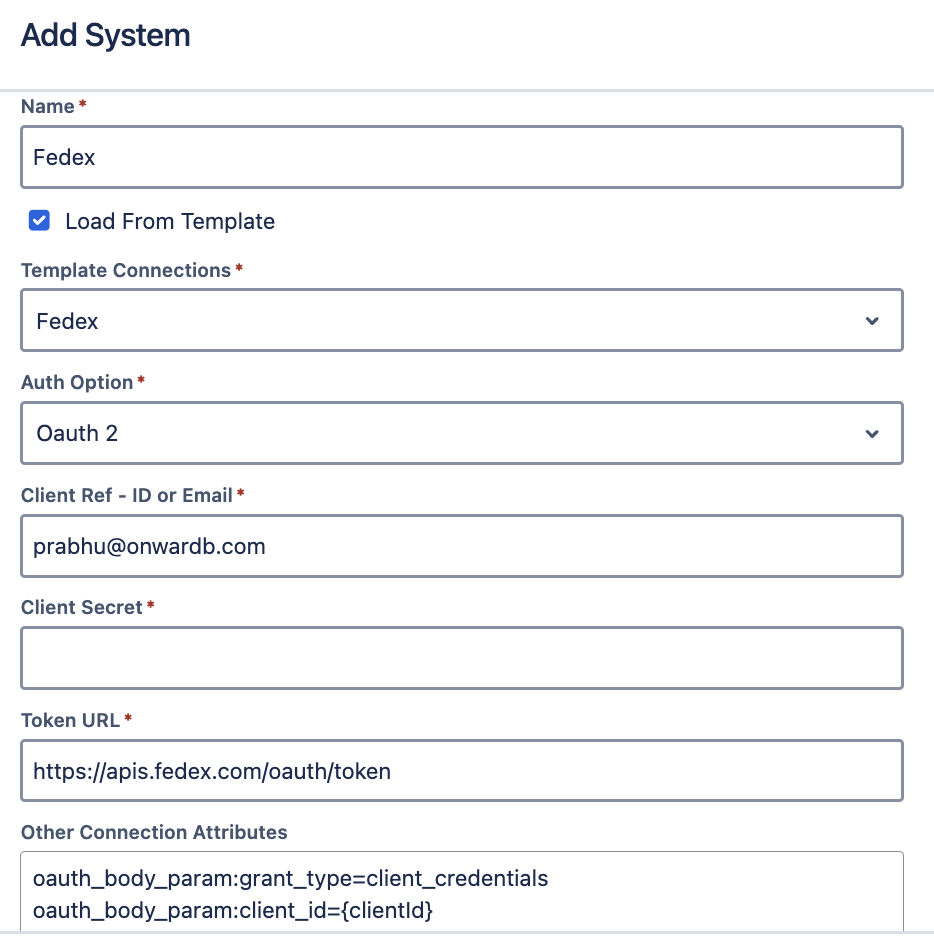
Use OnLink AI’s “Test” feature to validate your connection and ensure it’s working properly.
Step 2: Workflow Automation with Post Functions
Once the connection is established, you can call FedEx API methods directly within JSM workflows using Post Functions. OnLink AI offers pre-configured templates for common methods like Create Shipment or Get Rates, saving time and effort.
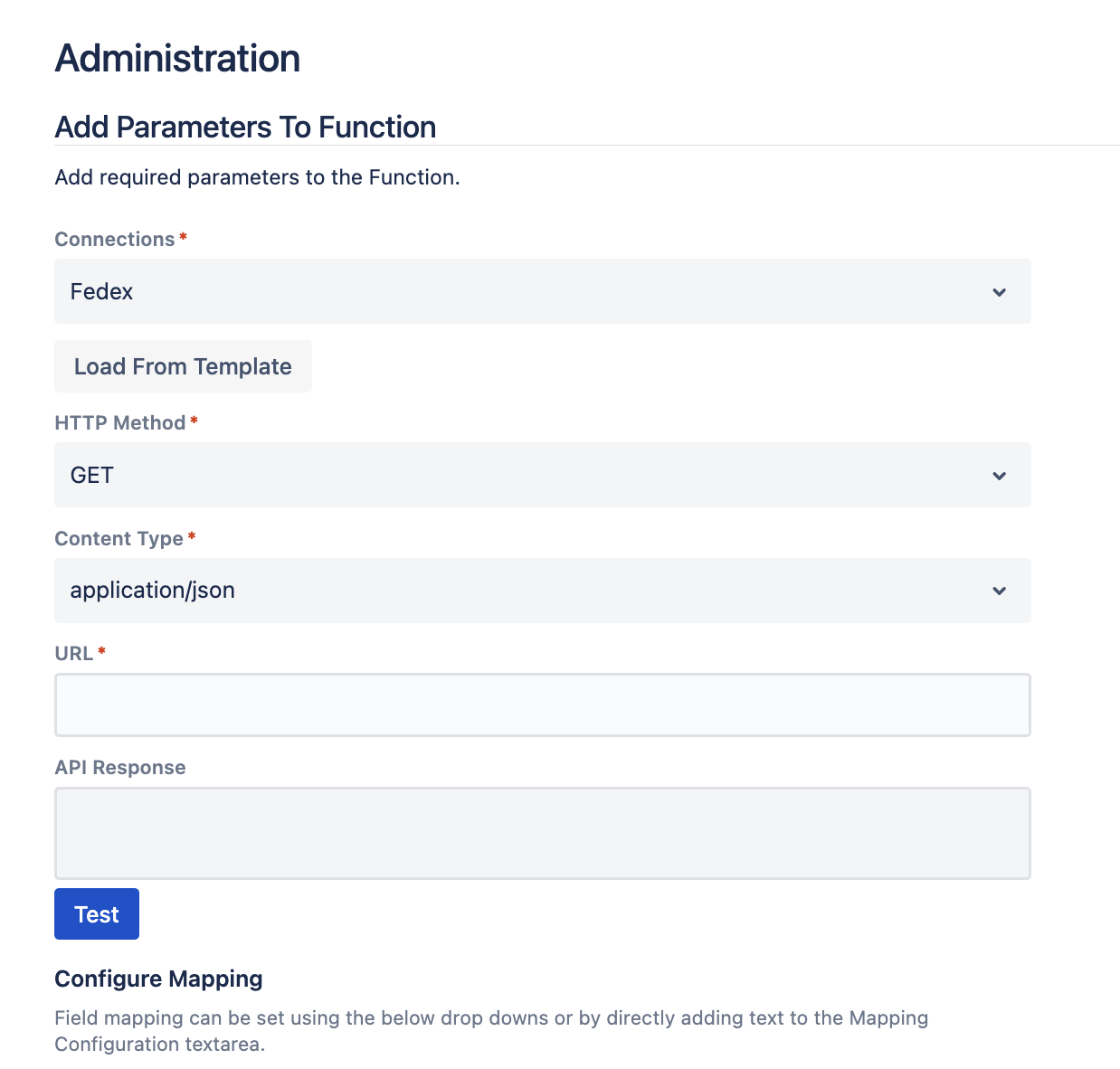
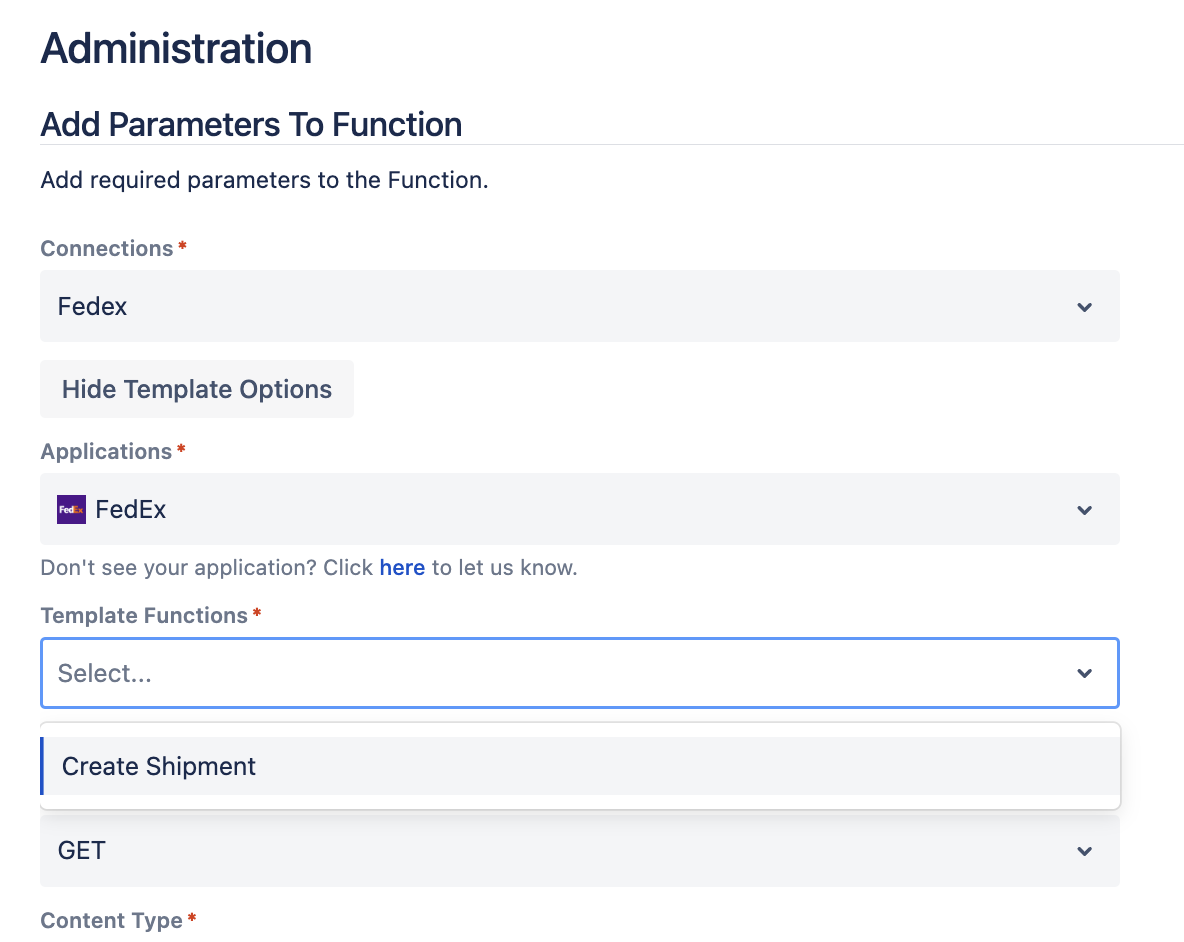
Step 3: Configuring Requests and Responses
Customize the generic JSON request with relevant fields from Jira issues. Map the FedEx API response to Jira custom fields for seamless data updates. Test your configuration thoroughly to ensure the workflow functions as expected.
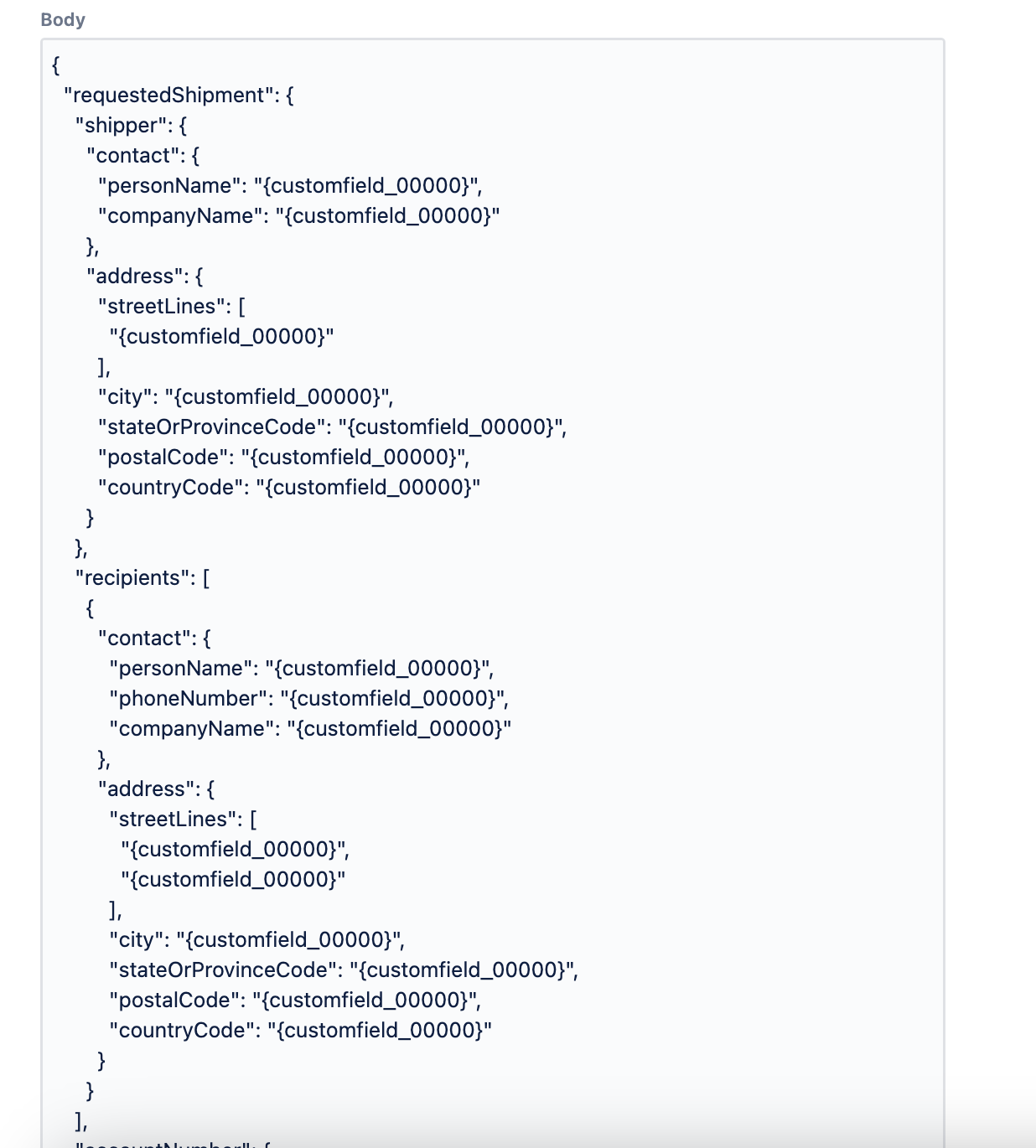
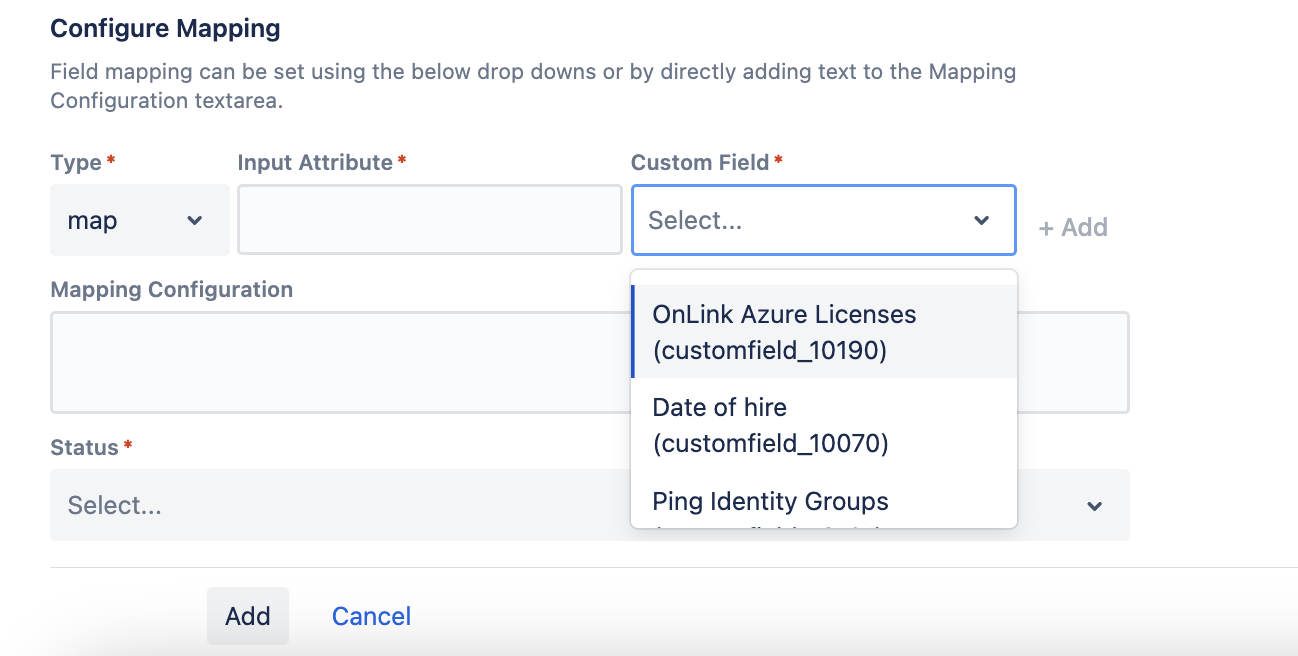
Note: Use "Test" feature to test the request with sample values before replacing with custom fields.

Step 4: Publish and Automate
Update your JSM workflow with the new Post Functions and publish the latest version. Enjoy end-to-end automation for shipping labels, rate calculations, returns processing, and more.
Putting It All Together
Here is an end-to-end demo of how FedEx API works within Jira Service Management.
Conclusion
So, if automation is on your Christmas wish list, give OnLink AI a try and transform your logistics workflows into a smooth, stress-free operation. 🎄✨
Explore More:
Happy holidays, and may your shipping workflows run smoother than reindeer on snow! 🦌🎄”
