Hey Atlassian Community! 👋
As someone who's been deep in the Jira ecosystem for a while, I wanted to share some insights on the Sprint Report. Whether you're new to agile or a seasoned pro, the Sprint Report can be an absolute game-changer when used right!

So, what’s the deal with this report?
1. It's More Than Just Numbers
Sure, you get to see how many stories were completed, but look deeper! The Sprint Report helps you reflect on team performance. Did you overcommit? Are certain types of issues consistently getting carried over? That’s valuable data!
2. Use It for More Constructive Retrospectives
Ever had a retro where people felt like they were running out of constructive things to say? (Yep, I’ve been there too!) With the Sprint Report, you’ve got a clear, objective breakdown of the sprint. Use it to spot trends—like certain blockers slowing you down or tasks taking longer than expected—and you’ll have better discussions about how to improve.
3. Velocity Insight Without the Pressure
The Sprint Report gives you a glimpse into your team’s velocity, but don’t let it become the only focus. It’s all about steady progress, not just racing to hit numbers. In my team, we’ve found that balancing velocity with quality of work is the sweet spot. Use the report to have honest conversations about sustainable pace.
4. Empower the Team with Data
One thing I love about Jira’s Sprint Report is that it makes everyone feel involved. It’s not just for the scrum master or team lead—everyone on the team can see the same data. This transparency helps foster a sense of ownership and responsibility. Plus, it makes sprint planning more collaborative!
5. Learn From the Carried-Over Stories
Not everything will go as planned, and that’s okay. But those carried-over stories are gold mines for learning! Dive into the "why" behind them—whether it’s scope creep, unexpected blockers, or underestimating complexity—and bring those learnings into the next sprint.
Practical Tips: How to Build a Sprint Report in Jira
Now, let’s get hands-on! If you're wondering how to build and access a Sprint Report in Jira, here's a quick step-by-step guide:
 1. Finish Your Sprint First
The Sprint Report is available once a sprint has been completed. So, make sure your current sprint is closed before proceeding.
2. Access the Sprint Report
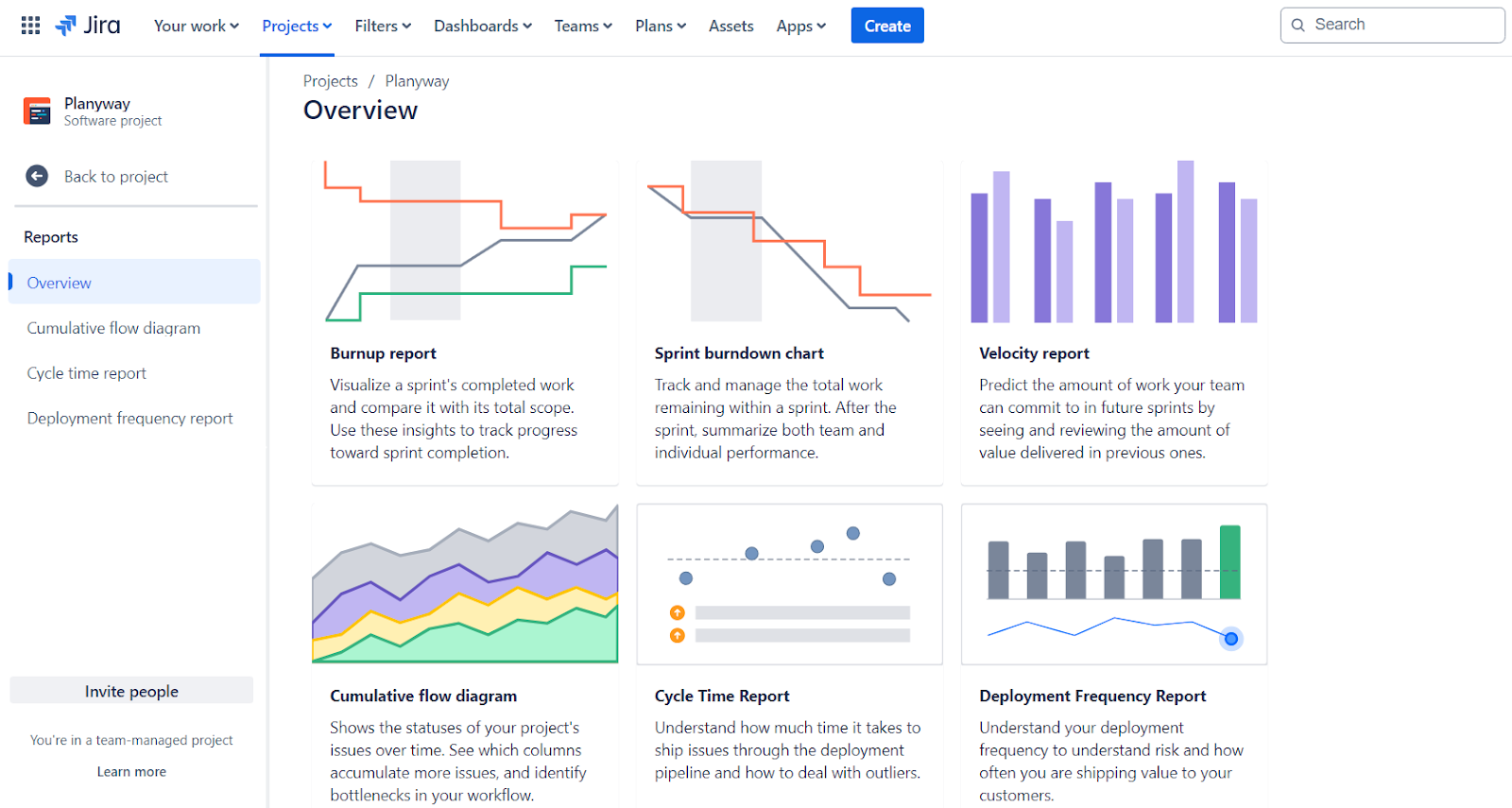
Go to the Jira project of your scrum board. On the left-hand side, click on Reports. Scroll through the list of available reports and select Sprint Report.
3. Choose the Completed Sprint
Once you’ve selected the Sprint Report, you’ll be prompted to choose the specific sprint you want to review from the dropdown menu. Pick the one you want to analyze and hit Generate Report.
4. Review the Key Elements
The Sprint Report will display:
- Completed Issues: All the stories, tasks, and bugs that were successfully finished.
- Issues Not Completed: Any tasks that were started but not completed and are carried over to the next sprint.
- Scope Changes: Any stories added or removed mid-sprint.
5. Use Filters for Deeper Insights
If your team handles different issue types (e.g., bugs, stories, epics), make sure to apply filters to isolate specific data and focus your analysis.
6. Analyze Velocity and Burndown
While the Sprint Report gives a solid overview of the sprint, use the Velocity Chart and Burndown Chart in conjunction with it to gain a full understanding of your team’s performance.
One More Way to Improve Sprint Planning
If you're looking to boost your project visualization, Planyway's integration with Jira can be a major upgrade. Planyway is a powerful timeline, calendar, and time tracking tool designed to help teams see the bigger picture across sprints, tasks, and deadlines. It integrates seamlessly with Jira to offer an enhanced view of team availability, work allocation, and dependencies—all in one place.

What about you? How’s your team using the Sprint Report? I’d love to hear any tricks or insights you’ve picked up along the way.
Cheers,
Mary


