Dear community,
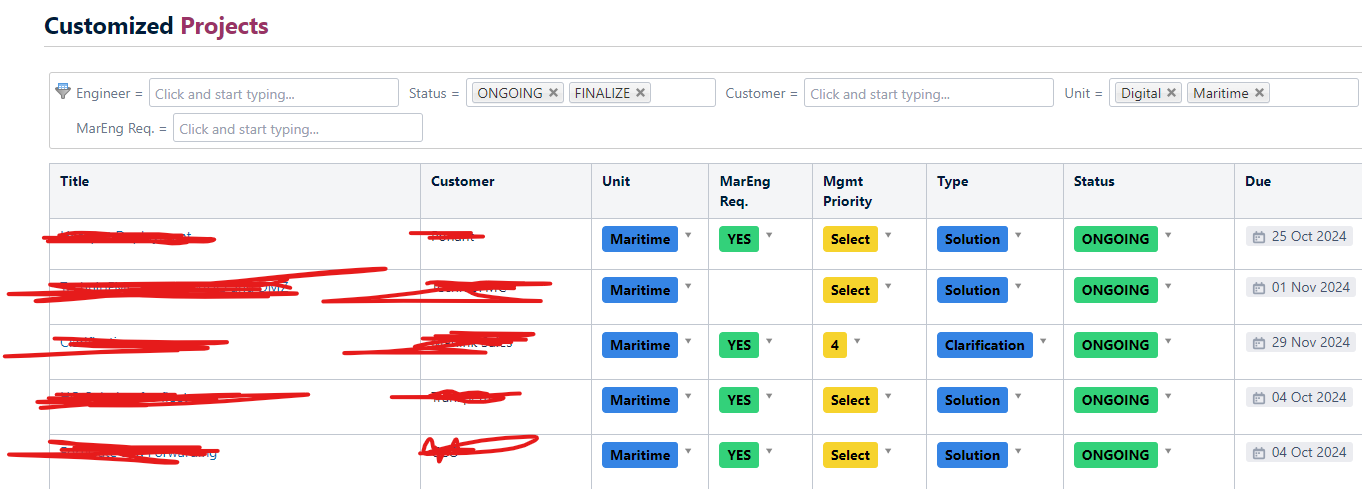
So I'm running my Page Properties Report with Table Transformer and Table Filter. It works great, but for some reason I'm not allowed to interact with the dropdowns in the the view shown below (showing some of the colums). I'm pretty sure that this worked before. Using Data Center version. When I hover over the dropdowns i see a message at the bottom left in the browser saying javascript:void(0).
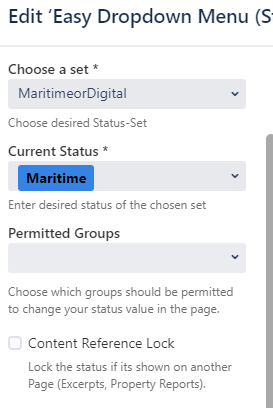
When I open the projects themselves from this view, then I'm able to use the dropdowns in the Page Report without going into Edit mode, so the dropdowns themselves are configured in the right way allowing to interact with them in other views. see example below.
I'm also posting the Table Transformer Code at bottom here. Some of the columns that are not mentioned in the transformer code, like Unit and Type has the same error as the colums that are mentioned (like Status). I cant interact with any of the dropdowns.
Any help on this is greatly appreciated!
SELECT *,
FORMATWIKI("{cell:width=90px|bgColor=" +
CASE
WHEN T1.'Updated' IS NULL THEN "Grey"
WHEN DATEDIFF(day, "today", T1.'Updated') <= -7 THEN "Red"
ELSE "White"
END
+ "}" + FORMATDATE(T1.'Updated') + "{cell}") AS 'Updated',
FORMATWIKI("{cell:width=350px}" , T1.'Title' , "{cell}") AS 'Title',
FORMATWIKI("{cell:width=150px}" , T1.'CSE' , "{cell}") AS 'CSE',
FORMATWIKI("{cell:width=150px}" , T1.'Status' , "{cell}") AS 'Status',
FORMATWIKI("{cell:width=150px}" + T1.'Customer' + "{cell}") AS 'Customer'
FROM T1
ORDER BY Priority ASC, Owner ASC;

