We had a recent update to the Comala Document Management for Data Center plugin. Our license Information for Confluence is Confluence 9.0.2. We have created several Comala Workflows for document reviews in Confluence. Before the update, we would load a new workflow Under Document Management. See below.
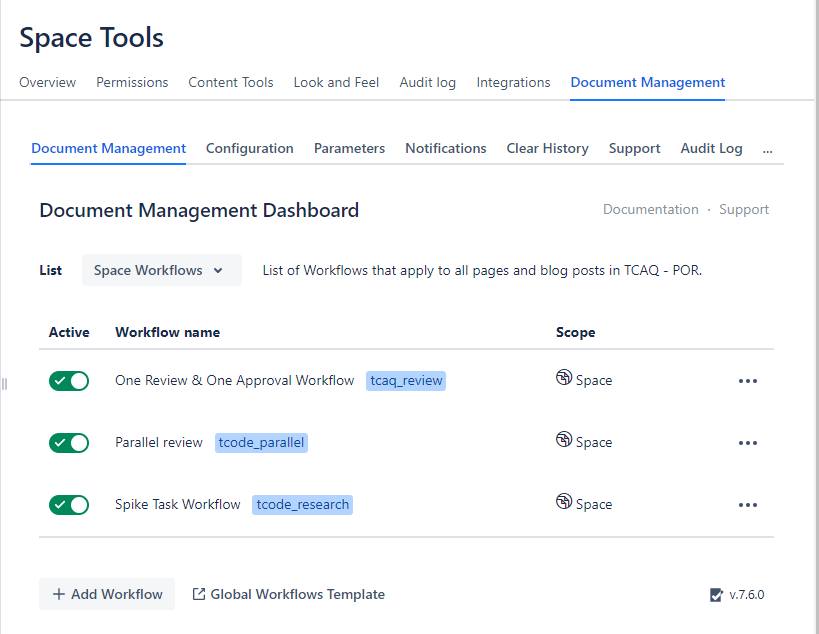
Then we would edit our Parameters on the "Workflow Parameters" page. See below
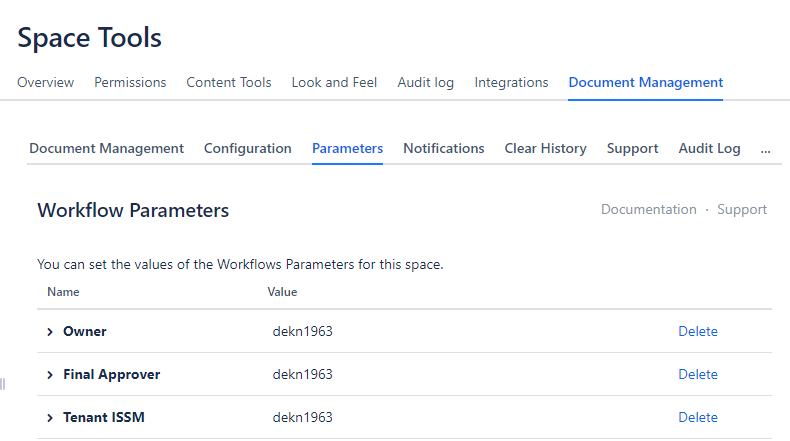
Since the latest update when I use the pencil icon to edit the parameter as shown below and select Save
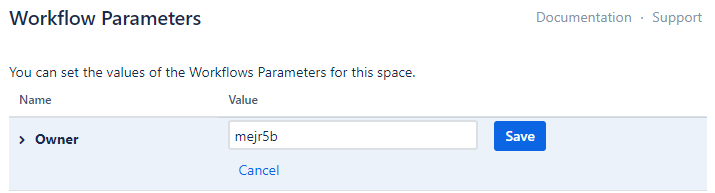
I get the following error:
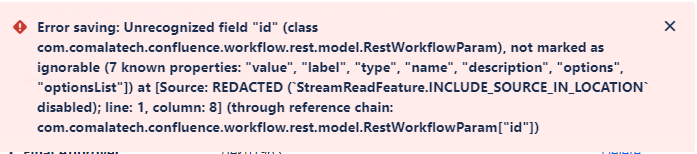
The only work around found is to delete the Workflow (Owner) Parameter out of the Workflow on the "Document Management Dashboard" and also remove it from the "Workflow Parameters" page in Space Tools. Then re-added the Workflow (Owner) Parameter and update the Workflow on the "Document Management Dashboard." The edited parameter field is detected and is now found on the "Workflow Parameters" page in Space Tools. We shouldn't have to do all of that. We should just be able to edit the Workflow Parameter fields from the "Workflow Parameters" page, but that part isn't working. This is a painful workaround and has caused many hours of extra work. Has anyone else had this issue since the latest update? If this is the wrong forum for this question, please point me in the right direction. Thank you.
Respectfully,
Deborah

