Throughout its lifecycle in Jira, an issue passes through various assignees and statuses. Everyone makes some updates, and understanding them helps streamline our workflow and complete projects more effectively. Teams and project managers might have different questions: Who has been assigned, commented on, or logged work on Jira tasks? What impact did they make? How much time was spent?
Let’s try to answer these questions and get some insights on team activity in Jira.
How Jira Query Language (JQL) can help
JQL provides some basic queries that can be helpful when analyzing user activity. Few examples below:
1. Find users who reported issues
To find users who have reported issues within the project last month:
project = "PROJECT_KEY" AND reporter IS NOT EMPTY AND created >= startOfMonth(-1) AND created < startOfMonth()
2. Find users who have been assigned issues
To get users who have been assigned issues in the project this month:
project = "PROJECT_KEY" AND assignee IS NOT EMPTY AND created >= startOfMonth()
3. Find issues updated this month
project = "PROJECT_KEY" AND updated >= startOfMonth()
*To see who updated what you need to open each issue and check the History section.
Jira's native JQL does not offer the ability to obtain information on who performed such activities as updating issues, logging work or commenting. You will need to open each task and check the history section to get this info. For more thorough tracking, you could use additional plugins, tool, or Jira's REST API to extract this data programmatically.
How Issue History for Jira can help
If you need to see which user has updated an issue or some specific field and the exact date and time, you can do this with Issue History for Jira. The filters provided by the app offer a flexible way for anyone without JQL to make changes. Let’s check some examples.
4. Find users who have updated issues
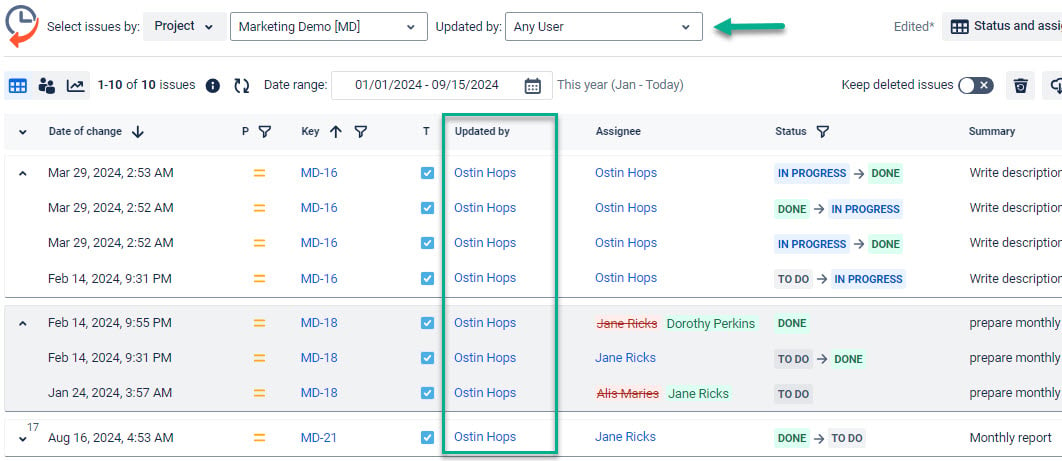
Issue History for Jira has a separate “Updated by ”column to show who has made any changes. Also, you can filter and see updates made by a particular user.
Try the app to find who updated issues
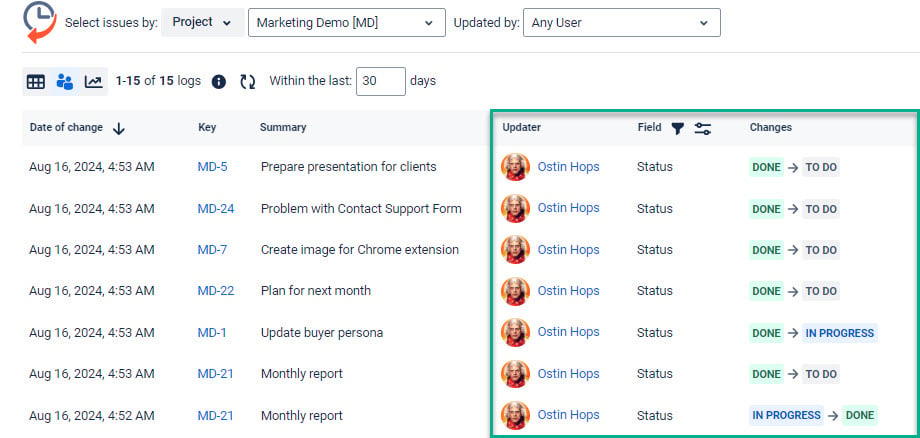
5. Find users who changed issue status
If you want to see specific field changes like statuses, you can track transitions like this:
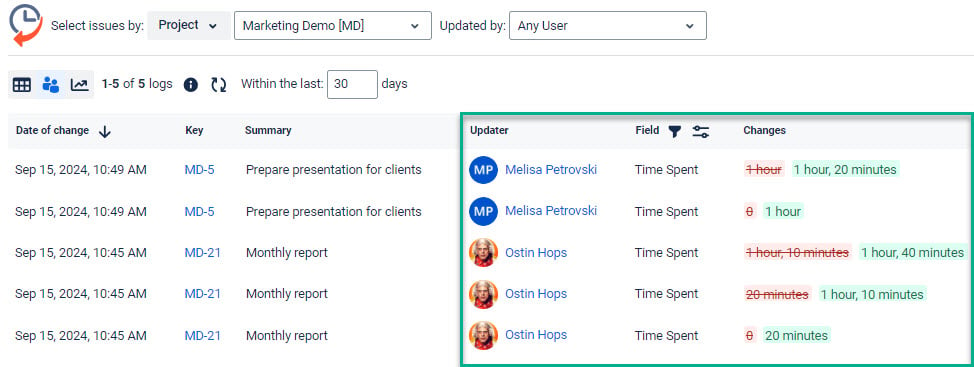
6. Find users who logged work on issues
In the same way, you can check who has logged time against issues within the project:
Book a demo to see how it works
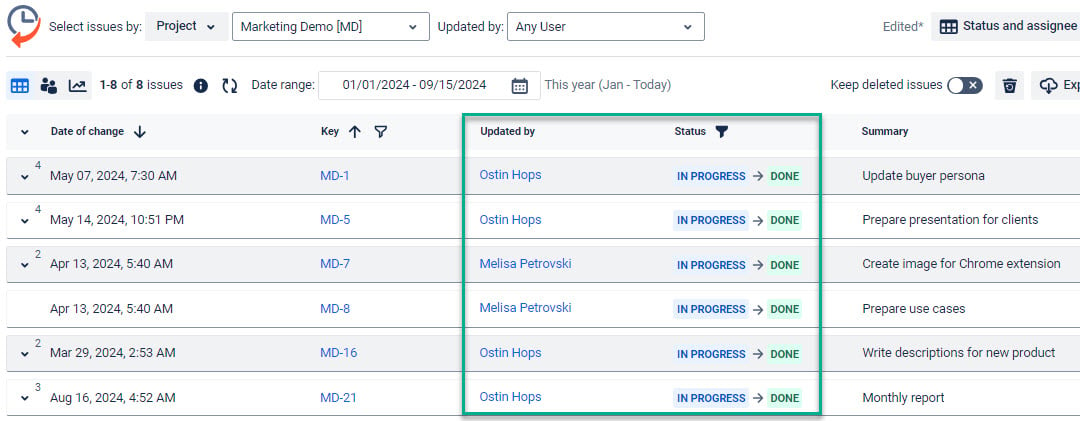
7. Find users who completed the issues
Here, we can select specific transitions (e.g., In progress-Done) and set dates to check any timeframe.
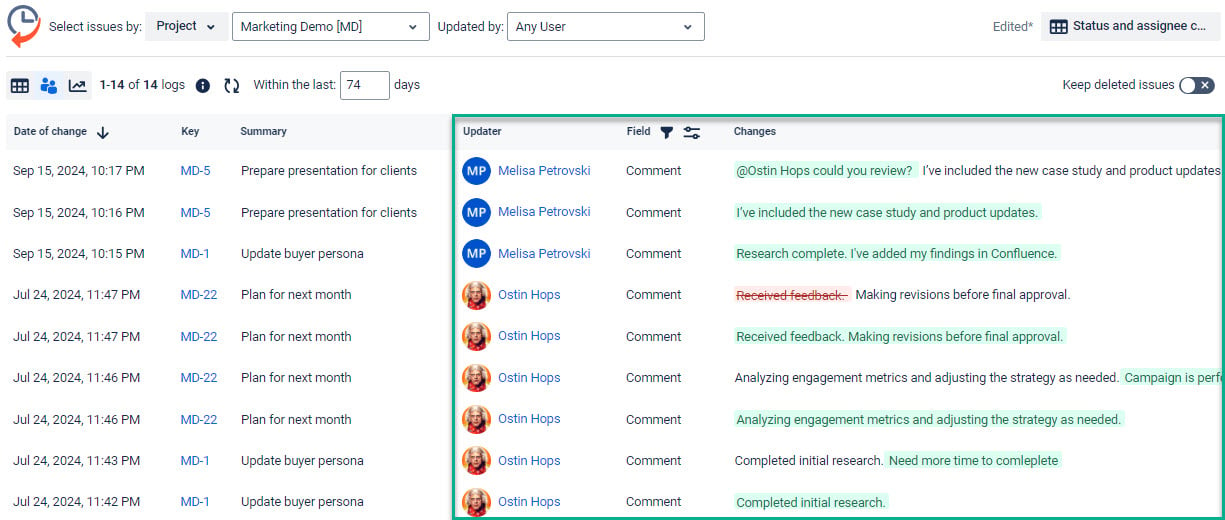
8. Find users who commented on the issues
One more example is for comments left on issues. If some text is added it will be highlighted with green. If someone remove the text it will be red and strikethrough.
Get a free 30-day trial
JQL queries have some limitations when it comes to finding users based on actions they've taken on issues within a single project. For detailed historical tracking of every interaction with issues (like changing issue status or updating issues), plugins like Issue History for Jira or advanced reporting tools may be necessary.
