Hello everyone,
I have been using Trello for some time now and it is working great for my one-person business and keeping in communication with my clients.
When I make a Card under a list I would enter information into the list like a USPS tracking number. In the beginning I could highlight that tracking number and then four options would pop up. The bottom two options are search (maybe AI) and then above that is the copy symbol (hollow rectangle).
So I would randomly check to see if clients shipped their packages to me by highlighting them with my mouse, those options would pop up, and I would click the bottom one (magnifier/search symbol). A pop-up box on the right side of the webpage would open and it would automatically do a search and show me the status of the tracking number.
Recently that has stopped, and I get these error messages now. Is there a solution for this? because now I have to open a separate screen, highlight, copy, past, and do the searches in a much more time-consuming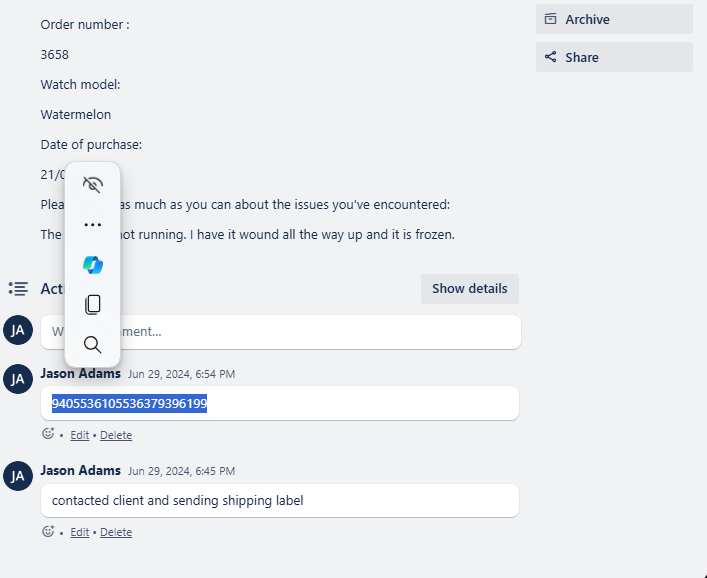
 fashion.


