If you manage Jira projects, chances are you’ve faced at least one of these problems:
-
Team members are overloaded while others are underutilized
-
Sprints spill over despite “realistic” planning
-
You only realize capacity issues after the sprint has started
-
Capacity planning happens in Excel — not Jira
This article explains what resource capacity planning in Jira really means, why it often fails with native Jira features, and how teams use RVS Capacity Planner to plan work realistically — before problems appear.
Need Better Capacity Planning in Jira?
If you want to see team and individual capacity clearly in Jira — without spreadsheets:
-
Jira’s native views offer limited capacity insights
-
Manual planning doesn’t scale
-
RVS Capacity Planner gives you instant visibility into workload, availability, and utilization
👉 Install RVS Capacity Planner from the Atlassian Marketplace and try it free for 30 days.
Read on if you want to understand why capacity planning breaks down — and how to fix it.
What Is Resource Capacity Planning in Jira?
Resource capacity planning is the process of ensuring that the amount of work planned in Jira matches the actual availability of your team.
In Jira terms, this means understanding:
-
How much work is planned (story points, hours, or issues)
-
How much capacity each person or role has
-
Whether work can realistically be completed in a sprint or timeframe
Good capacity planning helps teams commit with confidence, avoid burnout, and deliver predictably.
Why Capacity Planning Fails in Jira (For Most Teams)
While Jira is excellent for tracking work, it falls short when it comes to practical capacity planning.
Common Jira Limitations
-
No clear view of individual vs team capacity
-
Difficult to account for leaves, holidays, or partial availability
-
Limited support for role- or skill-based planning
-
No easy way to reuse capacity assumptions across sprints
-
Heavy reliance on spreadsheets outside Jira
As teams scale, these gaps lead to overcommitment, missed deadlines, and reactive planning.
Why Teams Use a Jira Capacity Planning App
To plan effectively, teams need more than issue lists — they need visibility and forecasting.
A dedicated Jira capacity planner app helps you:
-
Visualize workload before the sprint starts
-
Balance work across team members
-
Forecast future capacity
-
Detect overload early
-
Plan with confidence — not guesswork
RVS Capacity Planner: Capacity Planning Built for Jira Teams
RVS Capacity Planner for Jira is designed to solve exactly these problems.
Instead of juggling Excel sheets or relying on assumptions, the app provides clear, real-time capacity insights directly inside Jira.
Key Capacity Planning Capabilities
1. Team & Individual Capacity Visibility
See how much work each team member has — and who is overloaded or underutilized — before committing to a sprint.
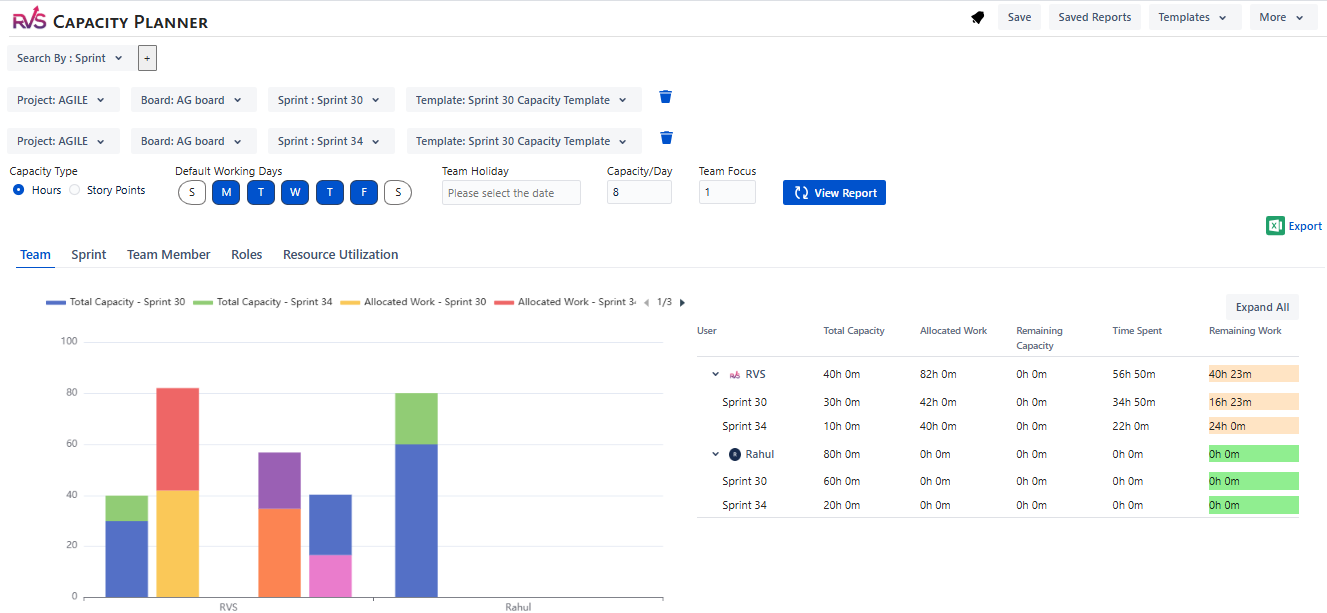
2. Flexible Capacity Models
Plan capacity using story points, hours, or issue count, depending on how your team works.
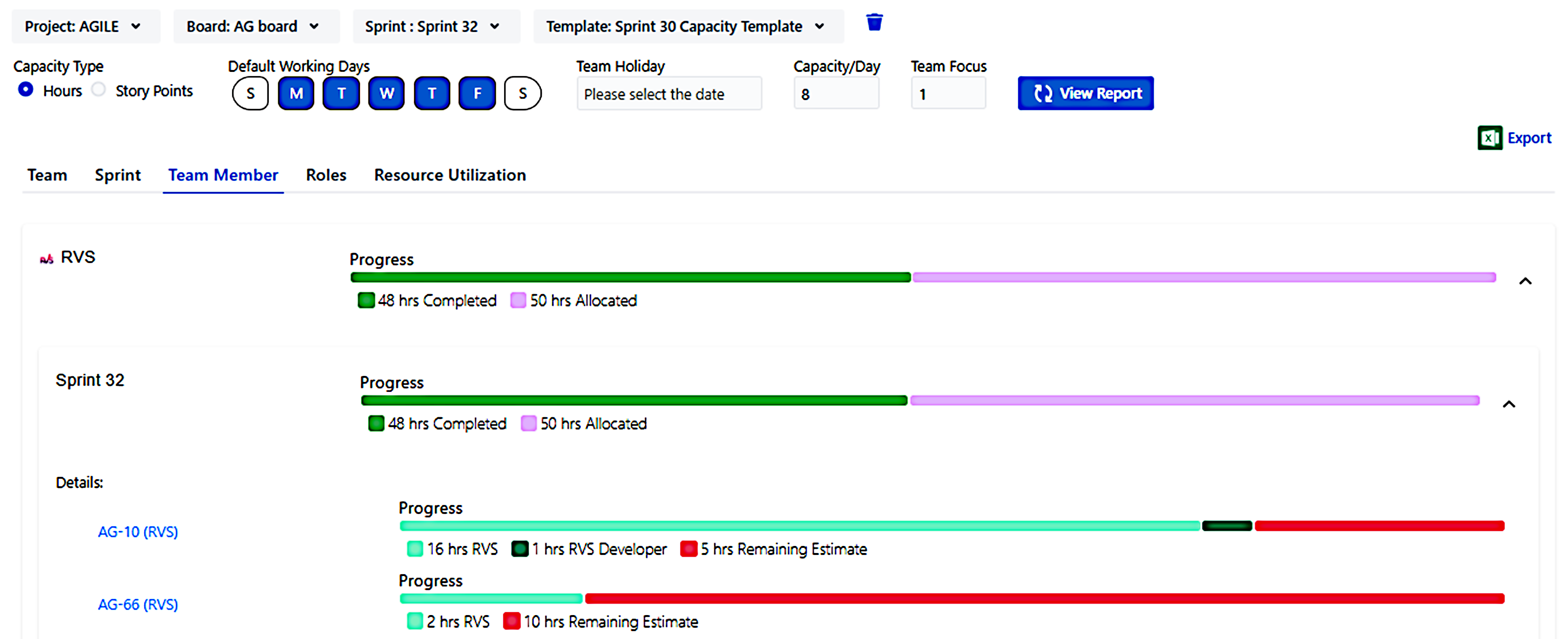
3. Reusable Capacity Templates
Create capacity templates once and reuse them across sprints and projects — saving planning time every iteration.
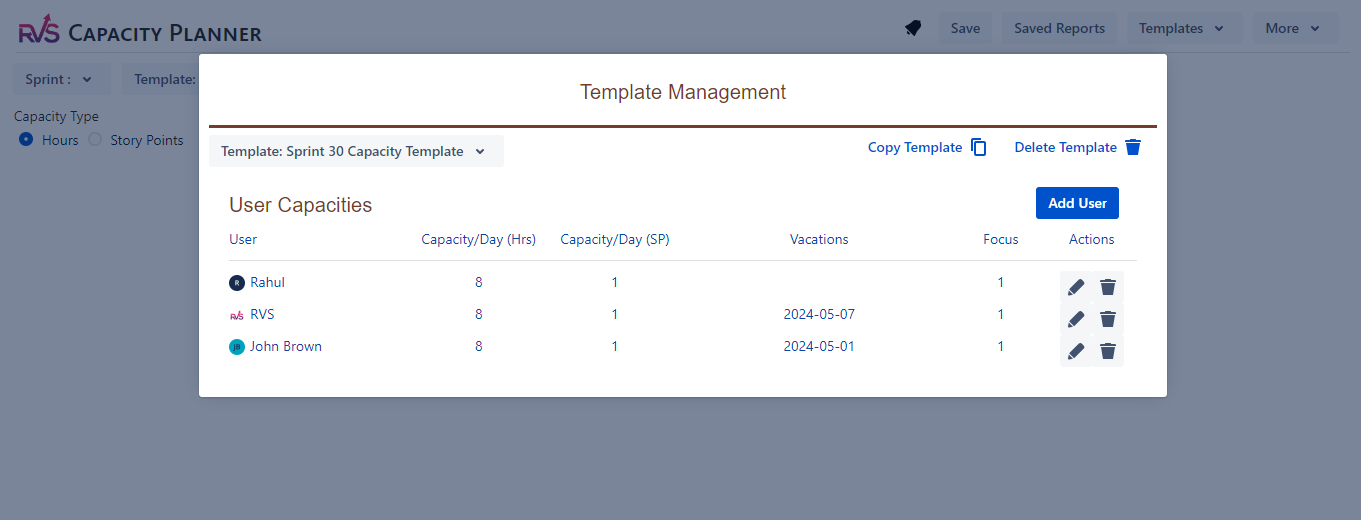
4. Role & Skill-Based Planning
Allocate work based on roles or skills, not just people — ideal for cross-functional teams.
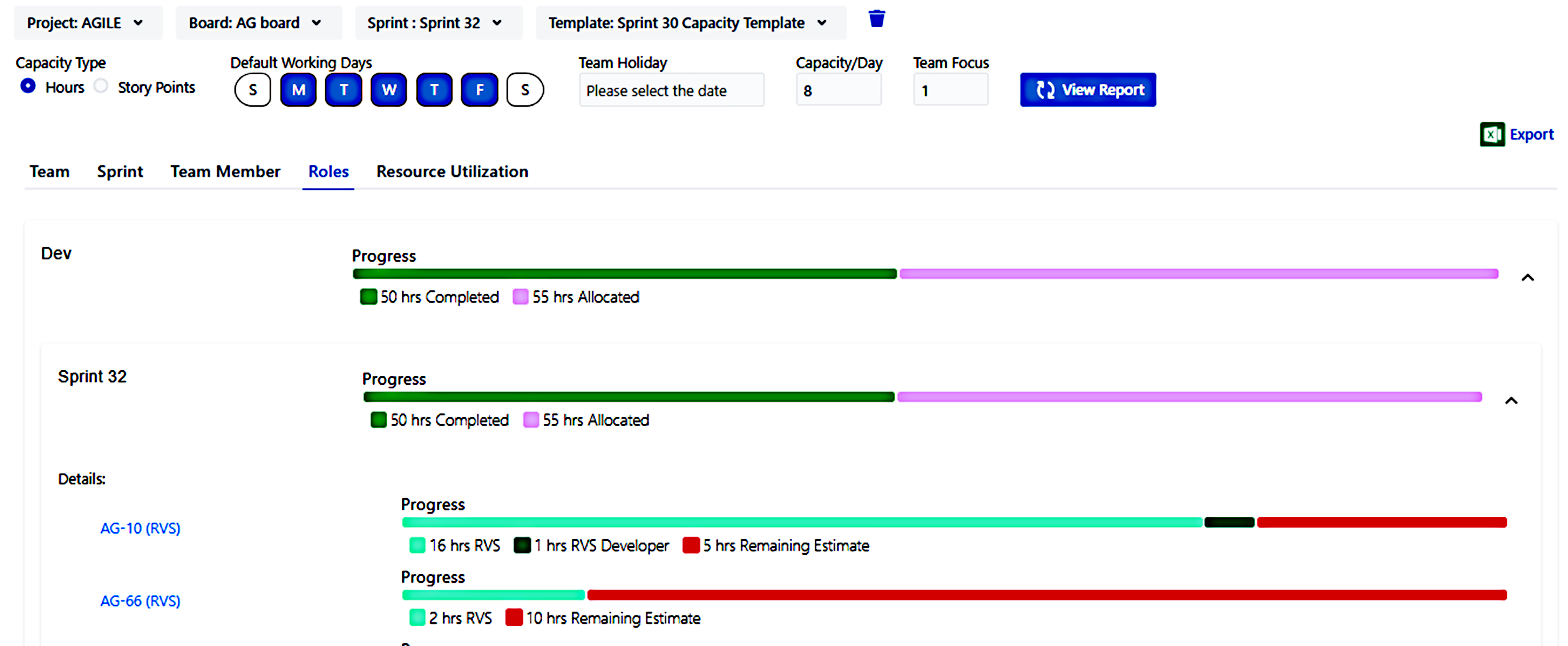
5. Real-Time Forecasting
Instantly see whether planned work fits within available capacity and adjust proactively.
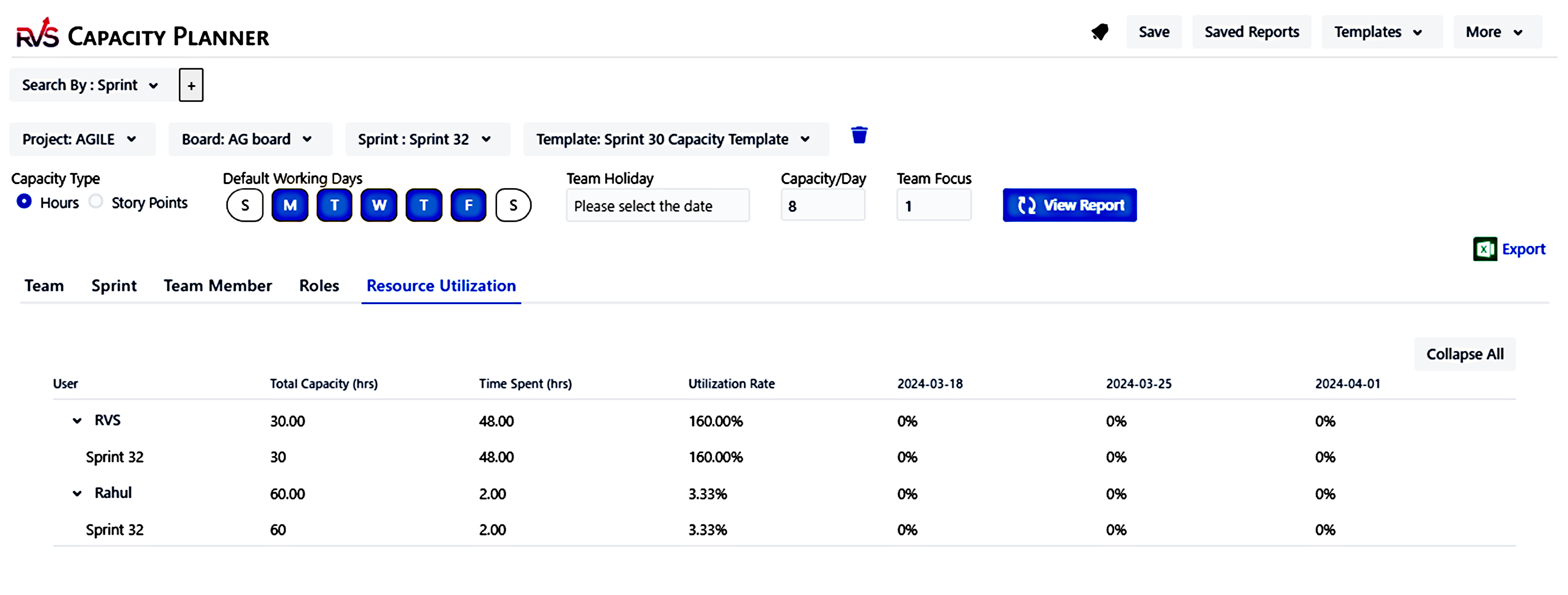
Real Example: Avoiding Sprint Overload
Before: A Jira team consistently overcommitted sprint work. Capacity planning happened in Excel, disconnected from Jira.
After using RVS Capacity Planner: The team identified overload before sprint start, rebalanced work, and reduced spillovers by 25% within three sprints.
This visibility is nearly impossible to achieve using Jira alone.
RVS Capacity Planner vs Native Jira
| Capability |
Native Jira |
RVS Capacity Planner |
|---|
| Individual capacity view |
Limited |
✅ |
| Leave & availability tracking |
❌ |
✅ |
| Reusable capacity templates |
❌ |
✅ |
| Role-based planning |
❌ |
✅ |
| Forecast before sprint start |
Limited |
✅ |
How to Plan Capacity in Jira (5-Minute Setup)
-
Install RVS Capacity Planner from the Atlassian Marketplace
-
Define capacity (hours, points, or issues)
-
Apply templates or adjust availability
-
Review workload distribution
-
Commit to work with confidence
No spreadsheets. No guesswork.
Who Should Use RVS Capacity Planner?
-
Jira Administrators managing multiple teams
-
Scrum Masters planning realistic sprints
-
Project Managers forecasting delivery
-
Engineering Managers preventing burnout
-
Teams scaling beyond manual planning
Try RVS Capacity Planner Free
If you want clear, reliable resource capacity planning in Jira, start a 30-day free trial of RVS Capacity Planner.
👉 Install from the Atlassian Marketplace and plan work with clarity — before problems start.
Plan smarter. Commit realistically. Deliver predictably.
Make capacity planning in Jira simple with RVS.
