Hello community members! We have a small contest here: Which gadget is better to track user activity on the issue level? On the one side we have built-in Jira Activity Stream Gadget, on the other – Activities Gadget by Issue History for Jira app. You can help us to define with your voice in comments. Test both options and tell us which one is your favorite.

🟡 Participant #1: Activity Stream Gadget
How to find it: Go for Dashboards → Select your dashboard (or Create dashboard if you don’t have one) → Click on the Edit button → Add Activity Stream Gadget
🟢 Participant #2: Activities Gadget by Issue History for Jira
How to get it: Open Marketplace page here → Click Try it free (you’ll have 30 days to test it) → Select your site (Installation)
Now, you can also add it your dashboard: Go for Dashboards → Select your dashboard (or Create dashboard if you don’t have one) → Click on the Edit button → Add Activities by Issue History
We’ve tried to compare the most important features of both gadgets. Here is what we’ve got.
When were the changes made?
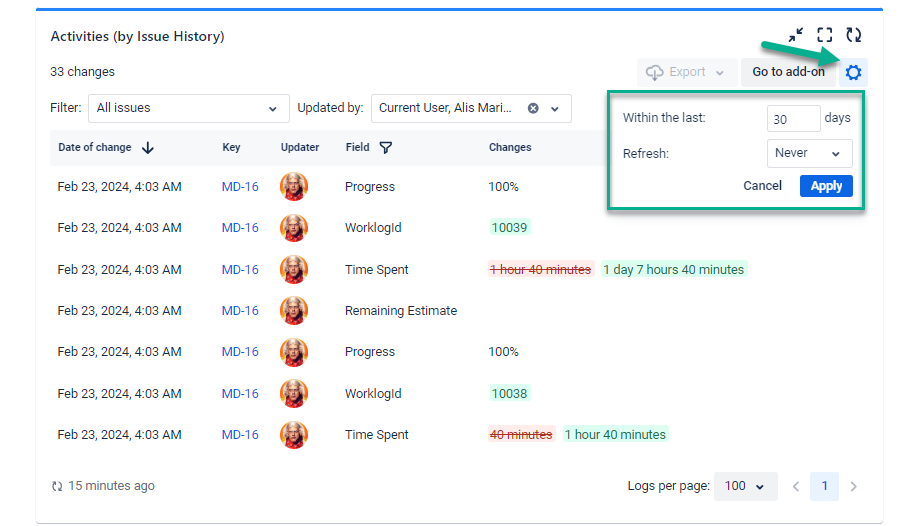
With Activities by Issue History, you can set the number of days in format: updated within the last - - days.
Activities Stream Gadget provides more flexible options here. You can set a specific date, time before/after some dates, and time between some dates.
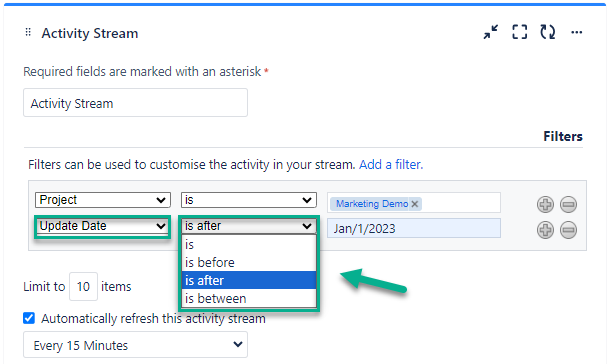
So, Activity Stream Gadget is the winner in this category. 1:0
Who has made the updates?
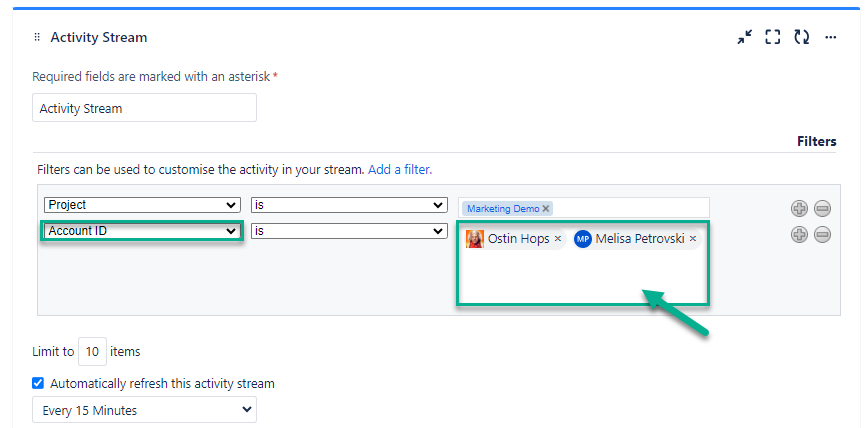
Activities Stream Gadget allows you allows you to monitor the activity of a specific user or team in general. You can select some person with Account ID filter and see what was updated by this particular member. What you also can do, is to choose more than one user to check their activities.
Activities by Issue History also provides the ability to get updates made by one user, multiple users, or the whole team. You can select the desired option with the Updated by menu.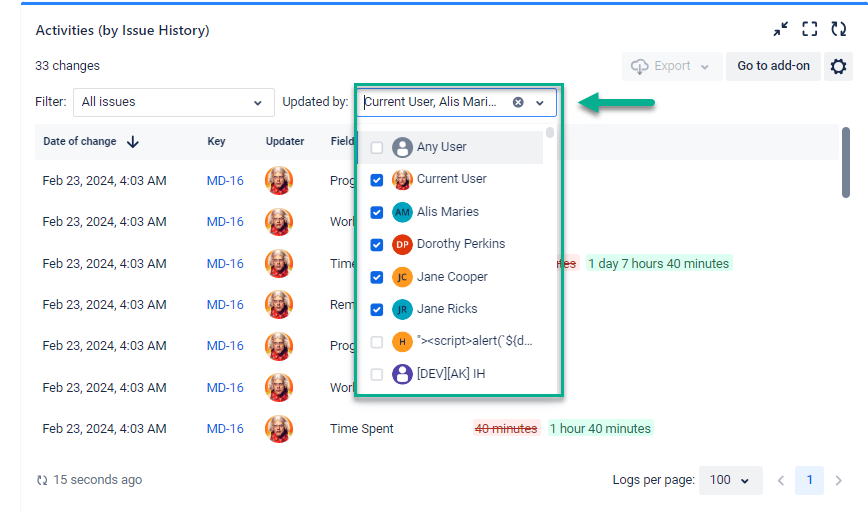
So, both gadgets can do pretty much the same here to filter activities based on users who made changes. 2:1
What changes to show?
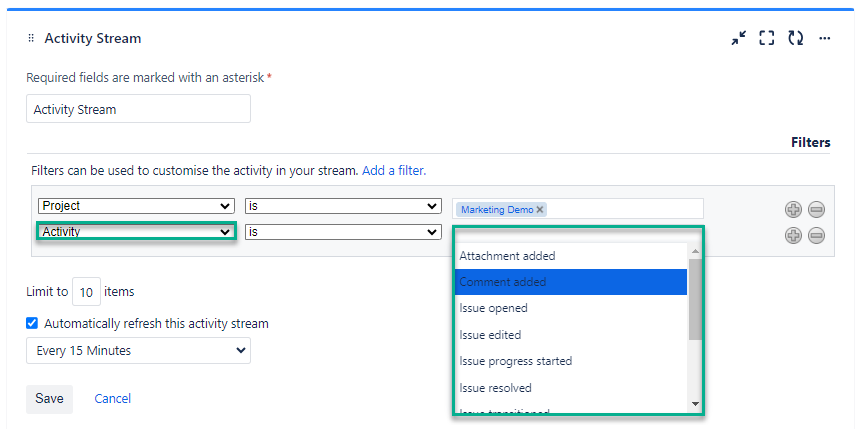
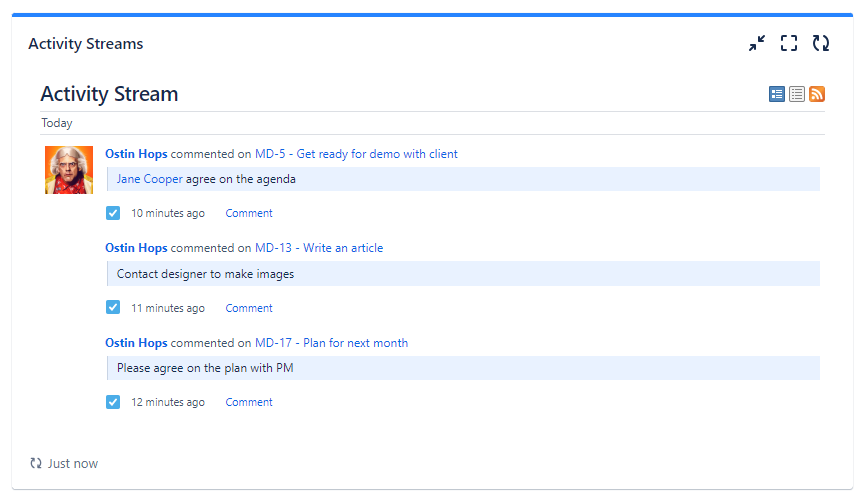
Both of the gadgets show all activities made to all issues based on the filters. But also, you can choose some particular activities you want to track. For instance, it can be only comments, descriptions, or status changes.
Activities Stream Gadget has limited list of activities you can get: Attachment added, Comment added, Issue closed, Issue created, Issue edited, Issue opened, Issue progress started, Issue progress stopped, Issue reopened, Issue resolved, Issue transitioned.
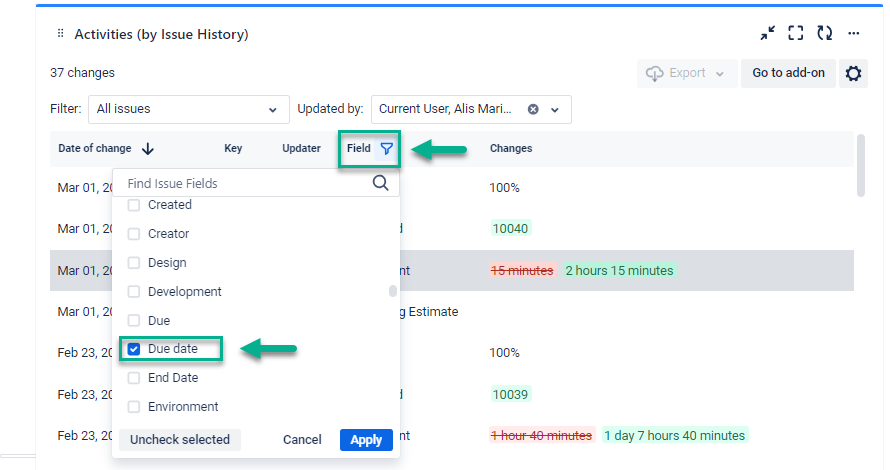
Activities by Issue History allows you to filter activities based on any activity without limits. You can include in the report any standard or custom issue field. For instance, status, description, comment, assignee, etc.
Let’s take due dates.
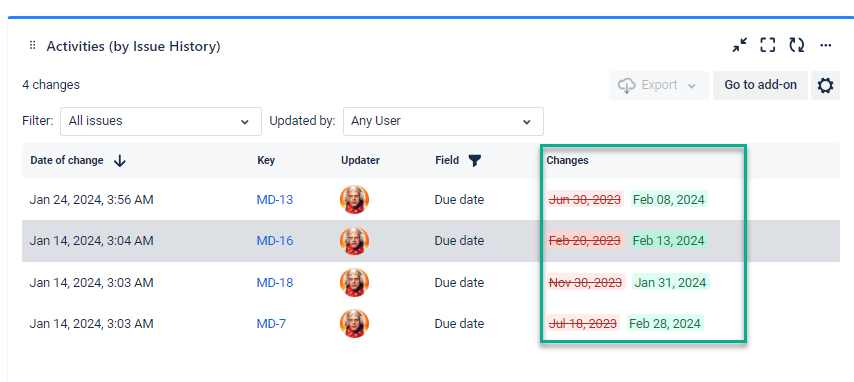
Here, Activities by Issue History wins confidently. 2:2
Where were the updates made?
With Activities Stream Gadget you can only select some project or few projects for which you’d like to analyze issue updates.
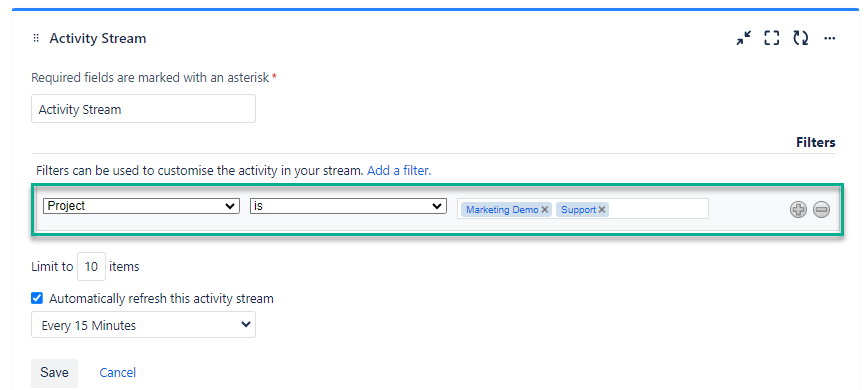
With Activities by Issue History, you can select any Jira filter you have created. So, it is more flexible option where apart from the projects, you can include more information you need.
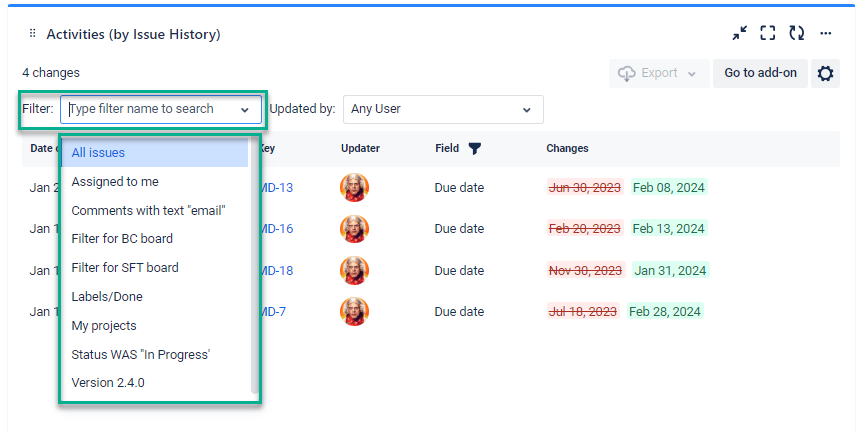
Activities by Issue History has an advantage here again. 2:3
We’ve also prepared a table comparison with the most important criterias.
|
Criteria
|
Activities Stream Gadget
|
Activities by Issue History
|
|
Date filter
|
✅✅ More flexible
|
✅
|
|
Updaters
|
✅
|
✅
|
|
Activities
|
✅ Limited (11 options)
|
✅ ✅No limits
|
|
Place for updates
|
✅ Projects
|
✅✅ Any Jira flter
|
|
Colors and highlights
|
❌
|
✅
|
|
Export
|
❌
|
Coming soon
|
You are welcome to test both gadgets and find more differences.
Finish or final thoughts
Both gadgets provide valuable insights into user activity on the issue level. It all depends on the information and layout you want to get. Activities Stream Gadget is a little more flexible when choosing the date range for updates. The biggest advantage of Activities by Issue History is unlimited ability to filter fields. That means you can select any activity and see its history. Isn’t it the main goal of this gadget?
Now, it’s your turn to try both gadgets. We’ll appreciate your thought in the comments. Because it is not about the contest, but about enabling you with varius and unlimited reporting possibilities in Jira 😉
