Confiforms custom edit controls is not working as expected when wrapped in a user macro. Using Confluence 8.5.6 and Confiforms 3.9.3.
Can you help @Alex Medved _ConfiForms_ ?
Setup:
Simple table setup with two text fields:
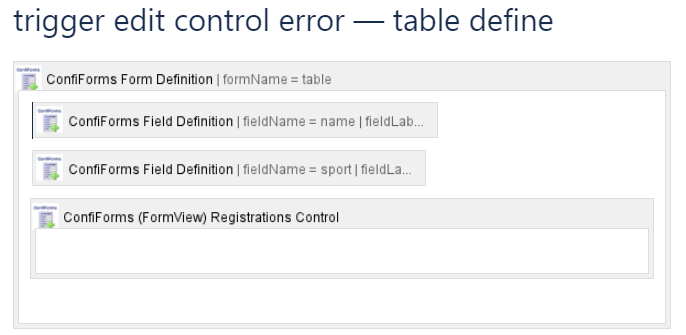
given some sample data
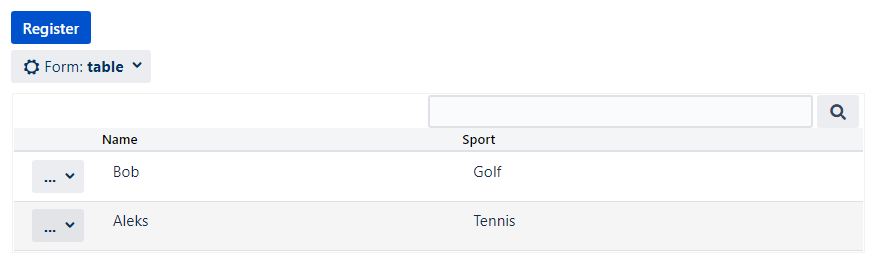
this is the code:
<ac:structured-macro ac:macro-id="0ad74c21-fb01-43df-817e-a3d58b9a9c94" ac:name="confiform" ac:schema-version="1">
<ac:parameter ac:name="formName">table</ac:parameter>
<ac:rich-text-body>
<p>
<ac:structured-macro ac:macro-id="a66db9fa-0cb3-4d60-993d-48539c1e2aea" ac:name="confiform-field-definition" ac:schema-version="1">
<ac:parameter ac:name="fieldName">name</ac:parameter>
<ac:parameter ac:name="fieldLabel">Name</ac:parameter>
<ac:parameter ac:name="type">text</ac:parameter>
</ac:structured-macro>
</p>
<p>
<ac:structured-macro ac:macro-id="12829e65-4b62-45a4-8fae-f633f0d6fc0f" ac:name="confiform-field-definition" ac:schema-version="1">
<ac:parameter ac:name="fieldName">sport</ac:parameter>
<ac:parameter ac:name="fieldLabel">Sport</ac:parameter>
<ac:parameter ac:name="type">text</ac:parameter>
</ac:structured-macro>
</p>
<ac:structured-macro ac:macro-id="eafa07b7-3810-41de-84ea-1021aba01401" ac:name="confiform-entry-register" ac:schema-version="1">
<ac:rich-text-body>
<p>
<br/>
</p>
</ac:rich-text-body>
</ac:structured-macro>
<p>
<br/>
</p>
</ac:rich-text-body>
</ac:structured-macro>
Then create the following Table view with one field and an edit control
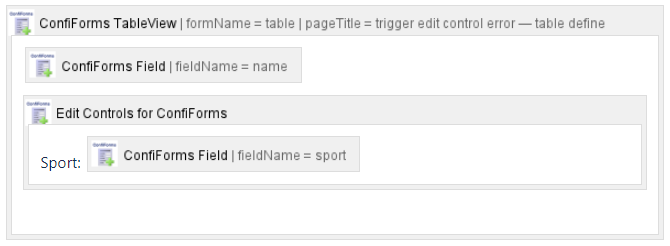
and wrap it in a user macro, which has the following code
## Macro title: edit-control-test
## Macro has a body: N
## Body processing: NA
## Output: NA
##
## Developed by: My Name
## Date created: dd/mm/yyyy
## Installed by: My Name

## @noparams

<ac:structured-macro ac:macro-id="10326468-9c33-4a40-a995-97aec5cc6dea" ac:name="confiform-table" ac:schema-version="1">
<ac:parameter ac:name="pageTitle">
<ac:link>
<ri:page ri:content-title="trigger edit control error — table define"/>
</ac:link>
</ac:parameter>
<ac:parameter ac:name="formName">table</ac:parameter>
<ac:rich-text-body>
<p>
<ac:structured-macro ac:macro-id="a248ae1a-38cc-494e-9781-3afaf38c39fd" ac:name="confiform-field" ac:schema-version="1">
<ac:parameter ac:name="fieldName">name</ac:parameter>
</ac:structured-macro> </p>
<ac:structured-macro ac:macro-id="e45e4d79-989d-4dbe-84bb-b4ad281c91b1" ac:name="confiform-entry-edit" ac:schema-version="1">
<ac:rich-text-body>
<p>Sport: <ac:structured-macro ac:macro-id="c9f63e12-ae93-4a2d-a972-186d84e62171" ac:name="confiform-field" ac:schema-version="1">
<ac:parameter ac:name="fieldName">sport</ac:parameter>
</ac:structured-macro>
</p>
</ac:rich-text-body>
</ac:structured-macro>
<p>
<br/>
</p>
</ac:rich-text-body>
</ac:structured-macro>
The expected table view is produced when user macro is inserted on a new page:

But if we click edit on the Aleks-record, we get the following edit controls, apparently reverting back to the registration control layout:
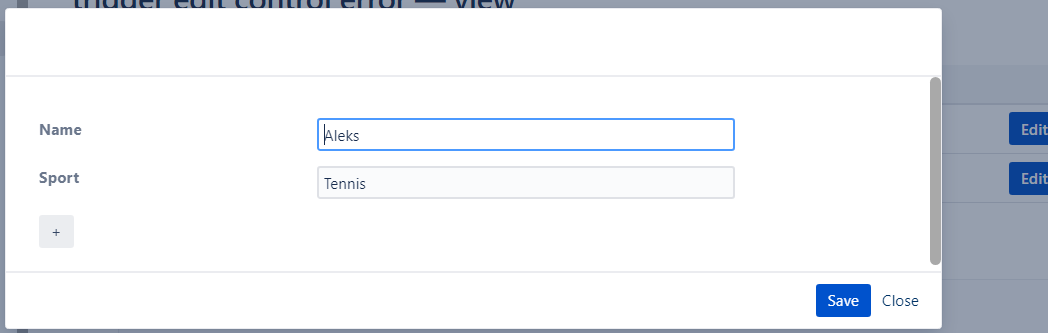
But naturally expected the following custom edit controls view:
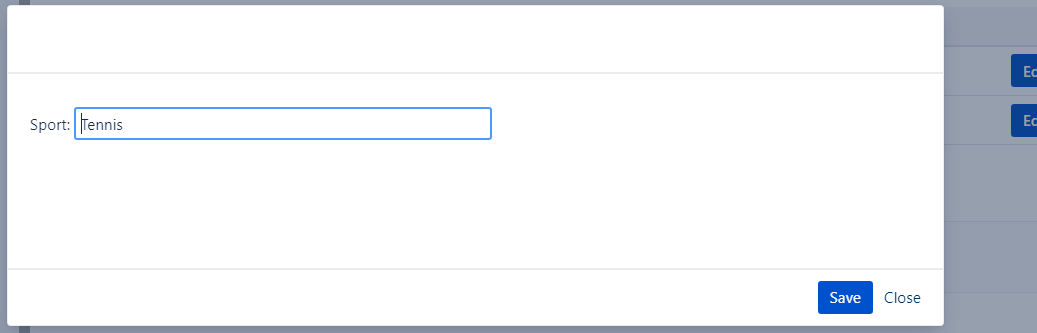
Why is this happening? Is there a fix?
Inserting the custom table view without using user macro produces the expected result.

