Hi Pgm Community!
If like me you have always wanted to demystify the scary world of Cross-Team Capacity planning and figure out a simple yet effective way of breaking down complex large pieces of work in to smaller more manageable chunks and track across multiple teams then this post is for you!
Full Disclosure! Whilst this Post shows you how it is possible to do Cross-Team Capacity Planning this is not a complete DIY Manual for setting up all aspects of this approach. I will link out to Atlassian University modules or helpful links where possible to show you how to achieve some of these steps!
What is ‘Cross-Team Capacity Planning?’
Put simply the clue is in the name. It is the ability to drive insight into the Capacity load and limit for a group of teams across a shared backlog.
Who Can Do It?
All Teams! I find often the myth persists that only Delivery or ‘Dev’ teams have the ability to forecast and plan work, however this is not true. Operations teams, Business Teams - heck even Finance and Legal teams all have the ability to capacity plan. As long as there is an identifiable Backlog of work that can be estimated and sized - you can capacity plan.
Operational and Process Setup
As we know in the world of Cross-Team planning not all Teams and processes are created equal. However the best chance for success here is predicated on agreeing on a few sets of homogenous fields and processes - namely, the following;
Agree on your Team Structure - ‘Who’s doing the work?' (Mandatory)
Agree on your Capacity Currency/Metric - ‘How are you estimating/measuring your work?’ (Mandatory)
T shirt Size Currency/Metric Conversion per team - ‘How can you size large pieces of work before you break them down?’ (Optional but strongly recommended)
-
T Shirt sizes form the basis of your high level effort estimates. They allow Teams to roughly size and plan before breaking large buckets of work Into smaller manageable pieces.
-
The T-Shirt sizes (although rough and prone to more error than smaller sized estimates) can be converted in to an effort metric. I.e. If we are using Points, a Large could be lets say 200 points, a Medium 100 and so on. These estimates can be refactored as you learn the true nature of what your original T-Shirt estimates end up being once delivered.
Agree on a unified ticket Architecture - ‘How are you all defining and tracking your work?’ (Optional but strongly recommended)
-
Having a ticket work Architecture allows all teams to agree on how to split up work items. i.e. You could have Epics as your largest pieces of work and Story’s as your smallest. Defining what these work items are and how they are used, estimated, allocated and tracked will make the whole process run a lot smoother!
Tooling Setup
Field Alignment (Mandatory)
-
As mentioned above, once all teams define an agreed effort metric you need to make sure this is implemented as a field in all of your Issue Types in Jira.
-
Other useful and important fields such as Team, Component, Sprint, Release (Fix Version) will all be native fields that should appear naturally in your tickets.
Boards/Sprint Backlogs (Mandatory)
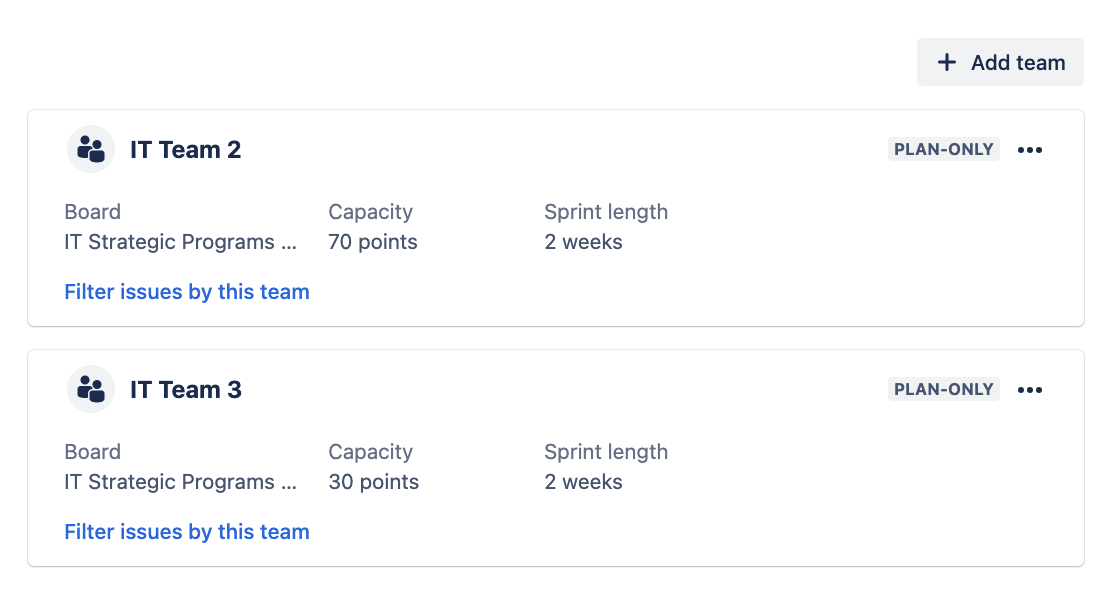
Create Teams and Capacity Limits
Same Sprint Sizes and Start/End Dates (Optional)
Automation (Optional but strongly advised) - Automation Course here
-
As anyone who uses any planning tool will know - bad data in means bad data out. The whole point of us going to such lengths to do Cross-Team planning and getting it right is to gain valuable insights into what we are doing and make more informed decisions - thus saving time. Therefore getting the data entered in correctly in everything from the Team field to the estimation field is the lifeblood of how this Operation works.
-
Using Automation can be super effective at reducing the time taken to enter data into tickets that can be inherited or inferred from parent or linked tickets. For example as mentioned above we convert our T Shirt sizes in to an effort metric (we use Story Points) via Automation. Then once we start actually breaking down that large piece of work into smaller deliverables with better estimates Automation runs again to back out and remove the original estimate and instead infer a roll-up of its constituent parts. If you’d like us to show you more on this please comment on this Post!
Combining it all together (The Secret Sauce)
Advanced Roadmaps
Advanced roadmaps is a tool primarily built to help track and manage work at scale for teams or teams of teams. The tool does this by ingesting tickets from any board, project or filter to showcase the work you care about all in one place.
The reason why this is the Secret (or not so secret as it comes with Cloud Premium) sauce in your toolkit is that there is no other convenient way for you to see all of your teams operate and see their capacity loads in one place (unless you have Analytics - which we come on to at the end of this post).
Why and how do we use it?
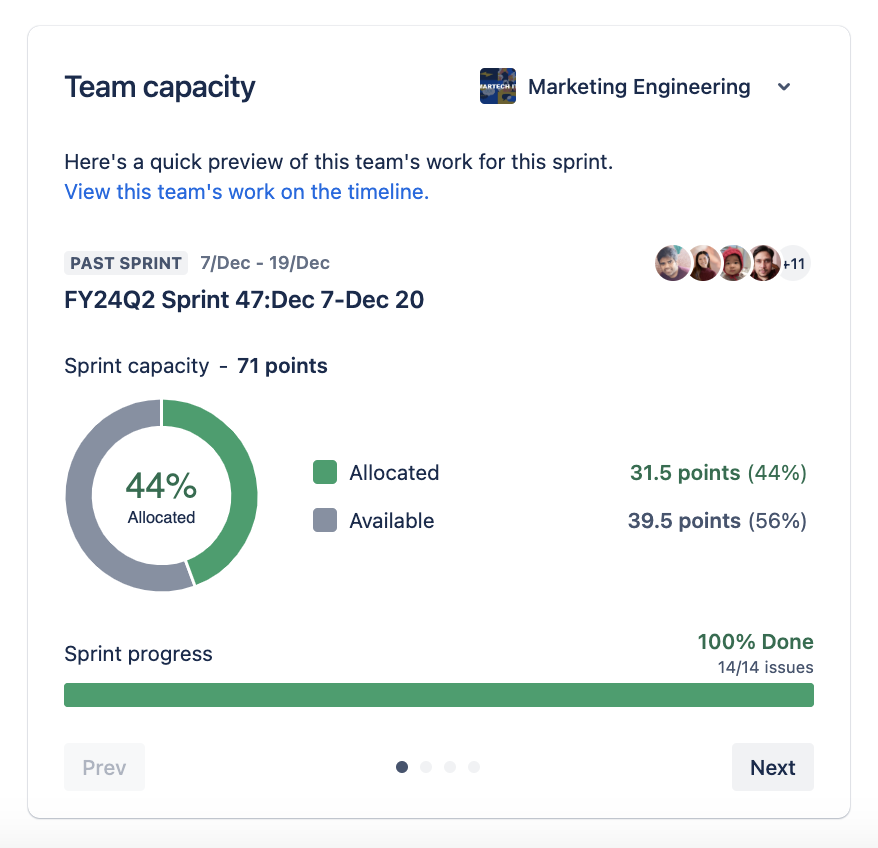
Team Capacity
Forecasting
-
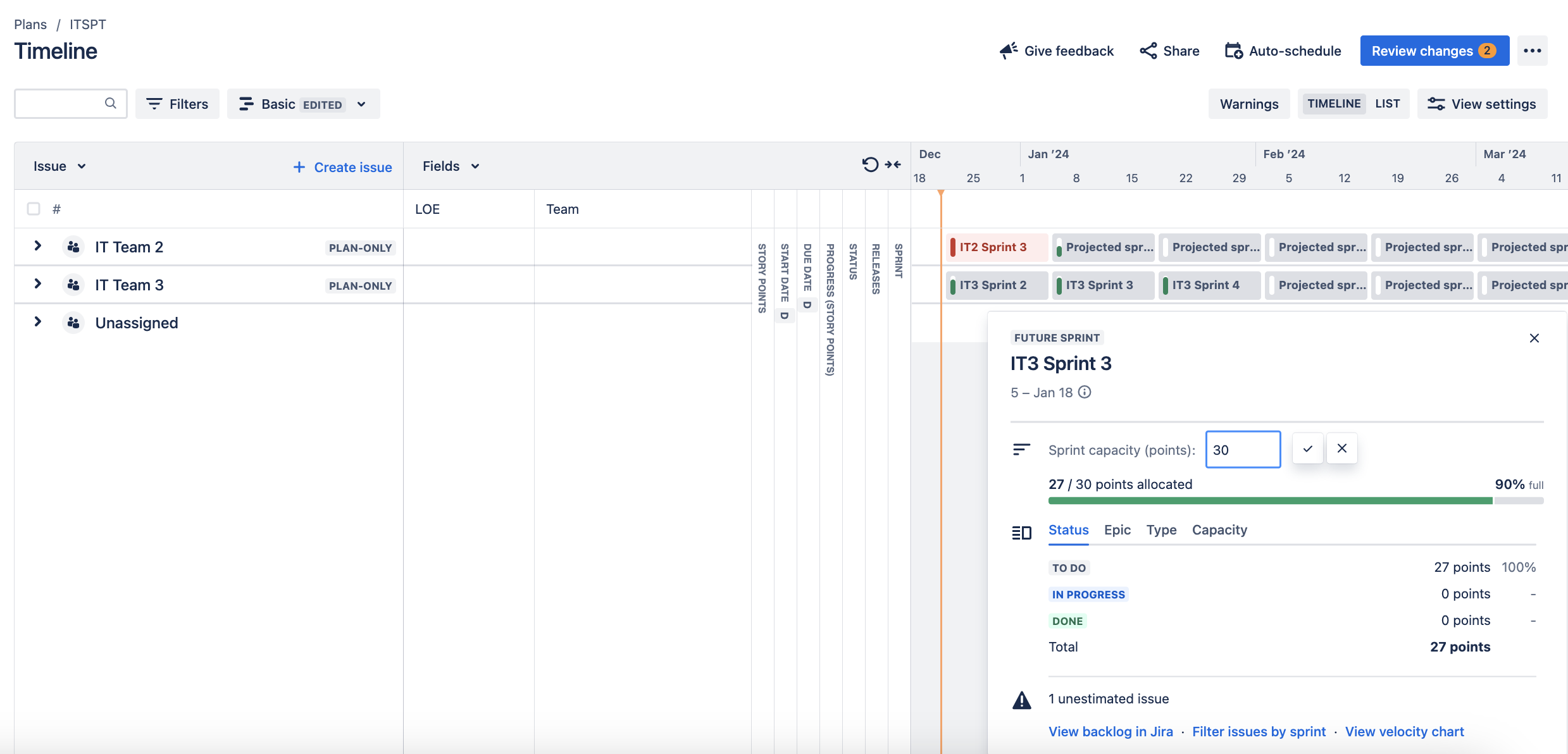
Once you have Teams with capacity and work assigned to those teams by using the ‘Team’ field and then assign dates or Sprints to that work then AR will do the rest and begin to show your Sprints filling up like magic!
-
AR will even forecast Sprints when Sprints are not available in your backlog. To do this again simply ensure a Team value is applied and that the work items have dates.
-
Changing Sprint Capacity
-
Modelling
-
Milestones (Releases)

Taking it to the next level!
If Advanced Roadmaps is the secret sauce then Atlassian Analytics is your taste testing kitchen. It lets you know how everything is going on. How well you’re estimating work, how well you forecast, which teams are working on what, what’s the relative size of your pieces of work in relation to one another? To learn more on this stay tuned for a post coming the week of January 23rd 2024 to learn more!


