Hello,
In our project, we have set up Opsgenie for alerts. They all came with the generic "incident raised" summary. (see picture 1).
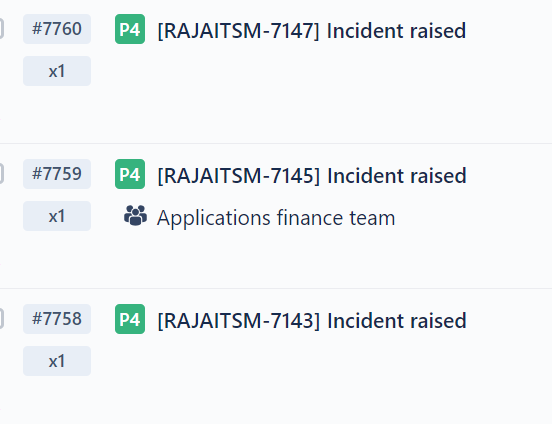
I am trying to change this for the alert to show the ticket summary.
I tried to see if, in the email templates, I could achieve this but I was without success.
Then I started playing around with the integration part in settings. I can create an integration, assign it to a team, and change the alert message to include the ticket summary.
So far so good but seems that the priority on them is messed up using the dynamic field {{priority}}. So to fix this I had to manually create them in the integration. (see picture 2).
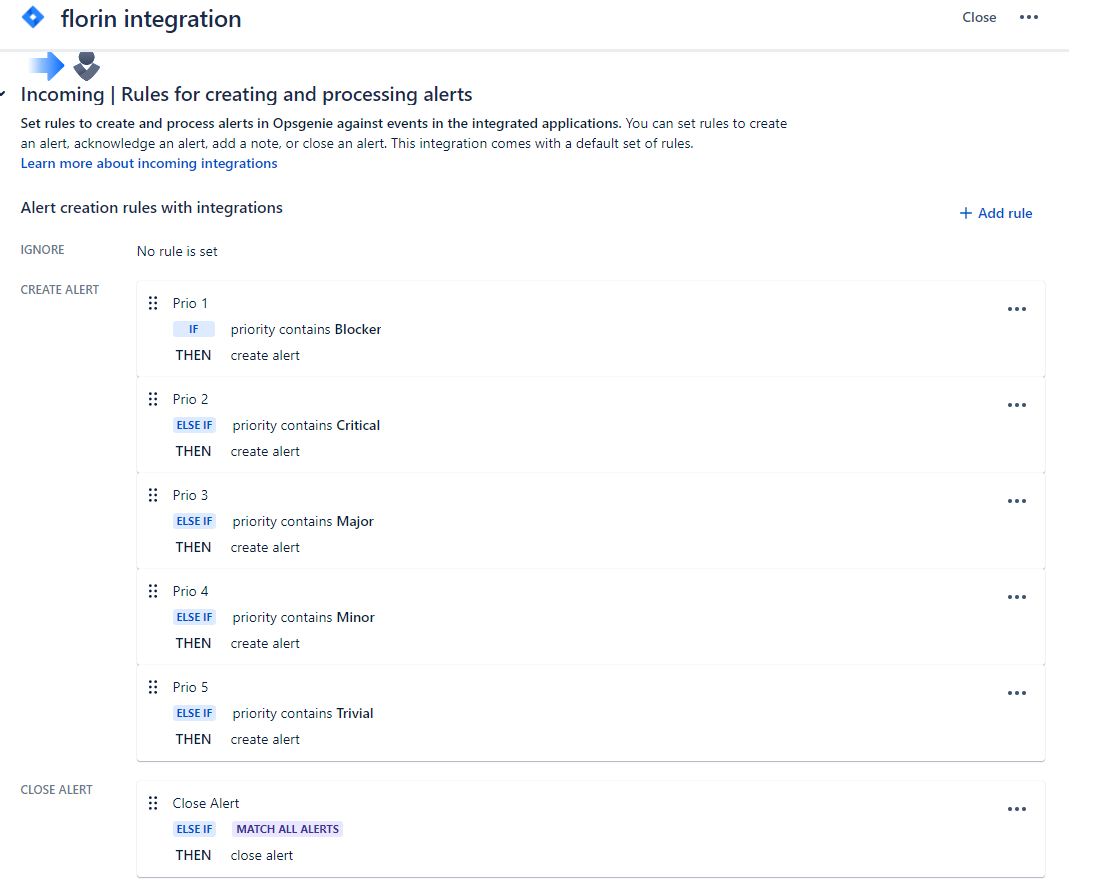
This is the final result:
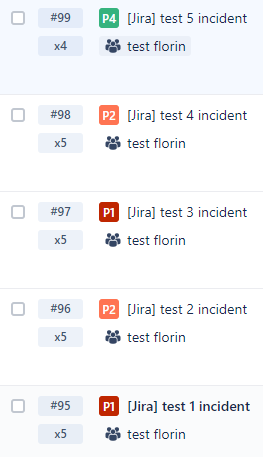
This seems to be okay for me, but then I wanted to make the integration global for all new notifications so that we get to have the exact summary of the ticket. But, when I changed it to global, notifications were not being received.
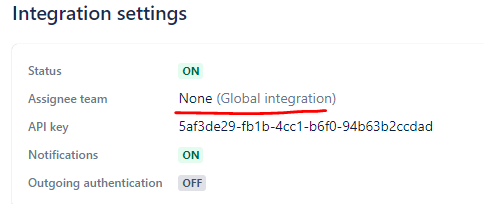
After this, I tried changing the default API integration, I thought that if I applied the same alert rules as my integration to the default one it would work. But priority conditions on the default one are not the same as the priority conditions on the integration I created. So this doesn't work.
Long story short, what I am trying to achieve is to have the alerts (from the first image) showing the exact summary of the ticket raised and its priority. I want this global for all notifications for all teams.
Does anyone have any ideas on how to achieve this? Any help will be much appreciated.
Thank you,
Florin


