🆙Next Level Trello Automation🤖
Sync Due Date of linked cards 🗓️ 🔀 🗓️
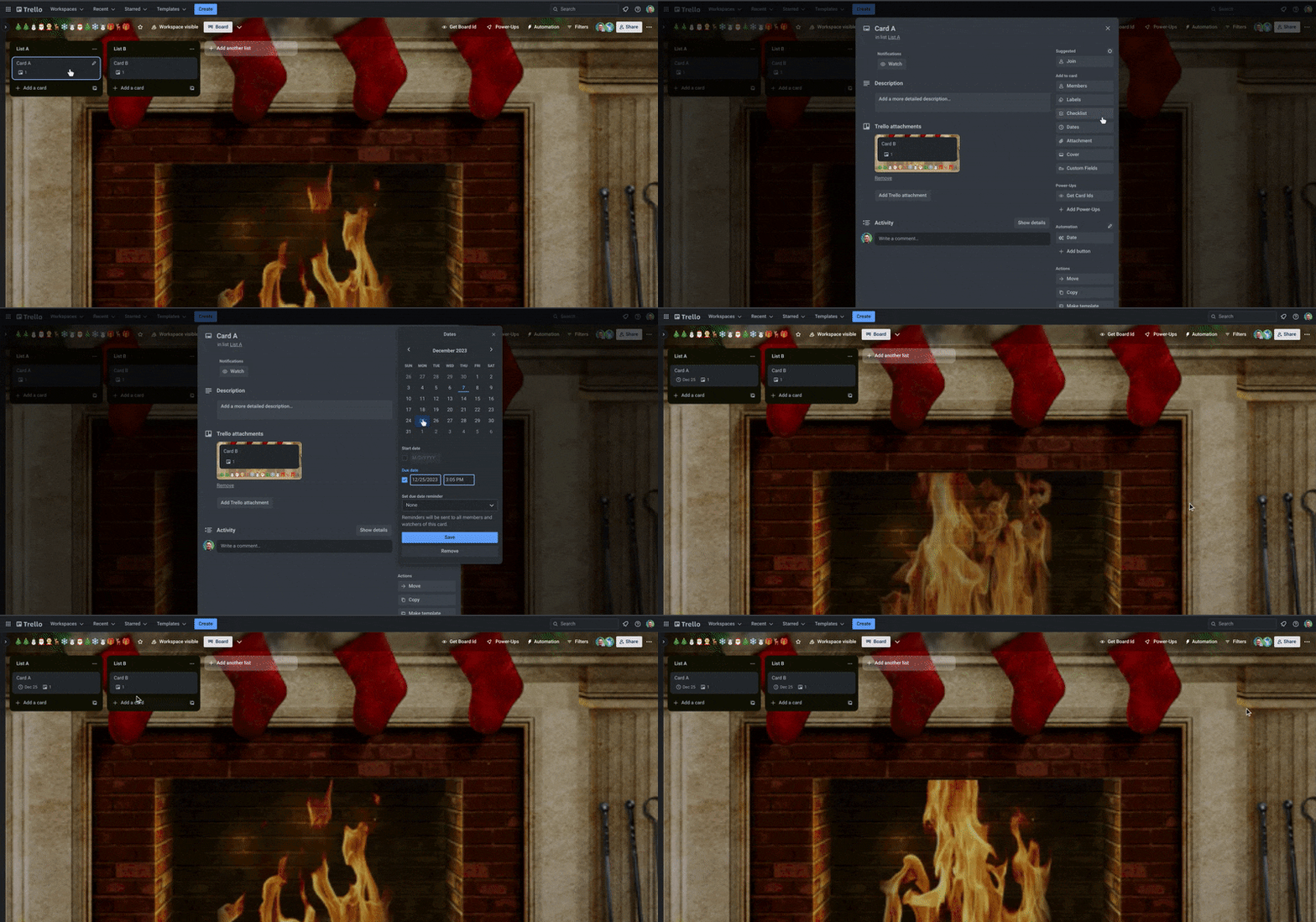
Trello automation + Trello API can help you up your automation game and help you fill the small number of gaps left in what is already my top Trello feature
This is the first in a series of articles on how you can use some of the Trello API right inside Trello automation to enhance your automation further. This includes:
- Sync the due date from 1 linked card to another
- Add, remove, change card covers
- Enable due date reminders
- Move a checklist position
- and many more...
Are there any frustrations you have with Trello automation that you wish you could fix?
Put suggestions in the comments I will try to address them with a simple API solution.
Keeping it simple - No API experience required

Simply follow this guide and copy and paste my commands!
Lets Begin...
Step 1 - Setting up your Trello API key and token
This is probably the most complicated part but you only have to do it once and Trello's best friend @Brittany Joiner has made a super simple video to show you how.
 https://www.youtube.com/watch?v=RDg3TYFDuzg
Copy both the API key and Token to a safe place, you will need them later...
Step 2 - Automate linking the cards
I am not going to go into too much detail about how to do this this but you can follow the guide linked below
https://support.atlassian.com/trello/docs/synchronizing-cards/
and use this common automation:
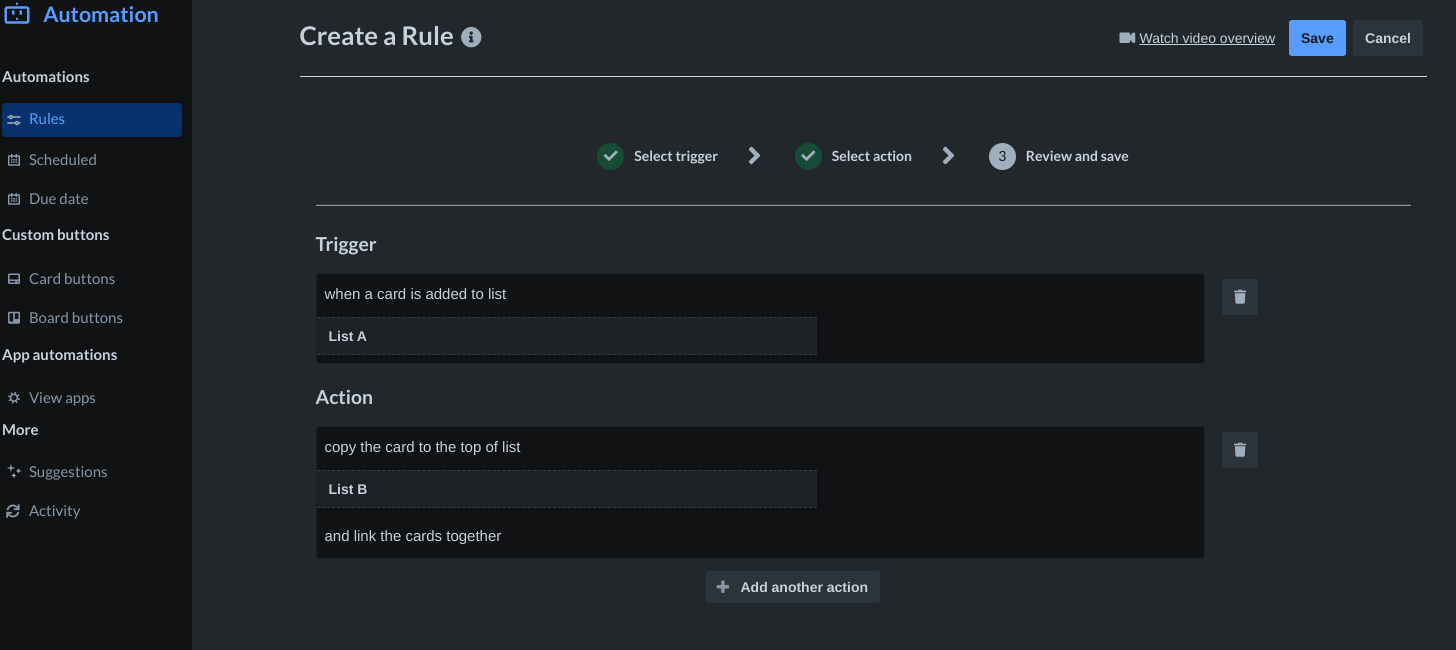
when a card is added to list "List A", copy the card to the top of list "List B" and link the cards together
That is all it takes to start creating linked cards...On to the next step
Step 3 - Automate the due date synchronisation
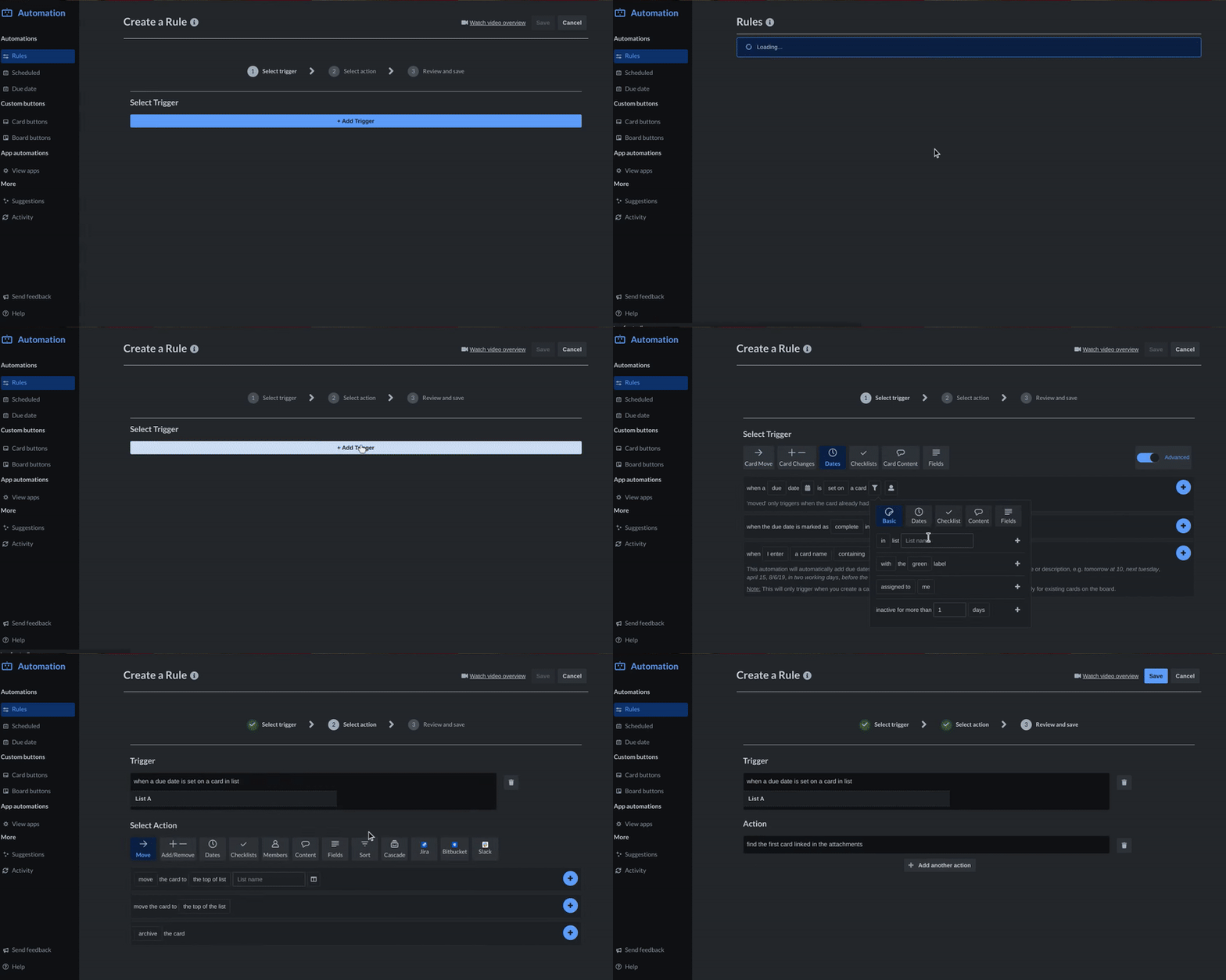
1) Set up the automation trigger
2) Set up the API put
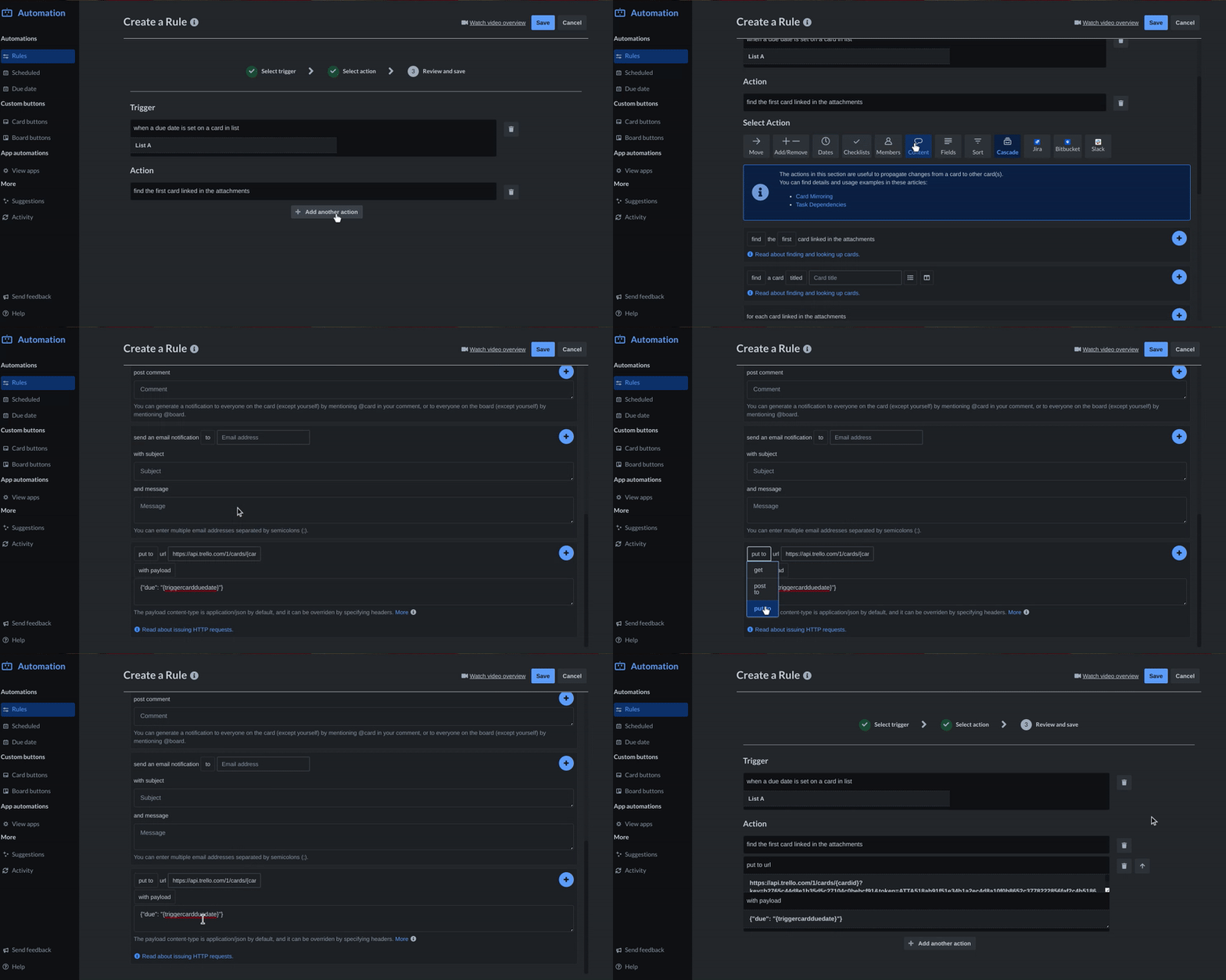
API String
Copy this string into the url box, swapping the bold text with your API key and Token respectively
https://api.trello.com/1/cards/{cardid}?key=replace_this_text_with_your_APIkey&token=r
Payload
Copy this exactly as it is and paste into the payload box
{"due": "{triggercardduedate}"}
Full Automation (for reference)
when a the due date is set in a card in list "List A", find the first card linked in attachments and put put to url "https://api.trello.com/1/cards/{cardid}?key=replace_this_text_with_your_APIkey&token=replace_this_text_with_your_token" with payload "{\"due\": \"{triggercardduedate}\"}"


