Issue Summary
In Assets/Insight automation the Execute Groovy script action does not recognize Windows path.
Steps to Reproduce
- Install Jira Service Management 5.11.2-REL-0001 (or any other affected version listed above) on a Windows machine.
- Create an Assets/Insight schema;
- On this schema configure an Assets/Insight automation with the Execute Groovy script action;
- Enter the absolute Groovy script location in the File path field;
Example:C:\Program Files\Atlassian\Aplication Data\Jira\scripts\somefile.groovy
- Save.
Expected Results
Automation will successfully save without any error.
Actual Results
We see the following error on the UI:
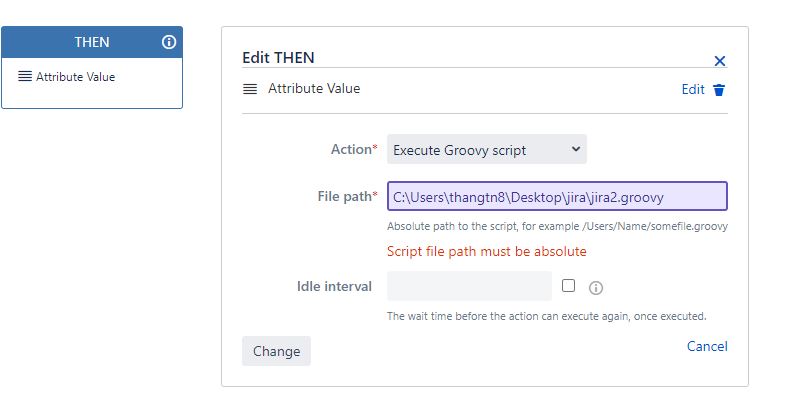
=> Script file path must be absolute

