Are you using Azure AD Attributes Sync for Jira and want to get the most out of it? We're here to help with answers to your burning questions! Whether you're a tech wizard or just getting started, we've got plain and simple explanations to make it all clear.

Let's dive into some of the most commonly asked questions and find solutions to enhance your Jira experience.
Basic troubleshooting steps
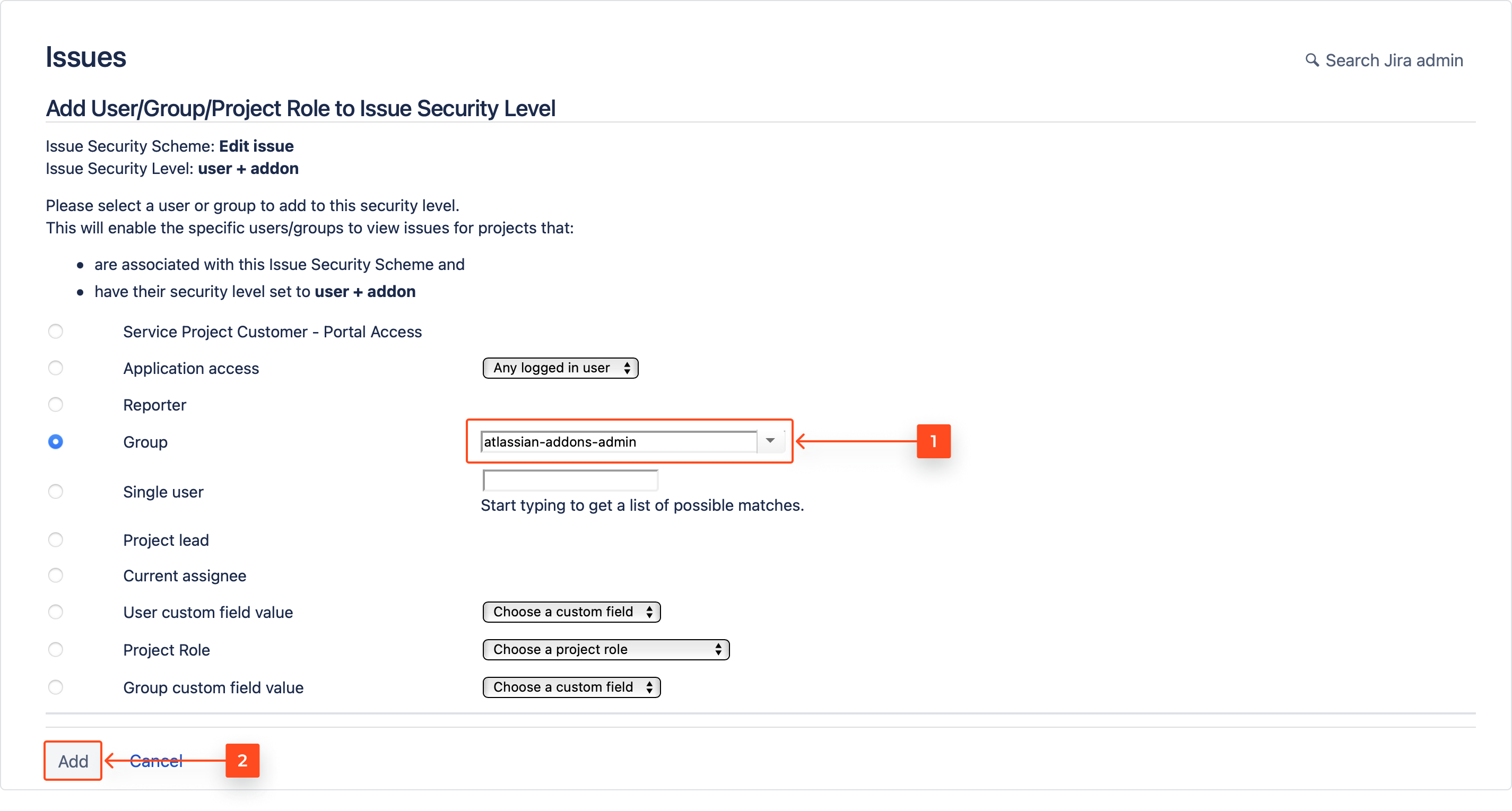
#1 FAQ: Technical user permissions
🔧 Problem: Why are some features not working as expected?
💡 Solution: Ensure that the "atlassian-addons-admin" group has permissions to browse projects, administer projects, and edit issues.
#2 FAQ: Matching users test
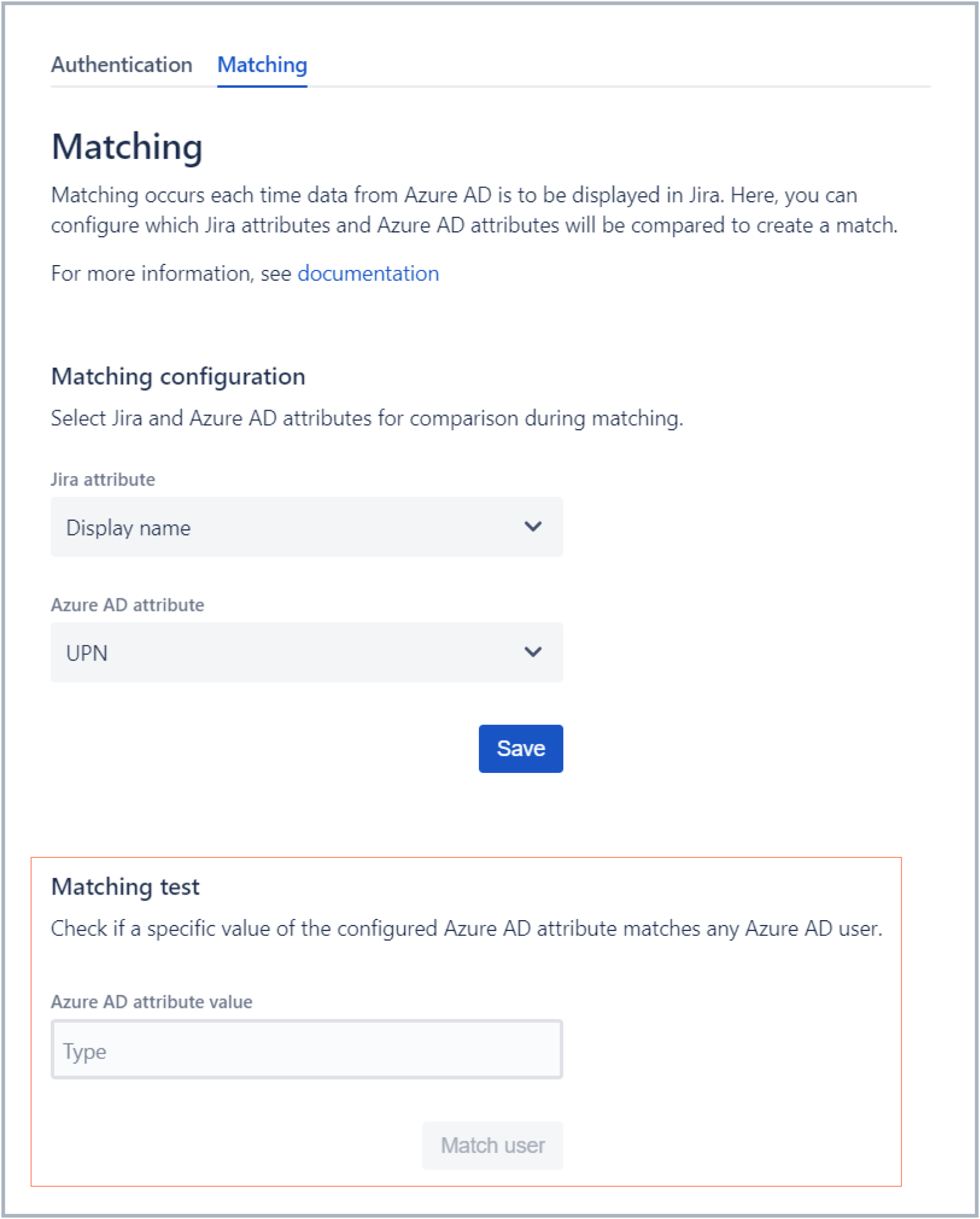
🔍 Problem: Why do user attributes not match as expected?
💡Solution: Check if the selected Jira attribute matches the Azure AD attribute exactly.
Azure AD Attributes → Configuration → Matching tab
⚠️Make sure the selected Jira attribute value matches the Azure AD attribute exactly. Input the Jira attribute of a user that exists in your Azure directory for testing.
#3 FAQ: Purge user associations
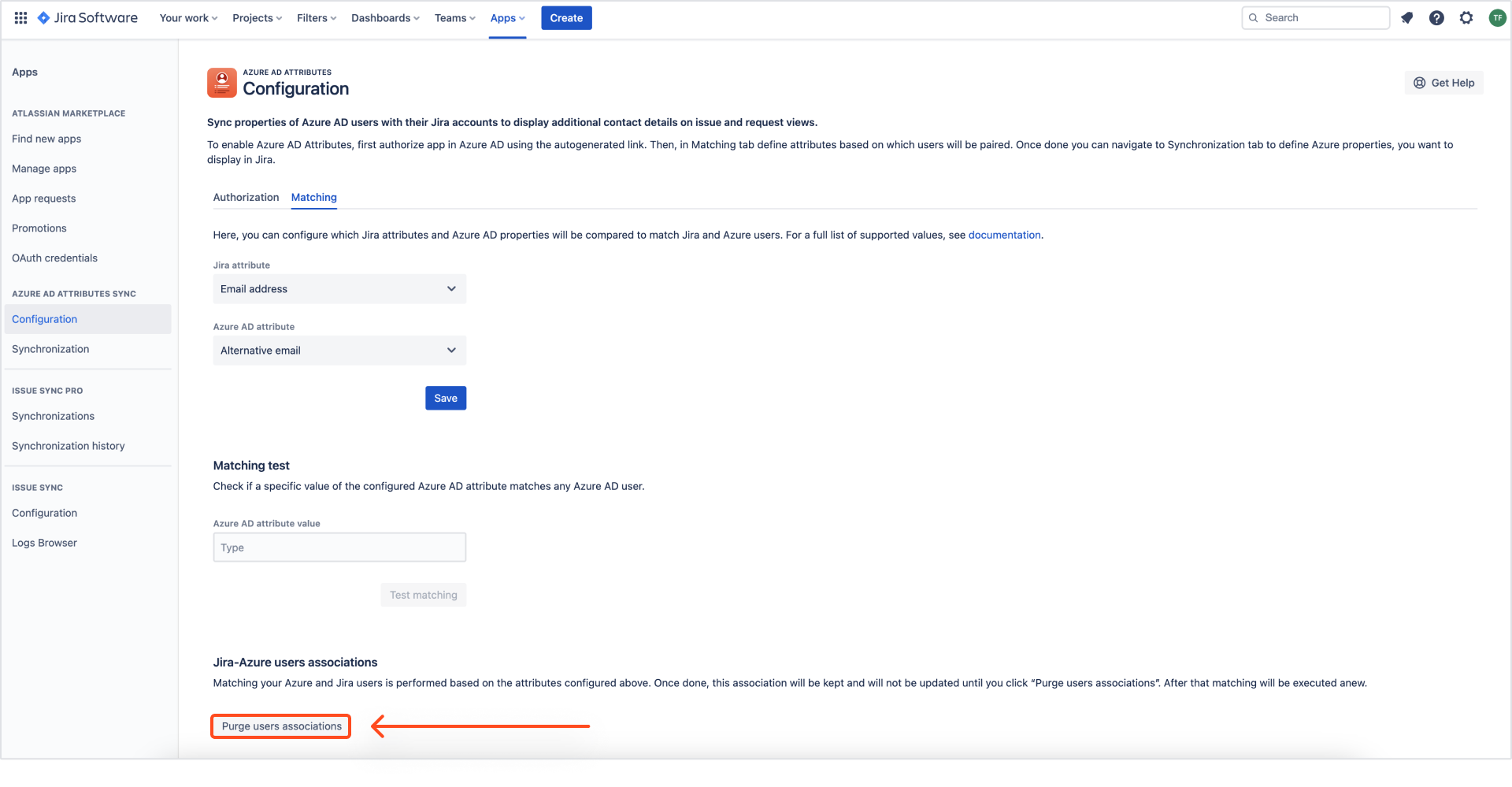
🗑️ Problem: Displayed user data is outdated or incorrect. How to refresh user associations?
If you're seeing outdated information in Jira, it might be due to changes in Azure AD not syncing promptly. The "Purge user associations" action is designed to refresh these associations.
💡 Solution: Navigate to Jira settings → Apps → Azure AD Attributes, click Configuration, go to the Matching tab, and click the Purge users association button.

Troubleshooting custom fields
#4 FAQ: Basics
📋 Problem: Why aren't user data displaying in custom fields?
💡 Solution: Ensure custom fields are added to all Create and Edit screens as needed.
#5 FAQ: Issue Security Feature
🔒 Problem: How to work with the Issue security feature?
💡Solution: Include the atlassian-addons-project-access project role in each security level.
Data storage? No worries!
#6 FAQ: Does Azure AD Attributes Sync app store any data?
💾 Problem: Worried about your data?
💡 Answer: Don't sweat it! Our app works in "on-demand" live mode, so we don't store your data. We only grab email addresses to match users, and we keep things super private. After matching, email addresses are not stored, we save only accountIDs.
Still, have more questions that haven't been covered in this article? Don't hesitate to dive into the comments section below. Remember, when it comes to Azure AD Attributes Sync for Jira, there's no problem too big or small. We're here to make your Jira journey as smooth as silk. Happy Jira-ing! 🚀
