Howdy Atlassian Community!
I’m Erika, a product marketer on Trello. I’m excited to kick off the first monthly round up of the latest and greatest from our Trello Product teams. May I suggest you enjoy reading these Trello updates over a fresh warm taco? 🌮 😉

Here are the top three updates that you’ve might have missed in Trello:
1. New search filters on Advanced Search 🔎
We are excited to announce the addition of search filters to Trello’s Advanced Search Page. Expedite the path to find your relevant content across your boards by checking out these new features:
-
Search for cards on a specific board
-
Sort results by creation date
-
Filter cards to the last 24 hours, 1 month, or 1 year
-
Do not show closed boards and closed cards
-
Show results from starred boards
-
Search through card descriptions
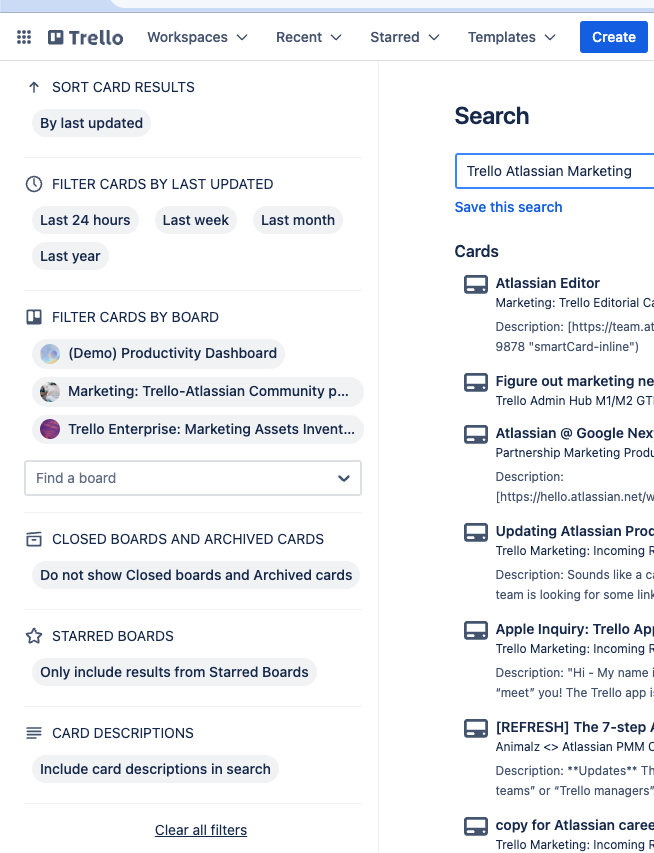
The intention of the Advanced Search Page (and filters) is to allow users to dive a bit deeper into their search than what’s available in the search component on the Trello board. These filters enable users to execute more precise searches, providing quicker access to desired content.
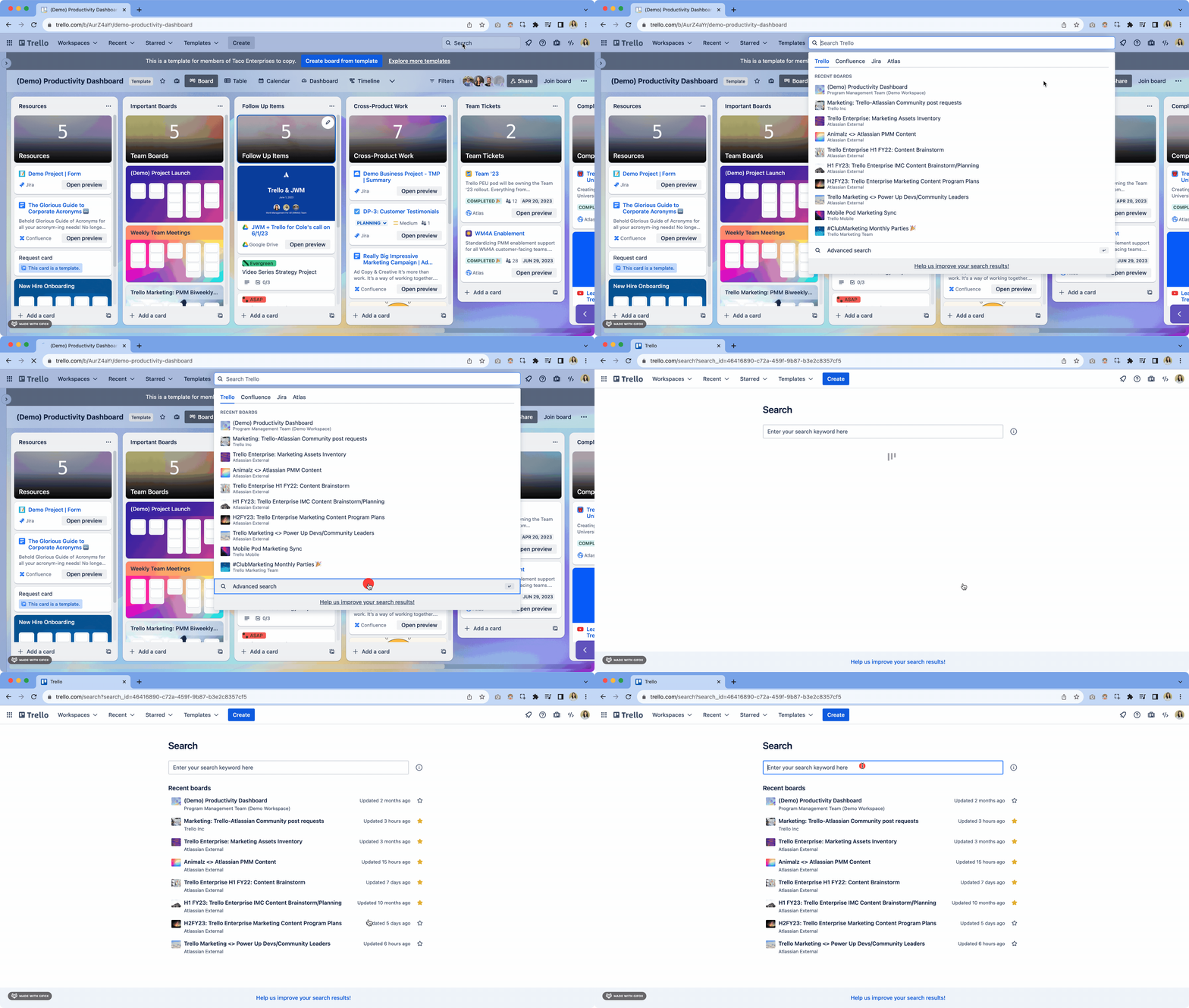
🌮 Taco Tip: You can also navigate to the Advanced Search Page after selecting Advanced Search from the search drop down on a Trello board.
2. Trello AI beta features for Standard and Premium users 🤖
The future is here 🔮 — or more specifically, Atlassian Intelligence has arrived! Multiple Atlassian products have released beta features for their users, including Trello for Standard and Premium customers. Now, you’ll be able to brainstorm, summarize, and improve content within your Trello card’s description and comments.
Excited to try these new AI features in your Trello cards? Check out this Community post to learn more and how admins can begin to enable it in your team’s workspace!
🌮 Taco Tip: Watch @Brittany Joiner's fun Youtube video of her review of the Trello AI and for a visual of how to enable it in your workspace
3. Coming soon: Filter improvements to your boards ✨
You thought we were finished talking about Trello filters this month? Not quite! The Trello Product team is ecstatic to announce improvements to the Filters feature on Trello boards. We’ve heard your feedback that you may unknowingly land on a filtered version of your board and worry that your cards have gone missing. We get it — it can be confusing to see a limited subset of cards (or no cards) show up!
The Product team has implemented several changes aimed at making the display of filtered boards more transparent and understandable:
-
Filter Notification Upon Loading - Upon opening a filtered board, a notification will appear in the bottom left corner to inform you that filters have been applied. Additionally, you have the option to remove these filters directly from here.
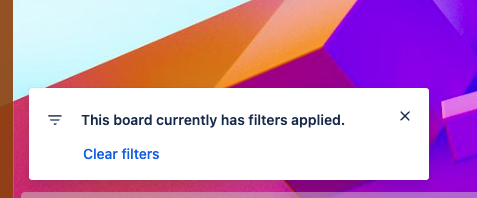

🎃 Be on the look out for this new feature being rolled out to all users the rest of October 🎃
🌮 Taco Tip #1: Are you collaborating on a large board with lots of cards? Hit ‘Q' on your keyboard to activate 'Quiet' mode. This will filter the board to only display the cards you’re a member of. This shortcut streamlines your view and allows you to focus more efficiently on your tasks.
🌮 Taco Tip #2: Want a fast way to tally up the total number of cards in each list? Simply click on filters and enter '*' as a keyword.
Questions or concerns? Feel free to comment on this post below👇 or reach out to our awesome Trello Support team.


