Mikes Trello Tips - 🧮 Round Custom Field Number Up⬆️ or Down ⬇️
This is a very quick article showing how to round a number up or down in Trello using automations and regex.
For this to make sense, please first read the article above!! ☝🏽
This simple example is just for rounding up to a whole number but you could do it for decimal points also by modifying the automations similar to the examples given in the guide above.
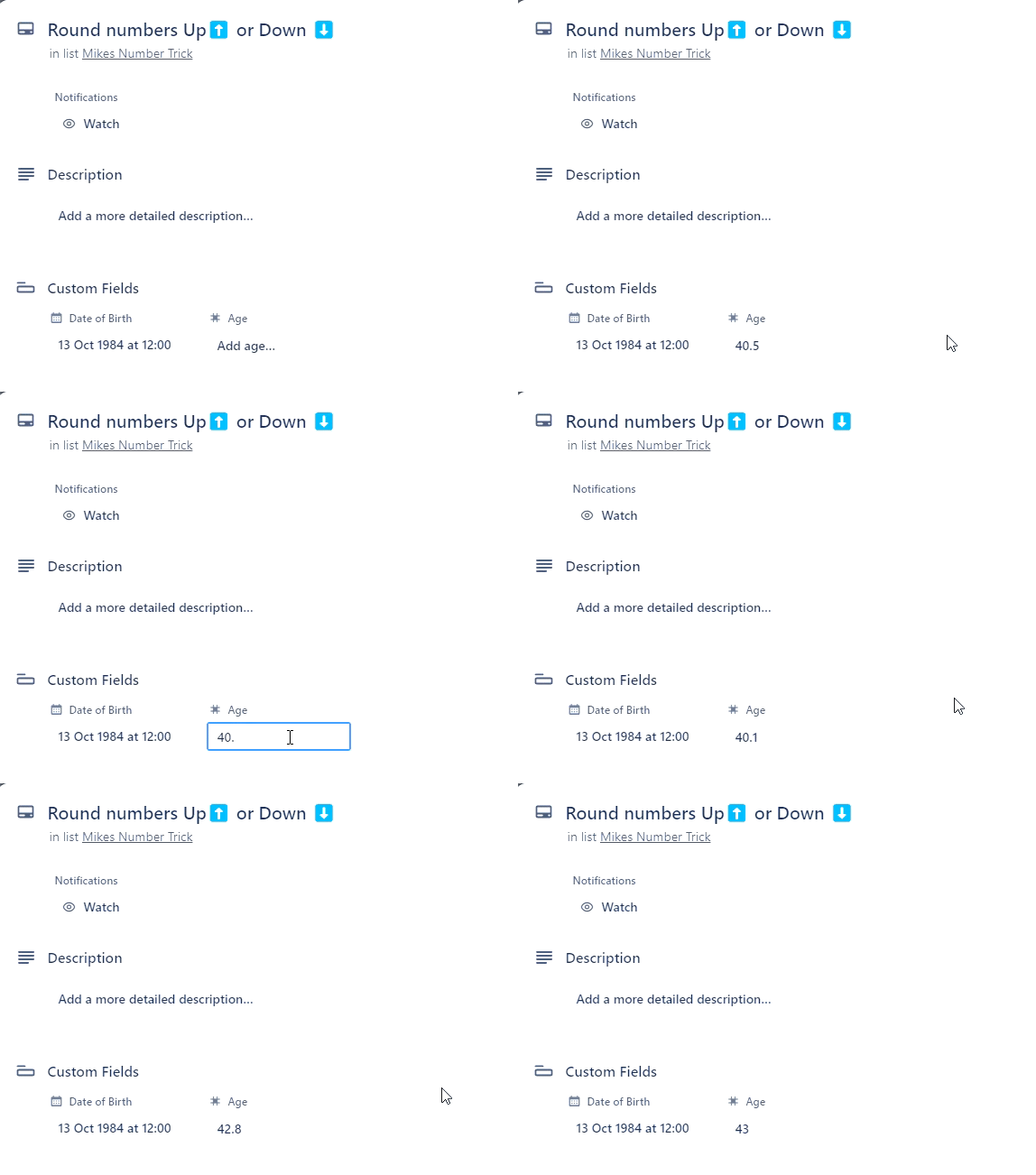
What we are doing
- Matching the before the decimal place:
40.12345
- Matching if the number after the decimal place
- If it matches 0-4
40.12345
- If it matches 5-9
40.5678
- If it matches:
- 0-4: Set the field to the 40
- 5-9: Set the field to 40+1
Now, the Automations:
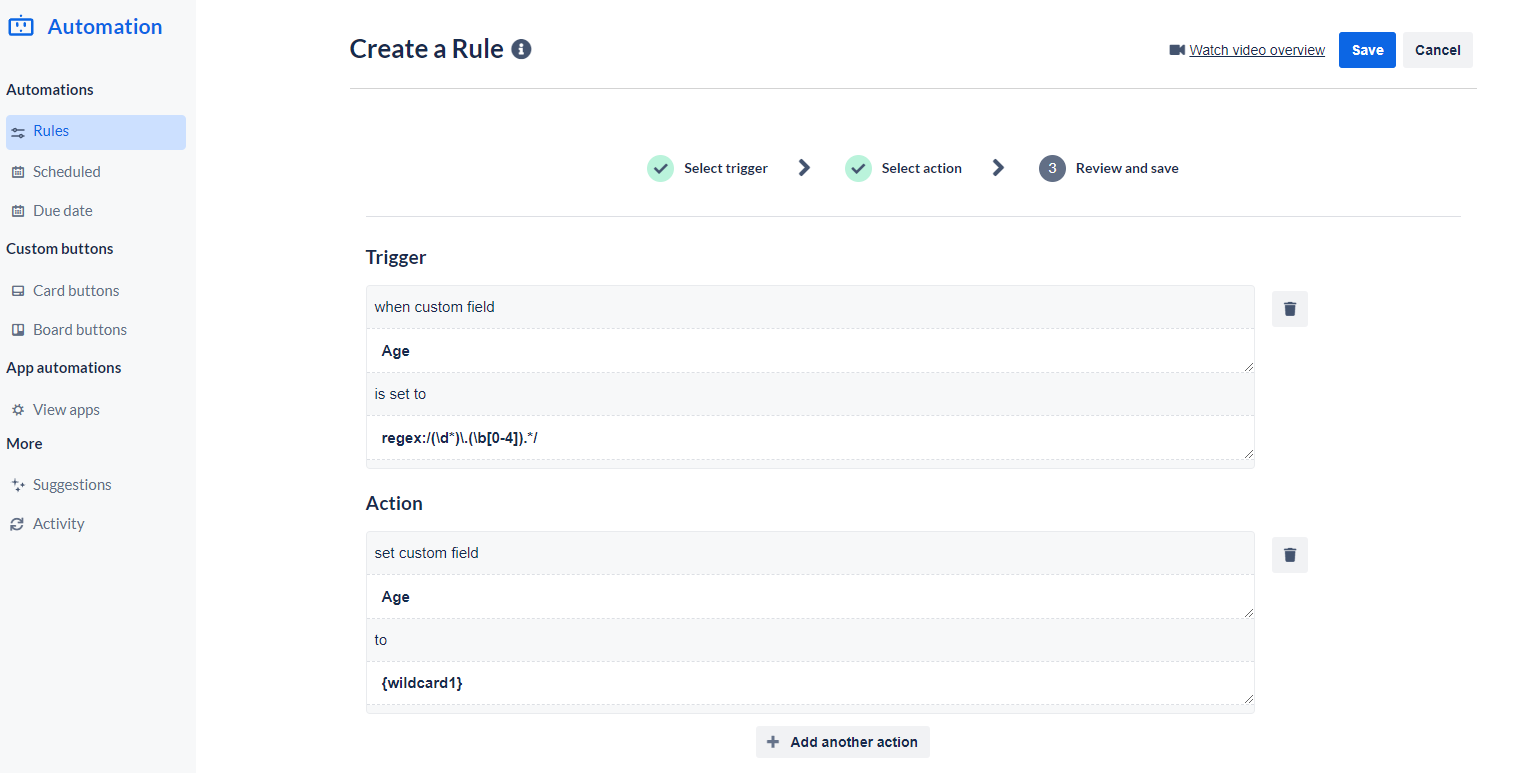
Automation 1
when custom field "Age" is set to "regex:/(\d*)\.(\b[0-4]).*/", set custom field "Age" to "{wildcard1}"
Automation 2
when custom field "Age" is set to "regex:/(\d*)\.(\b[5-9]).*/", set custom field "Age" to "{wildcard1} +1"


