Hey y’all! I’m Erika, a product marketer on Trello 😎 I’m thrilled to announce we have several AI beta features ready for Trello Standard and Premium users to activate 🎉
This means that the option for Trello admins to enable Atlassian Intelligence (AI) features is now available across Atlassian Cloud sites. Right now, the following features are available in Trello card’s description and comments editor sections—read on to learn more! ⤵️
-
Generate, summarize, and improve spelling and grammar of your content
-
Brainstorm new content based on topics you provide
-
Find and insert action items onto your card based on content
How do I get started?
Trello admins can enable Atlassian Intelligence in Trello with three easy steps:
-
Navigate to your Trello Workspace settings
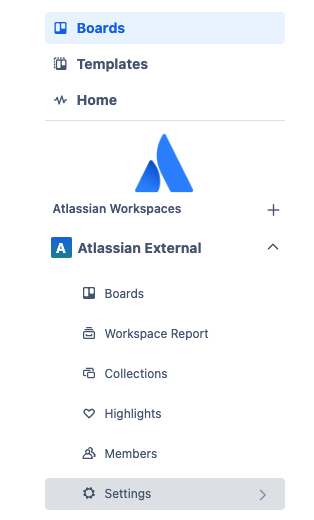
-
Locate the Atlassian Intelligence - Beta section and toggle the button to activate Atlassian Intelligence for Trello. Once enabled, every user in your Trello Workspace now has access to Atlassian Intelligence!
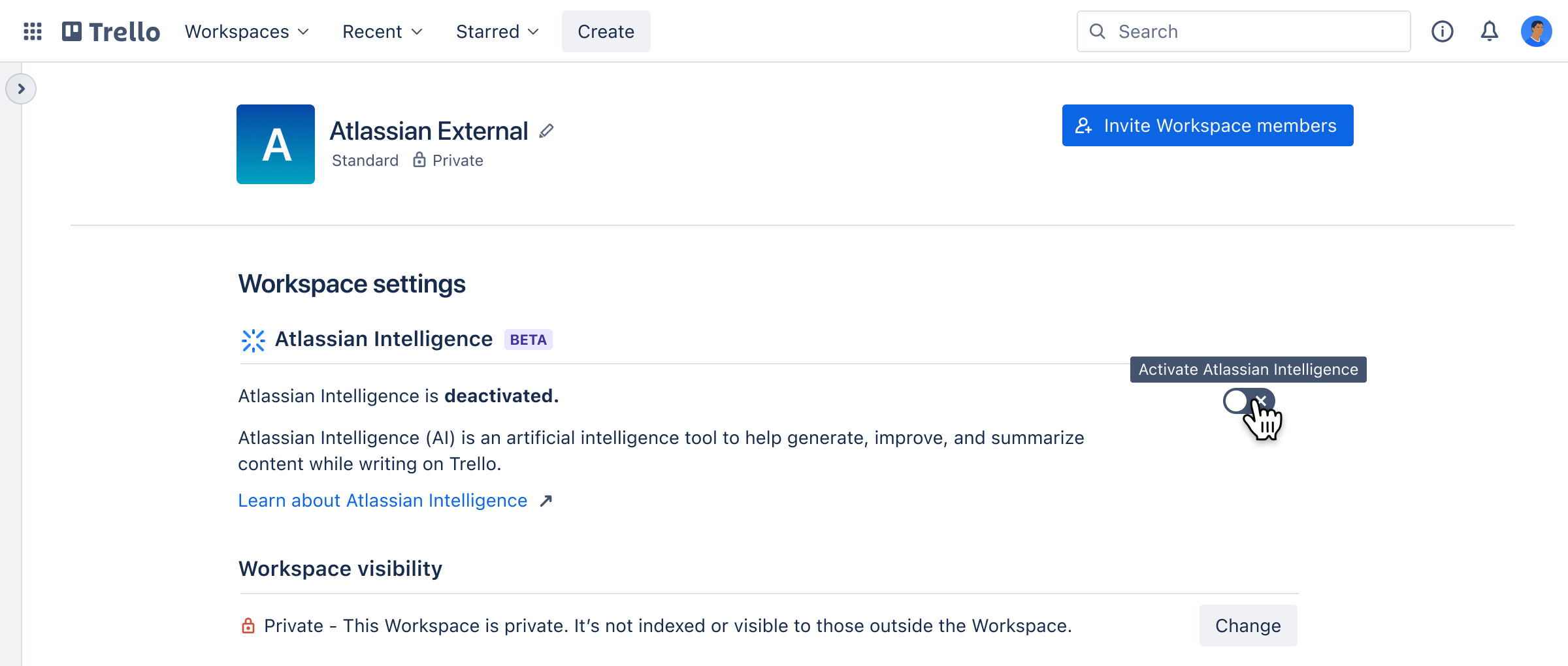
-
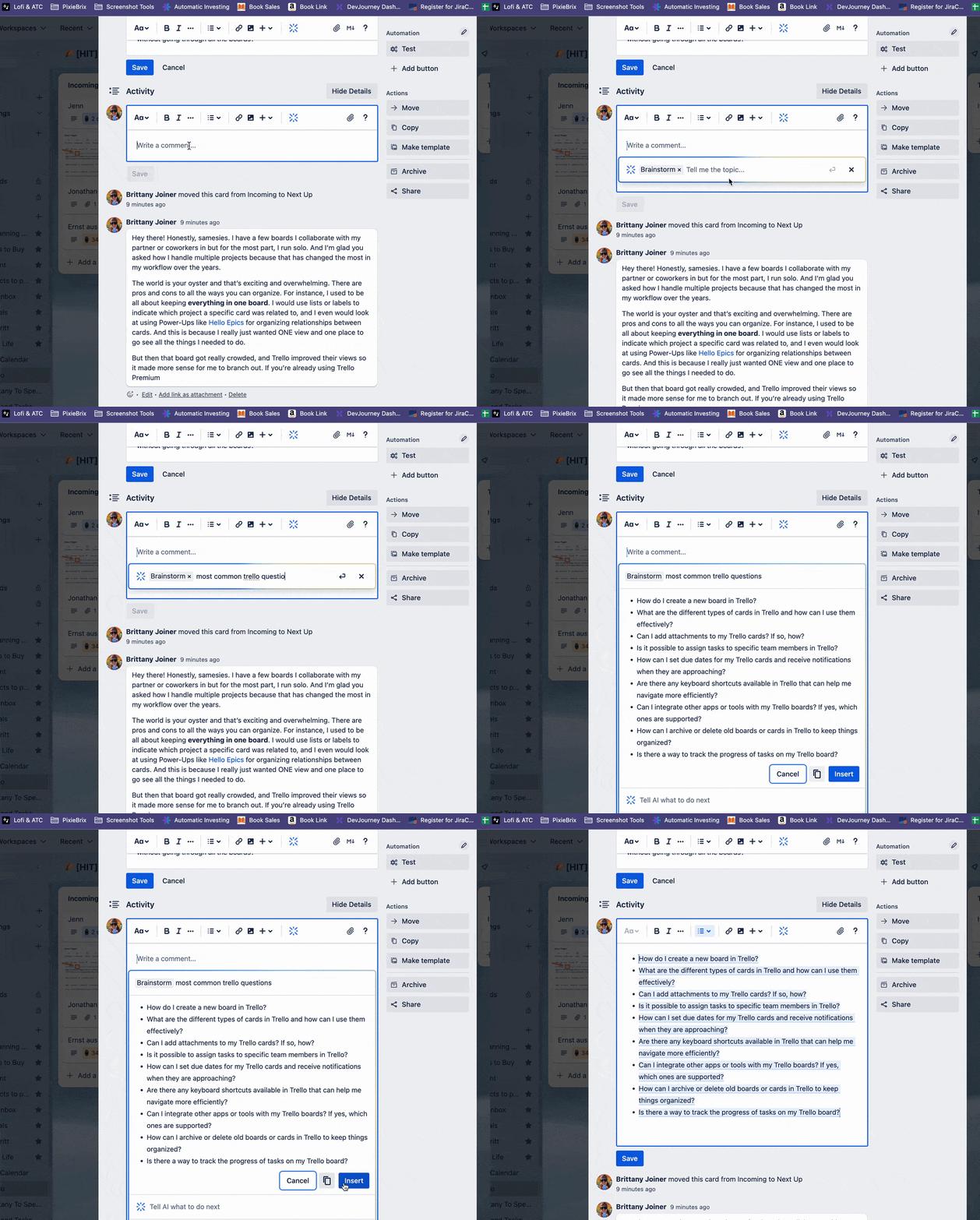
Use Atlassian Intelligence by clicking on the blue Atlassian Intelligence button or by typing /ai when editing Trello cards.
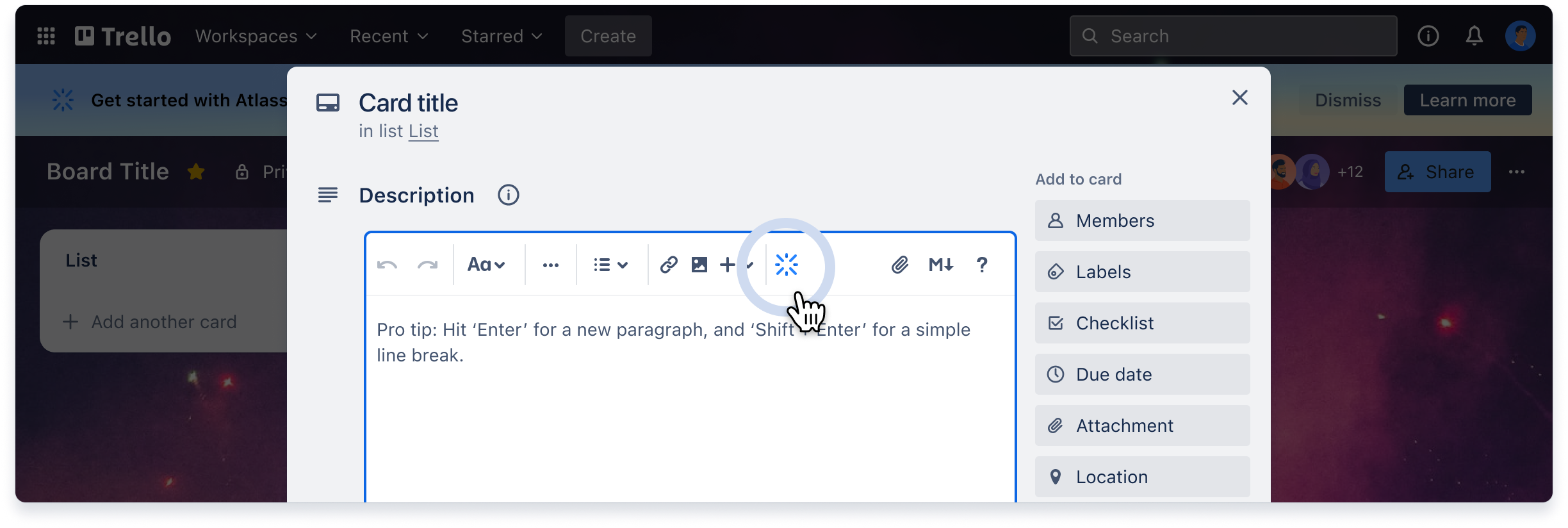
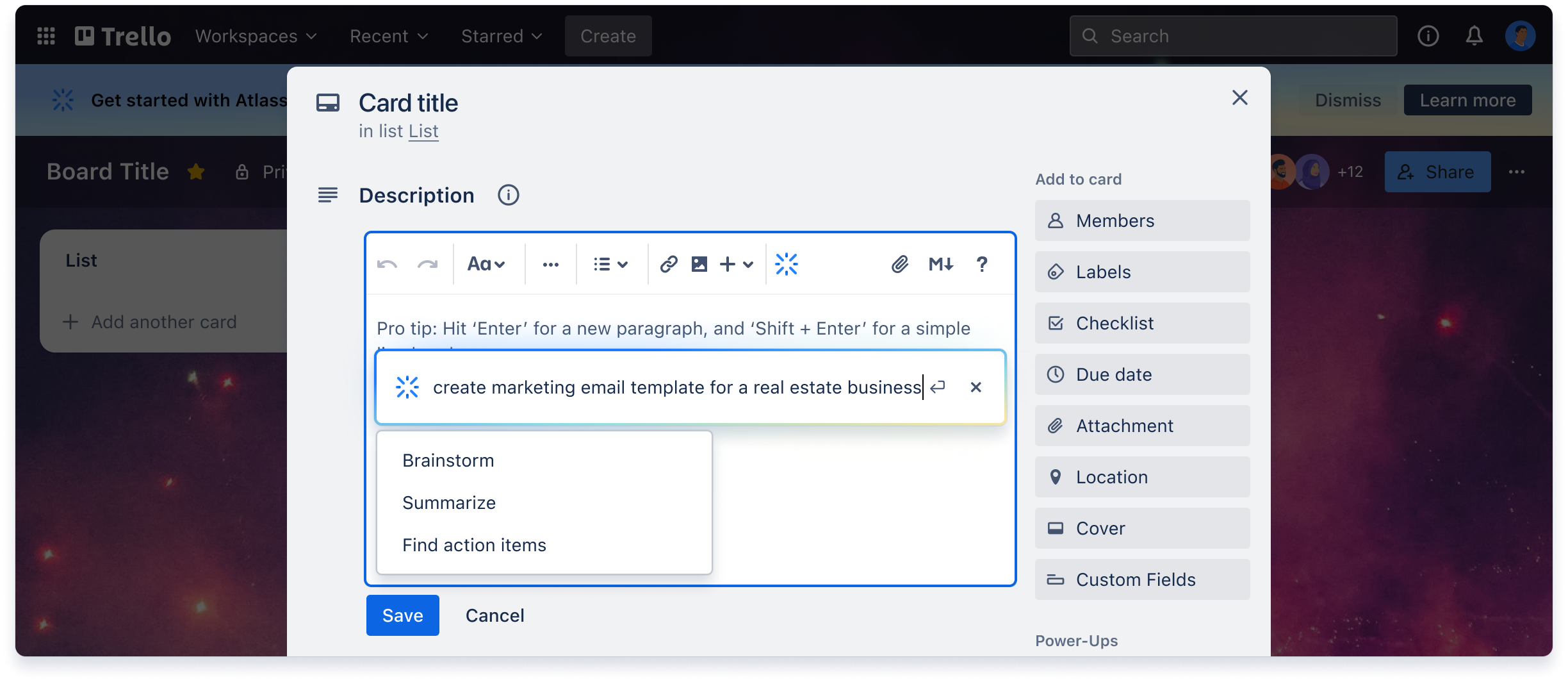
And voilà! You're up and running using AI in Trello 🪄 Check out this cool gif of @Brittany Joiner below trying the new feature in her card's comments section and this Trello support doc for more info!
Top ways Trellists can use Atlassian Intelligence features
-
Make your writing more concise and readable, summarize long-winded content, clean up writing, fix grammar, or change tone, depending on your audience
-
Kickstart your creativity: generate new ideas and suggestions quickly for any given prompt / scenario
-
Find action items: so you can create a plan of action, next steps, or checklist
Looking for AI features in other Atlassian products? 🤔
You can also use all AI features in Confluence, Jira Software, Jira Work Management, and Jira Service Management, and Bitbucket.
How it helps Confluence and Jira teams:
-
Generate, transform, and summarize content while you’re writing
-
Ask any question in the search bar and get relevant, contextual answers
-
Boost efficiency by more quickly writing user stories, updating issues, and responses
-
Communicate more clearly with stakeholders by adjusting your writing tone
-
Improve alignment by summarizing roadblocks, decisions, and outcomes
-
Search for issues in Jira Software using everyday language
See it in action:
Atlassian Intelligence is built for trust
Atlassian takes your privacy seriously, and we work together to handle your data responsibly. Our Privacy Principles and Privacy Policy are applied to Atlassian Intelligence. Additionally, in building, deploying and using Atlassian Intelligence, Atlassian is guided by its Responsible Technology Principles.
As users of our own products, we’re truly building the products and privacy protections we want to work within. Still have questions? Learn even more by visiting our trust center.
How can I share my feedback?
You can ask questions and share feedback in a couple of ways:
-
If you come across any inappropriate responses, please use the 👍 👎 buttons and leave us feedback directly in the product to flag them for our team.
-
Comment or ask questions in this post
-
Request to join the dedicated Atlassian Intelligence Community group and share your feedback directly
-
From time to time, we’ll also host AMAs and reach out for feedback in this Community group
You can also reach out to https://trello.com/contact and provide our awesome Trello Support team with feedback on this feature. As we continue to develop and iron out kinks, we’re eager to hear all you have to say about how you find Atlassian Intelligence features.
Cheers,
The Atlassian Intelligence team


