Quick summary
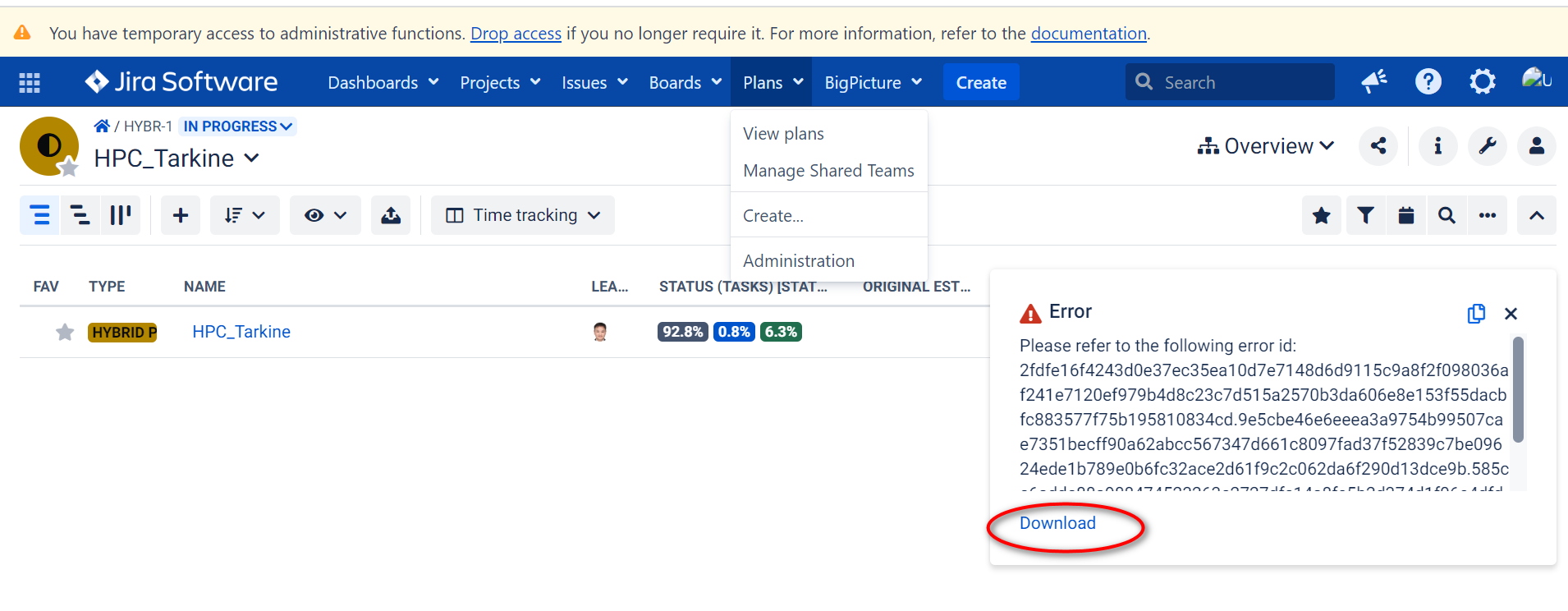
Click on the "Export" icon on a project of BigPicture to start. , the Export feature doesn't work and result in "Please refer to the following error id: 2fdfe16f4243d0e37ec35ea10d7e7..." message.
Steps to reproduce
- Open a Project on BigPicture
- Click on the "Export" icon to start.
A pop up box asks to select the "File type"
When ready, click on the "Export" button.
What actually happened
"Please refer to the following error id: 2fdfe16f4243d0e37ec35ea10d7e7..." message is displayed in top right corner.
I also downloaded the log but it can't be attached to here.