Hi everyone,
As many of you have noticed we took a few shortcuts to ship the ability for contributors (free users) to create ideas. Creators and contributors were getting different experiences, these experiences were not all supporting Jira Product Discovery fields the same way, etc.
We've simplified all this into a single, easy to understand, easy to use experience.
As a creator or contributor, you can now just click here:
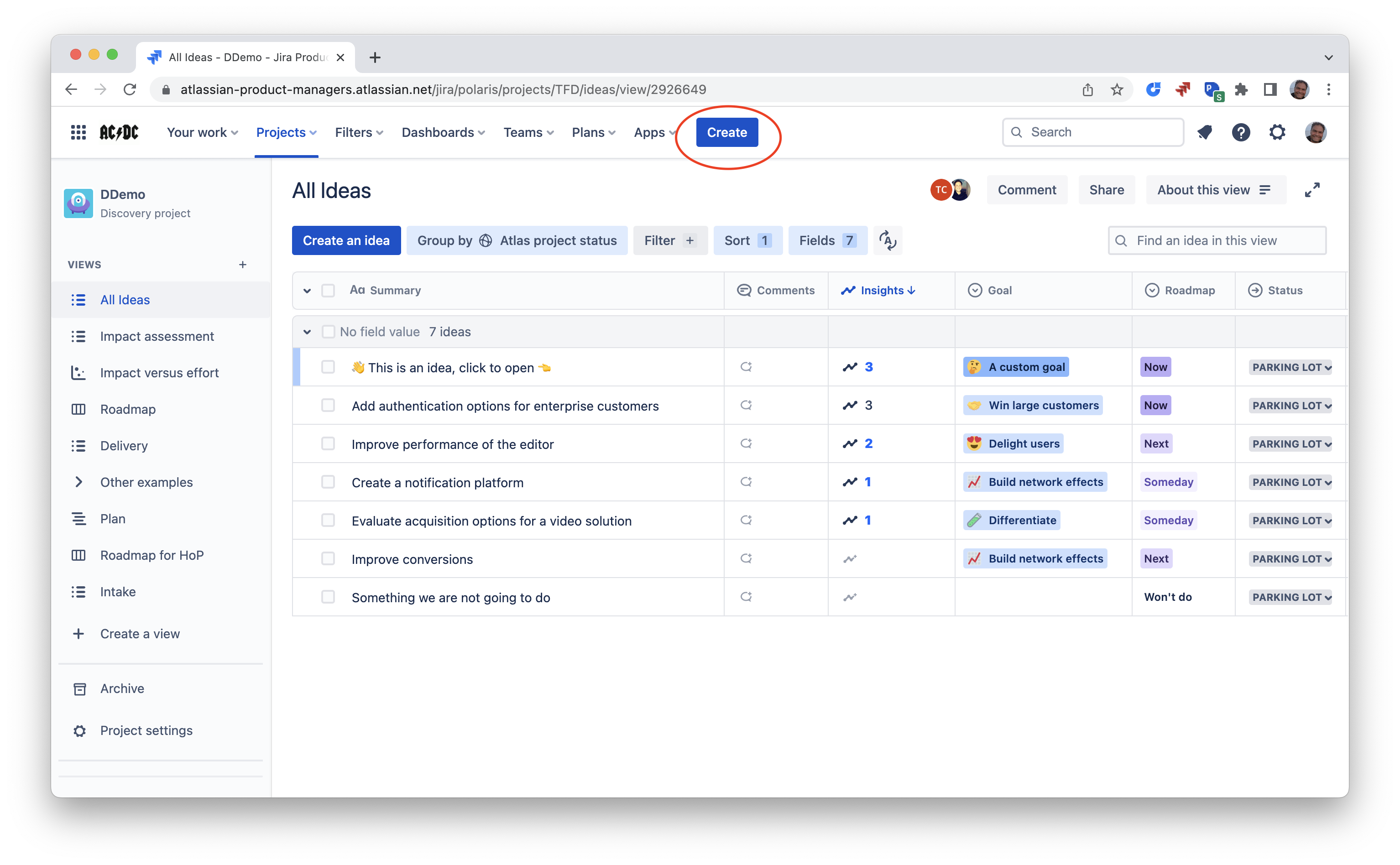
And it opens a form:
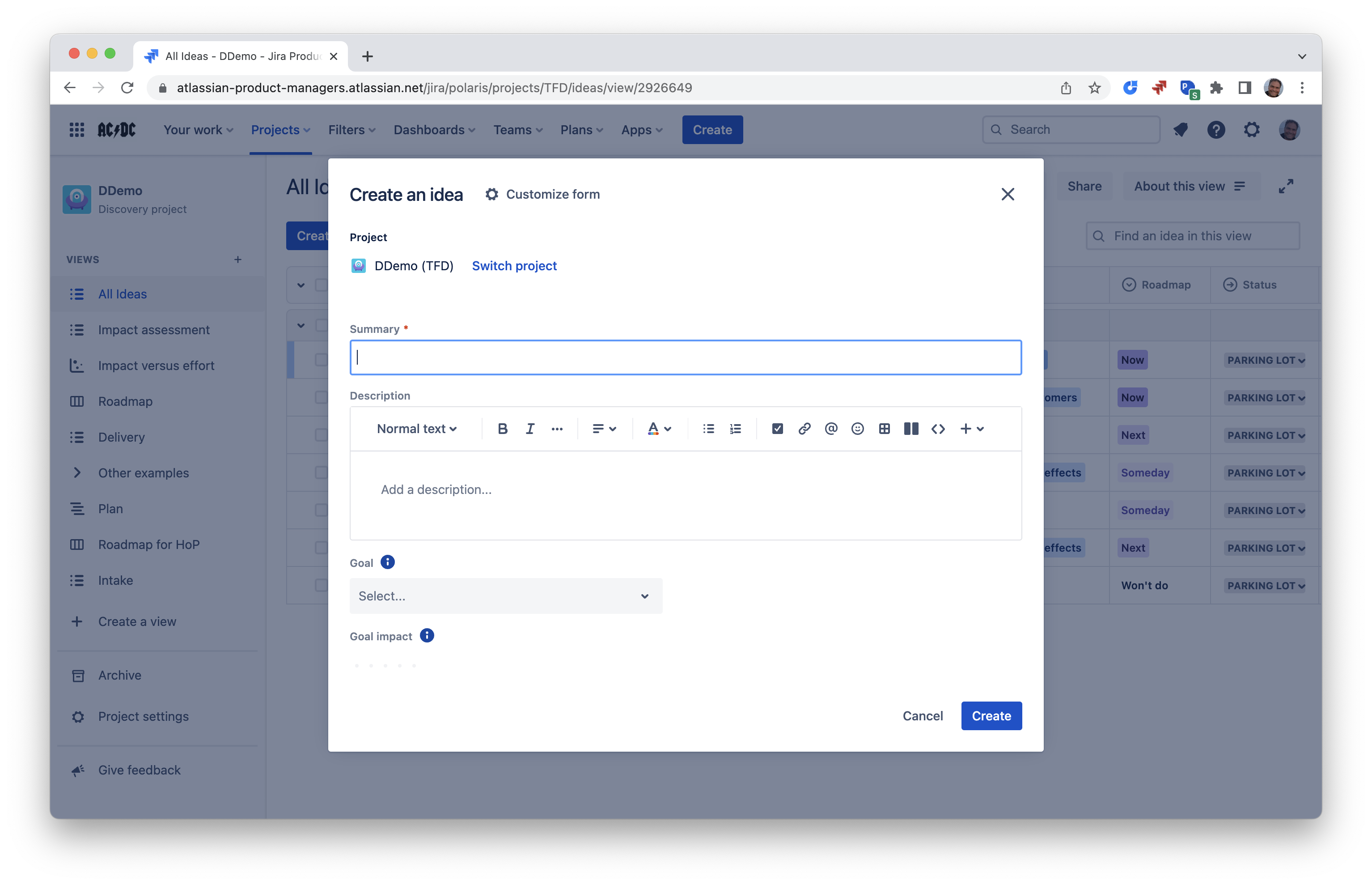
You can customize this form in Project settings:
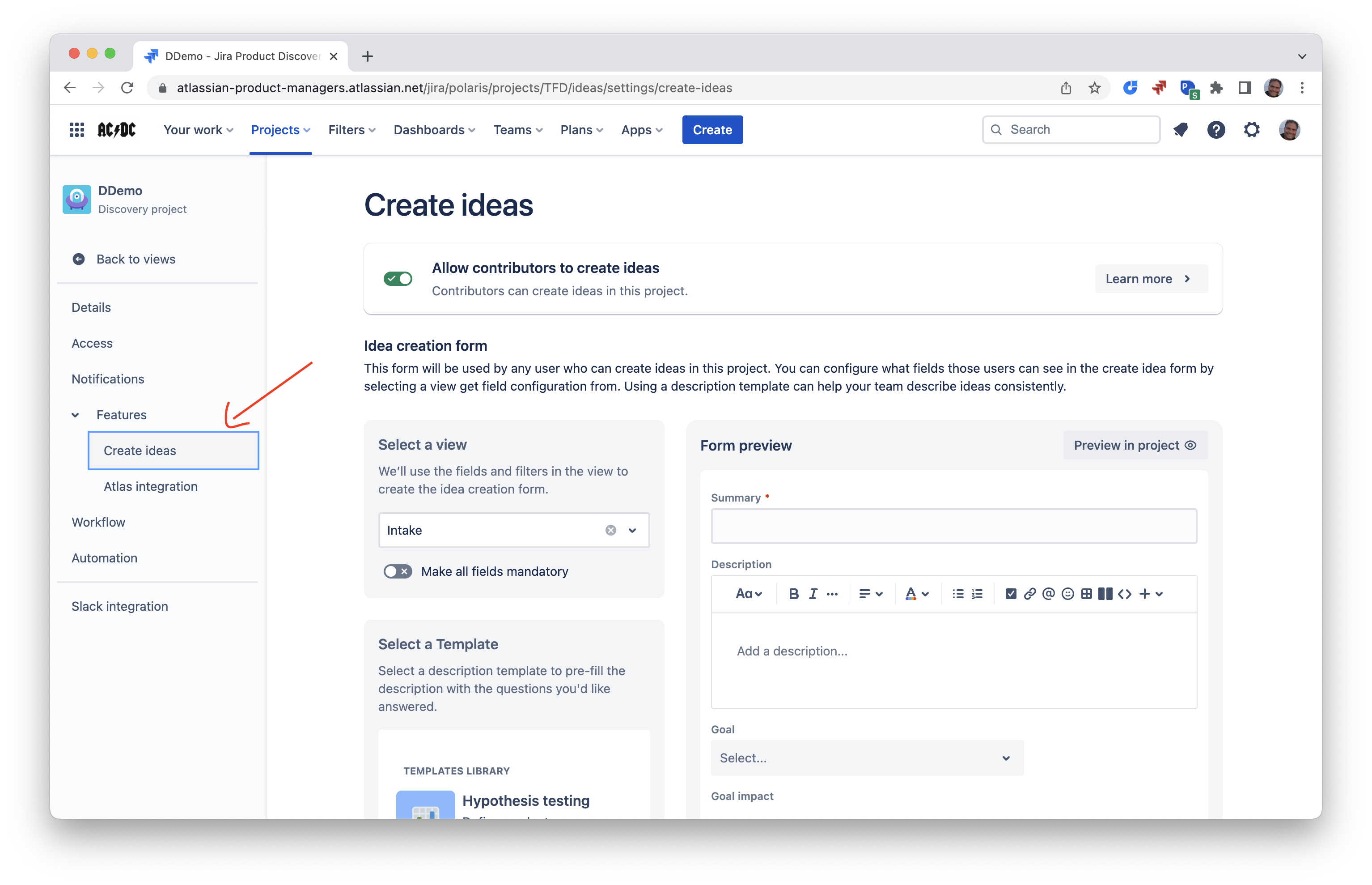
There are a few configuration options:
- You can turn this on or off for contributors on the project. If turned off, only creators will be able to create ideas this way
- You can choose an idea description template, to ask people to provide more when they create ideas
- You can customize the list of fields that appear on the form. In order to do that:
- First, create a view and add fields to it
- Finally, select this view in the Features > Create ideas screen
- Optionally, you can also configure filters in the view to automatically set field values for new ideas created this way
For more details, quick demo:
Cheers,
Tanguy and the Jira Product Discovery team


