
In this tutorial, we share 3 simple steps on how to find the right smart value syntax for any custom field in your ticket to create complex automation rules.
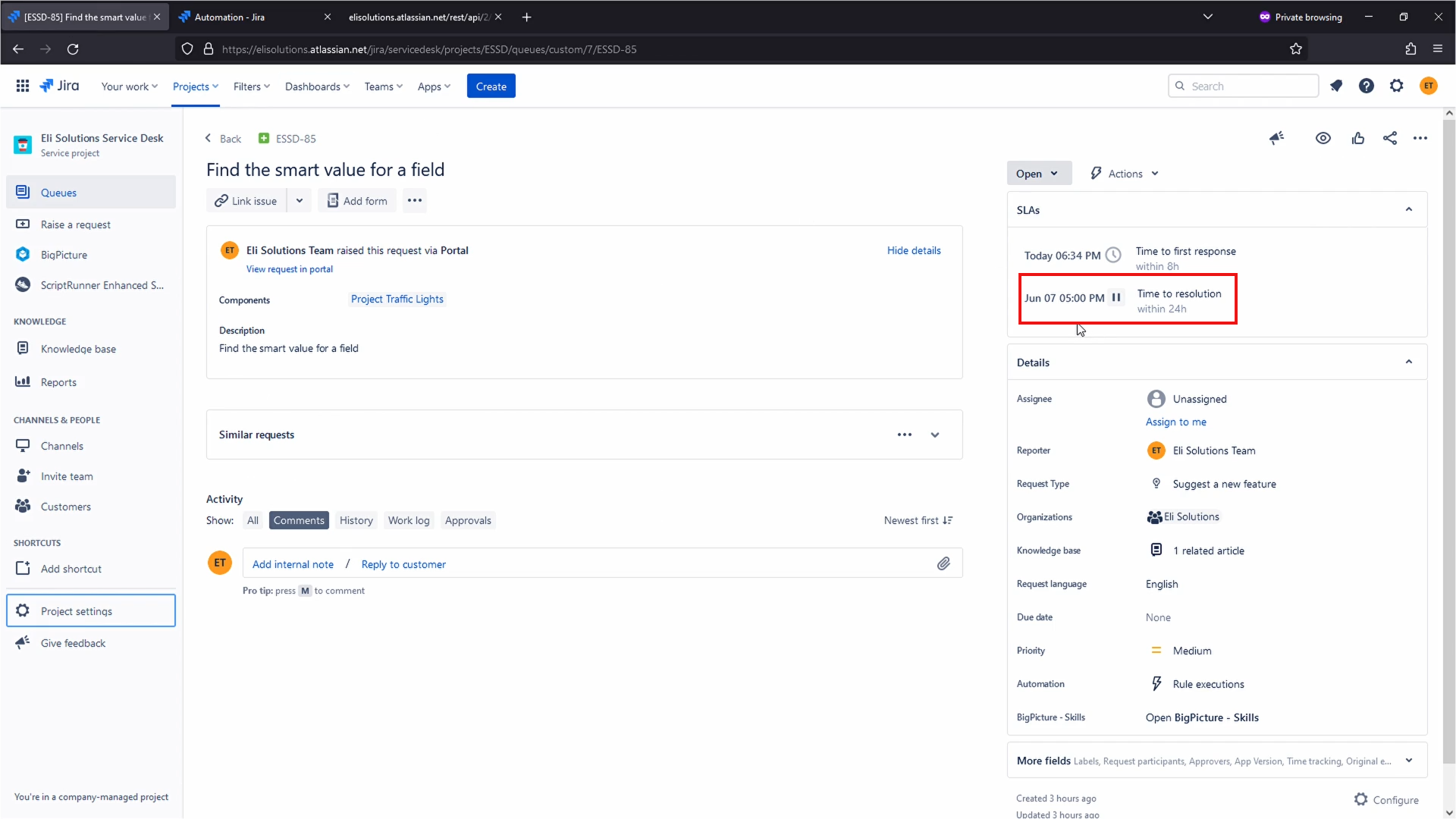
Step 1: Identify which information you would like to capture
- Identify a specific field you want to capture. In this example, it;s the Time to Resolution's SLA Breach Date and Time:
Step 2: View the JSON representation of your issue
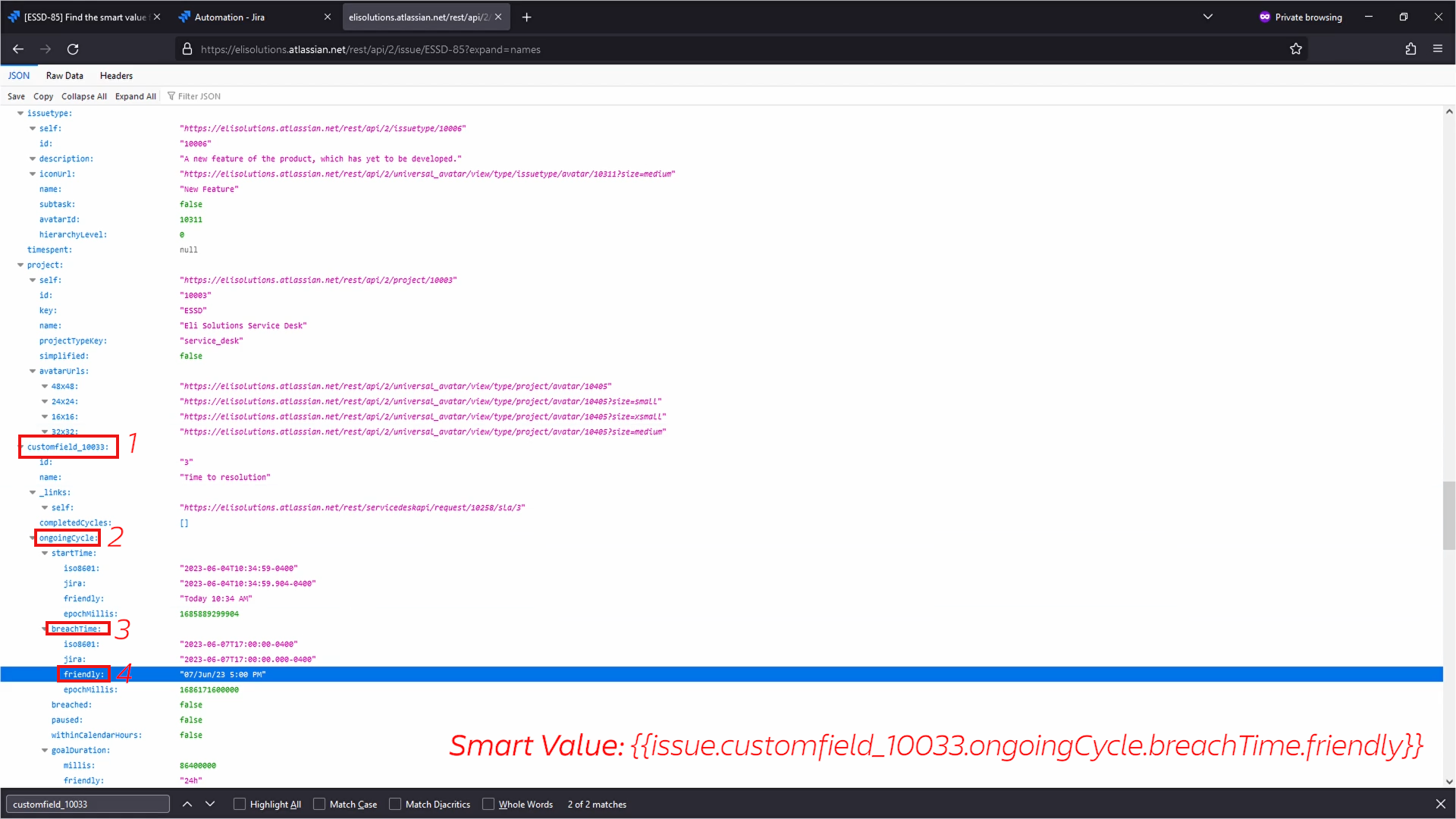
- Smart Value: {{issue.customfield_10033.ongoingCycle.breachTime.friendly}}
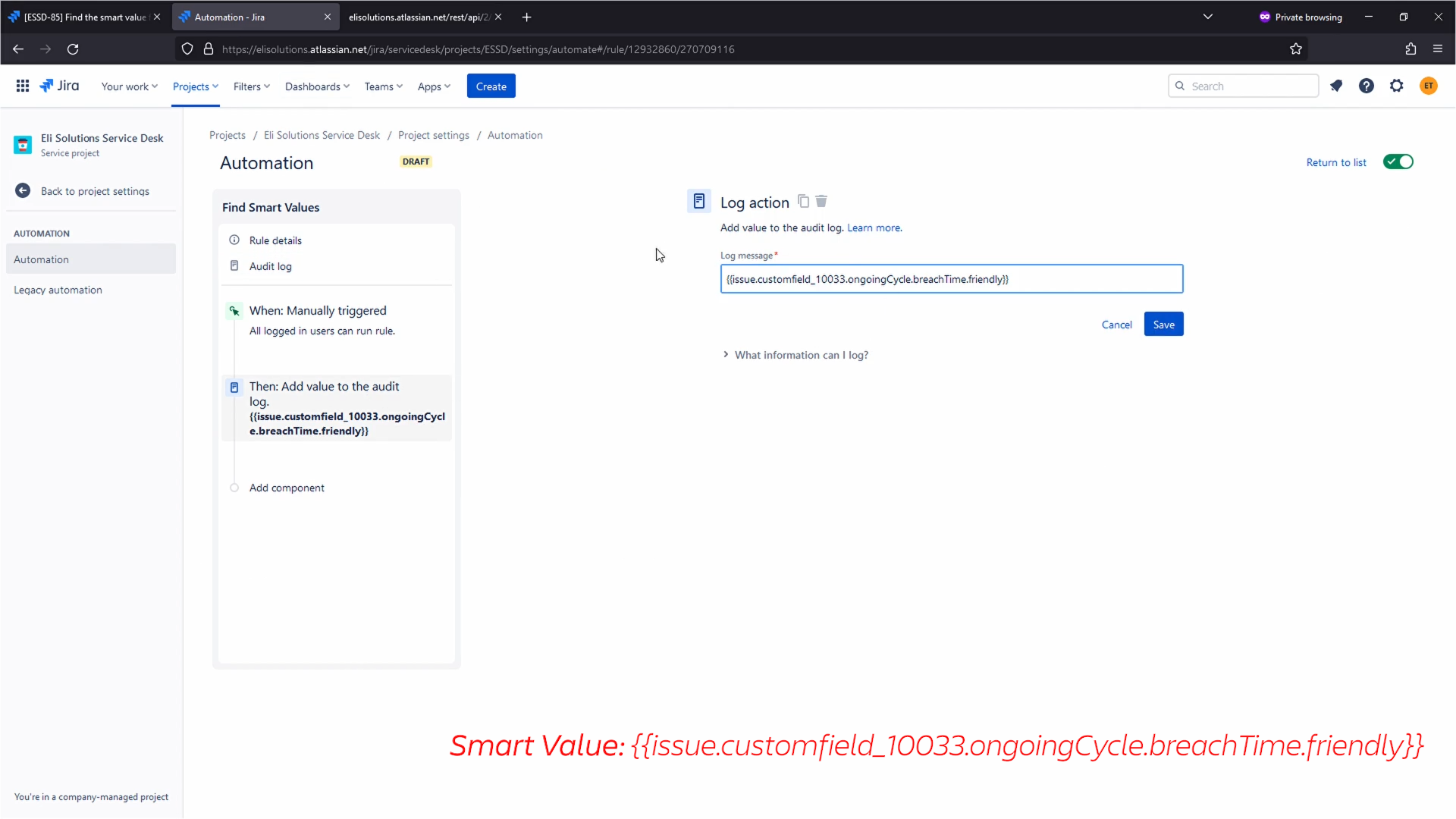
Step 3: Validate with the Log Action
- Use the manual trigger with the Log action to print the smart value
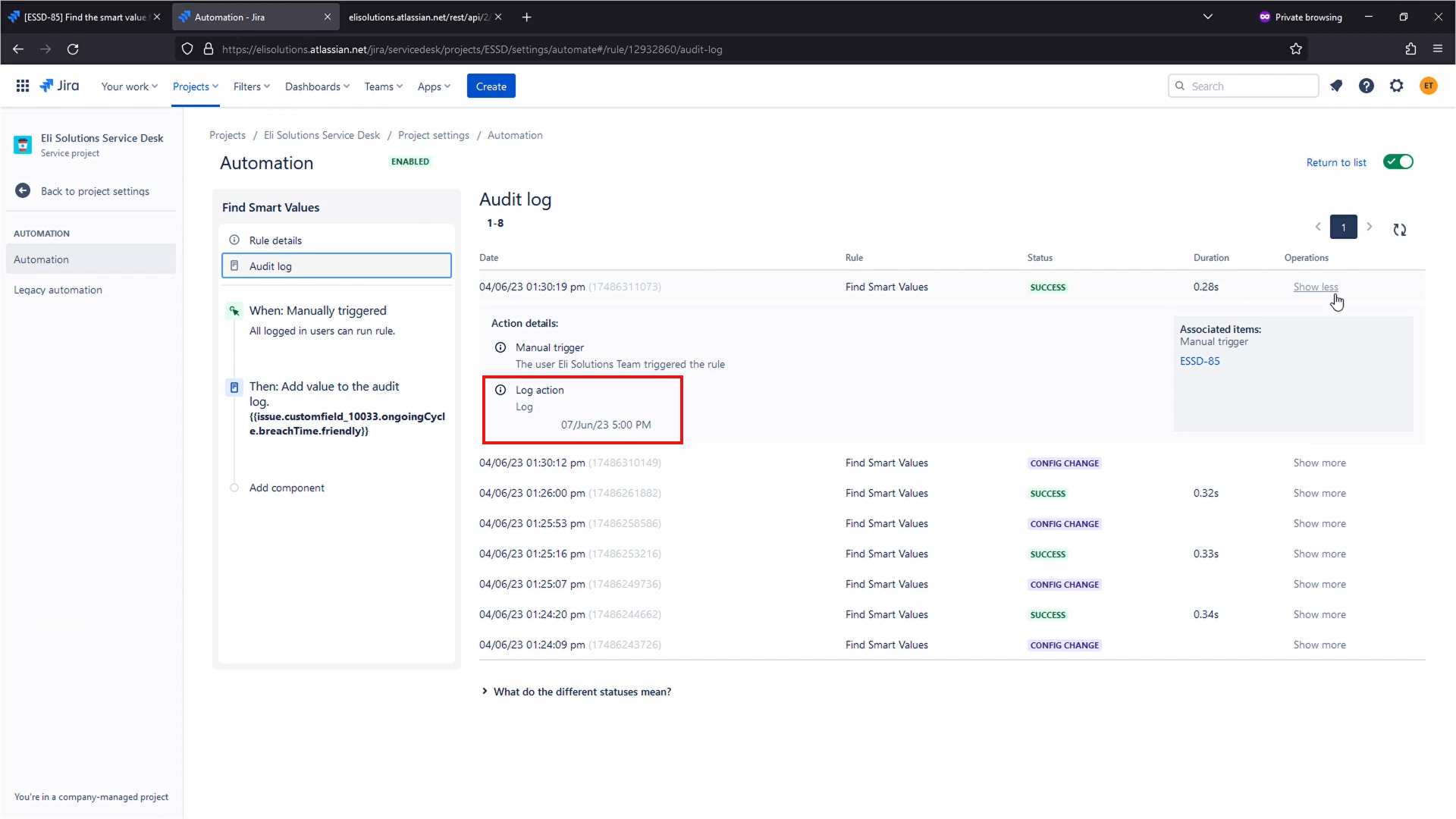
- Execute the rule and go to the audit log
Below is the full video tutorial:
 https://www.youtube.com/watch?v=4pnUWAY-dMQ
Thanks,
Fabian


