It is so dumb that to delete a card i had to archive it first i cant just delete it. Im new at trello and was trying to delete a card, i followed tutorial, it says i must archive first, then go to archived card menu and delete the card there, and so i archived the card, but now i had no idea how the heck to access the archived card menu.
In the official tutorial by atlassian on how to delete card https://support.atlassian.com/trello/docs/archiving-and-deleting-cards/, to go to the archived card menu i must go to "board menu". This is the image of the menu from the tutorial (it was top right of the page)
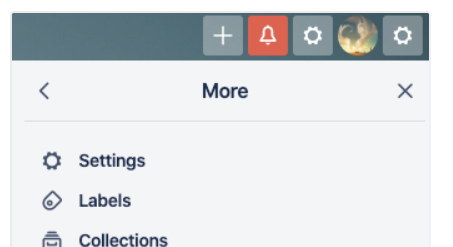
And this is the top right UI of the current trello board page
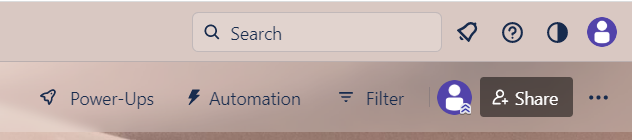
Yes the board menu is not there, and there is not a single button there that shows the board menu like what the tutorials shows. I searched google and some websites says that the board menu button is in the bottom right of the page, this is what the bottom part of the trello page looks like

Yes the board menu is not there either. Judging by the image the tutorial is probably outdated, the devs probably at some point updated the UI but makes no effort to update the tutorial whatsoever. I might be wrong but dont blame me because im already frustrated enough from this.
So straighforward question, can anyone please help me by telling me how to access the archived card menu?


