We’ve received a lot of feedback from users who want to see how work in Jira Software connects to Atlas goals, so teams can stay aligned.
We’re excited to take the first step in this journey, and want to know what you think!
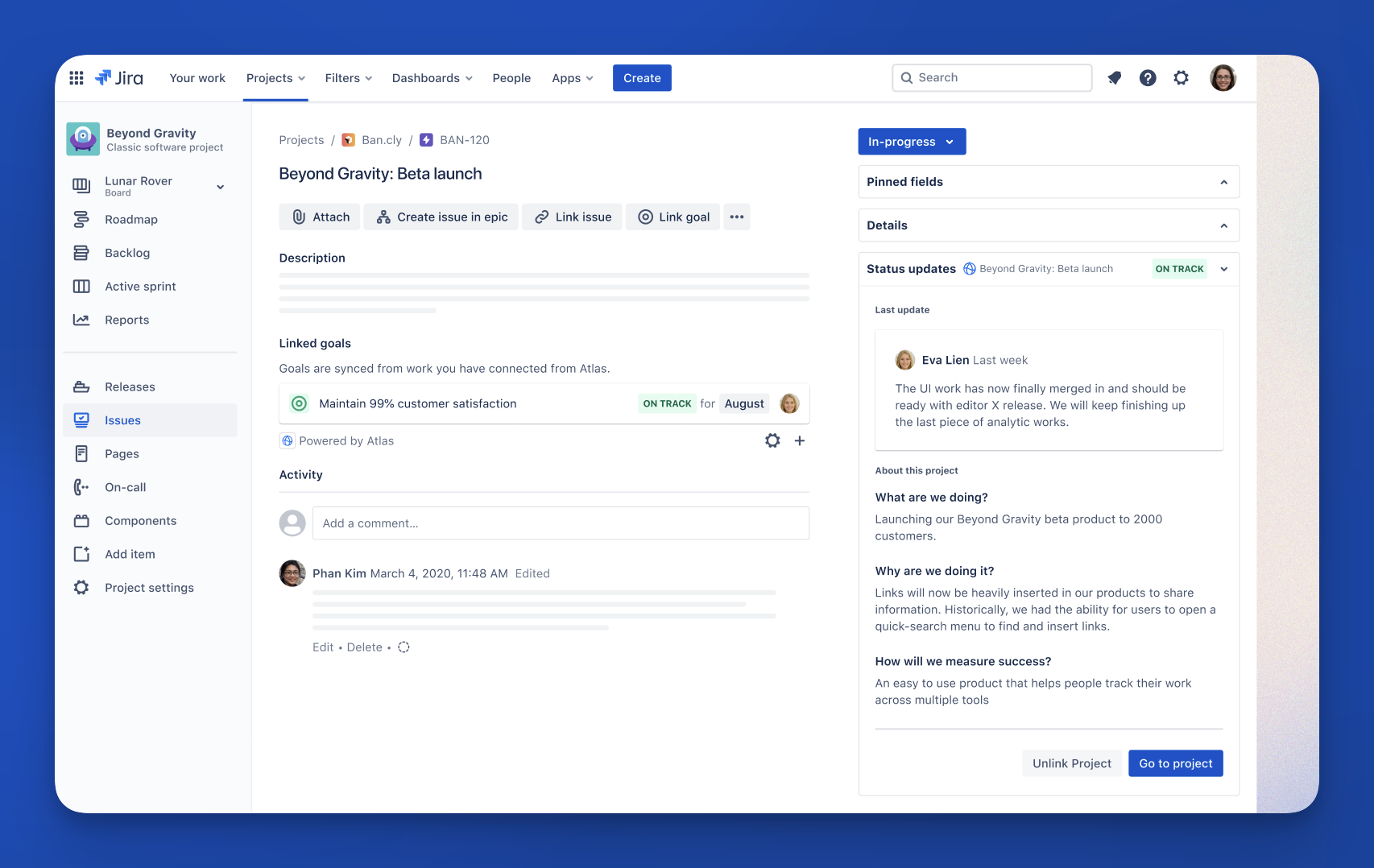
Through our Atlas for Jira Cloud app, goals associated with projects that have been connected to Jira epics will be automatically linked, and visible right from the epic page.
How to try it:
1. Download the Atlas for Jira Cloud app.
2. Find or create a Jira epic, and connect with the relevant project in Atlas, by adding it to the “Where is work tracked” field, and opting to sync it.
3. Ensure the project is linked to a goal.
4. Head over to the Jira epic page, and check out the linked goal from the goal section. You may need to refresh the page first.
Any goals you add to your contributing Atlas project will automatically be synced on an ongoing basis to your Jira Software epic, so your teams will always be kept up to date on the outcomes of their work.
⚠️ Known limitations:
Currently, you can link only Jira epic issues to Atlas projects. We’re looking to support more in the future, so feel free to share what you use, and what the ideal state would be like for you.
✨ More guides and resources:
Coming soon
This is just the first step! Our team is currently working hard on enabling the ability to link an Atlas Goal directly to a Jira Software epic. We’re just so excited about empowering your teams to know the outcomes their work contributes to, that we didn’t want to keep this away from you any longer. Stay tuned for what’s coming soon with goals in Jira!
Let us know what you think! 


