Hi Jira Community 
If you plan and track work across teams and haven’t tried Advanced Roadmaps yet, we have just the right thing to help you get started: Sample Plan!
Introducing Sample Plan
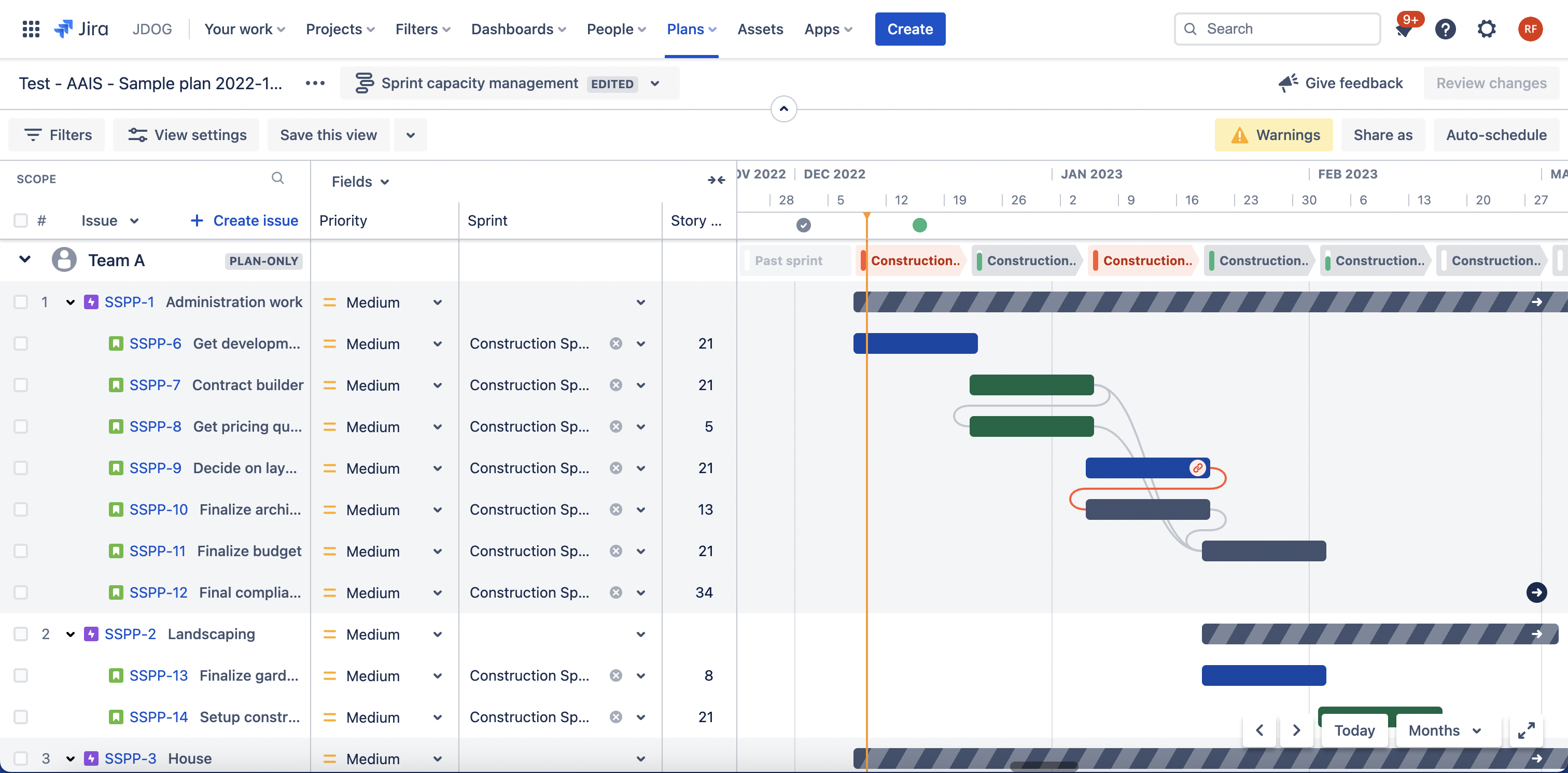
Jira Software Advanced Roadmaps now provides the option to create sample plans using dummy data. This allows you to quickly get an idea of what a fully baked plan looks like and explore all the powerful capabilities of Advanced Roadmaps. Learn how to schedule tasks, map dependencies, and manage capacity – all completely risk-free in your sample plan.
How to create a sample plan
Update 16.1.23:
We fixed the issue related to translations. The feature is fully rolled out! Thank you for your patience 🙏🏼
Note: Sample plans can only be created by Jira Software administrators, but can be viewed by all Advanced Roadmaps users.
-
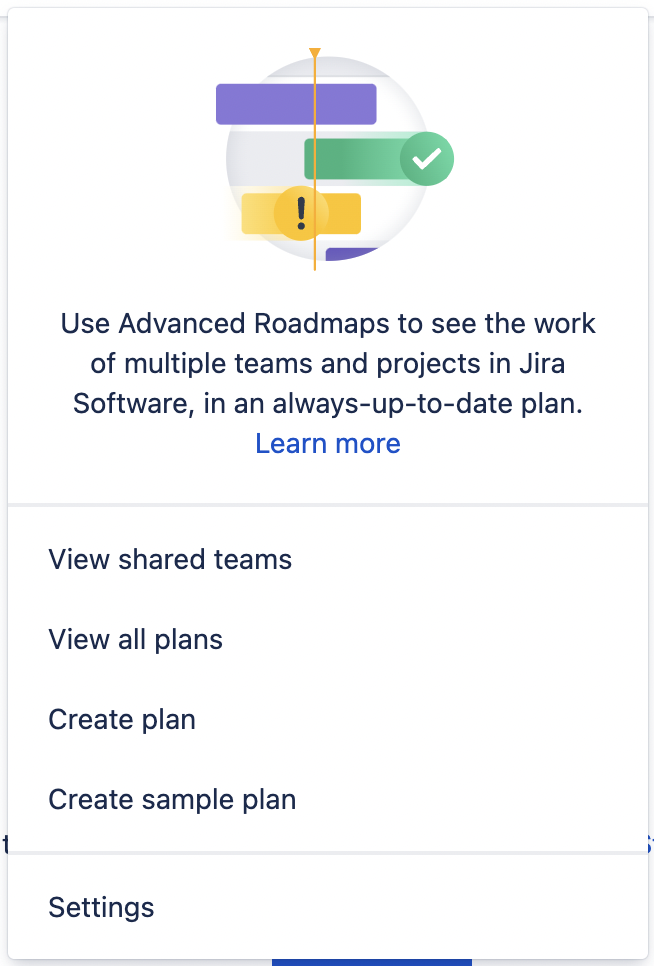
From the navigation at the top of the page, go to Plans > Create sample plan.
-
Give your sample plan a Name. Click Create sample plan.
-
Once your sample plan is created, you will see a notification on the bottom left of your screen. Click Open sample plan to start exploring Advanced Roadmaps!
Let us know what you think
Give Sample Plan a try and share your feedback below so we can continue to improve the Advanced Roadmaps experience. Happy planning!


