Do you have tons of Jira issue requires to be added on confluence then the easiest way to create a report out of Jira. Get an overview of what’s happening and share it with anyone who uses Confluence.
This will help us to avoid:
- Manually updating status data for dev sprints. Now you can update reports with a click. And your stakeholders can see what’s changed in a snapshot. Meaning they can give the green light in minutes.
- Keep your business and tech teams on the same page.
- Multilevel tables with manually of epics, stories, and their subtasks. So you can give customers an impressive overview of what’s happening in Jira. Without inviting them into your team’s private conversations.
Lets understand how to use "Jira Snapshot for confluence build by @RadBee
1. Login in Jira and Navigate to Apps
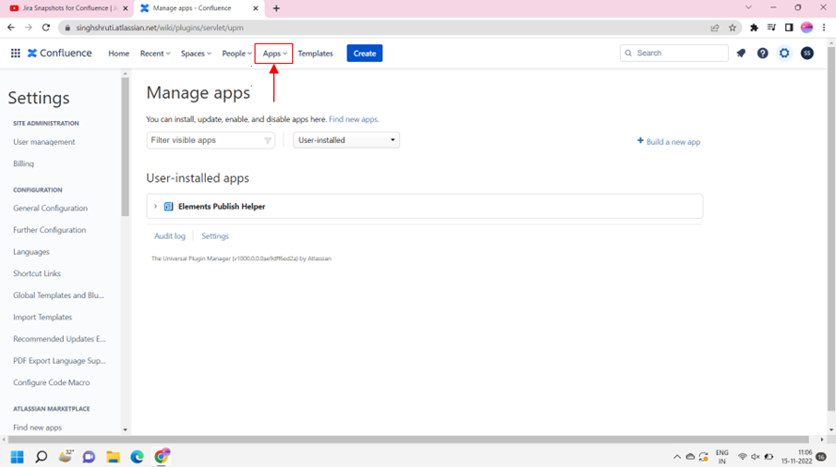
2. Click on Find new Apps and search "Jira snapshot for confluence"

3. Click Try it free

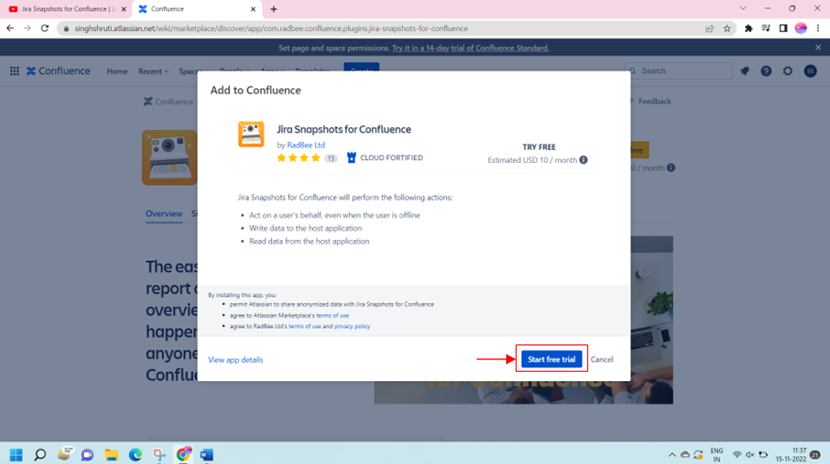
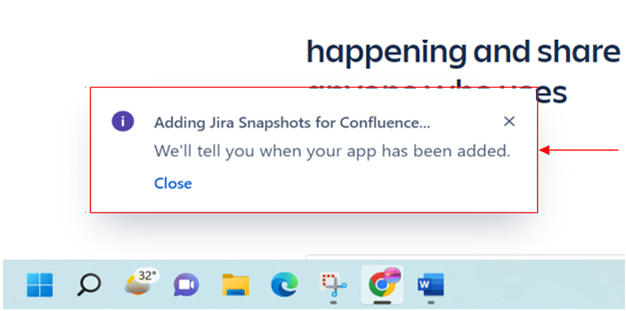
4. Addon Installation is on progress and will see below 2 pop up:
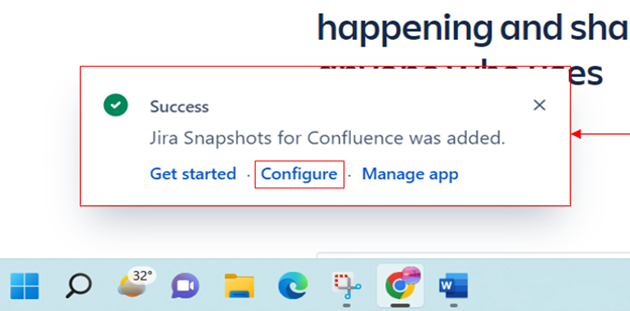
5. Jira Snapshot is added and now we click on Configure option
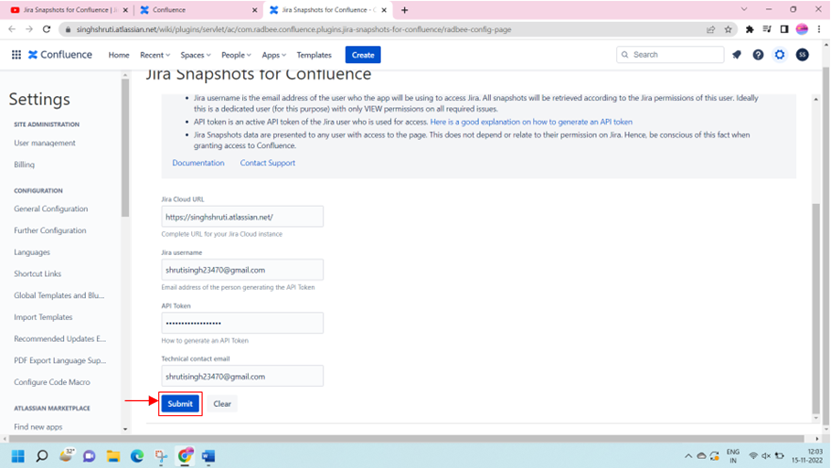
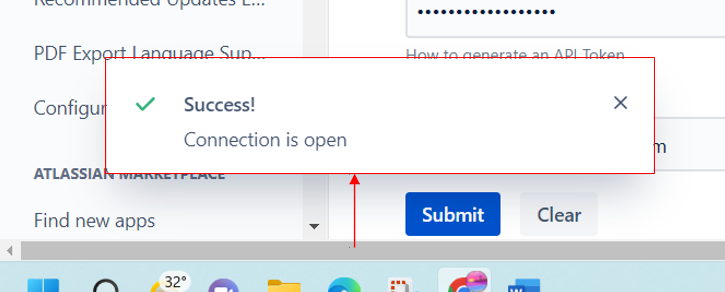
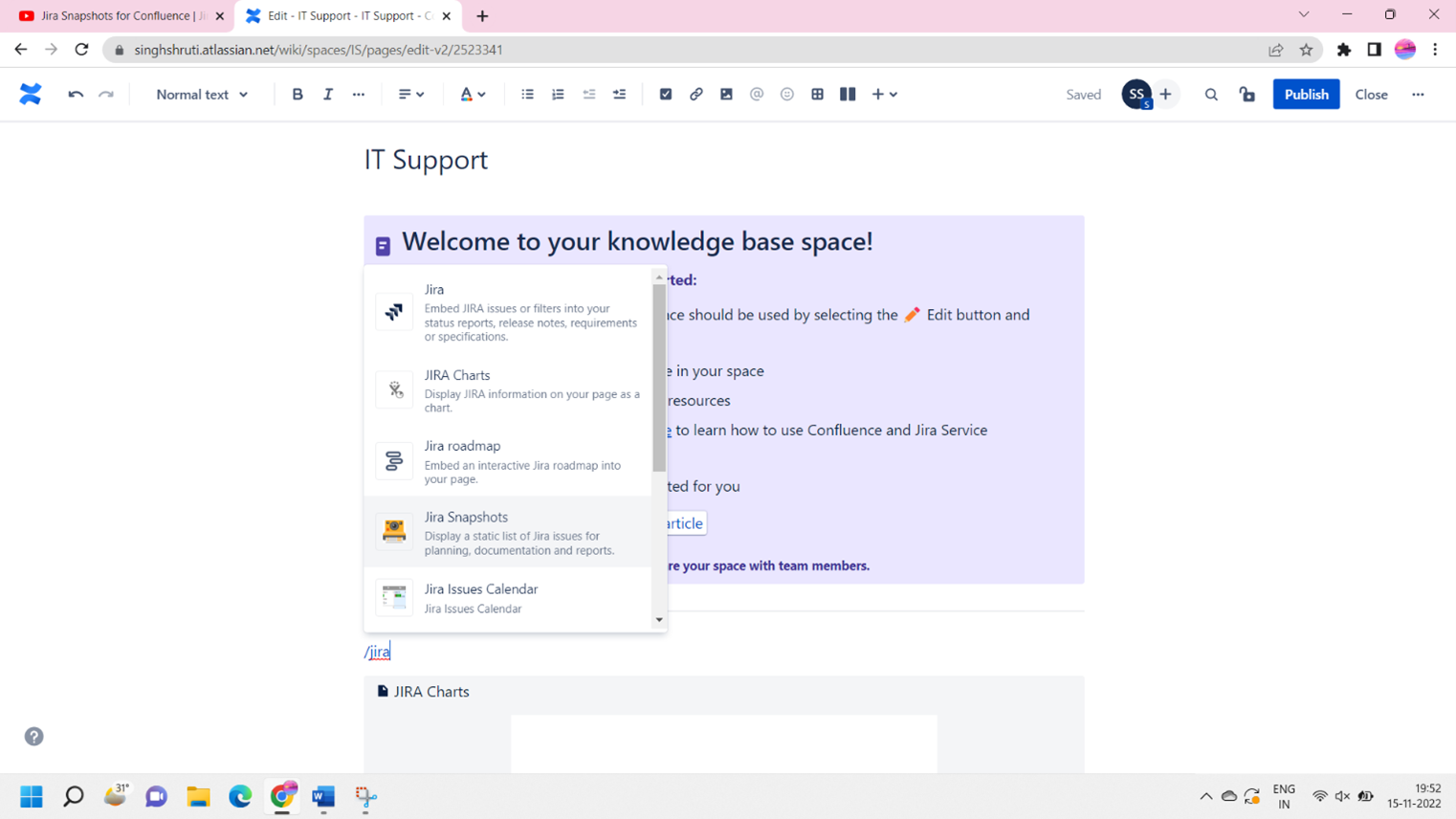
6. Select your personal space and create a new page and start adding jira snapshot macro:
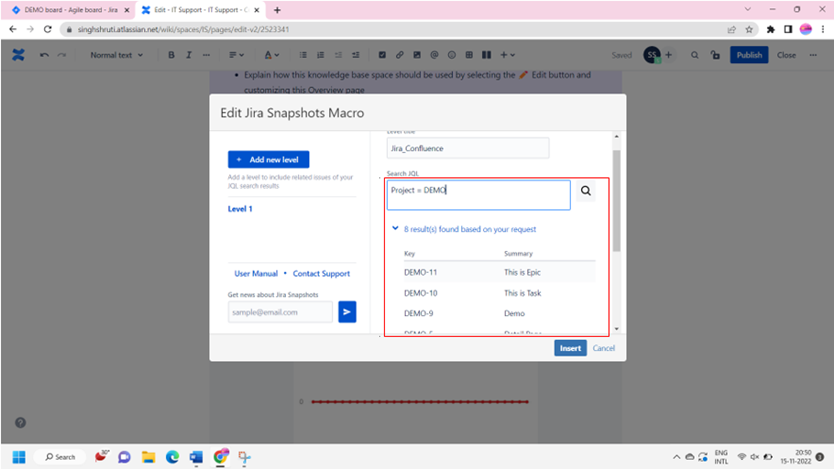
7. Fill the detail and click on search option
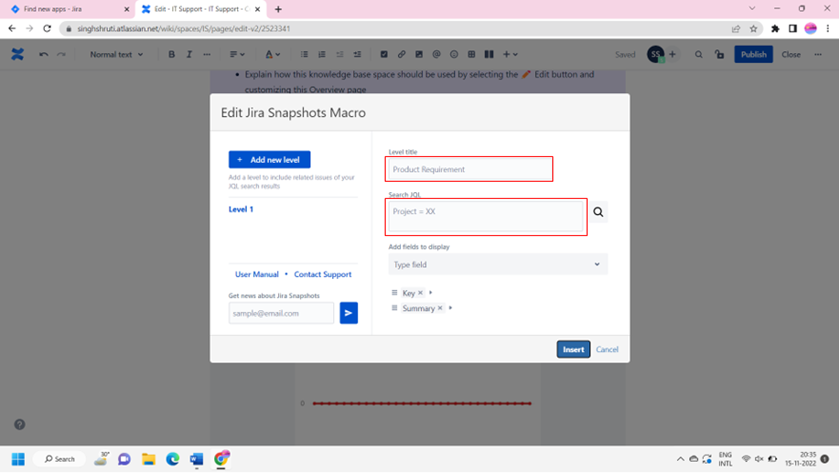
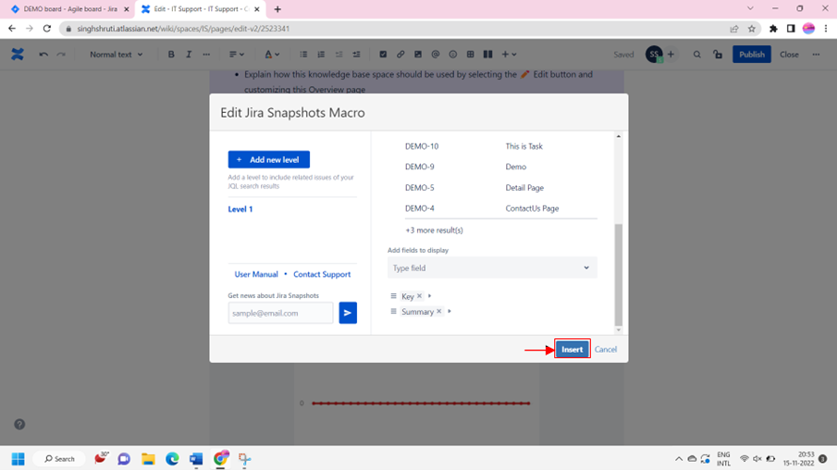
8. Click insert post data is visible
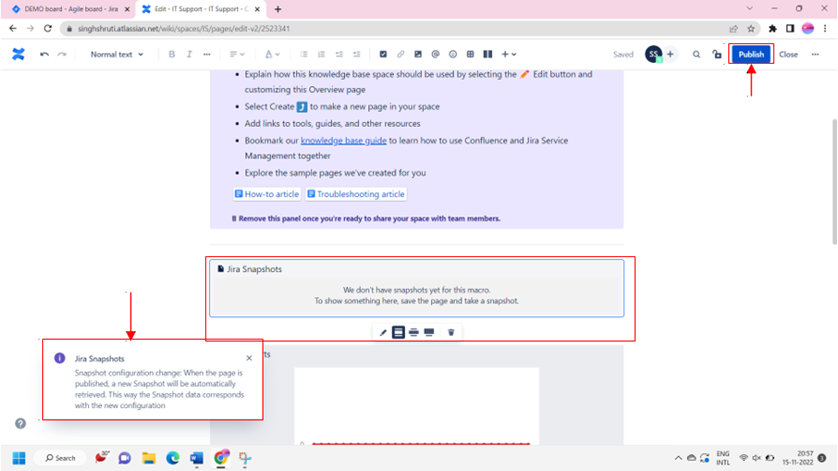
9. Without publishing the page we wont be able to see the snapshot
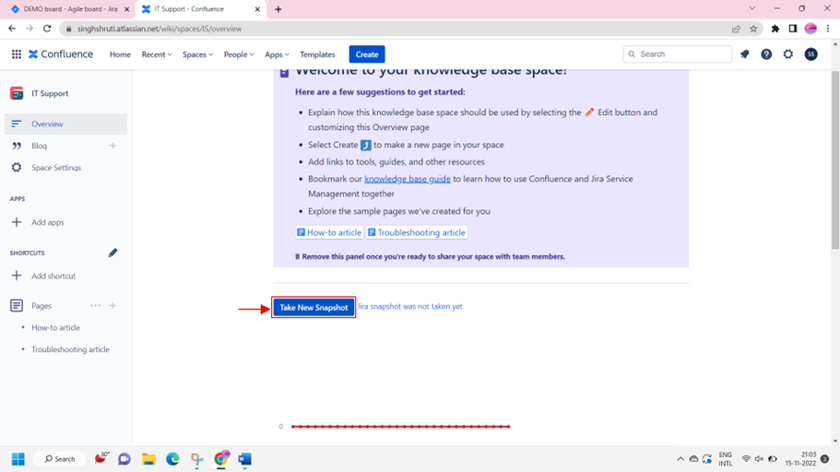
Hope this will help you to understand how to use Jira snapshot for confluence.
Refer below video to understand more about it. https://youtu.be/juFdxRF4l7M
If you need any further detail reach out to Radbee team and let me know if I can help you in any ways.
