Hello All
I am in need of some help and advice please on the company's Confluence page.
I made a change the home page (text only, or so I thought) and have messed up the URL pointer.
Here are the details and screen shots.
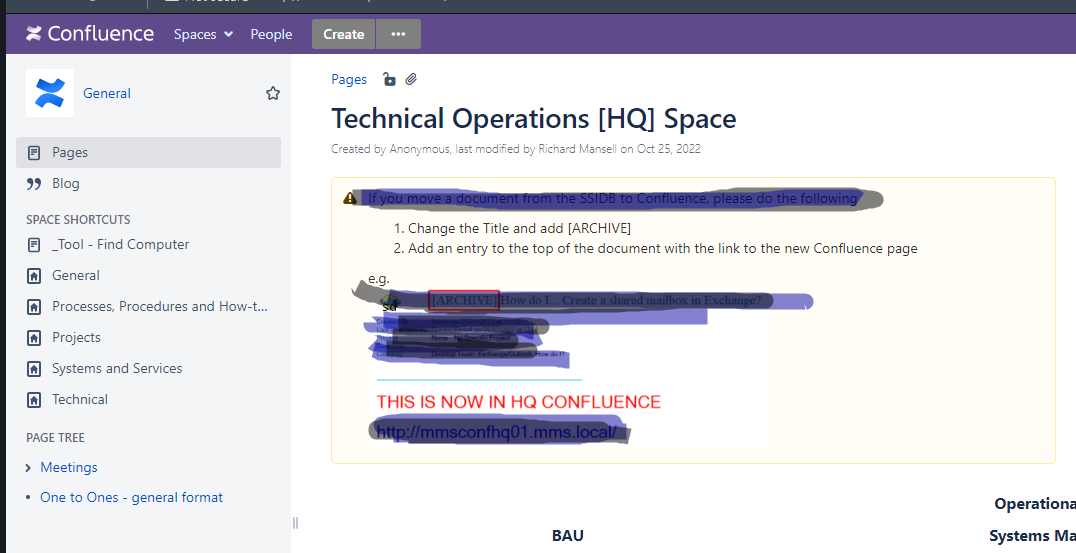
Screen shot one, shows the main landing page for the site.
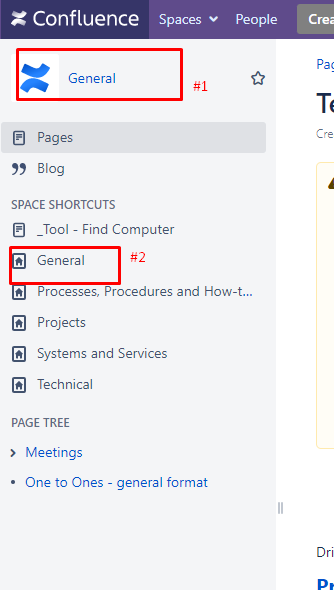
Screen shot two shows the side panel where my problem is.
The "General" space name points to this URL:http://mmsconfhq01.mms.local/display/GEN/Technical+Operations+%5BHQ%5D+Space?src=sidebar
This one give the HTTP 400 error.
The "General space shortcut" URL points to this URL: http://mmsconfhq01.mms.local/display/GEN?src=spaceshortcut
This is correct and goes to the landing page as normal.
I need to find a way to update the URL against the space title, I have looked on the Admin pages and on the space shortcuts/configuration, and I can change the space name, but not the URL it should go to.
Can anyone help please?
Best regards
Richard.