 In Resolve permission scheme errors in Jira Service Management it is stated that we can dismiss the warning in case we do not want to use the default permission scheme which is correct. But only full jira administrators do see the 'Dismiss this warning' link and the 'Upgrade permission scheme' button.
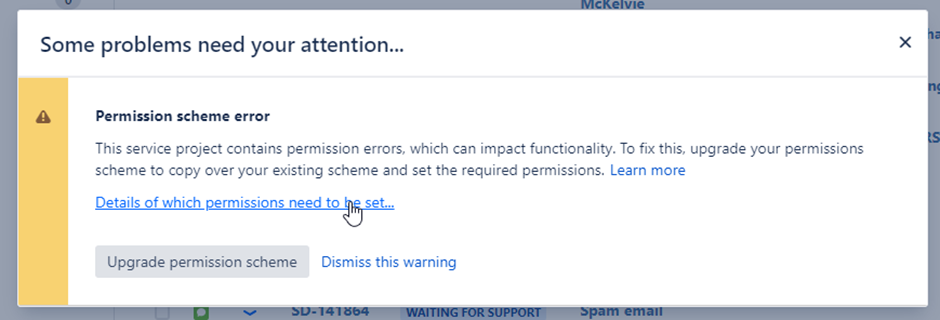
The pop up above has the 'Dismiss this warning' link which allows the system administrator to get rid of the pop up. Next time he accesses the project the warning will not pop up anymore.
Project administrators and other backend users with less access rights do not see those options and so cannot dismiss this warning for their accounts and it gets displayed every time they access the project.
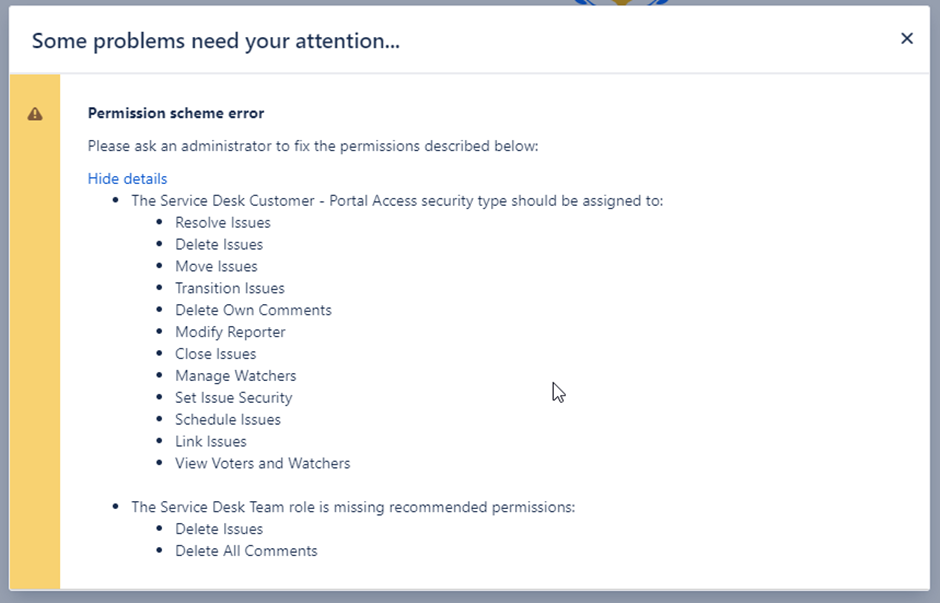
The pop up above does not have the 'Dismiss this warning' link so the user cannot get rid of the warning. But will see it next time again.
Is there a way to dismiss this warning for every user? Since we do not want to use the default permission scheme and all those permissions it is quite annoying to 'x' this warning every time.


