Hi Jira Community! I’m Mark, a product manager working on Jira Software.
Today, I’m happy to announce that we’re launching custom filters for team-managed projects. If you’ve used the quick filters feature in company-managed projects before, custom filters will feel familiar. It’s our solution to a busy board and backlog, to help you quickly find the issues you’re looking for.
This update is all about up-leveling your tools so your team can work smarter, not harder. While project admins have permission to create and customize filters, all team members can apply them to the board and backlog as soon as they’re created.
Get started
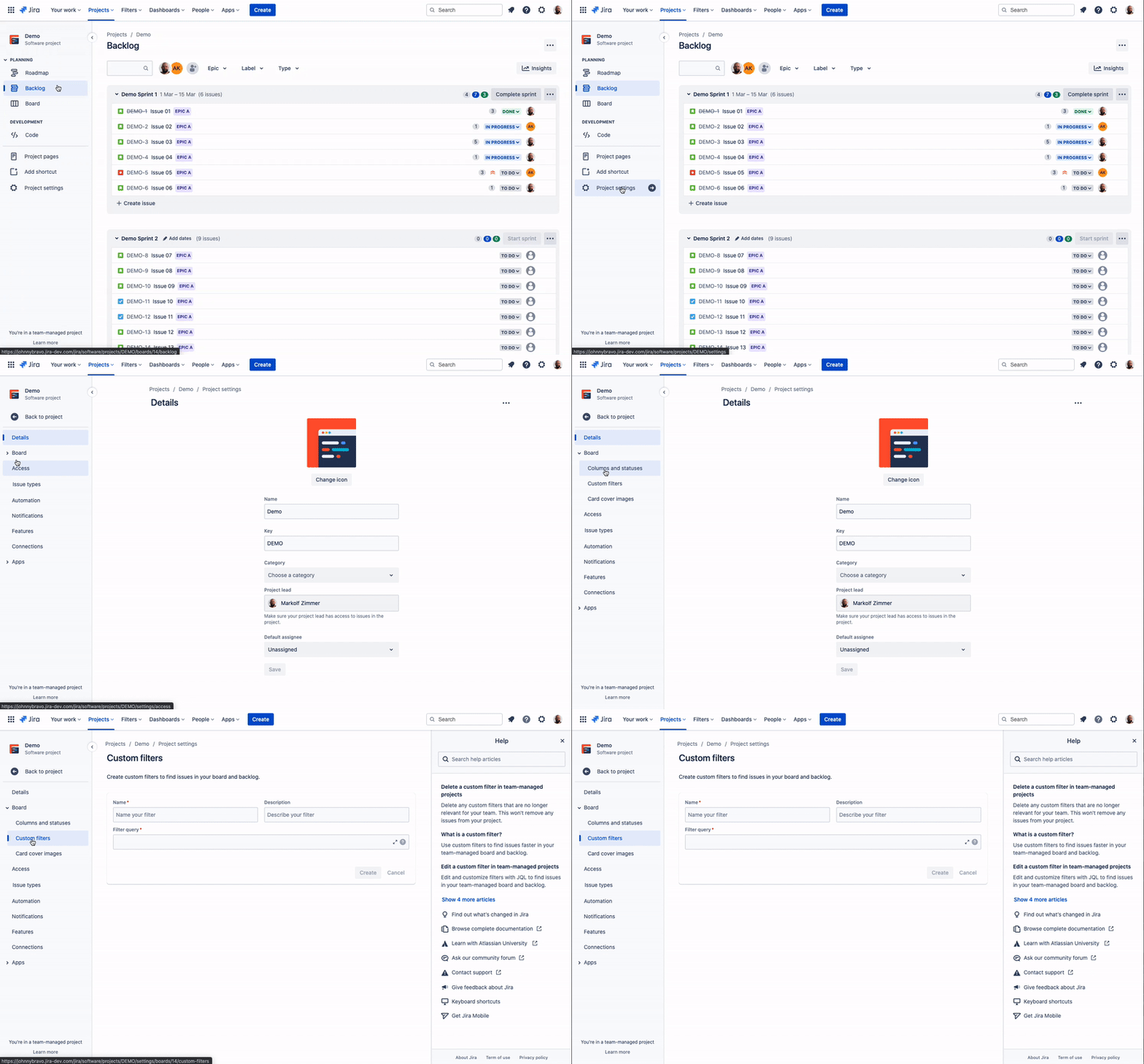
Here’s how to create your first custom filter: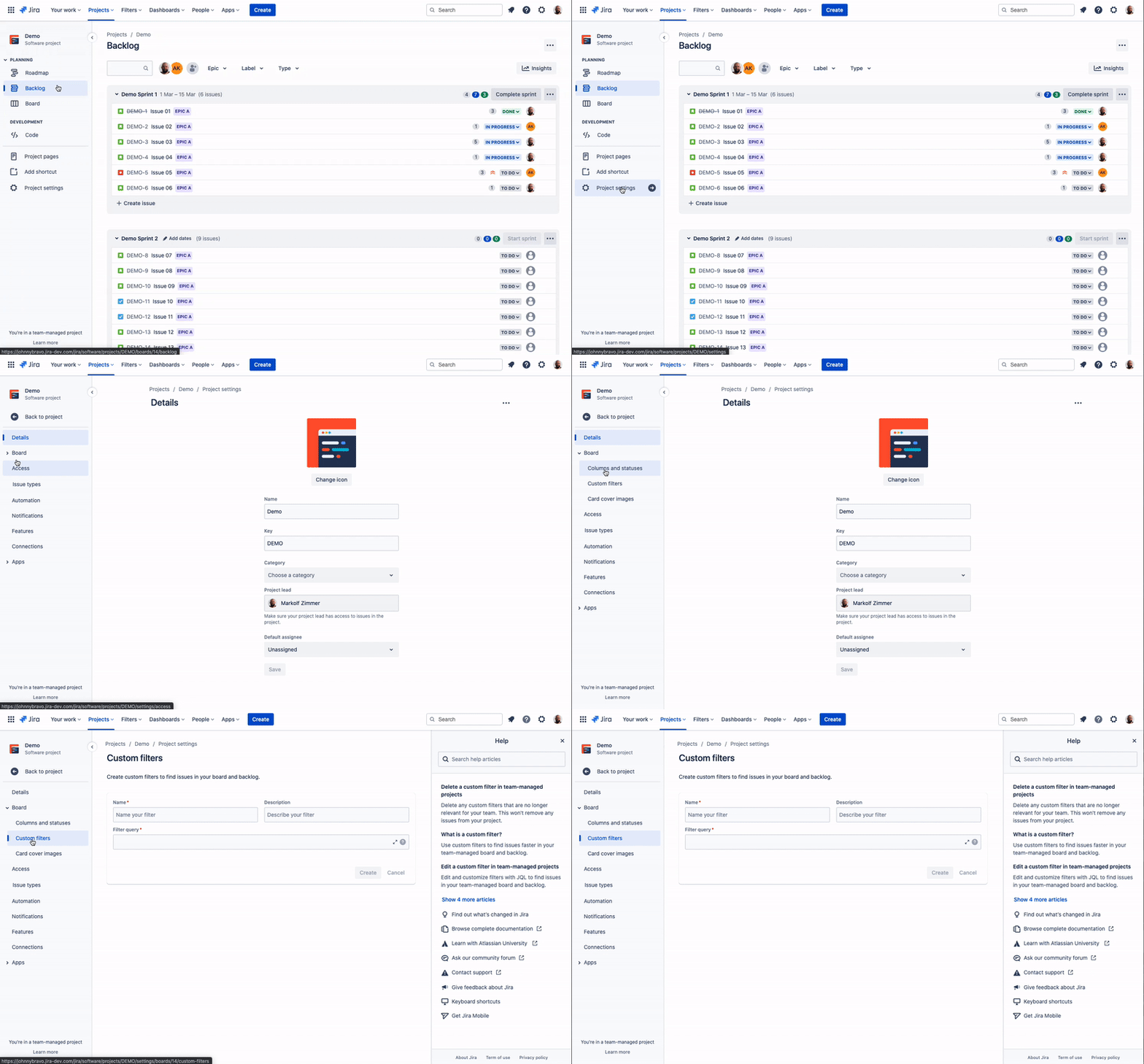
- In your team-managed project, go to Project settings > Board > Custom filters
- Enter a name and description for your custom filter.
- Write a filter query using JQL (Jira Query Language) to tell Jira what issues you’re looking for. Tip: If it’s your first time using JQL, select
 in the top navigation to access in-product help.
- As you type, Jira will validate your query and offer a list of autocomplete suggestions based on your query’s context. Once it’s validated, select Create.
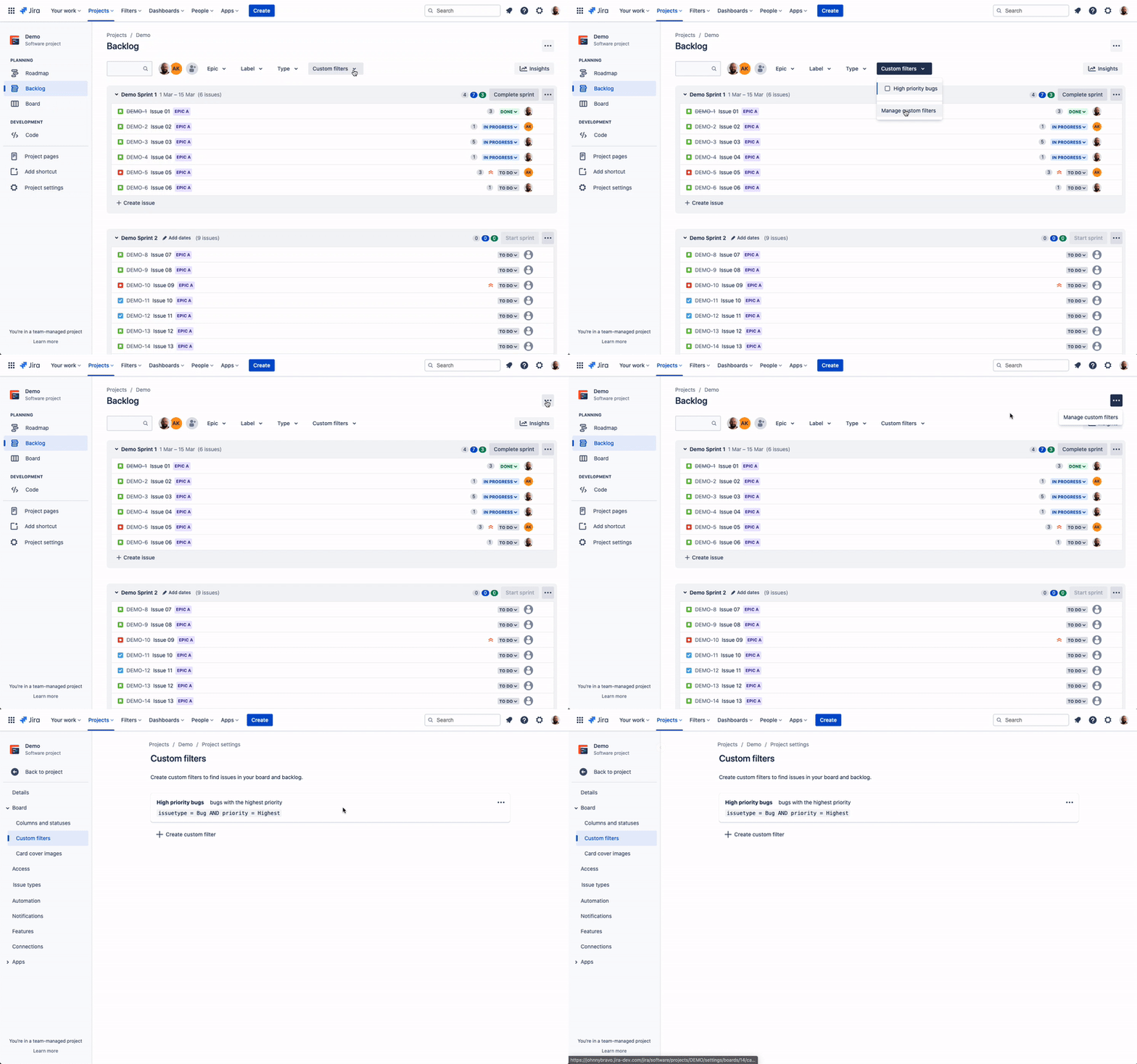
After you’ve created your first custom filter, you’ll find a new dropdown in your board and backlog view. Select filters to refine your search, and use multiple filters simultaneously to narrow down on the issues you need.
Once you’re up and running, you can edit and delete your custom filters at any time. Select … on your board or backlog, then Manage custom filters.

How we’re using custom filters
As soon as we could, our team put custom filters to use straight away. These are the queries for the custom filters we’re using the most:
Unestimated issues
<span>"Story point estimate" = null</span>
Recently created issues (created in the last 7 days)
<span>createdDate >= -7d</span>
Recently updated issues (updated in the last 3 days)
<span>updatedDate >= -3d</span>
Unassigned issues
<span>assignee is EMPTY</span>
Old issues (older than 90 days)
<span>created <= -90d</span>
High priority bugs
<span>issuetype = Bug AND priority = High</span>
What’s next
As your team starts using custom filters, we’d love to hear from you! We’ll be using your feedback to help us iterate and improve the feature. Feel free to share your thoughts below, or use the Give feedback button in Jira — feedback left here goes directly to our teams.


