We're excited to announce that Statuspage now has role based access control (RBAC)! Last year we released page permissions to allow for customers to control which users can see which pages; from customers' feedback we now have implemented a more granular level of user permissions at the page level.
There are 3 roles that can be configured:
Incident Manager
Maintenance Manager
Page Configuration Manager
-
Add and edit components and subscribers
-
Set up app integrations and metrics
-
Customize pages and emails
-
Edit page information and page type settings
Note: Role based access control is available to any organization that has at least one page on a Business, Corporate, Enterprise, or Audience specific plan.
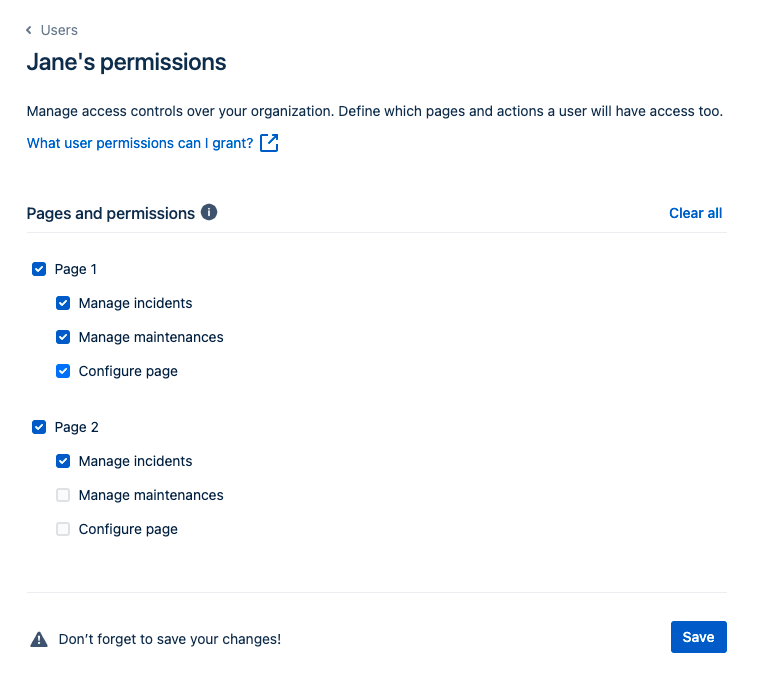
Edit user's permissions in a few easy steps:
-
Click your avatar in the bottom left of your screen.
-
Select Users from the menu.
-
Find a team member to set permissions for and select Edit permissions.
-
Select at least one page to grant this team member access to.
-
Select the roles listed beneath each page that you want them to have access to.
-
Select Save.
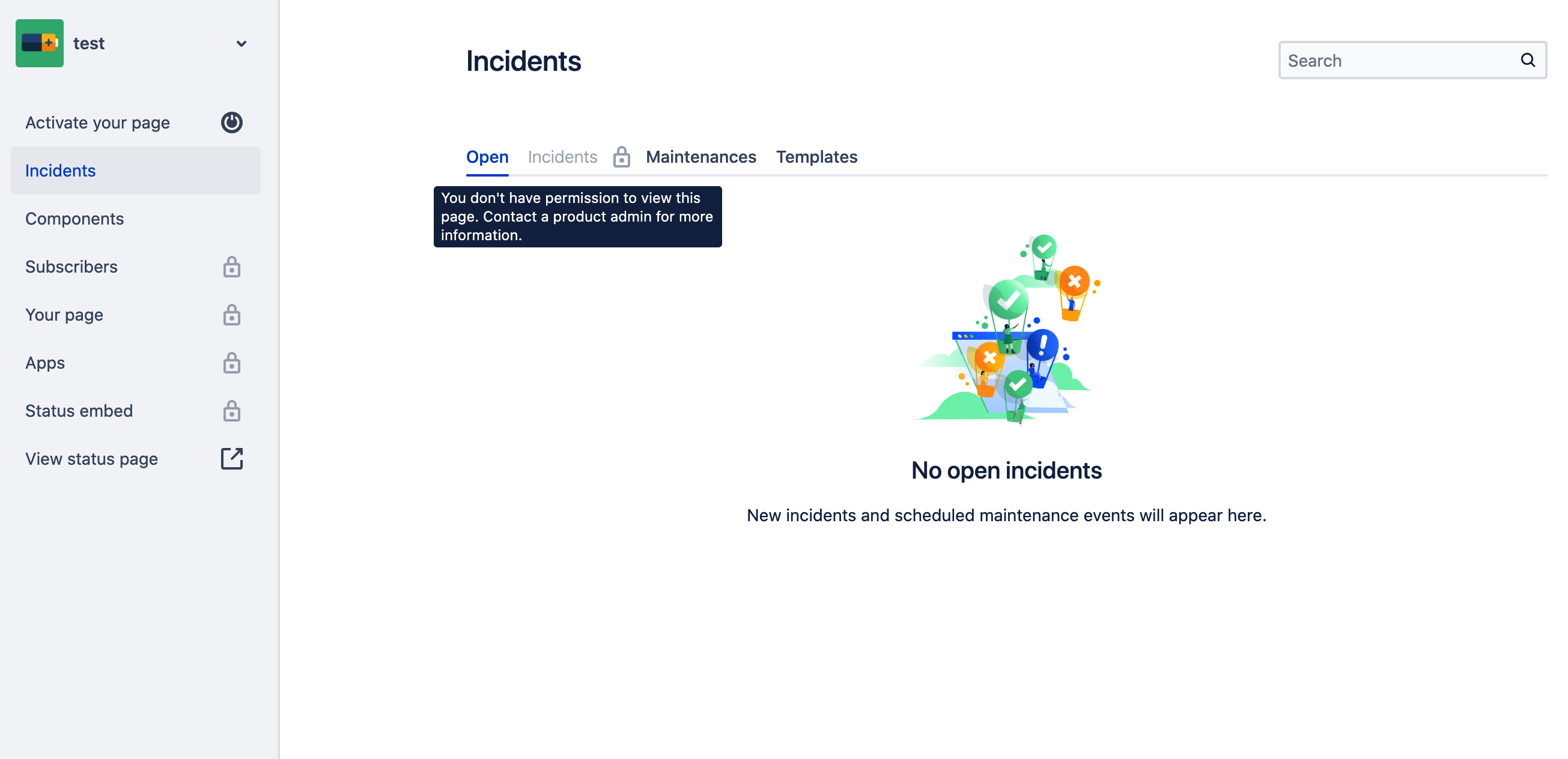
Example: If you restrict your team member from managing incidents this will be their view:
When new team members are invited through admin.atlassian.com role based access control must be configured through the https://manage.statuspage.io. Please note that any users invited through admin.atlassian.com will be granted all page and role permissions by default.
For more information, visit the documentation.
