Hi,
I'm trying to switch remote git access to my repo from https to ssh, to avoid needing to use an app password, but I can't seem to read from the repo when I change the remote. I get a "The requested repository either does not exist or you do not have access." message. When I switch the remote back to use https, it connects fine:
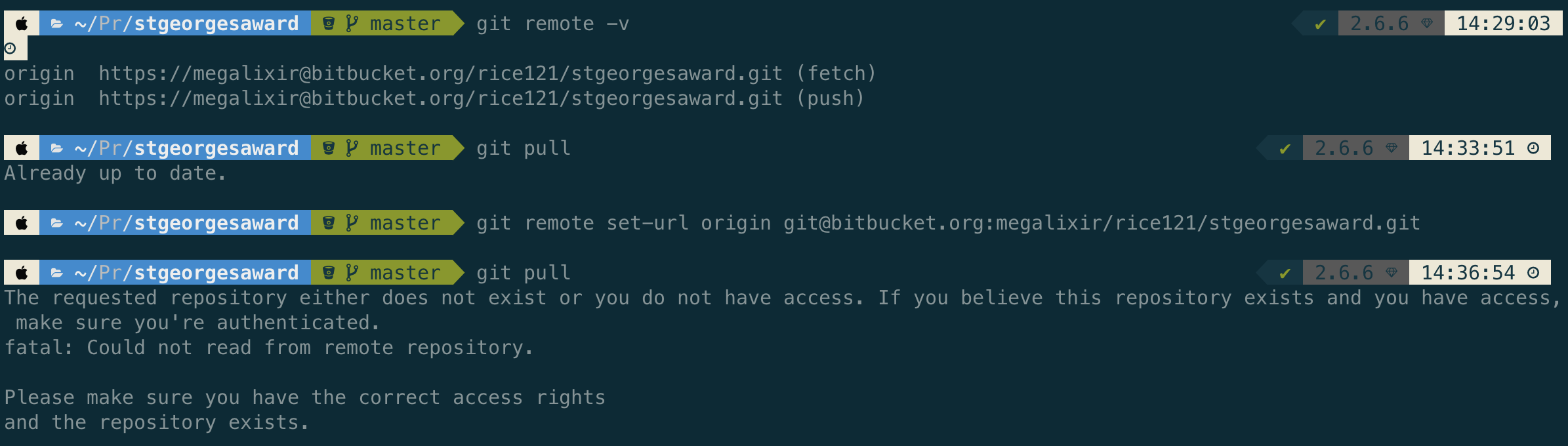
I have referenced this documentation for creating an ssh key and I uploaded the new key to my bitbucket profile: https://support.atlassian.com/bitbucket-cloud/docs/set-up-an-ssh-key/
I've referenced this page as well for changing a remote from https to ssh: https://support.atlassian.com/bitbucket-cloud/docs/change-the-remote-url-to-your-repository/
...and this troubleshooting page for help: https://support.atlassian.com/bitbucket-cloud/docs/troubleshoot-ssh-issues/
As mentioned in the documentation, I used the following command to check if I'm authenticated, it says that I am.

I'm not sure what authentication I'm failing when pulling/pushing. As far as I can tell, the remote ssh path is correct. I do use another ssh key for another git project for github, so I'm wondering if this is related to local macOS key management. Perhaps by default, the ssh key for my other project is being used. I confess I've never needed to use more than one key/profile before until this project, so I'm not sure how to configure that kind of setup, or even if it's the problem at all.
Any help or insight is appreciated, thank you.

